Abmilf Video Downloader | How to Download Abmilf Videos
Pricing
Pay per usage
Abmilf Video Downloader | How to Download Abmilf Videos
Download Abmilf videos where they play. No links to copy, and no need to click away from the site.
Pricing
Pay per usage
Rating
0.0
(0)
Developer

pornvidsdownload
Maintained by CommunityActor stats
0
Bookmarked
2
Total users
1
Monthly active users
2 months ago
Last modified
Categories
Features
Share
Download Abmilf videos where they play. No links to copy, and no need to click away from the site.
Stay with the video you are watching. This extension runs on Abmilf video pages themselves, so pasting links or opening outside tools is never part of the process. While you remain on the page, it locates the video source and leaves your session as it was.
Get it Here
👉 Get it here: Abmilf Video Downloader
- ✅ Files you download are never sent through our servers
- ✅ No advertising, tracking, or analytics
- ✅ Use it on Linux, Mac, or Windows
Preview
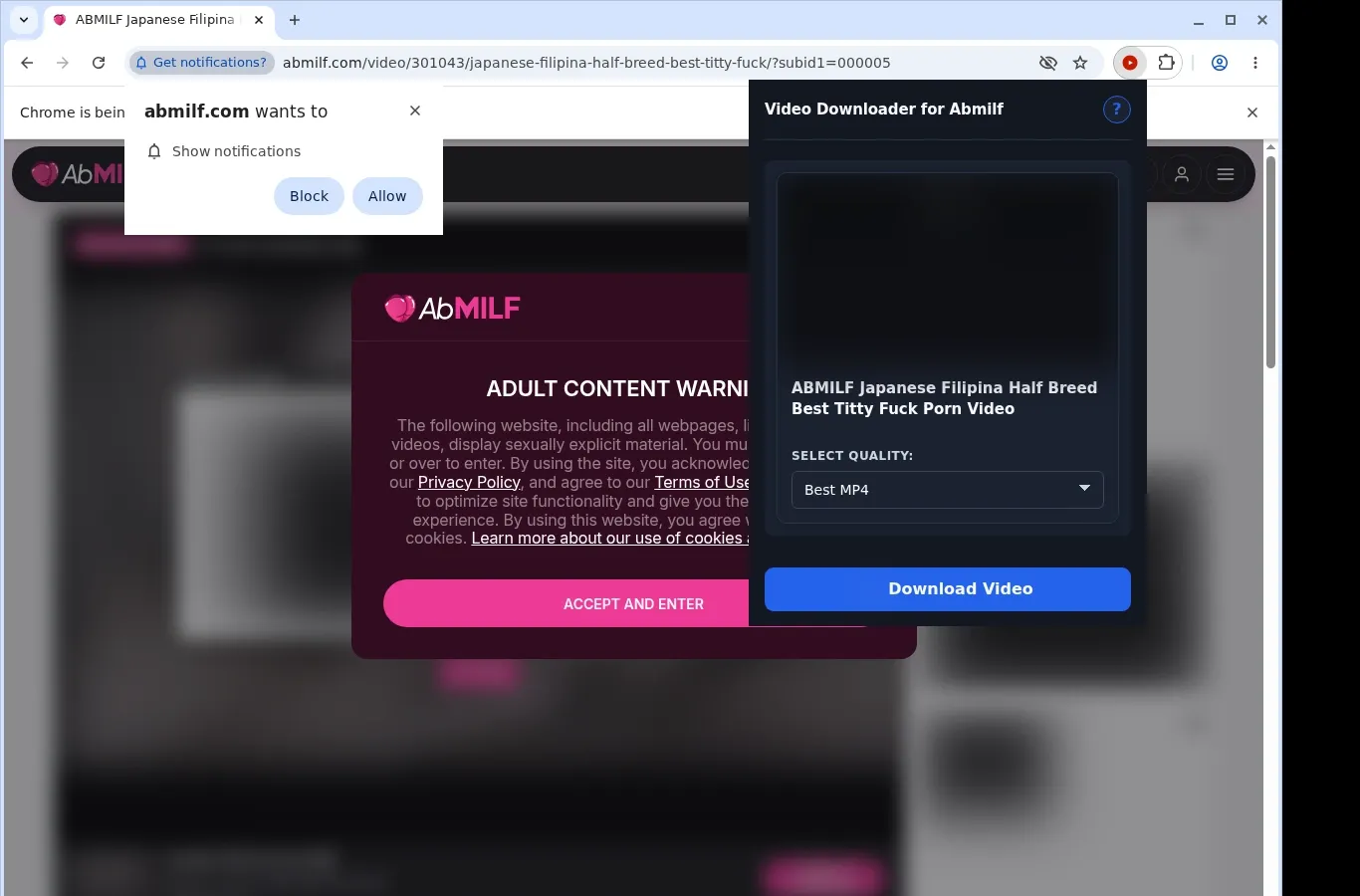
How It Works
- Browse to Abmilf: Pull up the Abmilf page with your video and wait for it to load like any other page.
- Let it find the file: Open the extension, which searches for an available video source and shows a download choice for that page.
- Pick and save: From the format menu, select the file option you prefer and store the completed video on your device.
What It Does
- Save Abmilf videos locally so you can enjoy them without being connected.
- A download button built into the page lets you capture the video in front of you.
- The extension's toolbar popup offers a second way to begin.
- Each download covers a single file, a deliberately narrow flow that stays tidy.
- Your browser's own download manager takes care of the file itself.
- Follow a download's progress in the browser's list of downloads.
Abmilf Video Downloader vs. Online Downloader Website
Begin saving from the spot where the video plays instead of pasting its link somewhere else.
| Abmilf Video Downloader | Online Downloader Website |
|---|---|
| Click the download button built into the Abmilf page. | The page link must be pasted into a different service. |
| Open it from the extension's toolbar popup instead. | A separate website opens, taking you away from the video. |
| Targets the Abmilf video you have open right now. | Embedded player details may be invisible to a general-purpose link tool. |
| Hands the file to your browser's standard download system. | How the file is handled comes down to the outside site. |
| Track progress in your browser's list of downloads. | Checking status means going back to that outside site. |
Compatibility
Browsers: Chrome, Firefox, Edge, Brave, Opera, Whale, Yandex
Supported:
- Abmilf video pages
- Extension-capable desktop browsers
- Videos your browser session already has access to
- Pages that make a usable video source available
- Linux, macOS, and Windows systems
Not Supported:
- Browsers designed for mobile devices
- Safari
- DRM-encrypted streams and other protected media
- Videos that have been removed or are otherwise unavailable
- Bulk crawling and gallery scraping
- Working around private, paid, regional, or age-gated content, or permission checks
FAQ
How is a download started? Load the Abmilf video page first. The extension puts a download button onto that page; click it to save the video you are viewing, or reach for the toolbar popup instead.
What format will the file be in? MP4, the same as the source from Abmilf. Its original MP4 encoding is left alone, with no conversion, which means common video players can play it.
Where do I look for saved videos? Your browser's own download system writes each file to a folder set aside for Abmilf. Open your browser's download list or your file manager to find it.
Can I grab several videos in a single go? A download session covers just one video: the one on the page you are on. Sticking to that keeps things simple and prevents mix-ups.
Know Before You Use It
- The page has to offer a video option that can be saved.
- Your browser should already be able to show you the video.
- Starting playback could be needed before the active source is detected.
- The current player or host determines which quality options show up.
Only download videos you own or have permission to save.