PICG — AI Product Photo Scenes
Pricing
from $150.00 / 1,000 ai-generated scenes
PICG — AI Product Photo Scenes
AI scenes for product photos: an AI model builds a styled scene around your product, $0.15 per frame (beta). Or skip AI: cut out the background for $0.01, or place the product on a studio backdrop for $0.02-$0.03. Up to 20 photos per run, pay per published image.
Pricing
from $150.00 / 1,000 ai-generated scenes
Rating
0.0
(0)
Developer

Milchenko Oleksii
Maintained by CommunityActor stats
0
Bookmarked
2
Total users
1
Monthly active users
3 days ago
Last modified
Categories
Share
PICG turns ordinary product photos into ready-to-sell images in batches. Its main feature is the AI scene: an AI image model builds a styled scene around your product, matched to the angle of your photo, for $0.15 per frame (beta). Prefer no AI? Cut the background out for $0.01, or place the product on a studio backdrop for $0.02-$0.03. Paste a list of photo URLs, press Start, and get the results in batches of up to 20 products per run. Built for ecommerce sellers, marketplaces, agencies and catalog teams who need consistent product images without a photo studio.
You pay per image that is published successfully. Failed images and dry runs produce no per-image charge, and you can cap spending with the run's Maximum cost per run setting.
What can PICG do?
| Mode | What you get | Price per image |
|---|---|---|
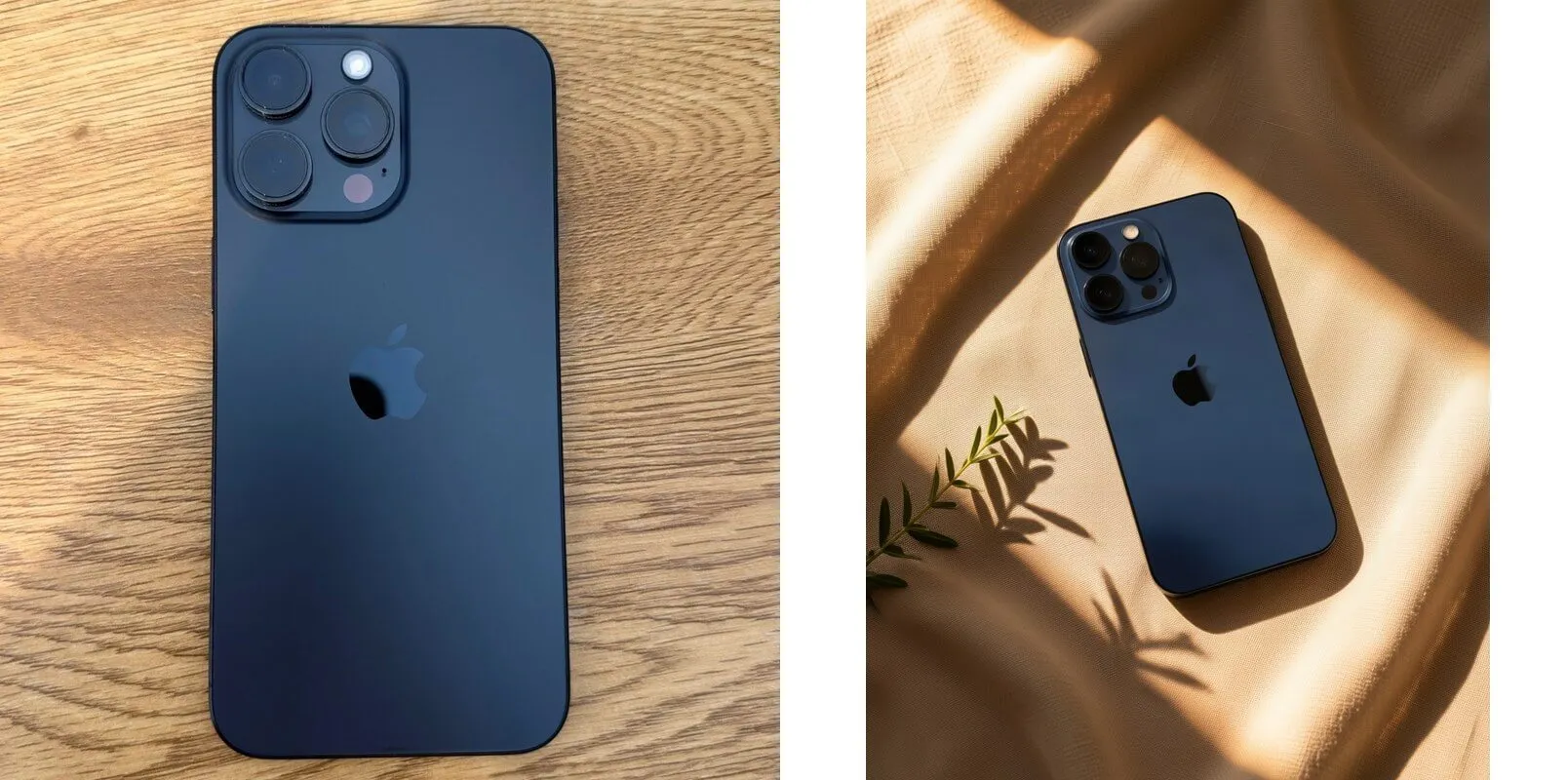
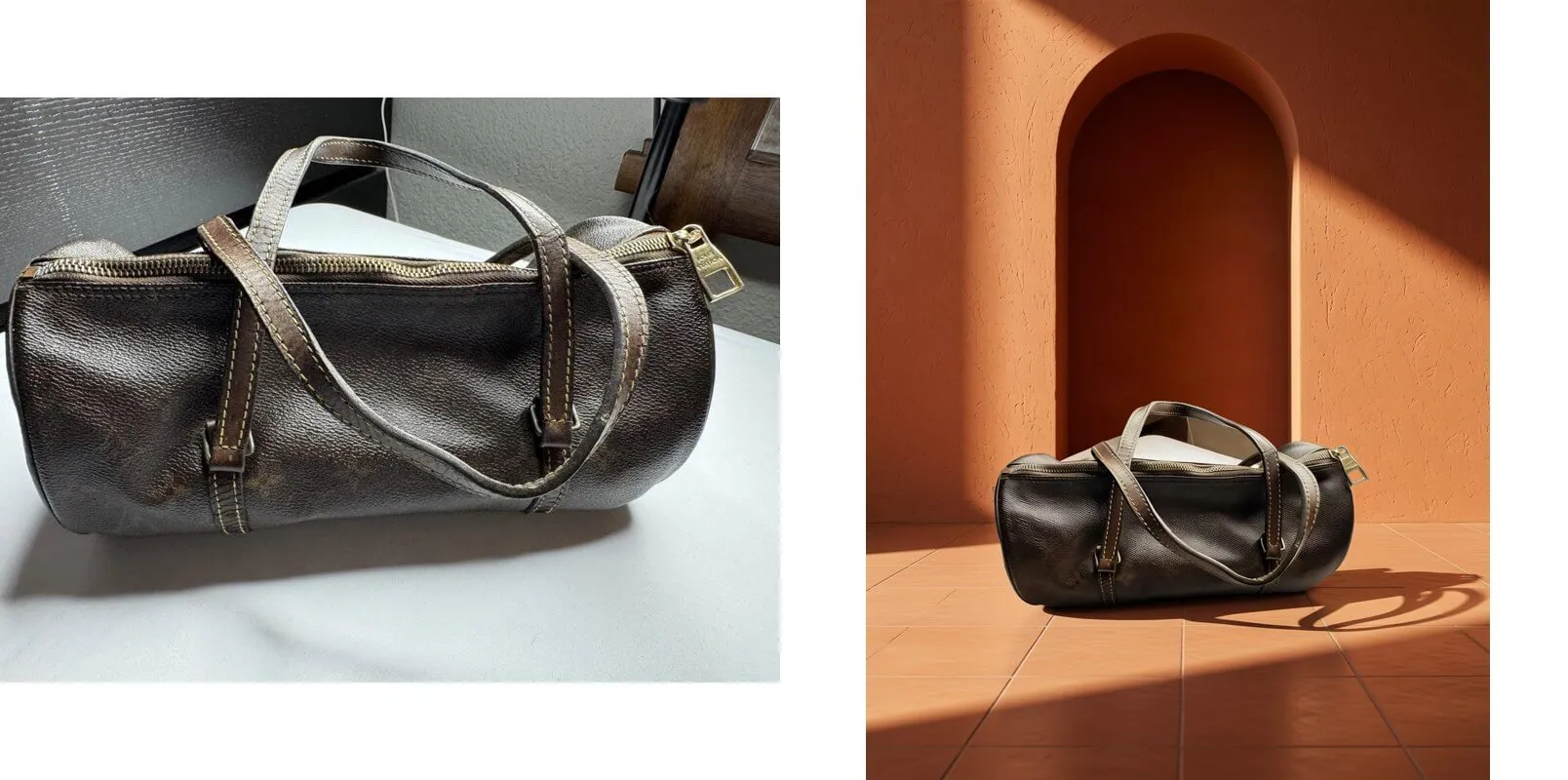
| AI scene (beta) | An AI image model builds a scene around your product that matches the angle of your photo. 10 styles, retouch level from "almost an exact copy" to "like new". Needs a finite Maximum cost per run. | $0.15 per AI frame |
| Studio hero | The product is cut out and placed on a studio background with a soft shadow. 14 studio backgrounds (4 lite, 10 premium) with PhotoCraft; 3 classic scenes without it. | $0.03 with PhotoCraft · $0.02 classic |
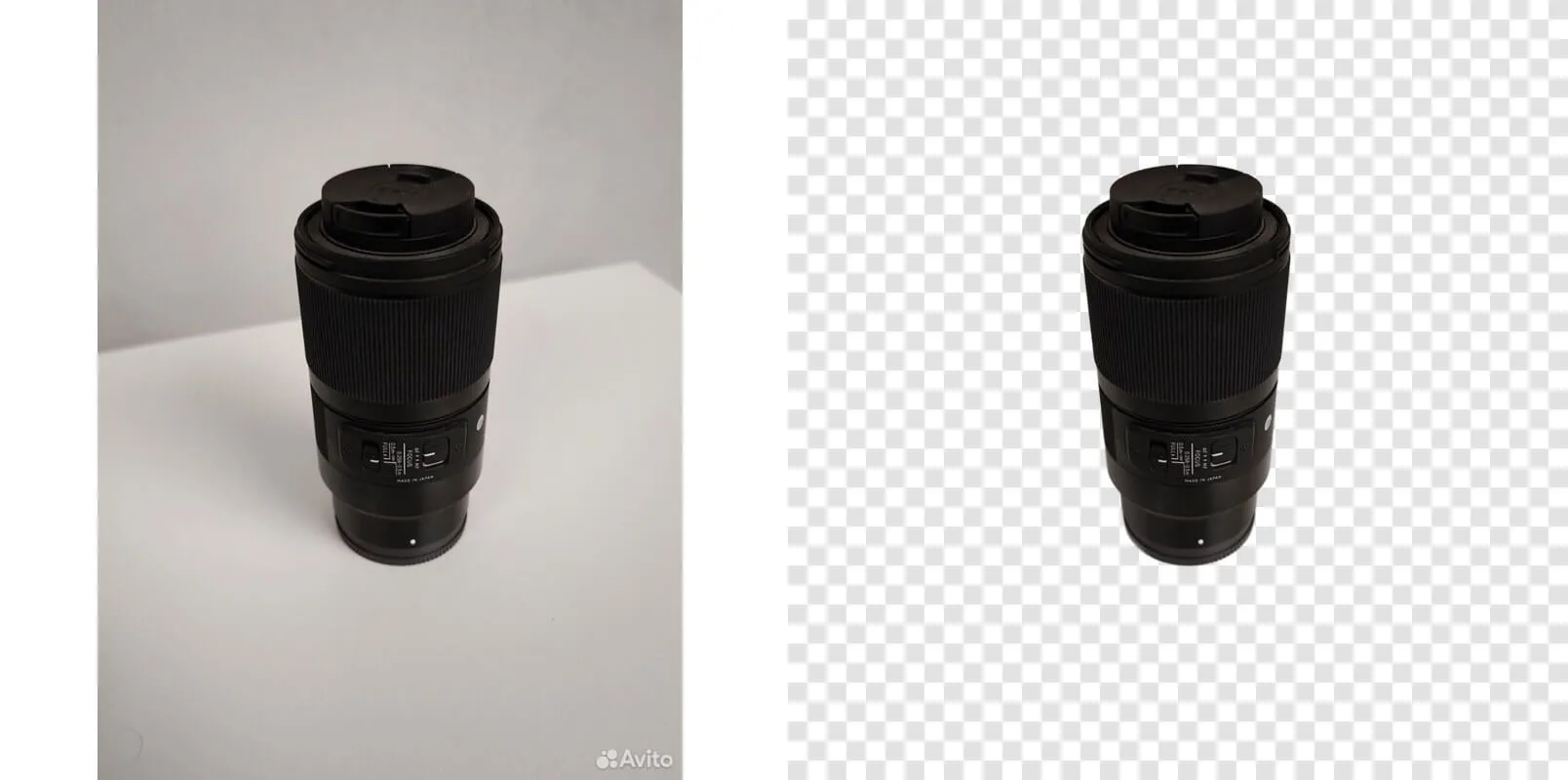
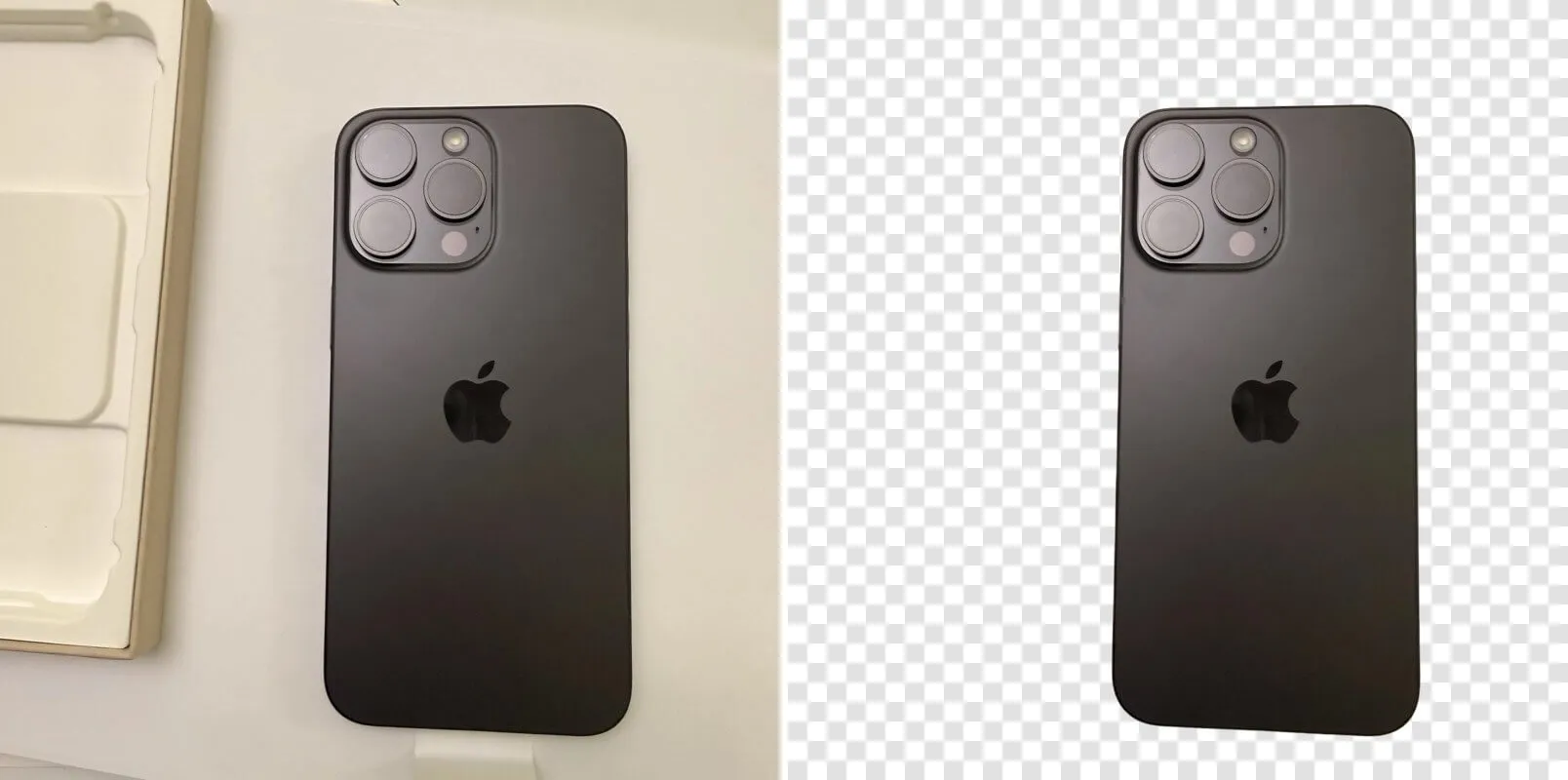
| Background removal only | Just the cut-out product on a transparent PNG, 1600×1600. No text, no scene. | $0.01 |
All modes share the same batch engine: up to 20 products per run, 1–5 output files per product, PNG, JPEG or WebP, sizes from 256 to 4096 px (PhotoCraft: 512–2048 px).
How the cutout works
The product is cut out inside the Actor with the open-source isnet-general-use model (the one used by rembg), followed by a cleanup step that removes stray background fragments. No cloud segmentation service is called. If no product is found or the cutout fails, that image fails instead of being published with a bad result, and it is not charged.
A watermark on the background disappears together with the background. A watermark printed on the product itself is not removed.
Examples
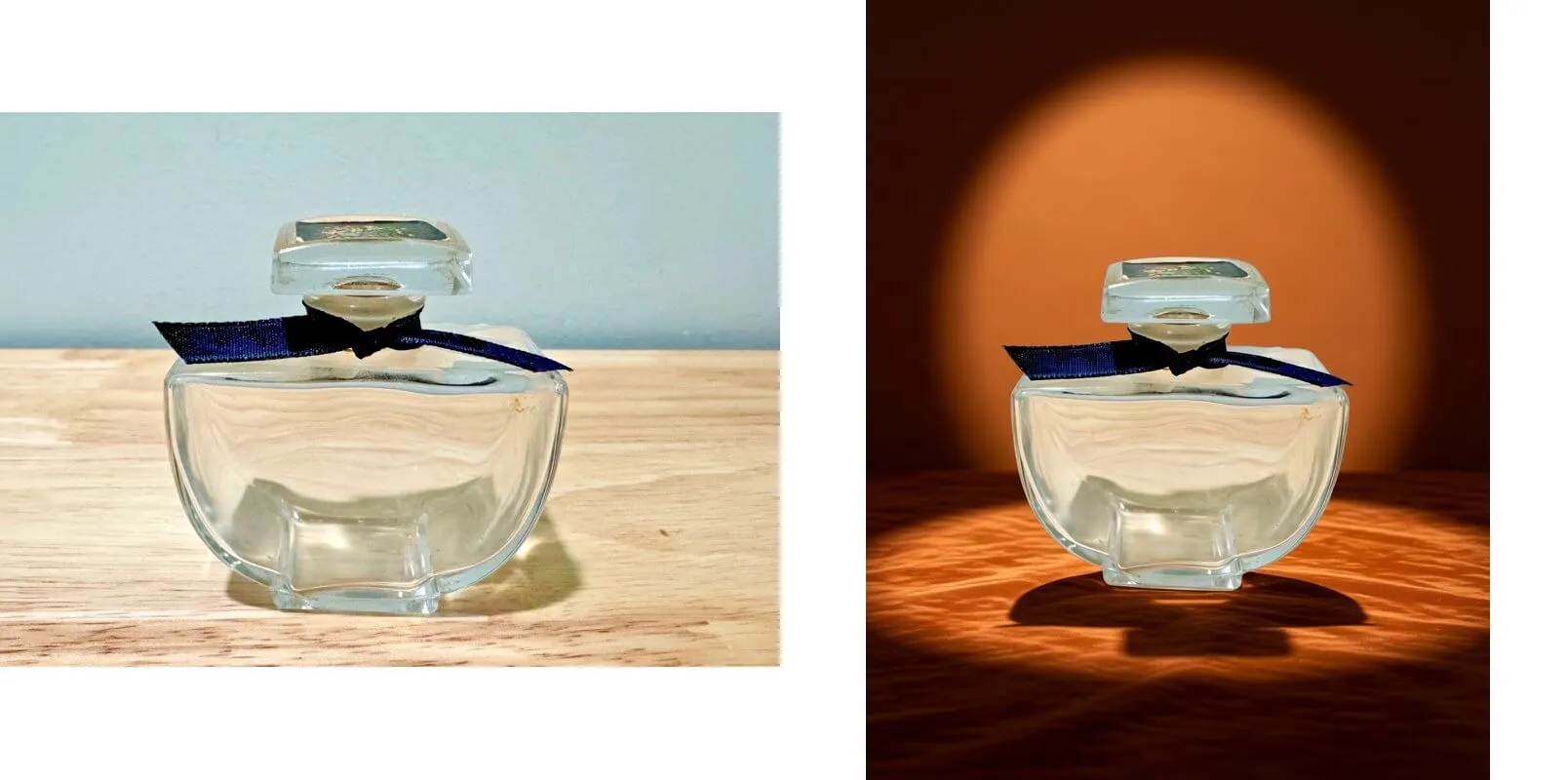
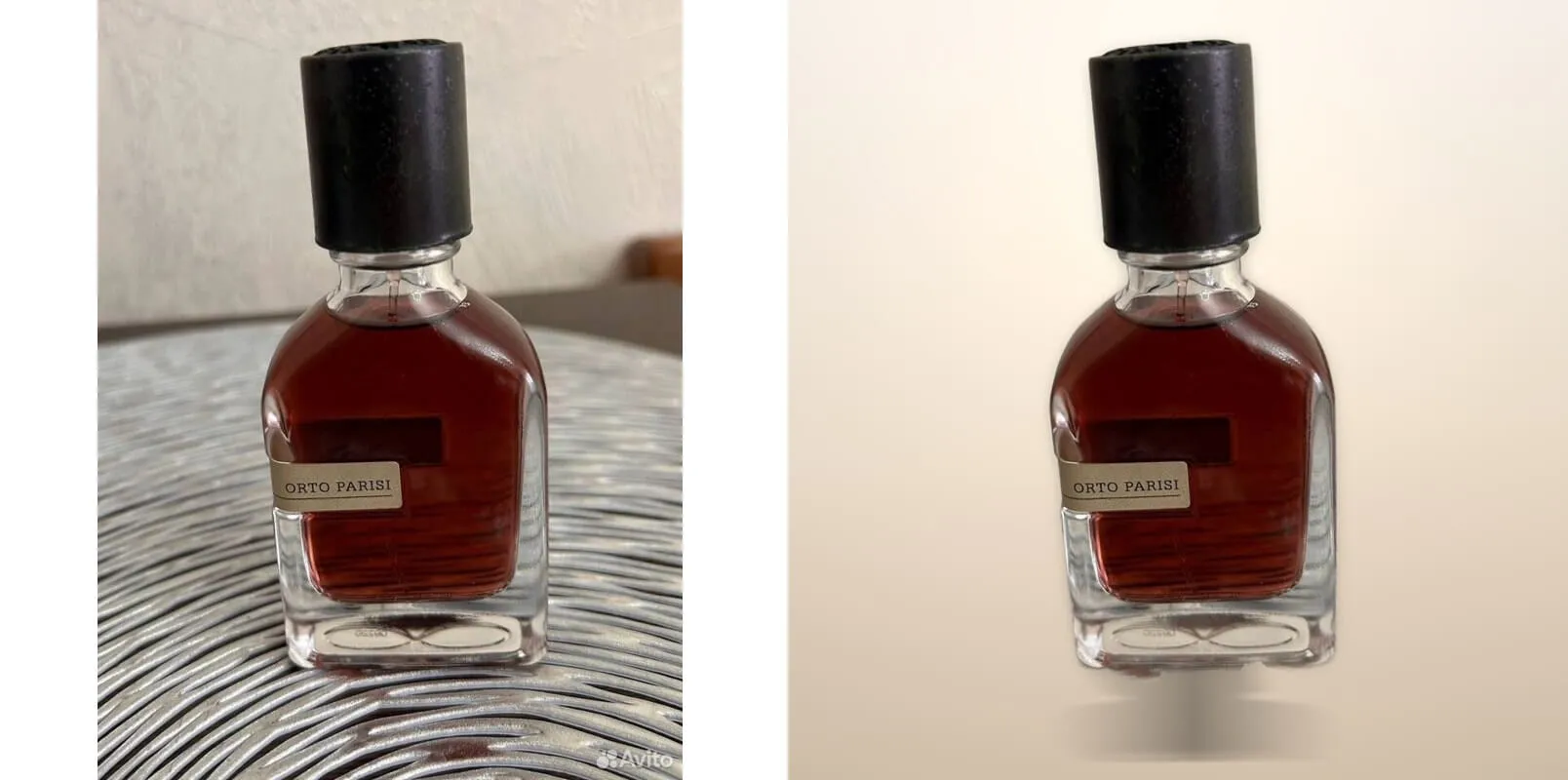
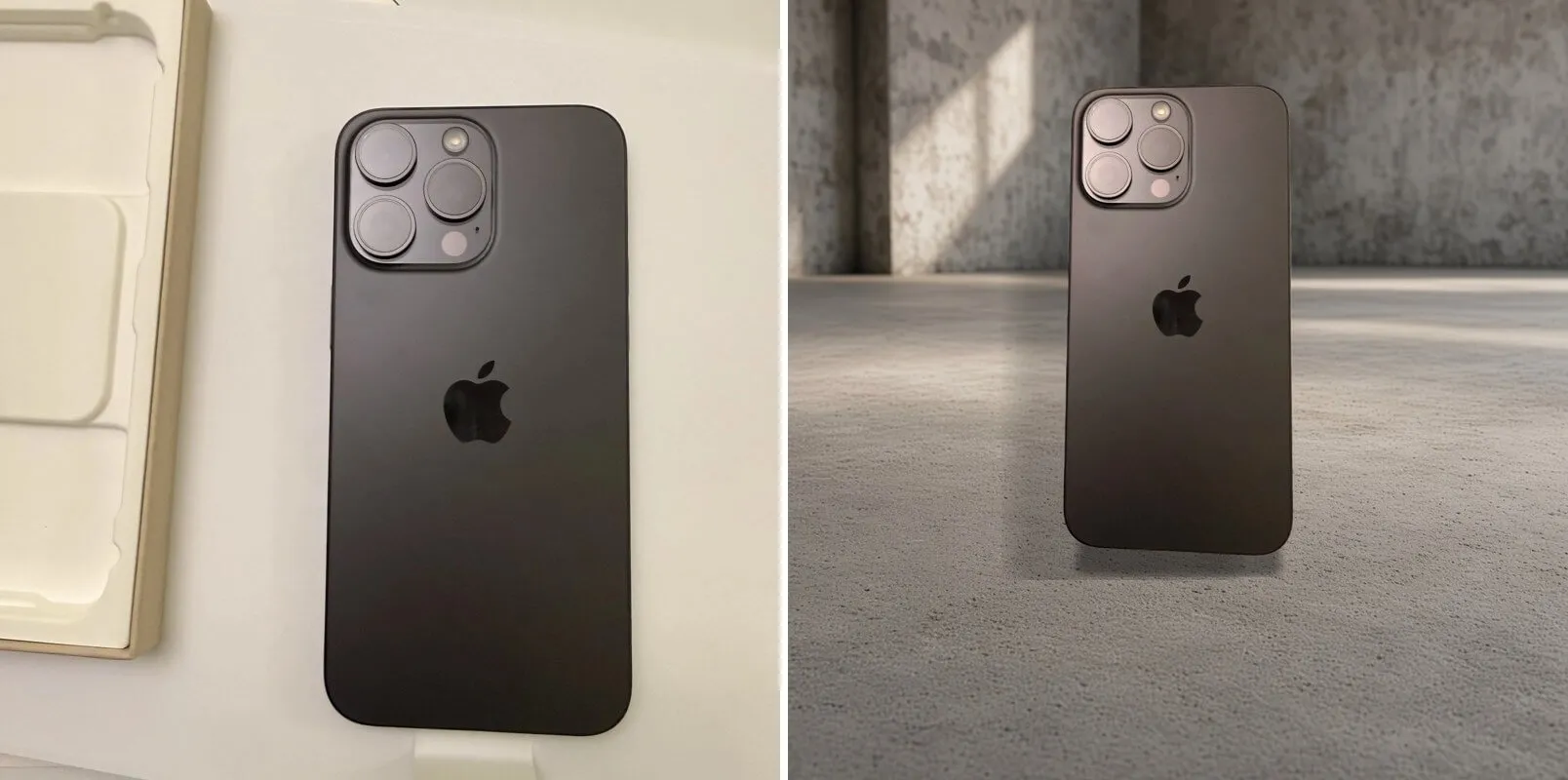
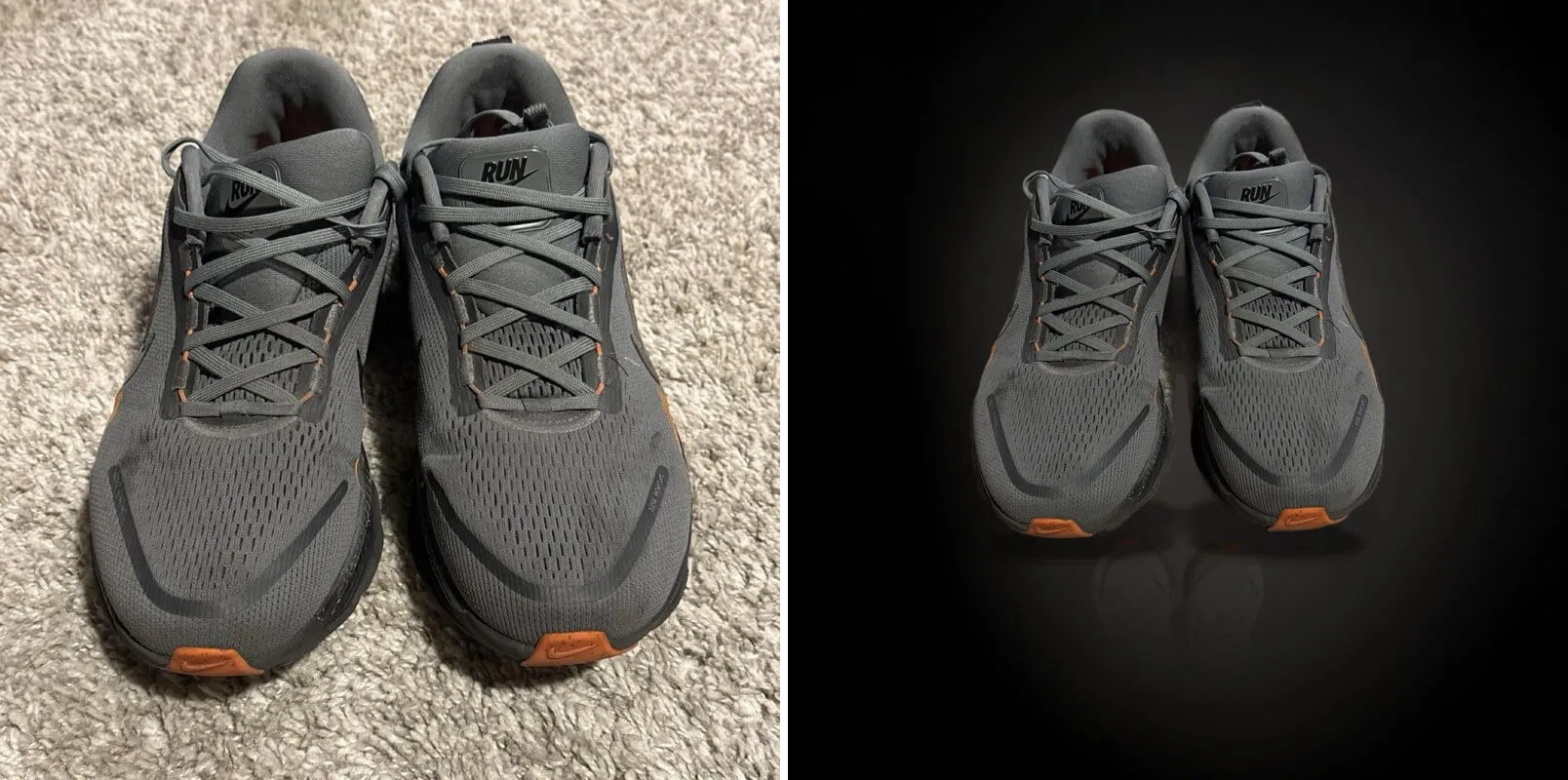
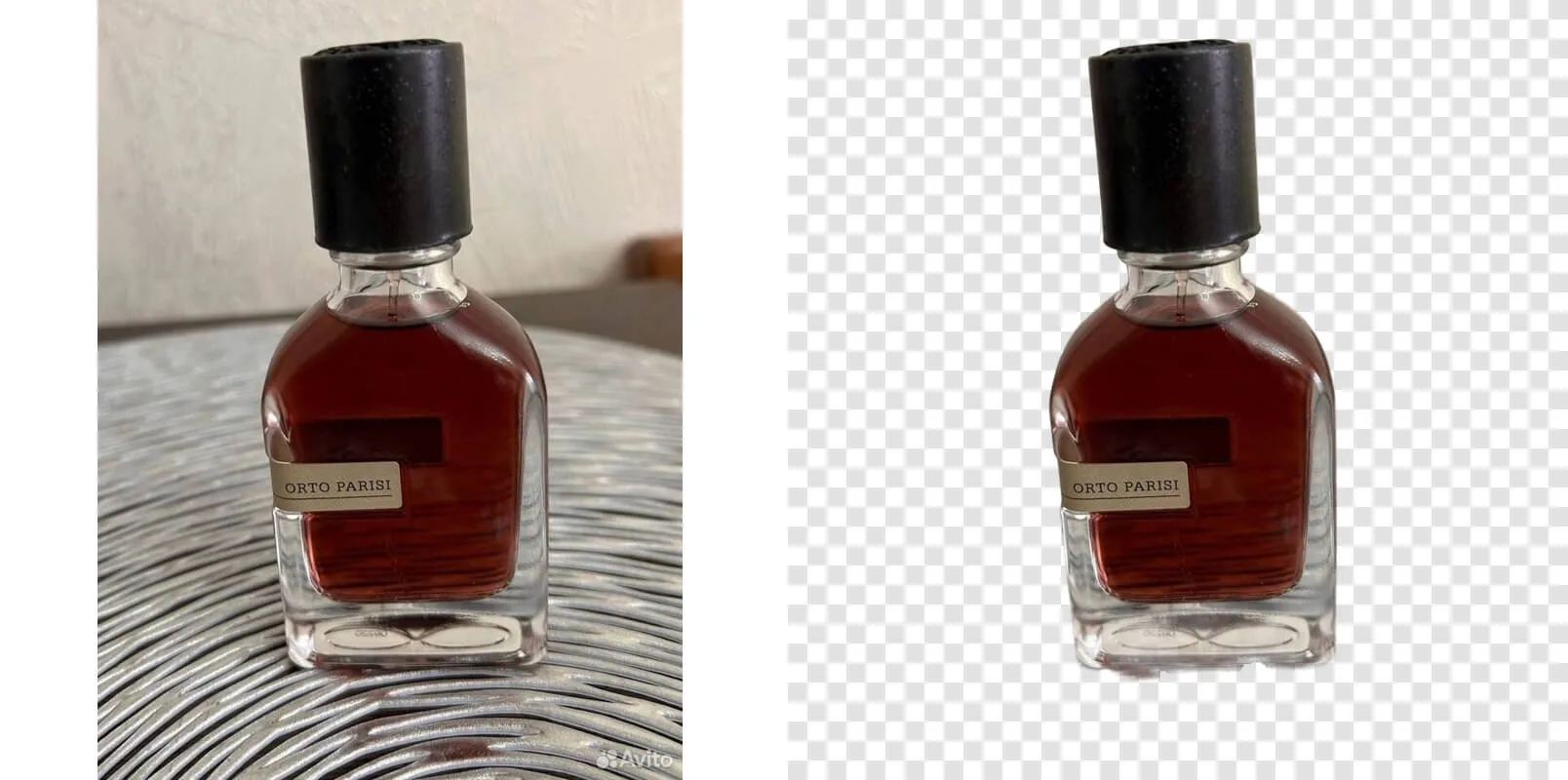
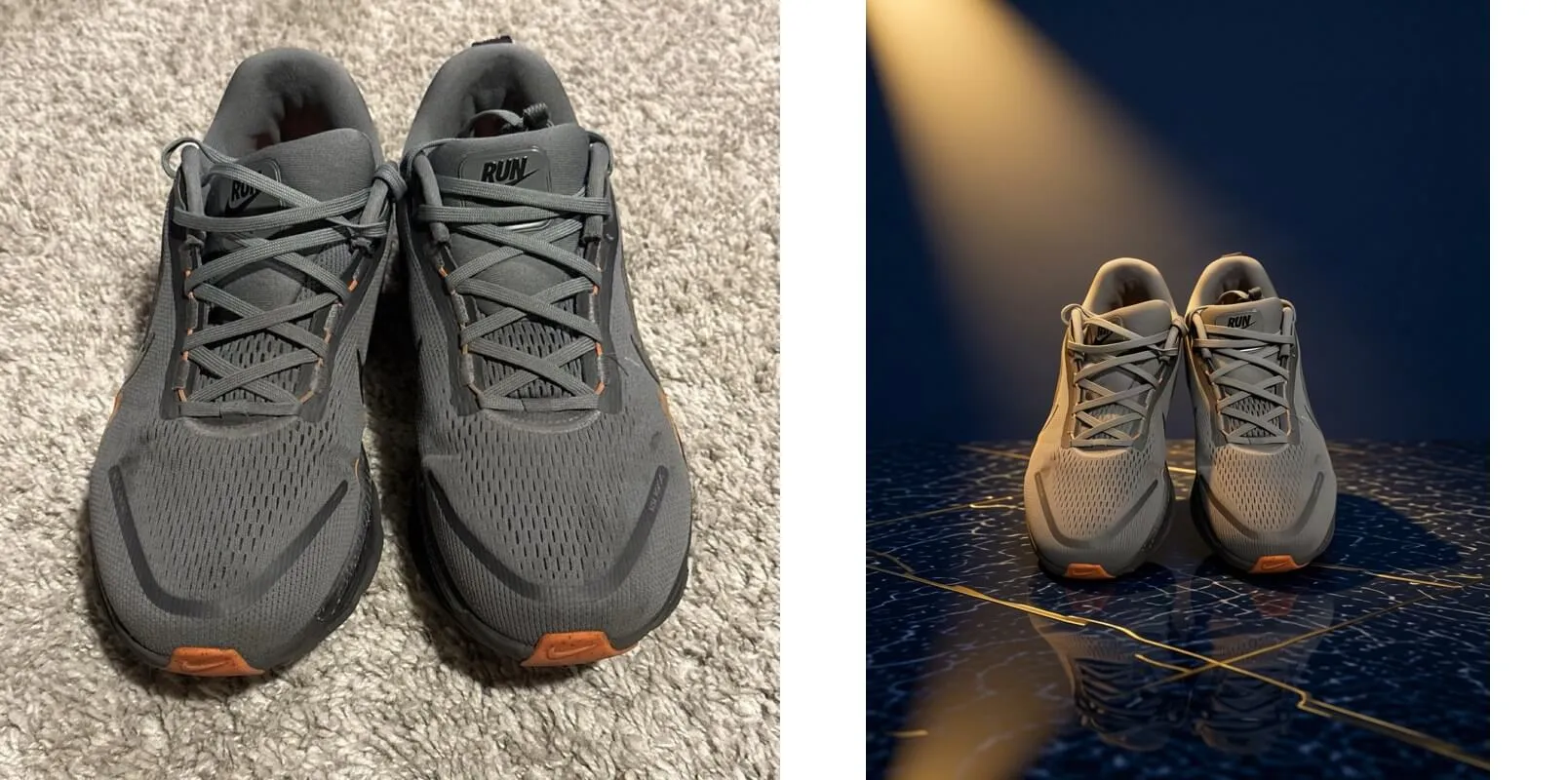
Every picture shows the source photo on the left and the PICG result on the right. All examples are real runs.
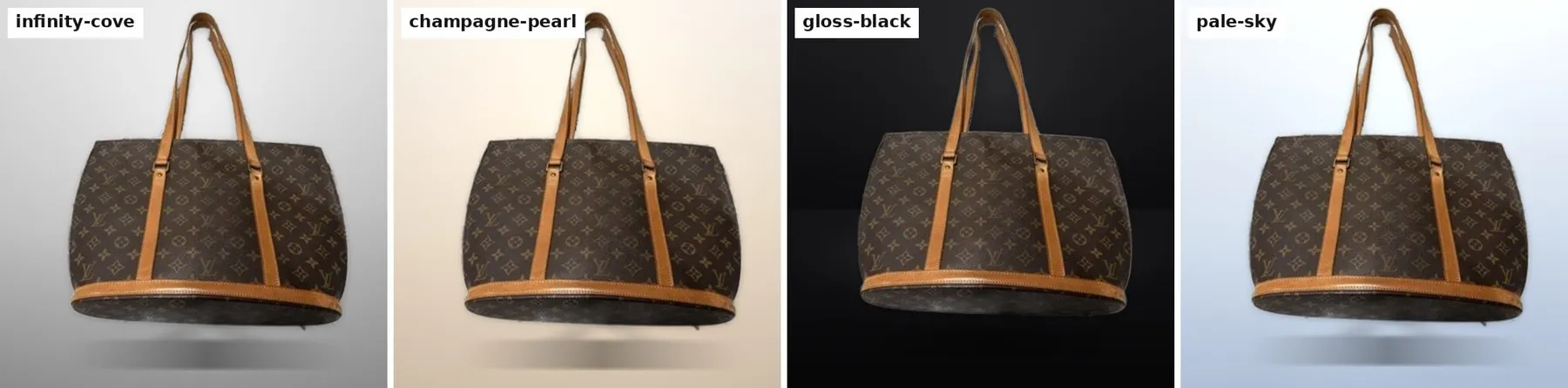
Studio hero with PhotoCraft ($0.03 per image)
14 studio backgrounds. The product is cut out, lit and given a soft shadow.
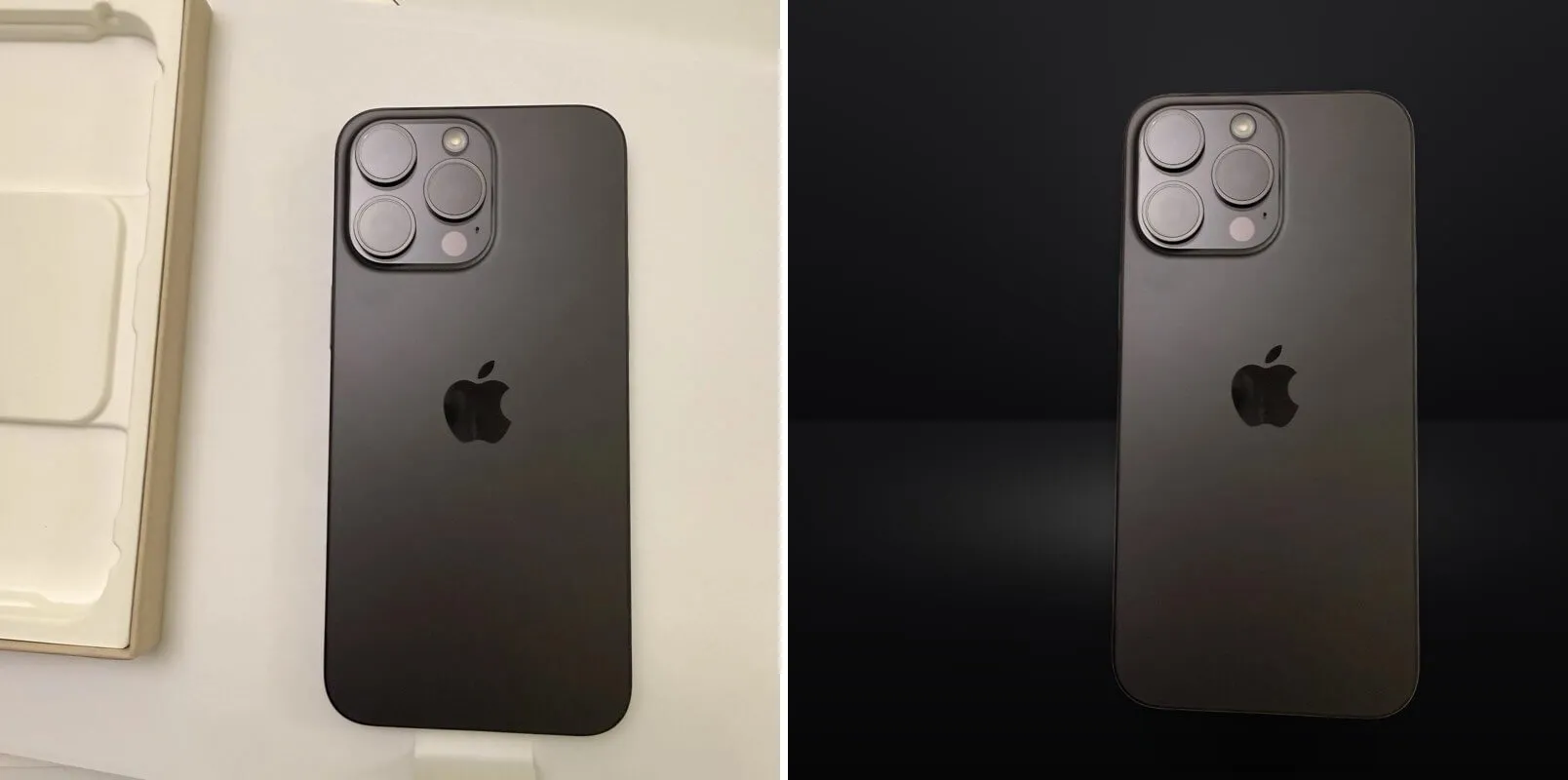
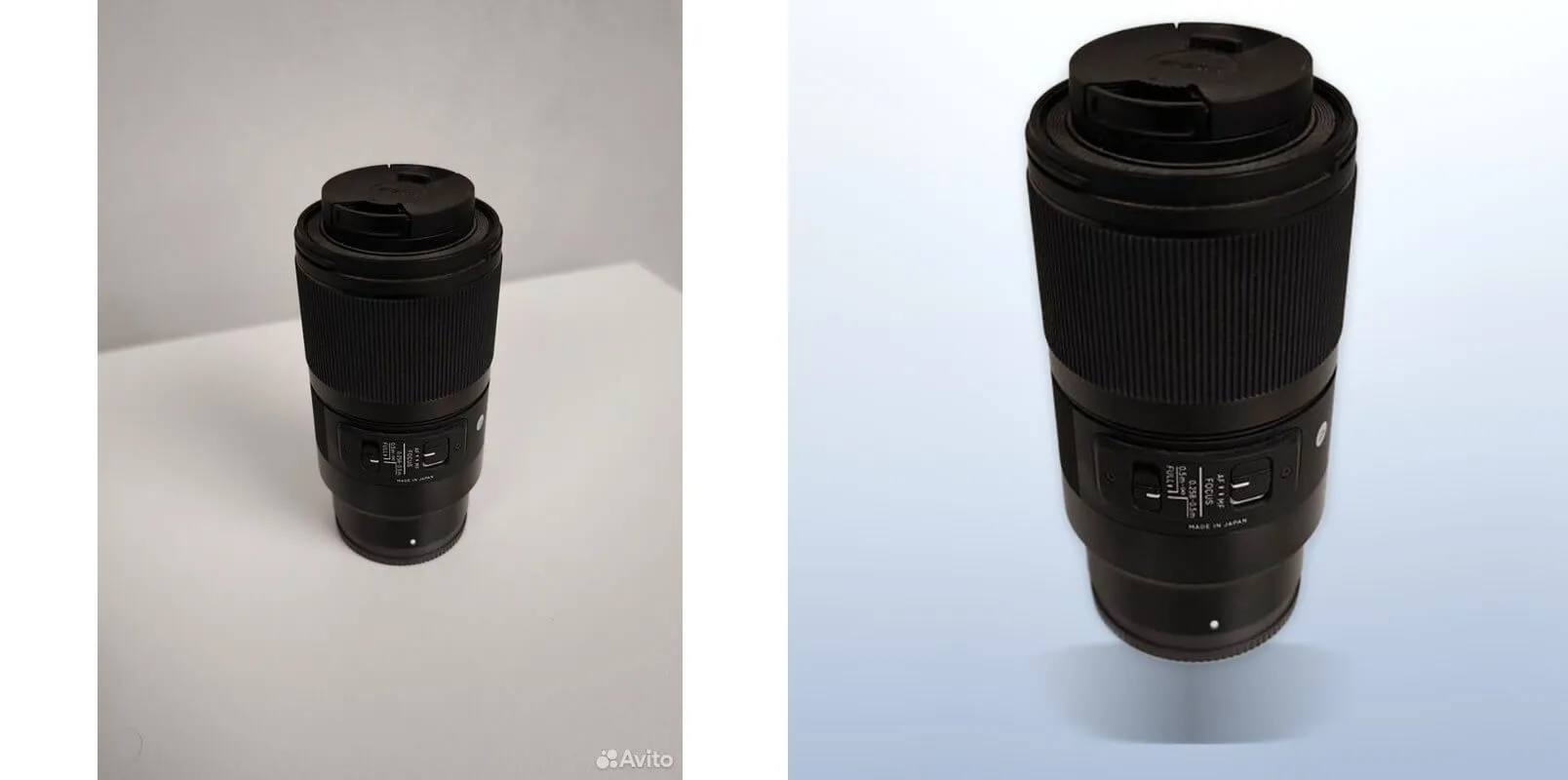
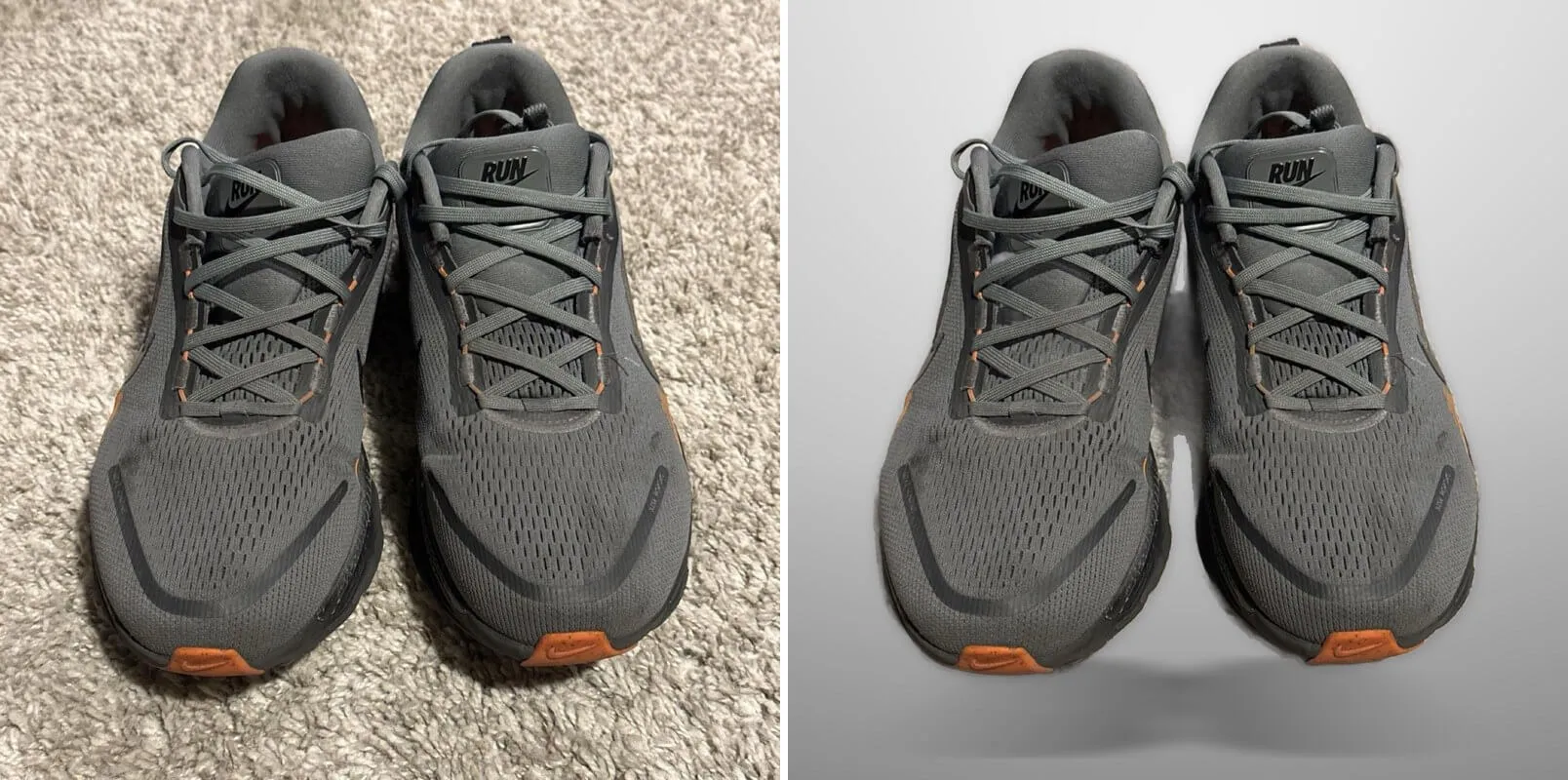
One product on four different backgrounds:
Studio hero with the classic renderer ($0.02 per image)
3 ready-made scenes: infinity-cove, gloss-black and concrete-loft.
Background removal only ($0.01 per image)
A transparent PNG with the product cut out. The checkerboard shows the transparent area. A watermark on the background disappears together with the background.
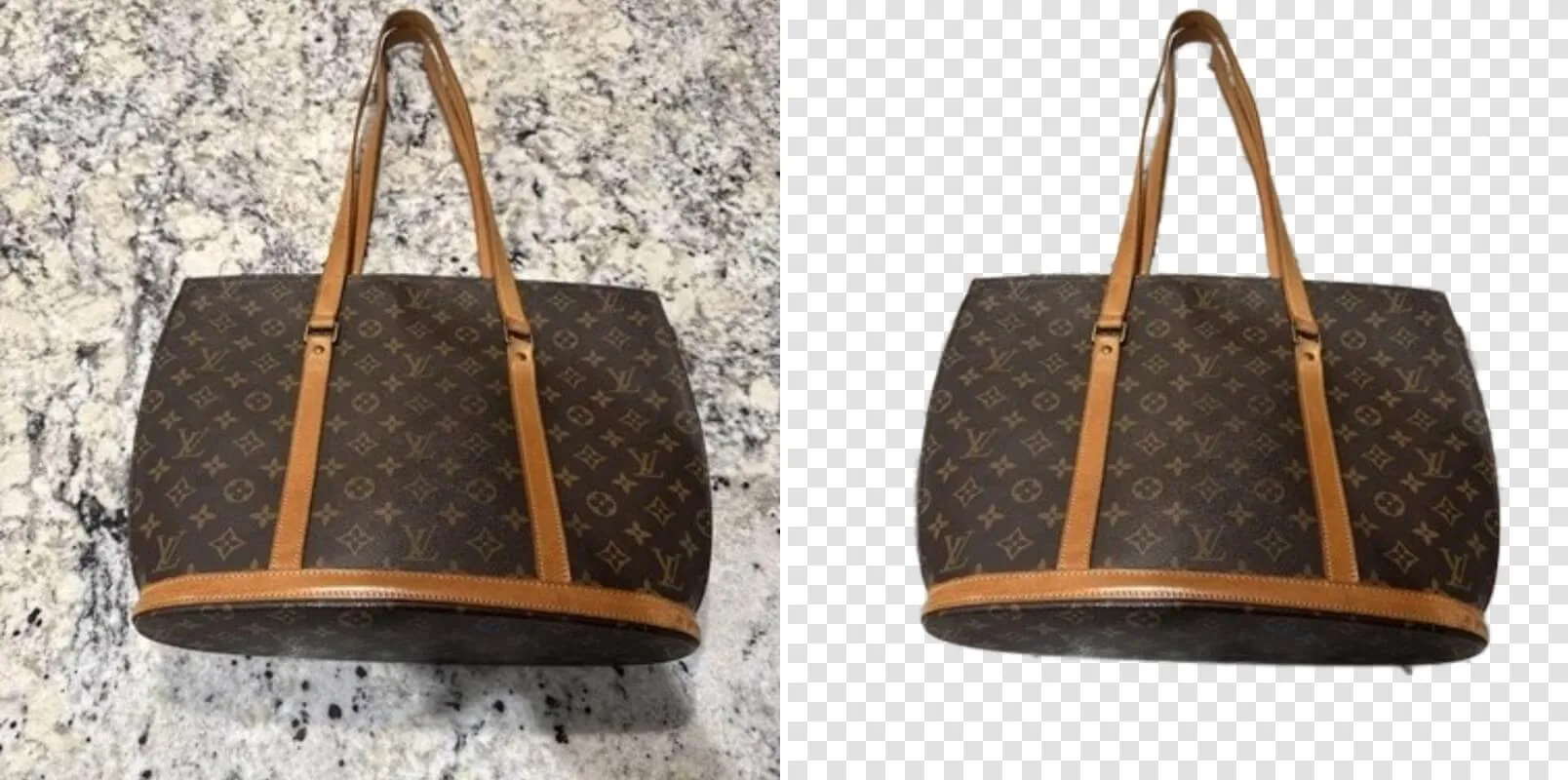
AI scene, beta ($0.15 per AI frame)
An AI image model builds a scene around your product that follows the angle of your photo. These examples use the styles amber-halo, linen-flatlay, terracotta-arch and navy-gold.
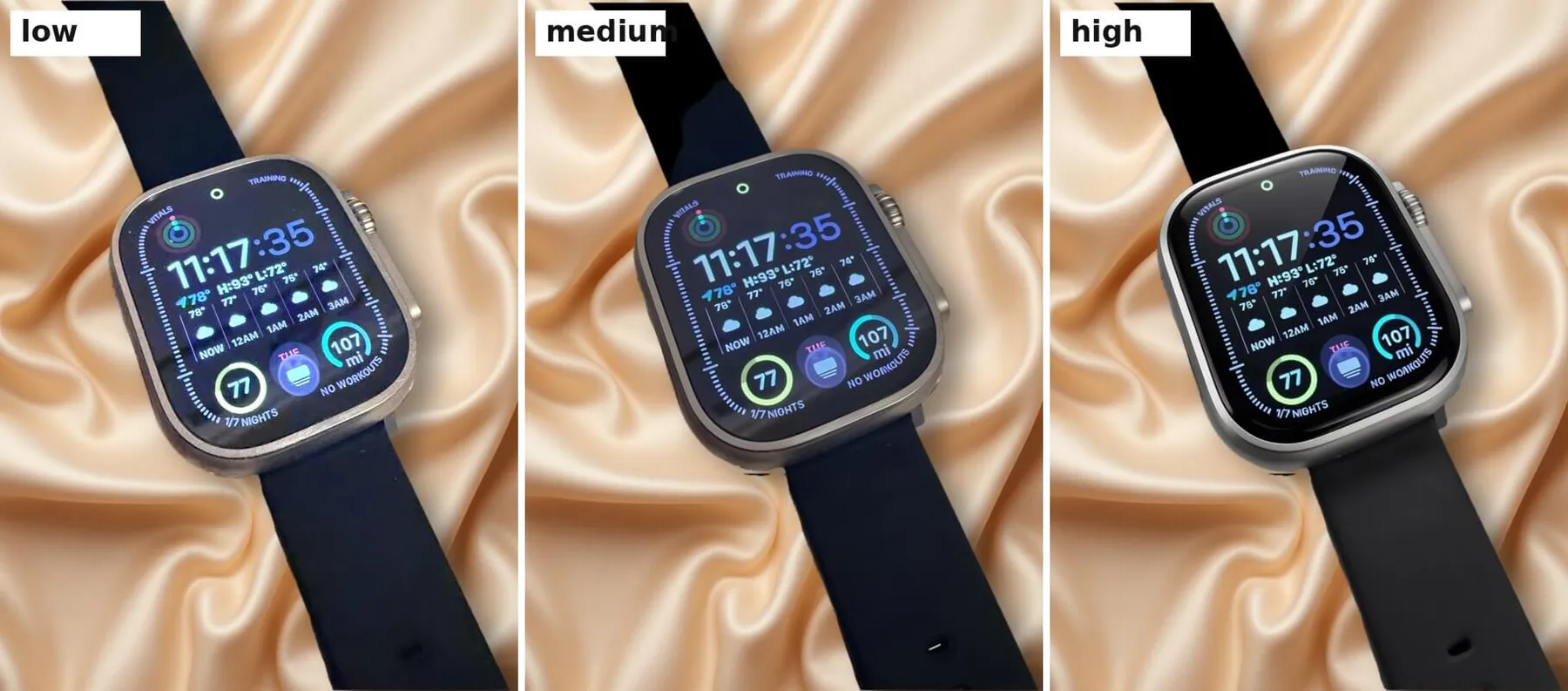
The three retouch levels, low, medium and high, on one product:
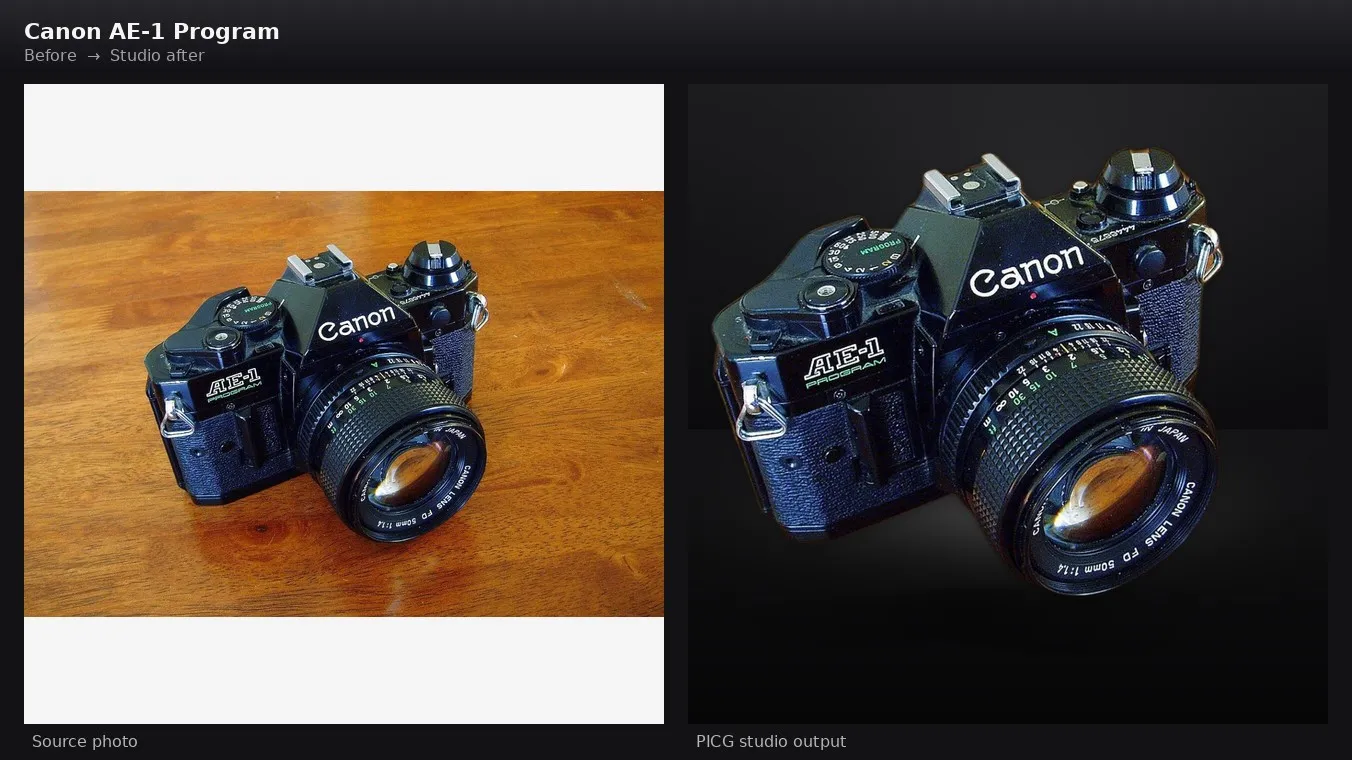
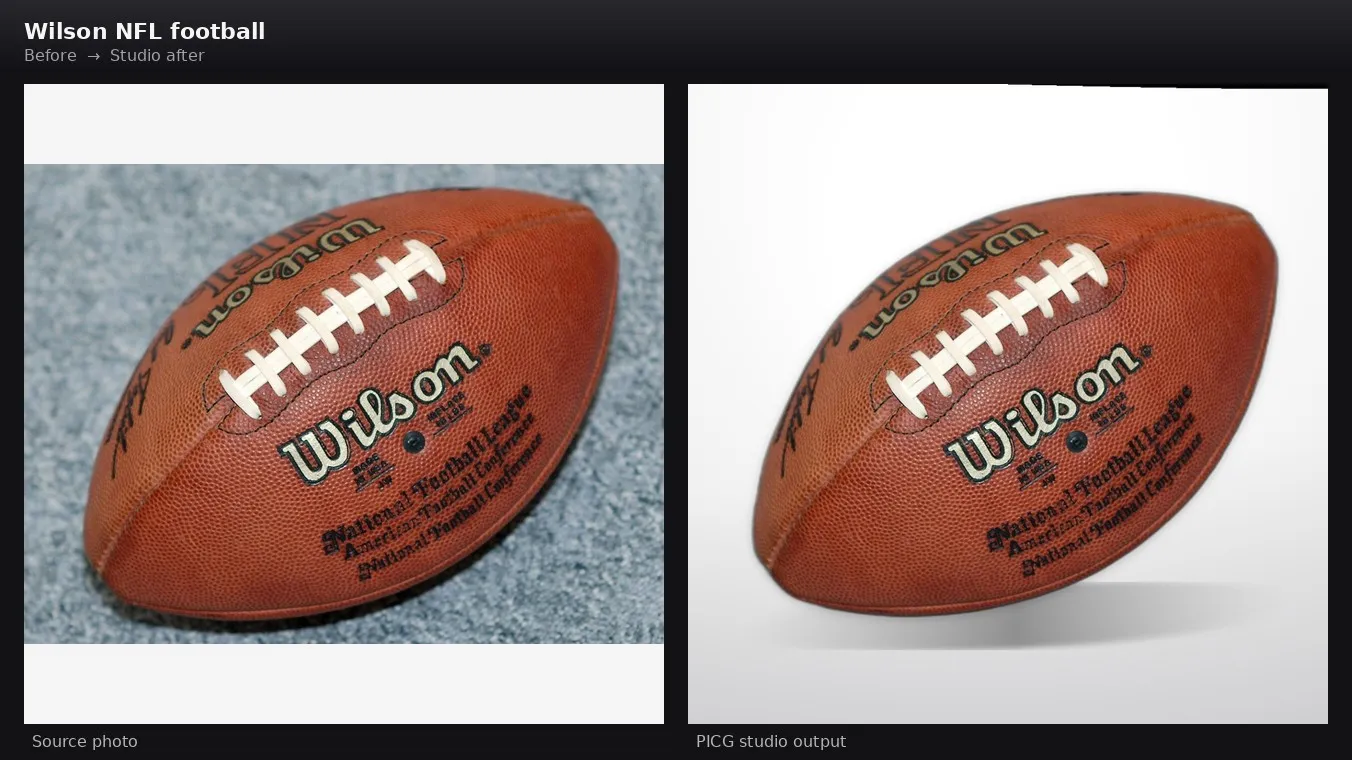
More studio results
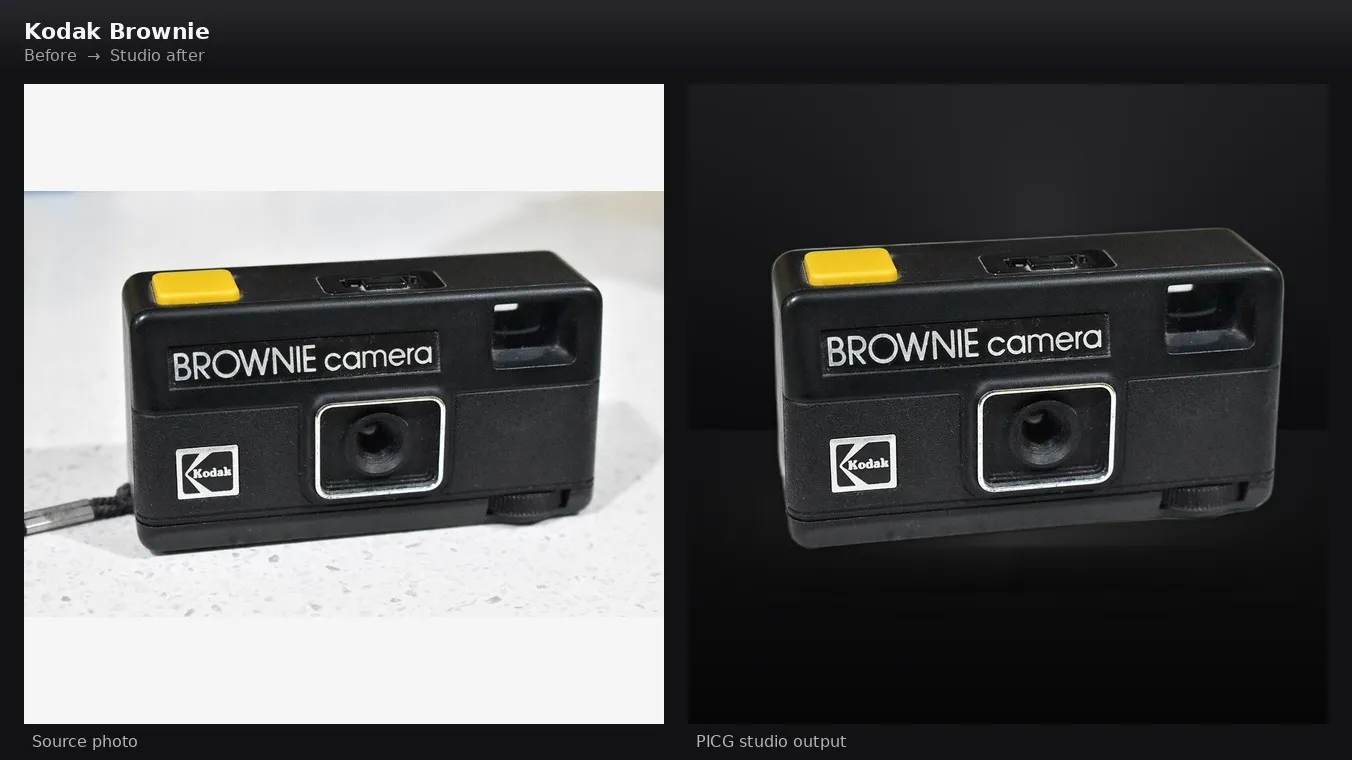
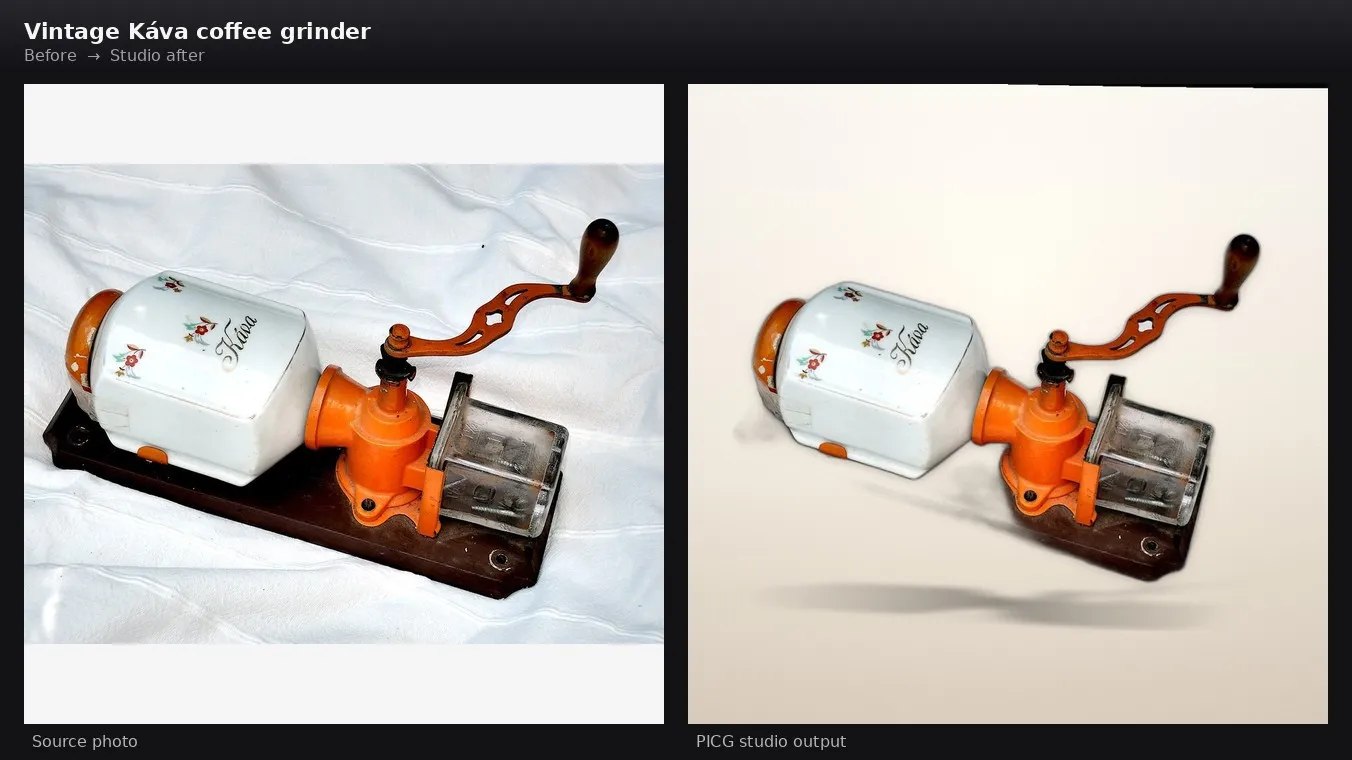
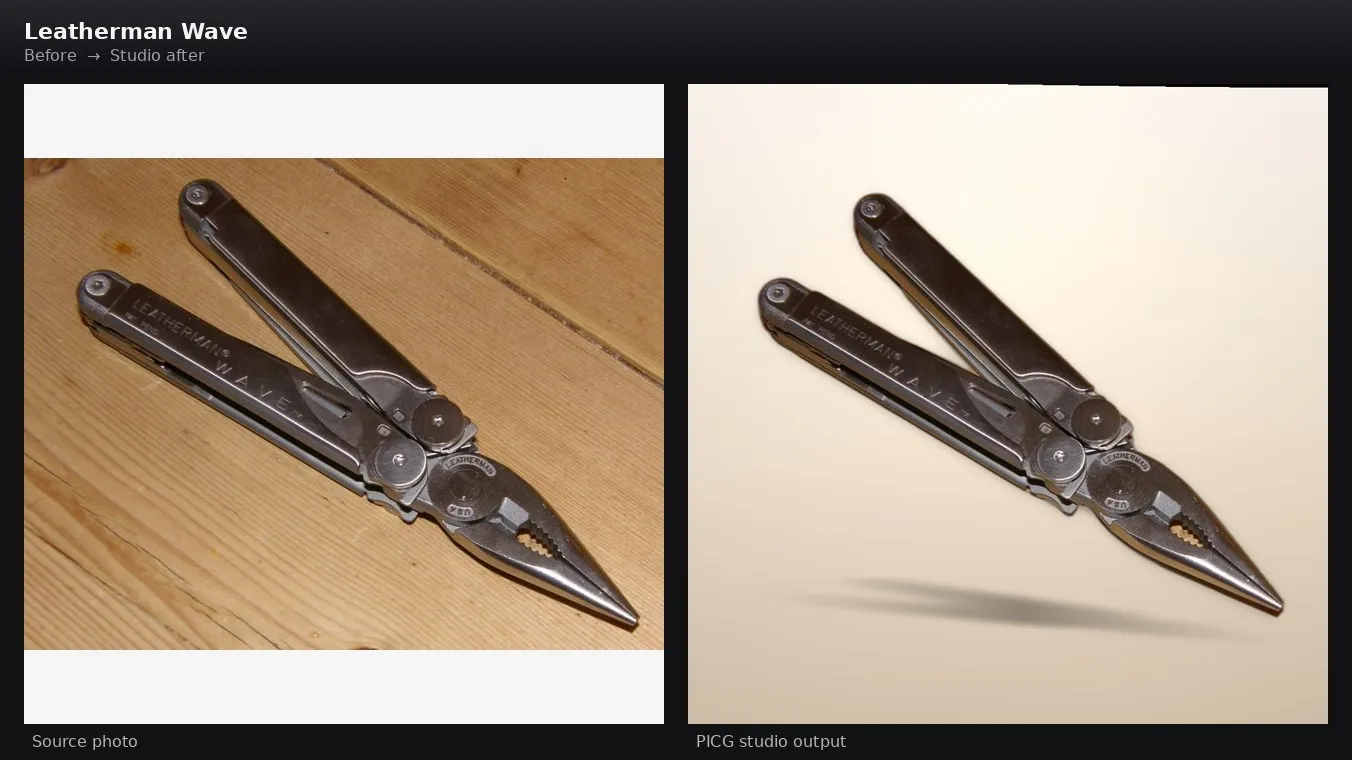
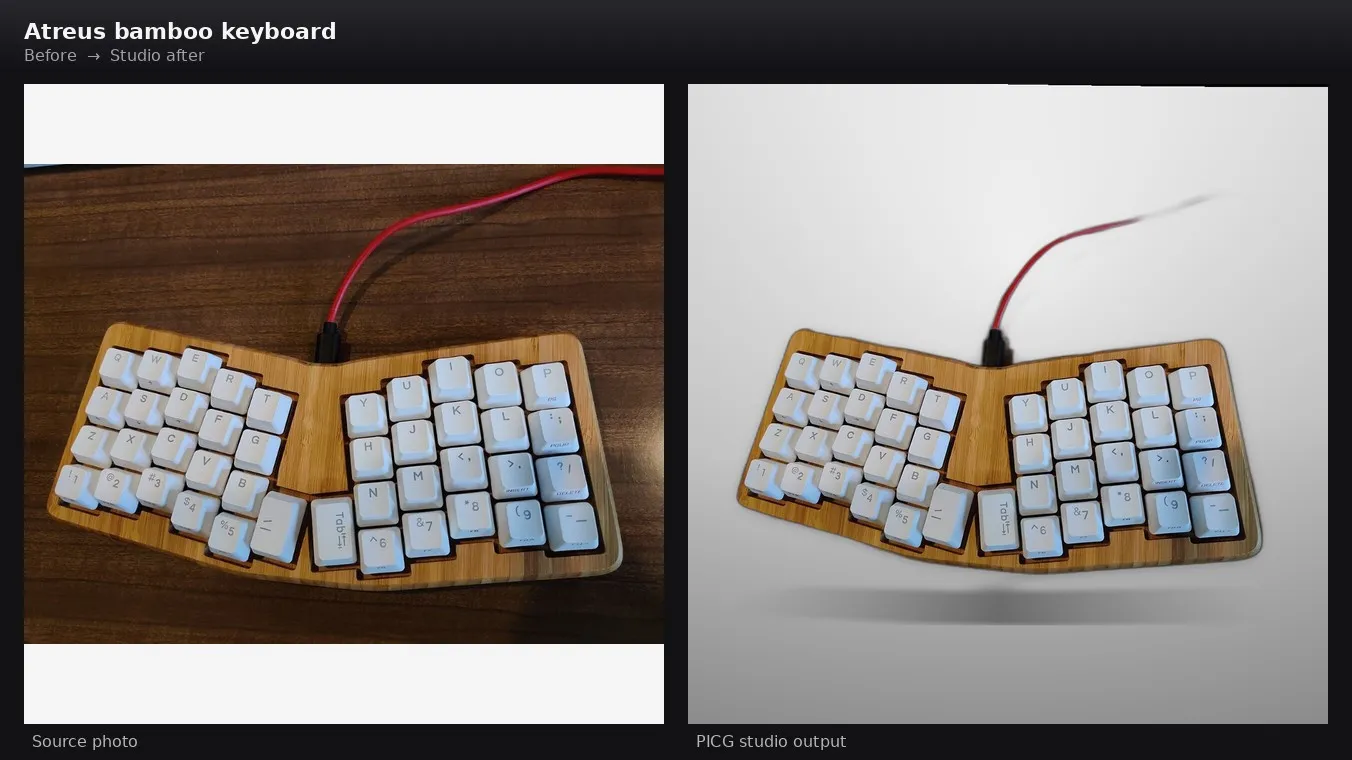
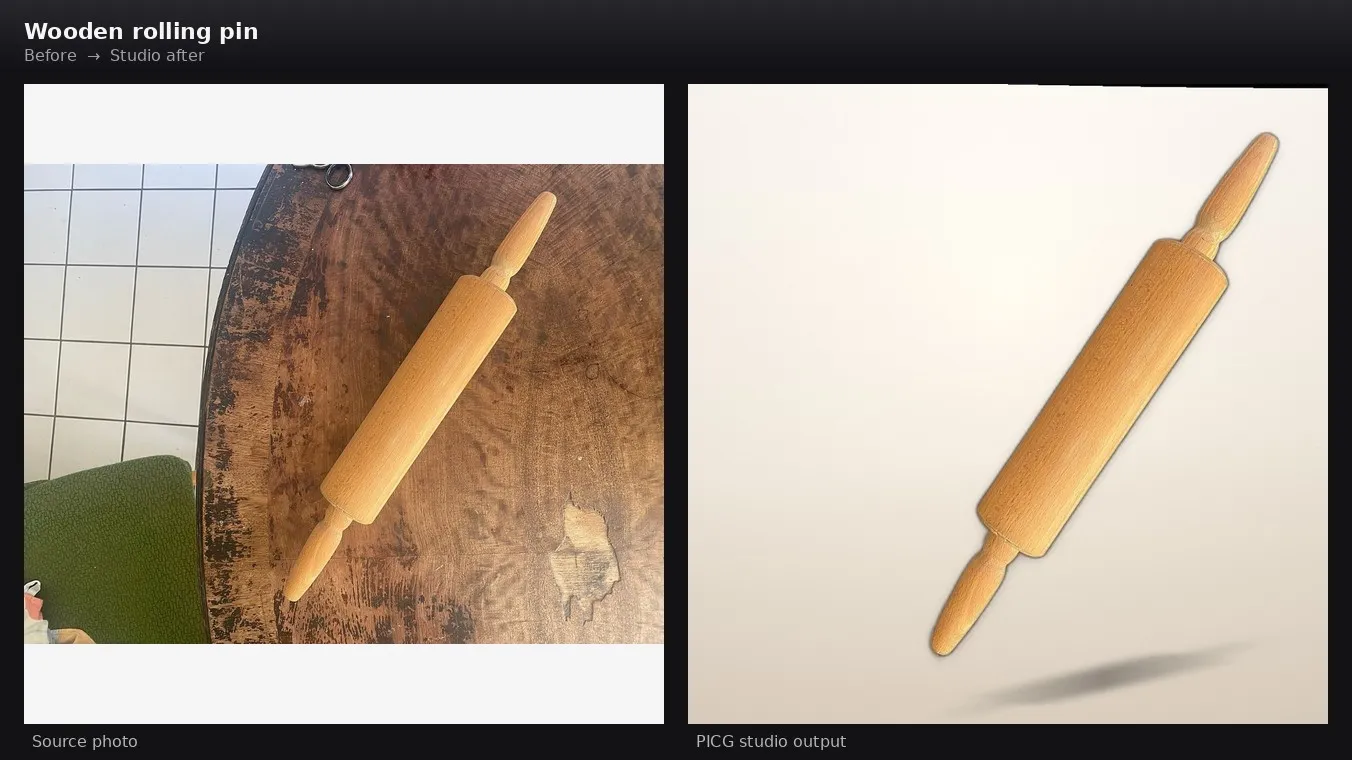
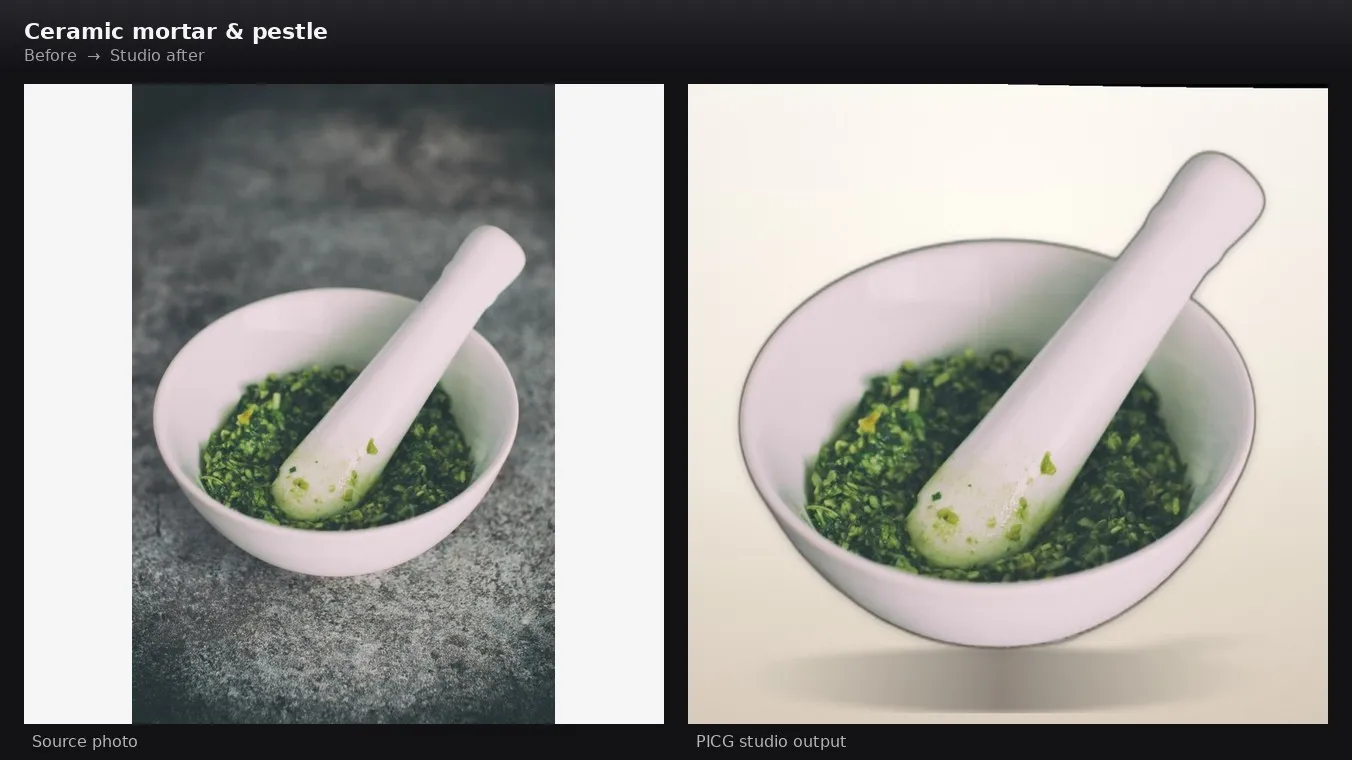
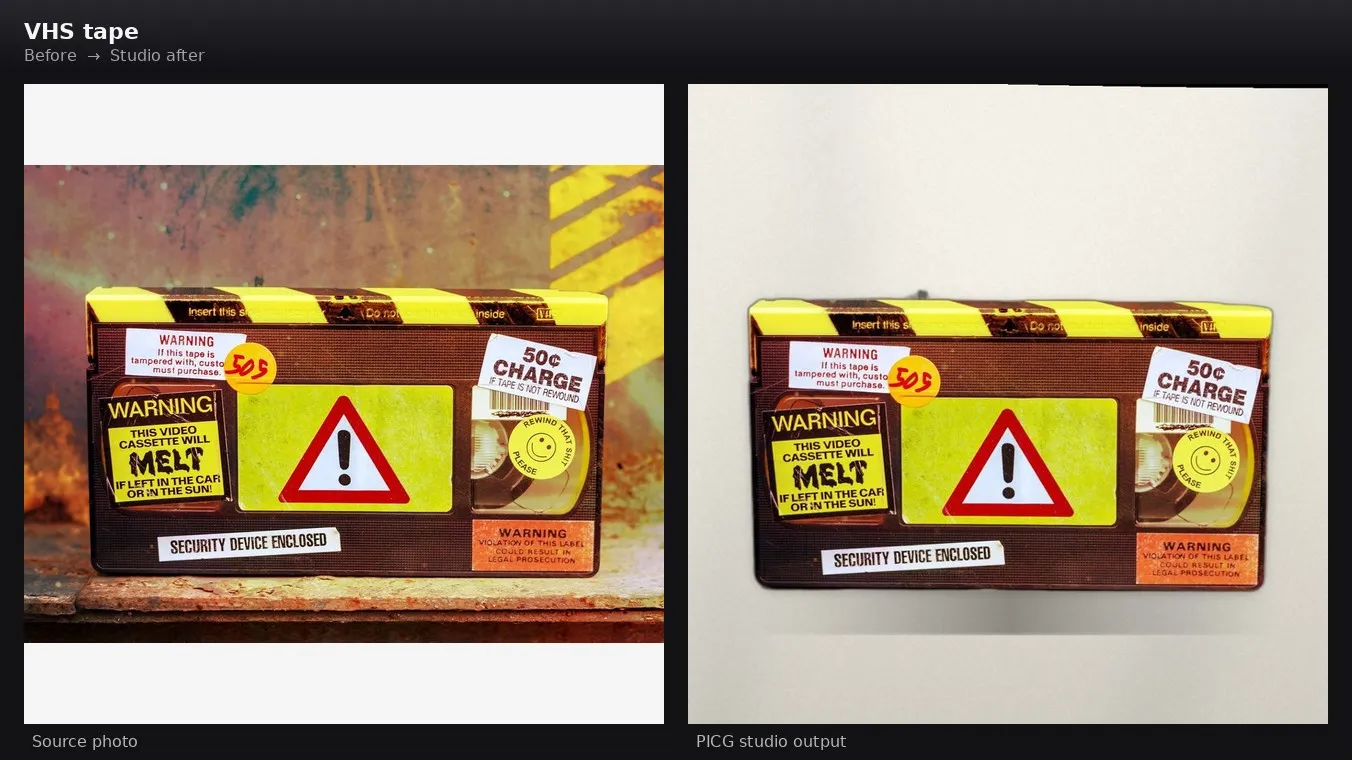
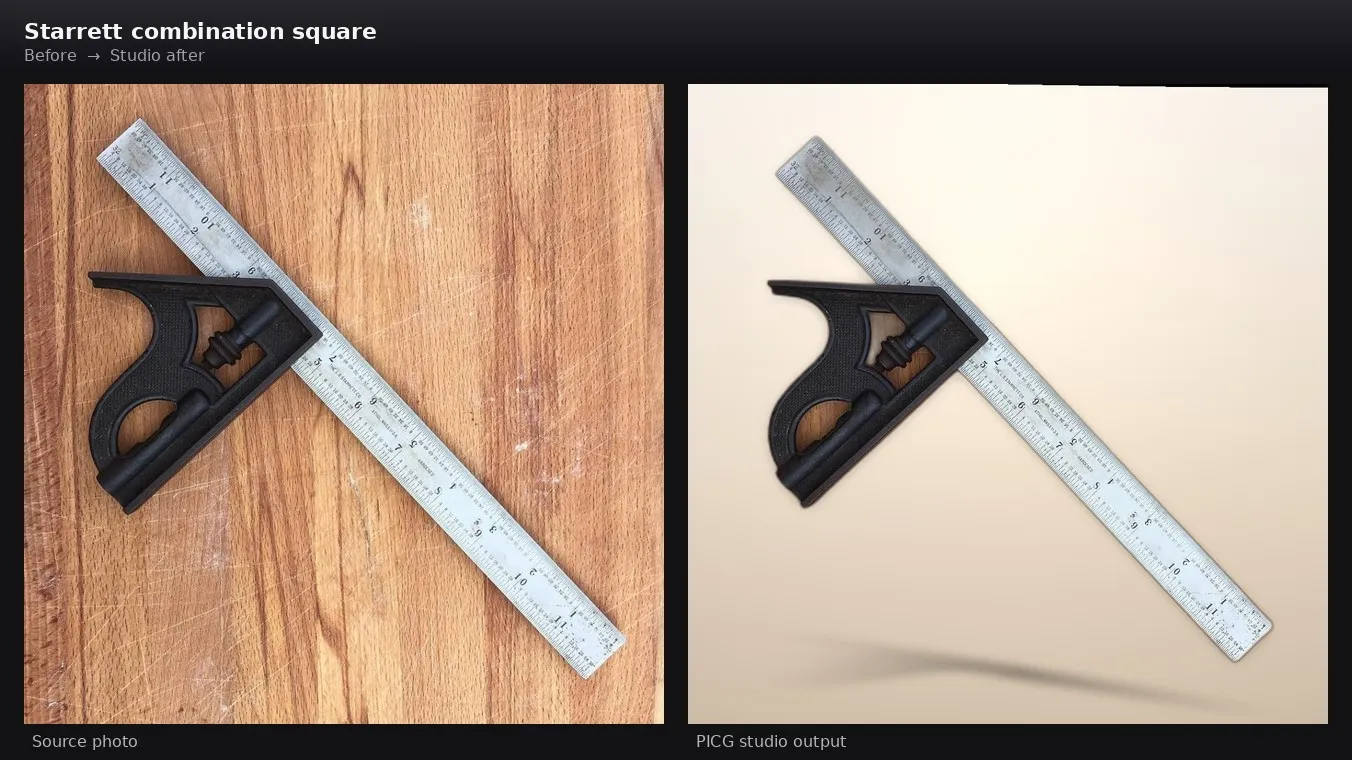
Left: the source photo. Right: the PICG studio result.
Canon AE-1 Program
Wilson NFL football
Kodak Brownie
Vintage coffee grinder
Leatherman Wave
Bamboo keyboard
Wooden rolling pin
Mortar and pestle
VHS tape
Starrett combination square
How to remove a product photo background and make studio images
- Click Try for free (or open the Input tab if you are already in Apify Console). The input form is generated from the Actor's input schema, so you do not need to write any JSON.
- In 1. Your products, add one entry per product: an
idand the public HTTPSimageUrlof the photo. The form is prefilled with a working demo photo, so you can press Start right away to see a result. The demo run produces one image, charged at the price of the chosen mode. - In 2. Choose what to make, pick the Mode. Studio hero places the product on a studio background; Background removal only gives a transparent PNG. Leave Background removal on Cut out the product and choose a Studio background.
- Optional: switch on Dry run first to check the plan without downloading images or creating files.
- Press Start. When the run finishes, open the Output tab: it links to the image files, the Dataset journal,
MANIFESTandSUMMARY. You can also fetch everything through the API.
Run it from your own code
Every Apify Actor can also be started through the Apify API, scheduled, called from webhooks and connected to integrations (for example Zapier). The same input JSON works in all of them.
Studio hero (cut out and place on a studio background):
photoCraft: "prefer"uses PhotoCraft and falls back to the classic renderer if it is unavailable."require"fails the image instead of falling back."off"uses the classic renderer.dryRun: truevalidates the plan without downloading anything.
Background removal only (transparent PNG):
AI scene (optional, set a finite Maximum cost per run, otherwise the AI scene is unavailable):
style: moss-stone, beige-silk, amber-halo, mustard-sandstone, lavender-floor, mint-shelf, greige-stone, terracotta-arch, linen-flatlay or navy-gold. The style sets palette, light and materials; the scene itself follows the angle of your photo.placement:standing(default) orflat(the product lies flat, top-down view).retouch:low(default, almost an exact copy),medium(cleaning and soft colour correction) orhigh("like new"; small distortions of lettering are possible).- AI scene is applied to outputs with an aspect ratio between 0.7 and 1.3. A frame that fails the quality check is replaced by a classic PhotoCraft image and charged at the classic price. Check the result against your original photo, especially small print.
Output
Each run stores:
- the image files in the run's key-value store;
- a Dataset row per image with its status, size, format and download reference;
MANIFESTandSUMMARYrecords with the result of every product and output, warnings and errors.
Trimmed example of a Dataset row:
CUTOUT_APPLIED is added only after the cutout is confirmed to have a real transparent background.
Pricing
PICG uses Apify pay-per-event pricing. You pay for what is published, nothing else.
| Event | When it is charged | USD |
|---|---|---|
photocraft-basic-creative | A PhotoCraft studio image is published | 0.03 |
creative-generated | A classic studio image is published | 0.02 |
background-removed | A transparent-PNG cutout (Background removal only) is published | 0.01 |
photocraft-ai-scene | An AI scene frame is published (not charged for rejected frames or the classic fallback) | 0.15 |
apify-actor-start | Platform start of the run | about 0.0001 at 2048 MB |
There is no per-dataset-item fee. Errors, dry-run plans and companion SVG files are not charged per image.
How much will it cost to process 100 product photos?
| Batch | Cost |
|---|---|
| 100 photos, background removal only | $1.00 |
| 100 photos, studio hero, classic renderer | $2.00 |
| 100 photos, studio hero, PhotoCraft | $3.00 |
| 10 photos, AI scene | $1.50 |
Prices are per published image, plus the tiny start event. Set Maximum cost per run on any run to cap what you can spend.
FAQ
Which image formats can I upload?
Public HTTPS links to PNG, JPEG or WebP photos. Links to private networks are rejected. Output formats are PNG, JPEG and WebP.
How long does a run take?
It depends on the number of photos and the mode. In our own test on Apify, a run with 2 photos and the isnet cutout finished in about 72 seconds, including loading the model. Plan larger batches accordingly and use a dry run to check the plan first.
What happens if the product is not found?
The image is not published and not charged. The run reports the reason in SUMMARY and MANIFEST, and the other products in the batch continue.
Can I use the images commercially?
You are responsible for having the rights to the photos you upload and for following the rules of each marketplace where you publish the results.
Where are my images stored?
Source photos are downloaded into a sandbox for processing. Results are saved in the run's key-value store; how long they are kept is set by Apify and your plan. The run log does not contain source paths or query strings.
Does it fix everything?
No. Glass refraction, hands in the frame, lifestyle scenes and busy assemblies are not guaranteed. The cast shadow is a soft silhouette, not ray-traced lighting. The AI scene can slightly change fine details, so compare the result with your original.
Can I run it on a schedule or through the API?
Yes. Like any Apify Actor, PICG supports the Apify API, schedules, webhooks and integrations.
Where do I report a problem?
Open an issue on the Actor's Issues tab and include the run ID and the SUMMARY counters. Automatic refunds are not available; charges are reviewed manually.
Resources
- Memory: 2048 MB (fixed)
- Permissions: limited
- Output: image files in the key-value store, Dataset journal,
MANIFESTandSUMMARY