

Instantly Lead Pusher — Push Any Apify Dataset to Campaigns
Pricing
from $2.00 / 1,000 lead pusheds
Instantly Lead Pusher — Push Any Apify Dataset to Campaigns
Push any Apify dataset into an Instantly.ai campaign or lead list — fields auto-mapped, every extra column becomes a {{custom_variable}} merge tag. Dedup + dry run.
Pricing
from $2.00 / 1,000 lead pusheds
Rating
0.0
(0)
Developer

ProgrammX
Maintained by CommunityActor stats
0
Bookmarked
2
Total users
2
Monthly active users
3 months ago
Last modified
Categories
Share
Instantly Lead Pusher — Push Any Apify Dataset into Instantly Campaigns
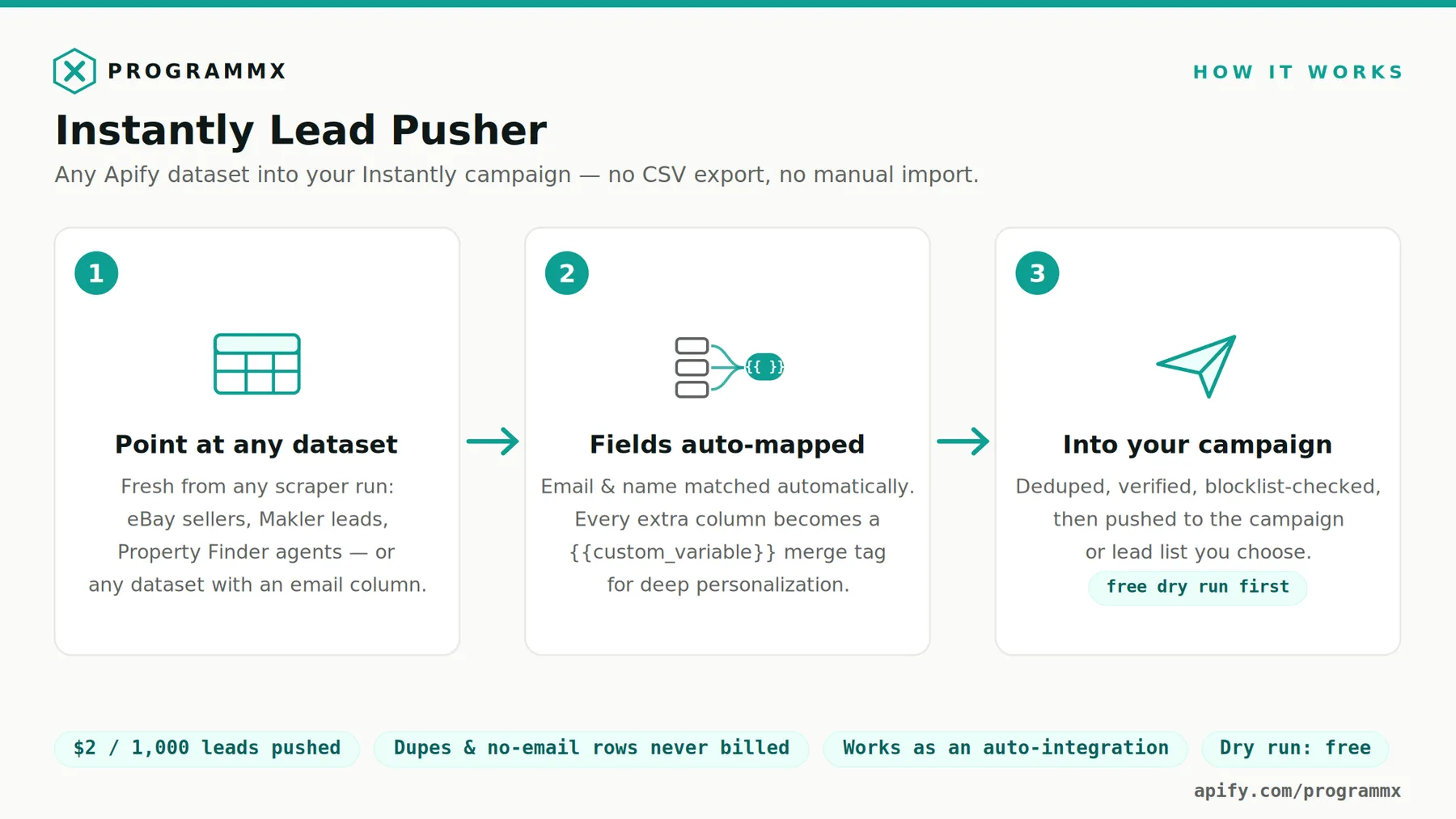
Push leads from any Apify dataset straight into an Instantly.ai campaign or lead list — no CSV export, no manual import, no column fiddling. Point it at the dataset any scraper produced, and every lead lands in Instantly with its fields mapped and its extra columns ready to use in your email copy. Your scraped columns become {{merge_tags}} — not just name and email.
The CSV step this removes
The usual path from an Apify scraper to an Instantly campaign is: download the dataset as CSV, open it, rename columns to match Instantly's importer, re-upload, map fields by hand, repeat next week. This actor replaces that with one run — or zero runs, once you attach it to your scraper as an integration that fires automatically after every scrape.
Every extra column becomes a personalization merge tag
Instantly supports custom variables per lead, and this actor is built around them. Standard fields (email, first name, last name, company, job title, phone, website) are auto-detected from your dataset's column names — any casing or format. Every other column is sent as a custom variable, so niche scraped data becomes personalization tokens in your sequences.
Example: a dataset of eBay UK business sellers with columns businessName, email, storeName, feedbackScore, itemsForSale gives you, in Instantly:
Saw that {{store_name}} has {{items_for_sale}} listings live and a feedback score of {{feedback_score}} — most sellers at that volume are wrestling with…
That's copy no plain CSV import gives you without manual column mapping. A personalization column (or icebreaker / firstLine) maps to Instantly's personalization field automatically.
Built-in safety: dedup, verification, dry run
- Duplicate protection, three layers: skip leads already in a campaign, already in a list, or anywhere in your workspace (Instantly-side flags, on by default where it makes re-runs safe), plus in-dataset email dedup on our side. Skipped and duplicate leads are never billed.
- Email verification: optionally trigger Instantly's verification on import (uses your Instantly verification credits).
- Blocklist aware: leads on your workspace blocklist (or a specific blocklist you name) are filtered by Instantly and never billed.
- Dry run — on by default for your first run: validates your API key and target, reads the dataset, resolves the full field mapping and every merge tag, and reports exactly what would be pushed. Nothing is sent, nothing is billed. Turn it off when the preview looks right.
Attach it to any scraper as an integration
On any other actor's page in Apify Console, open the Integrations tab and add this actor as a "run finishes" integration. The finished run's dataset is passed in automatically — you only set your API key and the target campaign or list once. Every future scrape then flows into Instantly on its own.
Recipe — a self-filling campaign: schedule a lead scraper in its monitor/new-results mode (weekly), attach this actor as its integration with
skipIfInCampaignon. New leads found → pushed → sequenced, hands off.
How to use
- In Instantly: Settings → Integrations → API keys → create a key (any paid Instantly plan includes API access).
- Paste the key into Instantly API key (stored encrypted by Apify, never logged).
- Pick the target: a campaign (leads start receiving its sequence) or a lead list (stored for review first). Paste the UUID from the Instantly URL — or have the actor find/create a list by name.
- Point Source dataset ID at any dataset in your account, or leave it empty when running as an integration.
- Run once with Dry run on (the default). Check the mapping table and merge-tag list in the run's OUTPUT.
- Turn dry run off and push. From then on, attach it as an integration and forget it.
Input example
Copy this into the JSON tab of the input editor. Dry run is on, so this validates and previews without sending or billing anything:
The datasetId above is a public 5-row sample dataset, so you can run the preview before you own any scraped data. Swap in your own dataset ID and campaign UUID, check the mapping table in the run's OUTPUT, then set dryRun to false.
Pushing into a lead list instead of a live campaign — created by name if it does not exist yet:
Pricing: $0.002 per lead pushed — $2 per 1,000
You pay only for leads Instantly actually accepts — leads_uploaded from Instantly's own response. Rows without an email, in-dataset duplicates, leads Instantly skips as already known, invalid emails, and blocklist matches are never billed. Dry runs are free. There is nothing else on the meter: no per-row fee, no platform-cost pass-through surprises.
For comparison: the manual route is a CSV export, a column-renaming session, and an import wizard — per scraper, per week. This is priced to make never doing that again a non-decision.
Output example
Run summary (key-value store OUTPUT):
Plus one dataset row per lead with a definite outcome — pushed (with its Instantly lead ID), dropped (with the reason), or failed — so you can audit or retry precisely.
FAQ
How do I import Apify results into Instantly automatically?
Attach this actor to your scraper via the Integrations tab ("when run finishes"). Every finished scrape pushes its results into your chosen campaign or list with no manual step. Manual runs work too — paste any dataset ID.
What exactly am I billed for?
One event per lead Instantly reports as uploaded, at $0.002 ($2 per 1,000 leads). The number comes from Instantly's API response, not from our row count — anything skipped, duplicate, invalid, or blocklisted costs nothing. Dry runs cost nothing.
Does it deduplicate leads?
Three ways: Instantly-side skip flags (already in a campaign / a list / anywhere in the workspace), plus same-email rows inside your dataset are collapsed to one before sending. Re-running the same push is safe by default.
Can I use my scraped data in the email copy?
Yes — that's the point. Every non-standard column becomes an Instantly custom variable ({{merge_tag}}). Column names are converted to snake_case tags (feedbackScore → {{feedback_score}}). The dry run lists every tag you'll have.
Does it work with datasets from any actor?
Any dataset with one lead per row. Standard fields are auto-detected across common naming styles (email/Email/e_mail, firstName/first_name, company/businessName…); anything the auto-detection gets wrong you can pin with the fieldMapping input. A campaign push needs an email per row; a lead list also accepts rows with just a name.
What happens when my Instantly plan's upload limit is reached?
Instantly enforces a monthly uploaded-contacts cap per plan. The run summary surfaces remainingInPlan after every push and warns loudly when it hits zero — beyond it, Instantly silently skips further uploads until you upgrade or the month resets.
Is my Instantly API key safe?
The key is a secret input: Apify stores it encrypted, and this actor never writes it to the log — error messages are scrubbed before they're reported. It is sent only to api.instantly.ai.
Ready-made lead sources
This actor takes a dataset from any scraper, but these three are built by the same team and hand off to it cleanly — attach this actor on their Integrations tab and the pipeline runs itself:
| Source actor | What lands in Instantly |
|---|---|
| eBay Business Leads Scraper | One verified business seller per row — email, phone, company and VAT number. storeName, feedbackScore and itemsForSale arrive as {{merge_tags}}, which is what makes an opener like "saw {{store_name}} has {{items_for_sale}} listings live" possible. |
| Property Finder Scraper + AI Deal Score | UAE property listings with the agent's email, phone and WhatsApp in every row, plus dealScoreBand and community as merge tags. |
| German Estate Agent Leads | Verified contact records for German estate agencies. Push these to a lead list, not a live campaign — German UWG §7 prohibits unsolicited commercial email, including B2B, so these records are for CRM enrichment, phone outreach and consented nurture. |
Whatever the source, you are responsible for having a lawful basis to email the people in your dataset. This actor moves data you already chose to collect; it does not make cold outreach lawful where it is not.
Why were some rows not pushed?
The run log and OUTPUT name every category with its count and the input that changes it: rows with no email (map the right column via fieldMapping), duplicates (turn off dedupeByEmail to send anyway), leads Instantly already knows (skip flags), invalid emails, blocklist matches. Nothing is dropped silently, and dropped rows are never billed.
ProgrammX · programmx.com · hello@programmx.com


