

Website to Markdown & RAG Change Monitor | DocsDelta
Pricing
$3.00 / 1,000 document page saveds
Website to Markdown & RAG Change Monitor | DocsDelta
Convert public documentation into clean Markdown, source-linked RAG chunks and readable change diffs. Bring a prior snapshot to update knowledge bases safely.
Pricing
$3.00 / 1,000 document page saveds
Rating
0.0
(0)
Developer

Trần Quốc Việt
Maintained by CommunityActor stats
0
Bookmarked
2
Total users
1
Monthly active users
9 days ago
Last modified
Categories
Share
DocsDelta — Website to Markdown & RAG Change Monitor
Turn public HTML documentation into clean Markdown, source-linked chunks and an explicit NEW / UPDATED / UNCHANGED feed. Bring the previous run's snapshot to update your search index or RAG collection only when a page or its chunk identities changed.
Built for documentation indexing, n8n pipelines, knowledge-base synchronization and teams that need an inspectable change feed. This is deterministic extraction and comparison: no AI quality score, embeddings or search ranking claims.
Try two pages first: follow the walkthrough, inspect their source-linked chunks, then compare a repeat run with the exported snapshot. The caller supplies that snapshot; a schedule alone does not retain it.
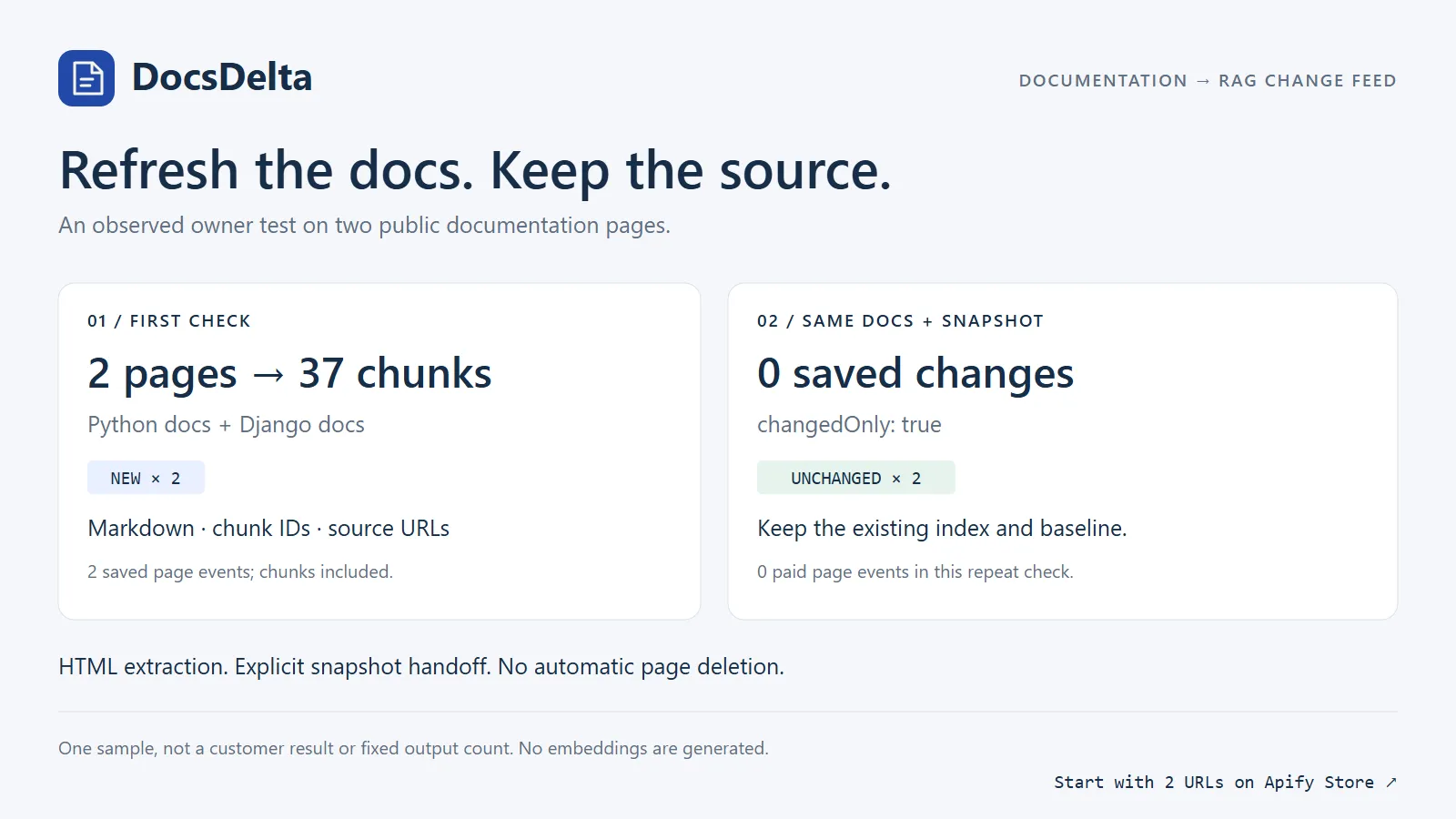
Start with two pages
Run the Actor, inspect the default dataset, and download SNAPSHOT from the run's default key-value store. For the next run, pass that entire JSON object as previousSnapshot along with the same URLs and extraction settings. Nothing is carried between users or runs automatically; there is no shared named store.
The output contract
Each successfully saved dataset row contains:
| Field | Meaning |
|---|---|
url, finalUrl | Stable input identity and actual URL after same-site redirects |
title, canonicalUrl | Page metadata; canonical is informational, never a network target |
markdown, contentHash | Cleaned Markdown and its UTF-8 SHA-256 |
status | NEW, UPDATED, or UNCHANGED compared with the supplied snapshot |
diff, diffTruncated | Bounded normalized Markdown unified diff for updated pages |
chunks | Heading-based chunks with id, sourceUrl, heading, index, text, contentHash |
addedChunkIds, removedChunkIds | Chunk changes for this successfully refetched, complete page only |
observedAt, truncated | Observation time; exported complete rows have truncated: false |
Markdown preserves headings, links, fenced code blocks, lists, basic tables and emphasis. Navigation, headers, footers, sidebars, scripts, forms and styles are removed. A main/article region is preferred; use contentCssSelector when the site's structure needs a more precise selection. excludeCssSelectors removes extra elements. Invalid selectors fail input validation before network requests. Missing selectors, small/empty pages, detected JavaScript shells and incomplete oversized content become unbilled diagnostics.
Relative links resolve against the fetched final URL. Chunk sourceUrl and IDs retain the normalized input URL, so use consistent seed URLs between runs. IDs hash the page URL, heading, chunk content hash and duplicate occurrence. Unedited chunks generally retain IDs; changing heading text, chunk boundaries or repeated identical content can shift IDs. A changed chunk layout counts as UPDATED even if the full Markdown hash remains equal. Chunks are bounded text segments, not token counts; very long code blocks can span chunks.
Safe incremental indexing
- Run with your explicit URL list. For the first batch, omit
previousSnapshot. Read bothCHUNK_OPERATIONSandSNAPSHOT; the first batch must be indexed too. - Apply the entire operation batch to your index: delete only explicit
REMOVEIDs within their source page, then applyUPSERTrecords by chunk ID. An empty batch never means clear the index. - Only after the Actor succeeds and every index write is confirmed, promote the returned
SNAPSHOTto your stored baseline. Keep the previous baseline if the run or indexing fails; retry the batch before promoting it. - On the next run, set
previousSnapshotto that confirmed baseline andchangedOnly: true. Apply the new batch and confirm index writes before promoting its snapshot again. - Inspect
DIAGNOSTICSandSUMMARYfor blocked pages, limits and missing content before assuming coverage.
New: flat index operations. Download CHUNK_OPERATIONS or chunk-operations.ndjson for explicit REMOVE and UPSERT records. Changed pages refresh all current chunk metadata, including retained chunk positions; isNewChunk identifies IDs not present in your baseline. Unchanged pages emit no operations. Apply the whole batch before promoting its snapshot. Operation contract and local checkpoint workflow.
No page removal is inferred, ever. A missing sitemap entry, failed URL, 404, robots block, excluded/out-of-scope URL, truncated page or run limit cannot prove a page was deleted. Their prior snapshot entries are preserved unchanged. cannotInferDeletions is always true. Page removal from your index must be an explicit decision outside this Actor. Chunk tombstones are generated only from a complete successful refetch of that same page; skipped/failed/unsaved pages produce no tombstones and do not advance the baseline.
For n8n, use an Apify Actor node or an authenticated HTTP Request node to start a run with the input above. Read its default dataset for changed page rows and SNAPSHOT from its default key-value store. Use your account's Apify API credentials in n8n's credential manager; do not put API tokens in website URLs or public workflows. Large snapshots can require external workflow storage; this Actor accepts at most 5 MiB.
Inputs and limits
| Input | Default | Bound / behavior |
|---|---|---|
urls | Two real documentation examples | HTTP(S) strings; input URL fragments removed |
sitemapUrls | [] | Same-site sitemap URL sets or indexes; 10 files, depth 2, 2,000 entries maximum |
maxPages | 5 | 1–500 page attempts, including failures; robots/sitemap requests are additional |
followLinks | false | Optional same-site discovery, bounded queue of 2,000 |
contentCssSelector | Auto main/article/body | Optional single CSS selector |
excludeCssSelectors | [] | Up to 30 valid CSS selectors |
minTextLength | 40 | 40–10,000 Markdown characters |
maxTextChars | 120000 | 1,000–120,000 characters per page; larger pages skipped |
chunkSize | 1800 | 200–8,000 characters per chunk |
maxChunksPerPage | 200 | 1–200; pages exceeding the bound skipped |
includeUnchanged | true | Save and bill successful unchanged checks |
changedOnly | false | Overrides includeUnchanged, suppresses unchanged rows and their paid event |
previousSnapshot | Empty | Version 1 snapshot, at most 2,000 entries / 5 MiB UTF-8 JSON |
timeoutSeconds | 30 | 5–60 seconds per request |
The run also stops before exceeding 4 million accepted Markdown characters or a 5 MiB reusable snapshot. The current unsaved page and all prior unprocessed baseline entries are preserved. Split a large corpus into separate runs/baselines. Diff work is bounded to 4,000 lines per side and 200 emitted lines (each up to 1,000 characters); inspect full Markdown when diffTruncated is true. The snapshot validates again as a future previousSnapshot input.
Downloads
- Default dataset /
RESULTS: successfully saved page rows only. SNAPSHOT: next-run baseline, including preserved unprocessed prior entries.CHANGES: savedNEW/UPDATEDrows.RAG_CHUNKS: flattened chunks from saved rows with page status/hash metadata. No embeddings are generated.CHUNK_OPERATIONS/chunk-operations.ndjson: ordered, replayable REMOVE then UPSERT records for saved NEW/UPDATED pages only. Chunks and operations add no custom paid events.results.csv: UTF-8 CSV of flat page fields, with formula-leading spreadsheet cells neutralized.results.ndjson: one saved page per line.DIAGNOSTICS,SUMMARY,OUTPUT: nonbillable failures, run limits and saved output.
Billing
The configured paid event is page-processed, once per successfully persisted page row, at $0.003 per saved page ($3 per 1,000). Nested chunks, sitemap files, diagnostics, blocked pages, empty pages, oversized/incomplete pages and duplicate redirect targets do not add events. Check the Pricing tab for current terms and any Apify platform charges.
With default includeUnchanged: true, a successful unchanged check is saved and billed. Use changedOnly: true or includeUnchanged: false to omit unchanged rows and their paid events. Network/platform resources may still be consumed to discover that content is unchanged. The Actor preflights budget limits and uses the SDK's charging-aware dataset write; snapshots only advance after accepted saved results.
Network and extraction limits
Only public HTTP(S), standard ports and DNS-checked addresses are allowed. DNS answers are checked and pinned to the actual connection; redirects are validated at each step. Robots rules are enforced, unknown robots failures skip conservatively, and same-site scope is checked after redirects. Requests are paced, each decoded response is at most 2 MiB, and no cookies/proxies/browsers or environment proxy settings are used.
No CAPTCHA, authentication wall, robots restriction or anti-bot protection is bypassed. JavaScript-only content may be absent. PDF, office files, login-only docs, automatic embeddings, GitHub API enrichment and cross-site discovery are outside this version. Markdown is cleaned source content, not a guarantee of factual accuracy, authorization or retrieval performance. Review website terms and your right to process and store content.
Run locally
The local CLI has no paid-event integration. To prepare an Apify build, install .[actor] or use the Dockerfile. Actor name: website-markdown-rag-change-feed. License: MIT.


