

Invoice Checker: 3-Way Match PO, Delivery & Invoice
Pricing
from $20.00 / 1,000 completed business reports
Invoice Checker: 3-Way Match PO, Delivery & Invoice
Upload an invoice, purchase order and delivery note (CSV, Excel or PDF). Get every over-billed line, short delivery and price change with the file row as proof, plus supplier quote comparison and a reorder plan. Built for e-commerce sellers, wholesalers and bookkeepers. $0.02 per report.
Pricing
from $20.00 / 1,000 completed business reports
Rating
0.0
(0)
Developer

Woven Comet Technologies
Maintained by CommunityActor stats
0
Bookmarked
2
Total users
1
Monthly active users
6 days ago
Last modified
Categories
Security
Limited permissionsShare
Invoice Matching & Supplier Quote Comparison | ISLEM
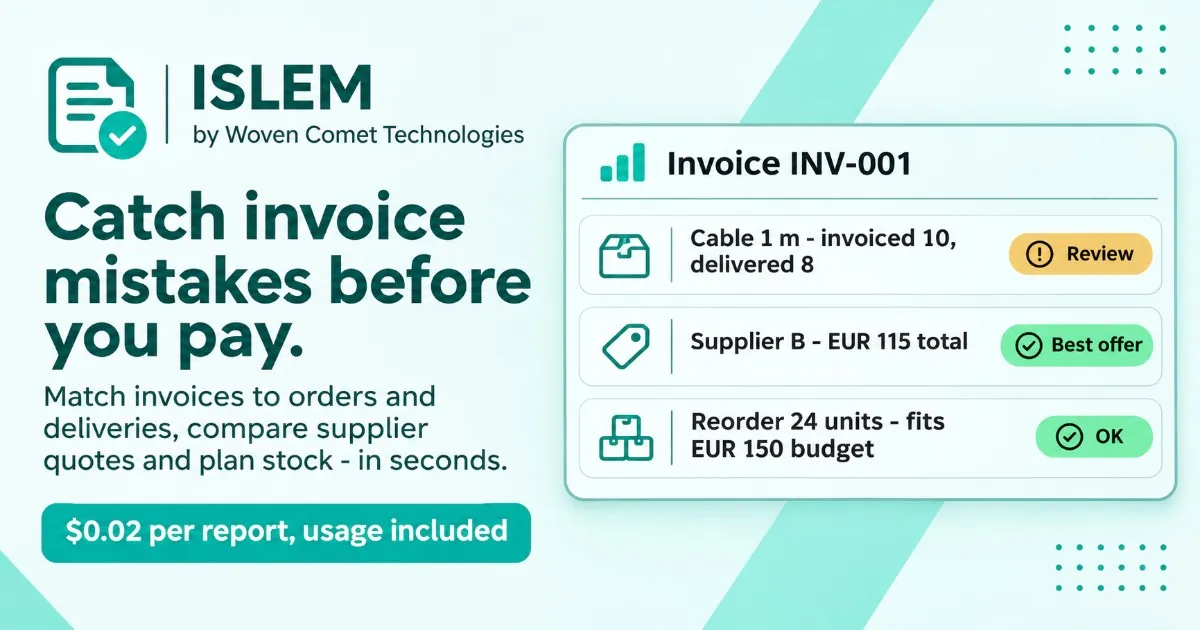
Check invoices against orders and deliveries, compare supplier quotes and plan stock reorders — in seconds, with every exception flagged.
Upload the CSV, Excel or PDF exports you already have — no JSON needed. Column names are recognised in English, German and Turkish. ISLEM returns a clear report as Excel, HTML, CSV and JSON: what matches, what does not, and what a person should check before paying or ordering. No AI key, no setup.
$0.02 per completed report, Apify platform usage included. Failed operations are not charged as reports.
▶ Try it in your browser first: the free input builder prepares a request without running anything.
See what you get
Inspect an example → prepare your input → run on your platform.
Open the free input builder to prepare a small invoice, stock or supplier request in your browser. No key, upload or engine run is needed to prepare the JSON.
| Start with your task | What to send | Preview and prepare |
|---|---|---|
| Check an invoice | Invoice, order and delivery lines with matching SKUs | 10 invoiced / 8 delivered |
| Plan stock within a budget | Stock, sales, lead time, pack size and unit cost | EUR 150 budget example |
| Compare suppliers | Required items, offers, shipping and delivery limits | EUR 115 vs EUR 130 example |
These are synthetic demonstration records processed by ISLEM, not customer data or a market accuracy benchmark.
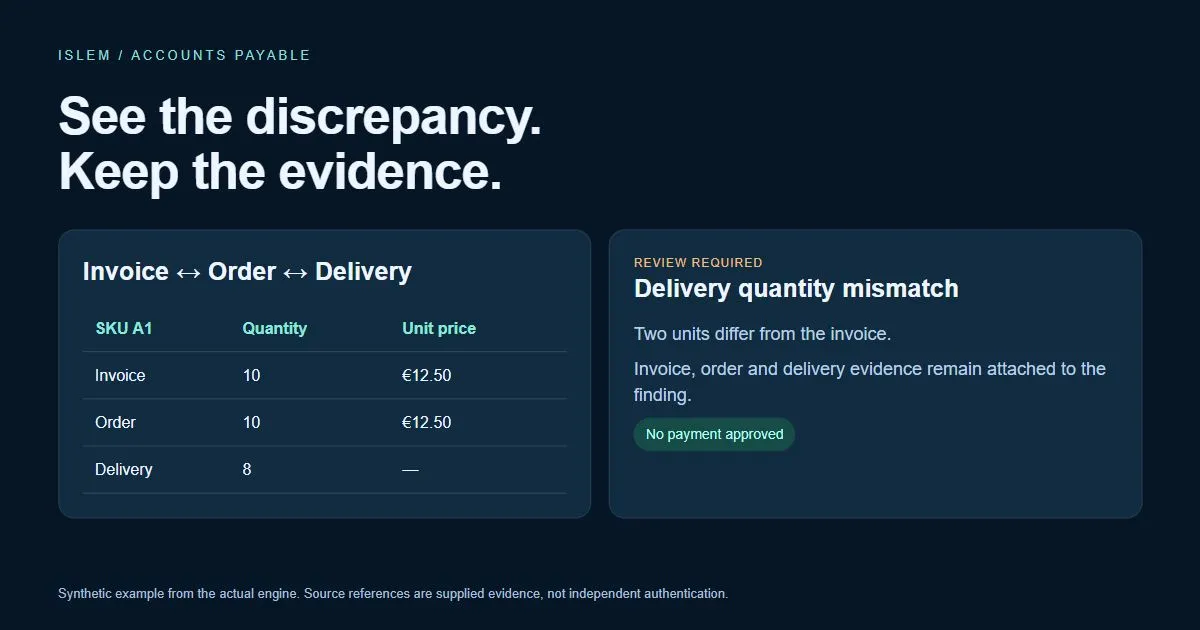
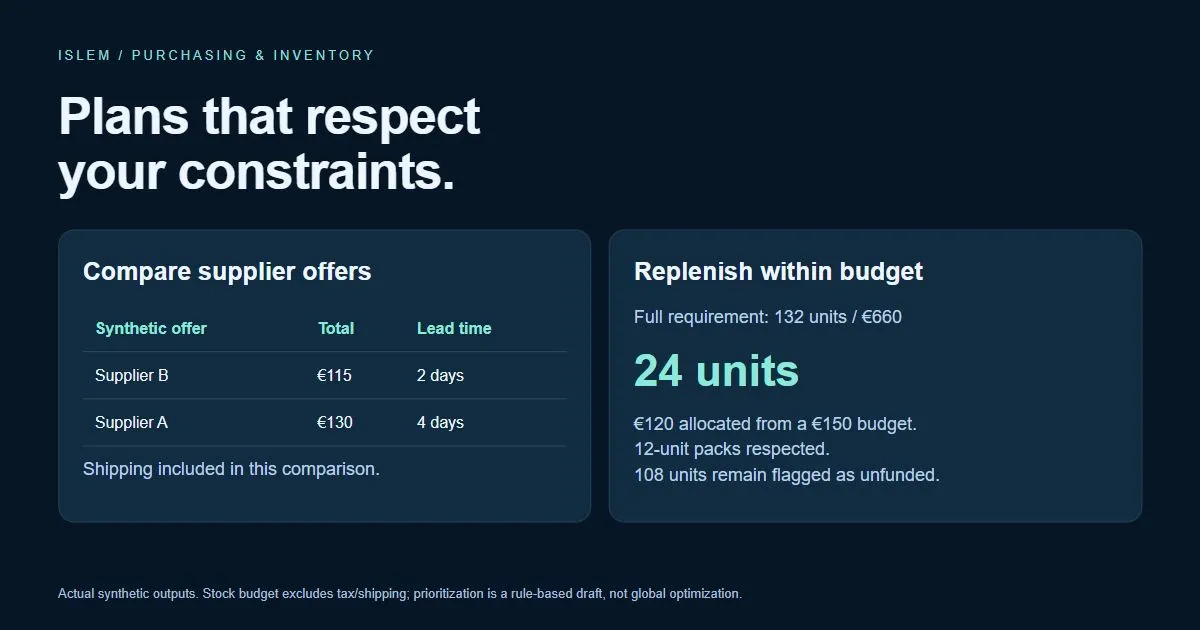
| Example | Inspect the report | Download Excel |
|---|---|---|
| Invoice / order / delivery matching | HTML | Excel |
| Supplier quote comparison | HTML | Excel |
| Inventory with a EUR 150 budget | HTML | Excel |
Upload your files
Pick the operation, then drop your files into the matching fields:
| Operation | Upload | Columns ISLEM looks for |
|---|---|---|
| Invoice matching | Invoice + purchase order (+ delivery note) | SKU / Artikelnummer / Ürün kodu, Quantity / Menge / Adet, Unit price / Einzelpreis / Birim fiyat |
| Supplier comparison | Items you need + one file with all supplier quotes | Supplier / Lieferant / Tedarikçi, SKU, Unit price; optional Shipping and Lead time |
| Stock planning | Stock and sales list | SKU, Stock / Bestand / Stok, Sold / Verkauft / Satış; optional Pack size, Unit cost, Lead time |
Numbers like 12,50, 1.234,56 and 1,234.56 are read correctly; a truly ambiguous value such as 1.500 stops the run and asks you to choose the number format, so nothing is guessed. Total rows are skipped and repeated SKUs at the same price are added up. Every finding names the file and row it came from.
Try it with sample files: invoice (German), order (English), delivery note (Turkish) · needed items, supplier quotes · stock list. You can also paste these links straight into the file fields. The invoice sample finds a short delivery on A1 and €1.50 over-billing on B2.
The three jobs most teams start with
| You send | You get back |
|---|---|
| 🧾 Invoice + purchase order (+ delivery note) | Quantity and price differences per line, what is safe to pay, what to query with the supplier |
| 📦 Supplier quotes for the same items | Total landed cost incl. shipping, missing items, the cheapest offer that meets your budget and delivery date |
| 📊 Stock, sales and lead times | Reorder quantities in whole packs, days of cover, and a purchase draft that fits your cash budget |
Who uses it
- Accounts payable & bookkeepers — catch over-billing and short deliveries before paying.
- Purchasing teams — compare quotes on true total cost, not just unit price.
- Shops, wholesalers and warehouses — know what to reorder this week and what it costs.
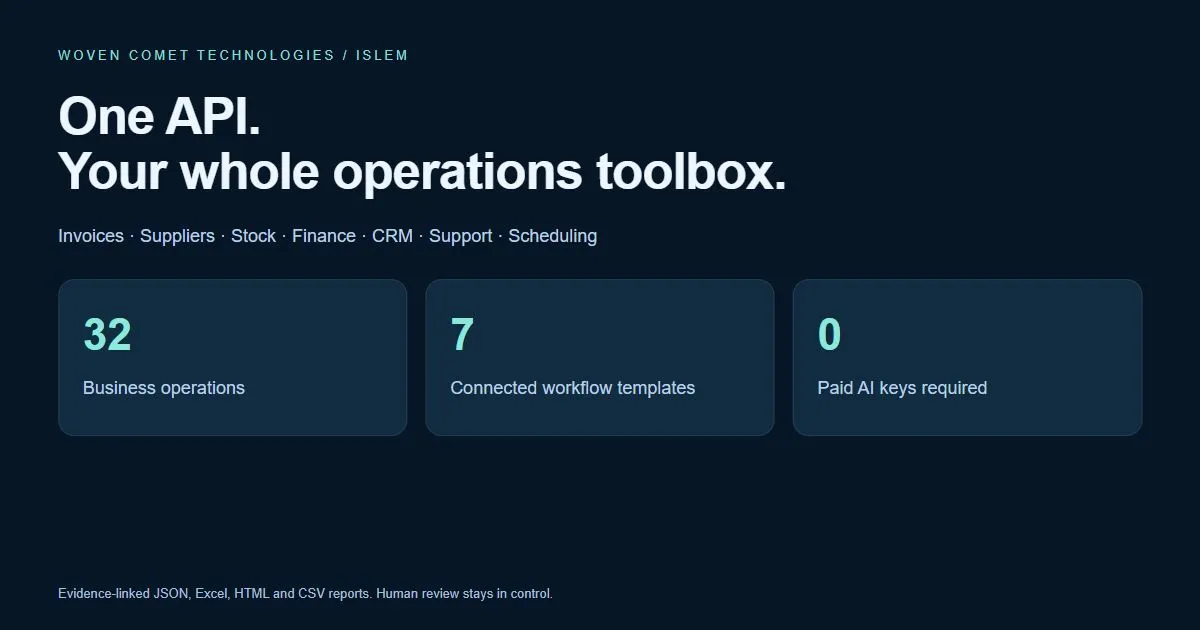
- Automation builders (n8n, Make, Zapier, custom scripts) — one API call per check, structured JSON back.
How to run it
- Pick an
operation(for examplereconciliation,procurementorinventory) and paste itspayload. The input form is prefilled with a working example. - Run. Most reports finish in under 10 seconds.
- Open the run's Storage:
report-0.html(readable report),report-0.xlsx(Excel) andresult-0.json. Each report also appears in the Dataset.
Batch several checks with {"jobs": [{"operation": "inventory", "payload": {...}}, ...]} (up to 100 jobs). Use operation: "workflow" to chain steps.
Pricing
$0.02 per completed report (a single operation or a whole connected workflow) plus a $0.00005 start fee. Apify platform usage is included — there is nothing else to pay. Operations that fail or workflows stopped before completion are not charged. A batch run can produce several reports. The run stops scheduling new jobs when your spending limit is reached.
All 32 operations
| Operation | What it does | Typical buyer |
|---|---|---|
reconciliation | Invoice, purchase order and delivery matching | Accounts payable |
procurement | Supplier quote comparison | Purchasing teams |
inventory | Inventory reorder and budget planning | Retailers and manufacturers |
catalog | Catalog normalization | E-commerce and distributors |
shipping | Shipment document checks | Logistics teams |
contracts | Contract deadline review | Contract operations |
tenders | Tender document checklist | Bid teams |
workorders | Work order and price-list quote | Field service teams |
support | Knowledge-based support draft | Support teams |
appointments | Appointment slot planning | Service businesses |
collections | Receivables and reminder drafts | Finance teams |
returns | Returns policy pre-check | Commerce support |
dispatch | Skill and capacity dispatch | Field operations |
renewals | Maintenance and renewal tracking | Facilities and asset teams |
browser | Browser action plan | Automation developers |
fx_convert | Dated reference currency conversion | International purchasing |
business_calendar | Business-day due date | Operations teams |
invoice_import | UBL invoice import | Finance integrators |
contact_clean | Contact normalization | CRM operations |
table_quality | Table quality checks | Data teams |
record_link | Record linkage candidates | CRM and data teams |
bank_match | Bank transaction matching | Accounting teams |
cashflow | Cash-flow scenario | Finance teams |
margin_analysis | Contribution margin and target price | Sellers and agencies |
inventory_abc | ABC inventory classification | Warehouse teams |
supplier_scorecard | Supplier delivery scorecard | Purchasing and quality |
sla_audit | Support SLA audit | Support operations |
expense_audit | Expense duplicate and limit checks | Finance and managers |
locale_normalize | Locale-aware table conversion | International data teams |
calendar_export | Calendar file export | Service and operations |
lei_lookup | Legal Entity Identifier lookup | Company data teams |
public_holidays | Public holiday reference | Scheduling teams |
Good to know
- Inputs: uploaded CSV, Excel (.xlsx) or text PDFs with a table, or structured JSON. UBL XML invoices are supported. Scanned-PDF and photo OCR are not included. Limits: 2 MiB input, 1,000 rows per list, 100 jobs per batch, 20 workflow steps.
- Read-only: ISLEM never pays, emails, orders, refunds or edits your systems. It flags; a person decides.
- Method: explicit rules and exact decimal maths, not guesswork. Stock plans use average historical demand. Reference data (FX, holidays, LEI) is dated and sourced.
- Troubleshooting:
422= invalid input (check theerrorfield and the example);review_required= open the report; no delivery note? setcheck_delivery=false.
Process only records you are authorized to use. Reports are operational aids, not legal, tax, credit or sanctions decisions.
Need public company research as well?
RyanBot on Apify discovers companies by city and sector or researches supplied websites. RyanBot on RapidAPI starts from your website list. Reports can include public contacts, hiring, technology, SEO and ten buyer perspectives with sources.
ISLEM processes the operational records you supply. These are separate products and subscriptions; there is no automatic transfer or shared quota. Public company research does not reveal private invoices, stock or purchasing intent.


