
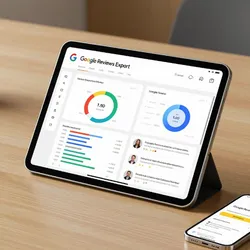
Google Reviews Export and Local Business Reputation Monitor
Pricing
$2.00 / 1,000 google review rows
Google Reviews Export and Local Business Reputation Monitor
For local business operators, agencies, and multi location brands. Pulls every Google review for any business with rating, text, reviewer, relative date, photos, and owner responses. Monitor reputation and benchmark competitors without a Google My Business SaaS subscription.
Pricing
$2.00 / 1,000 google review rows
Rating
0.0
(0)
Developer

Ken M
Maintained by CommunityActor stats
1
Bookmarked
19
Total users
4
Monthly active users
9 days ago
Last modified
Categories
Share
Google Reviews Scraper and Export Tool for Google Maps
Export every Google review for any business into a clean JSON, CSV, or Excel file. Pull star ratings, full review text, reviewer names, dates, photos, owner responses, and aggregate ratings for your business and every competitor. Works past the 5 review cap of the official Google Places API.
Built for local business owners, multi location chains, marketing agencies, and BI teams who need Google Maps review data without a $400 per month reputation SaaS.
Who uses this Google reviews scraper
| Role | What the export unlocks |
|---|---|
| Local business owner | Weekly star trend, 1 star spike alerts, owner reply coverage |
| Multi location chain | Every store's reviews in one dataset, grouped by city |
| Marketing agency | Client reputation reports pulled in minutes, not days |
| BI analyst | Clean JSON or CSV feed for sentiment models and dashboards |
How the Google reviews export works
The actor opens each Google Maps listing in a real browser, clicks the Reviews tab, applies your sort order, and scrolls the panel until your review cap is reached. Residential proxies keep every run past Google's anti bot defenses.
Google Places API vs this scraper
| Feature | Places API | This actor |
|---|---|---|
| Reviews per business | 5 | Full history |
| Sort order | Fixed | Newest, most relevant, highest, lowest |
| Filter by star rating | No | Yes |
| Filter by language | No | Yes |
| Photo URLs | Limited | Yes |
| Owner responses | No | Yes |
| Price | Per request | $0.006 per review, first 100 free |
Quick start
Export 200 recent Google reviews for one restaurant:
Pull complaints only across 3 chain locations:
Search by business name and city instead of pasting URLs:
What one review record looks like
Every record carries both the review fields and the business rollup, so multi location exports group cleanly by businessName in any spreadsheet.
Inputs
| Field | Type | Default | What it does |
|---|---|---|---|
placeUrls | array | [] | Google Maps place URLs |
placeUrl | string | null | Single URL shortcut |
searchQueries | array | [] | Business name plus city, resolves to the first Maps match |
maxReviews | integer | 500 | Hard cap per business, controls cost |
sortBy | string | NEWEST | NEWEST, MOST_RELEVANT, HIGHEST_RATING, LOWEST_RATING |
filterByRating | array | [] | Ratings to keep, e.g. ["1","2"] |
language | string | "" | Filter by language code (en, es, fr, de) |
Pricing
Pay per review. First 100 reviews every run are free so you can verify the output before spending.
| Tier | Price | Best for |
|---|---|---|
| Free | First 100 reviews per run | Verifying output format |
| Standard | $0.006 per review | Ongoing monitoring and benchmarking |
5,000 reviews across 10 locations: $29.40 once. Reputation SaaS like Yext or Podium: $300 to $1,200 per month per location.
Benchmark every location in one run
Every record carries businessName, businessAddress, and businessAggregateRating, so a pivot table turns multi location exports into a city by city ranking in seconds.
Related tools in the review intelligence suite
- TripAdvisor Review Intelligence: hotel, restaurant, and attraction reviews with trip type, stay dates, and owner responses
- Trustpilot Brand Reputation: e-commerce review data with trust scores, country, and verification status
- Booking Review Intelligence: hotel and STR reviews with sentiment, category scores, and management replies
- Roadmap: Yelp, OpenTable, Facebook reviews
Frequently asked questions
How do I scrape Google reviews into a CSV file? Run this actor with a Google Maps place URL and a review cap. Export the dataset as CSV from the Apify console or pull it via the API.
Is there a Google Reviews API alternative with more than 5 reviews? Yes. The official Google Places API caps results at 5 reviews per business. This actor pulls the full review history from the public Maps UI for pennies per run.
How do I export my Google My Business reviews?
Paste your business's Google Maps URL into placeUrl or placeUrls. The actor pulls every review the public page shows in your chosen sort order.
How do I monitor Google reviews without Yext or Podium? Schedule this actor weekly. Diff the latest export against last week in a spreadsheet. Replaces a $300+ monthly subscription.
Can I compare multiple business locations in one run?
Yes. Pass every URL in placeUrls. Every record includes businessName and businessAddress for grouping.
How do I analyze only negative Google reviews?
Set filterByRating to ["1","2"] to pull only 1 and 2 star reviews.
Does this scraper work for any kind of business? Yes. Restaurants, hotels, retail, services, healthcare, any listing that appears on Google Maps.
Can I search by business name instead of pasting a URL?
Yes. Use searchQueries with Business Name City. Each query resolves to the first Maps match.
How fresh is the data? Live at query time. Every run pulls straight from Google Maps.
Why residential proxies? Google Maps blocks datacenter IPs within a few requests. Residential proxies keep runs clean, and the actor ships with residential defaults.


