
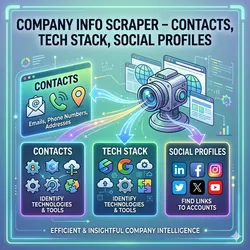
Company Info Scraper – Contacts, Tech Stack, Social Profiles
Pricing
from $5.00 / 1,000 scraped company profiles
Company Info Scraper – Contacts, Tech Stack, Social Profiles
Crawl any company website: extract emails (support/sales/decision-maker), phone numbers, addresses, social profiles, technologies, industry, size, lead score. Smart crawling + JS fallback. $9.99/month. Perfect for B2B leads & competitor intel.
Pricing
from $5.00 / 1,000 scraped company profiles
Rating
0.0
(0)
Developer

Scrape Pilot
Maintained by CommunityActor stats
0
Bookmarked
6
Total users
1
Monthly active users
16 days ago
Last modified
Categories
Share
🏢 Company Intelligence & B2B Lead Scraper
Extract Verified Emails, Direct Phones, Tech Stacks, Social Profiles & Decision-Maker Data from Any Website



Turn any company website domain into a complete, actionable business profile in seconds. Whether you're running cold email campaigns, building outbound sales pipelines, or conducting competitor analysis, Company Intelligence Scraper extracts high-value decision-maker contacts, technology stacks, social media handles, and business insights automatically.
💡 Why Choose Pay-Per-Result Over Fixed Subscriptions?
Most scrapers on the market force you into $29 to $49 monthly subscriptions, charging you the full amount even if you only need to scrape a handful of websites.
With our Pay-As-You-Go model, you get maximum flexibility and fair pricing with zero waste:
| Feature | Standard Monthly Scrapers | Company Intelligence Scraper |
|---|---|---|
| Pricing Model | $29 – $49 / month (recurring) | Only $5.00 per 1,000 companies ($0.005 / profile) |
| Commitment | Forced monthly subscription | Zero monthly fees — Pay only for what you scrape |
| Small Tasks | Pay full $30–$50 even for 10 URLs | Scrape 10 companies? Pay only a few cents! |
| Data Freshness | Often cached or partial | 100% Real-time, live web extraction |
| Tech Stack & Contacts | Basic general emails only | Categorized emails, phone numbers & 30+ tech tools |
| Budget Safety | Fixed recurring bill | Set exact spending limits (maxTotalChargeUsd) |
📊 What Data You Get
Every company scraped returns a comprehensive, structured business intelligence profile:
✉️ Contact & Leadership Intelligence
- Categorized Email Addresses:
- 🎯 Decision Makers: Executive contacts (
ceo@,founder@,director@,president@,head@). - 💼 Sales & Partnerships: Direct inbound sales channels (
sales@,partners@,business@). - 🎧 Customer Support: Helpdesk channels (
support@,help@,contact@).
- 🎯 Decision Makers: Executive contacts (
- Verified Phone Numbers: Formatted in international E.164 standard.
- Physical Locations: Headquarters and office addresses.
🌐 Social Media & Online Footprint
- Automatic discovery of verified company profiles across 13+ platforms:
- LinkedIn, Twitter / X, YouTube, Instagram, GitHub, TikTok, Facebook, and more.
💻 Technology Stack Detection
- Detects over 30+ enterprise technologies & platforms:
- Payment Gateways: Stripe, PayPal.
- CRM & Marketing: HubSpot, Klaviyo, Mailchimp.
- Chat & Helpdesk: Intercom, Zendesk, Drift.
- CMS & Infrastructure: WordPress, Shopify, Webflow, Vercel, Cloudflare.
📈 Business Classification & Lead Scoring
- Automated Lead Score (0–100): Evaluates lead quality based on verified contact channels, online presence, and business maturity.
- Lead Quality Tier:
High(70+),Medium(35–69), orLow(<35) for instant CRM filtering. - Industry & Business Model: Automatically categorizes domain into software, fintech, e-commerce, services, etc.
- Brand Assets: High-resolution logo URL and website favicon.
- Direct Navigation Links: Quick links to Contact, About, Careers, Pricing, and Privacy pages.
💰 Transparent Pay-As-You-Go Pricing
Enjoy fair, result-based pricing with no hidden charges and zero monthly subscriptions:
| Service | Price | Details |
|---|---|---|
| Run Initialization | $0.05 | Flat setup fee per run. |
| Enriched Company Profile | $5.00 / 1,000 results (Only $0.005 per profile) | Charged only when a company profile is successfully extracted. |
🛡️ Guaranteed Budget Protection: You can specify your maximum spending limit (
maxTotalChargeUsd) directly in the Apify task settings. The scraper automatically monitors your usage and stops gracefully before exceeding your limit.
🌟 Real Scraped Examples
Here is the exact data structure extracted from real-world runs:
Example 1: High-Growth AI Enterprise (OpenAI)
Example 2: Global Fintech Leader (Stripe)
🚀 How It Works in 3 Simple Steps
- Enter Your Target Websites: Paste single or bulk domain URLs into the input box.
- Click Run: The scraper analyzes primary and high-priority pages (
contact,about,pricing,team). - Download Your Leads: Export enriched leads as CSV, Excel, or JSON, ready to import into HubSpot, Salesforce, Pipedrive, or Lemlist.
📥 Input Settings
| Field | Type | Description | Default |
|---|---|---|---|
startUrls | Array | List of target website URLs to analyze. | Required |
maxPagesPerDomain | Number | Maximum depth/pages to scan per company (10–15 is ideal). | 15 |
concurrency | Number | Simultaneous domains to process in parallel. | 15 |
regionHint | String | Country code for phone formatting (US, GB, etc.). | "US" |
Example Input:
🎯 High-Value Use Cases
- Cold Email & Outbound Prospecting: Build highly-targeted B2B contact lists with direct sales & leadership emails.
- Tech-Stack Targeting: Filter companies using specific software (e.g., pitch Shopify apps to stores running Shopify, or payments consulting to Stripe users).
- Lead Scoring & Enrichment: Enrich existing lists of domain names with phone numbers, social media links, and quality scores.
- Market & Competitor Analysis: Analyze product positioning, pricing models, and career growth across hundreds of competitors in minutes.
❓ Frequently Asked Questions
How does the pricing work?
You only pay for actual results: $5.00 per 1,000 verified company profiles ($0.005 per profile) plus a $0.05 run setup fee. No monthly subscriptions or wasted credits.
How can I prevent overspending?
Set your desired budget cap in the Apify task settings using maxTotalChargeUsd (e.g., $5.00). The scraper tracks charges in real time and automatically stops when the budget is reached.
Can I export directly to Excel or CSV?
Yes! Once the run finishes, click Export on the Apify Dataset tab to download your results in CSV, Excel, or JSON format for instant CRM integration.
How are leads scored?
Each profile receives an automated 0–100 score based on verified data availability: direct phone numbers, business emails, social footprint, technology stack, and contact forms. A score of 70+ indicates a high-readiness lead.
⚡ Ready to Supercharge Your Lead Generation?
Stop paying for rigid monthly subscriptions. Start enriching high-quality B2B intelligence on demand for just $0.005 per company profile!


![ImmobilienScout24 ImmoScout24 Scraper [From $0.7💰] avatar](https://images.apifyusercontent.com/N0ZLAtb27aQnW5E77UVF4aHjnFgK0gl06k1ISxGBJUc/rs:fill:76:76/cb:1/aHR0cHM6Ly9hcGlmeS1pbWFnZS11cGxvYWRzLXByb2QuczMudXMtZWFzdC0xLmFtYXpvbmF3cy5jb20vajdkM3JHN0p0RlA1Z3N6bTYtYWN0b3ItUk1LdzM5OGNkcGU0WGZ4Y20tWjdvOVBpdldtdC1pbWFnZXNfJTI4MiUyOS5wbmc.webp)


