
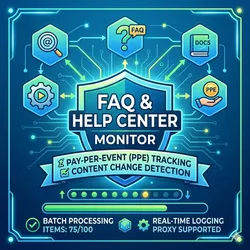
FAQ & Help Center Scraper with Change Monitor
Pricing
from $7.00 / 1,000 successful document scrapeds
FAQ & Help Center Scraper with Change Monitor
Scrape and monitor documentation, FAQs, and help centers effortlessly. Extract structured Q&As, body text, breadcrumbs, and metadata. Features automatic MD5 change detection to track page updates over time. Fast, async, and powered by cost-effective Pay Per Event billing
Pricing
from $7.00 / 1,000 successful document scrapeds
Rating
0.0
(0)
Developer

Scrape Pilot
Maintained by CommunityActor stats
0
Bookmarked
4
Total users
0
Monthly active users
a month ago
Last modified
Categories
Share
📚 FAQ & Help Center Scraper with Change Monitor – RAG-Ready Documentation Intelligence
Crawl any documentation or help center – extract FAQ Q&A pairs, content text, metadata, breadcrumbs, reading time, code snippets, and detect content changes with hash‑based monitoring.
Perfect for RAG‑pipeline‑data ingestion, change‑detection workflows, documentation‑scraper automation, and web‑monitor systems. Built‑in faq‑scraper extracts structured question‑answer pairs automatically.
💡 What is the FAQ & Help Center Scraper with Change Monitor?
The FAQ & Help Center Scraper with Change Monitor is a powerful Apify actor that crawls any documentation site, knowledge base, or help center – and extracts all valuable content in a clean, structured format.
Unlike generic scrapers, this actor is built for RAG pipelines and AI‑ready data extraction:
- Automatic FAQ extraction – identifies question‑answer pairs from any page (using headers, buttons, and question patterns).
- Content change detection – tracks modifications via content hashing, logs
New,Modified, orUnchangedstatus, and records times changed. - Rich metadata – word count, reading time, author, published/last modified dates, breadcrumbs, product area, audience (developer vs general).
- Code & media awareness – counts code snippets, detects images and videos.
- Related articles discovery – finds internal recommended links.
- Pay‑per‑result pricing – only charged for successfully scraped pages ($0.007/page). Start cost $0.02.
Ideal for:
- RAG‑pipeline‑data ingestion (e.g., loading into vector databases)
- Documentation‑scraper for AI training or retrieval
- Change‑detection monitoring (e.g., alert when a critical help page changes)
- Web‑monitor for competitor documentation updates
- faq‑scraper to build automated FAQ datasets
🚀 Key Features
| Feature | Description |
|---|---|
| Automatic FAQ extraction | Identifies question‑answer pairs from common patterns (“how to”, “what is”, “why”, “?”) and HTML structures. |
| Content change detection | Hashes page content; tracks New, Modified, Unchanged status, times changed, and previous hash. |
| Rich content metadata | Word count, reading time, author, published/modified dates, breadcrumbs, product area, audience (developer/general). |
| Code & media counters | Counts code/pre blocks, detects images and videos. |
| Related articles discovery | Extracts internal recommended or related article links. |
| Concurrent crawling | Configurable concurrency (default 15) to speed up large documentation sites. |
| Resume & checkpoint | Saves progress after each page; resumes from last state if interrupted. |
| Pay‑per‑result (PPE) | Charged only for successfully scraped pages ($0.007/page). Failed pages cost nothing. |
| Residential proxy ready | Bypasses anti‑bot measures (strongly recommended for large runs). |
| Clean JSON output | Ready for RAG pipelines, vector databases, or analytics. |
📥 Input Parameters
| Parameter | Type | Required | Default | Description |
|---|---|---|---|---|
startUrls | array | No | [{"url":"https://docs.stripe.com/"}] | List of starting URLs (help center root, documentation index). |
maxItems | integer | No | 100 | Maximum number of pages to scrape (stop when reached). |
concurrency | integer | No | 15 | Number of concurrent HTTP requests (1–20). |
proxyConfiguration | object | No | – | Apify proxy configuration. Residential strongly recommended. |
Example Input
📤 Output Fields
Each scraped page returns an object with the following fields:
| Field | Type | Description |
|---|---|---|
url | string | Page URL |
title | string | Page title (from <title>) |
category | string | Second breadcrumb or “General” |
breadcrumb | string | Breadcrumb trail (if present) |
content_text | string | Main content (truncated to 1500 chars in output but full stored) |
word_count | integer | Number of words in main content |
reading_time_min | integer | Estimated reading time in minutes |
faq_questions | array | List of extracted questions |
faq_answers | array | Corresponding answers (truncated to 240 chars) |
question_count | integer | Number of FAQ questions found |
code_snippets_count | integer | Number of <pre> or <code> elements |
has_images | boolean | True if page contains <img> |
has_video | boolean | True if page contains <iframe> or <video> |
author | string | Extracted author or “Documentation Team” |
published_date | string | Publication date from meta tags |
last_modified | string | Last modified date from meta tags |
content_hash | string | MD5 hash of main content (for change detection) |
change_status | string | New, Modified, or Unchanged |
change_detected_at | string | ISO timestamp of last change detection |
change_summary | string | Human‑readable change description |
times_changed | integer | Number of times this page has changed since first scrape |
product_area | string | First breadcrumb or “Core API/Platform” |
audience | string | Developers/Merchants (if code snippets) else General Users |
helpful_yes_no | boolean | True if page contains “Was this helpful?” widget |
related_articles | array | List of related article titles |
Example Output (FAQ‑rich page)
💰 Pricing
| Component | Price |
|---|---|
| Actor start (per run) | $0.02 |
| Per successful page result | $0.007 |
| Per 1,000 successful pages | $7.00 |
- You are charged only when a page is successfully scraped (i.e., content extracted, no error).
- Failed pages (blocked, 404, network timeout) cost nothing.
- Actor start fee covers infrastructure even if zero pages are scraped.
- Example: 500 successful pages = $0.02 + (500 × $0.007) = $3.52.
- Example: 2,500 successful pages = $0.02 + (2,500 × $0.007) = $17.52.
Change detection is free – the actor computes hashes and tracks changes without extra cost. You only pay for the initial scrape of each page; subsequent runs that re‑scrape the same page (if not changed) still incur a charge (since you are retrieving fresh HTML and processing it). To reduce costs, use maxItems and schedule runs only when needed.
🛠 How to Use on Apify
- Create a task with this actor.
- Provide start URLs – the root of the documentation or help center (e.g.,
https://docs.stripe.com/,https://support.google.com/). - Set maxItems – how many pages to scrape (default 100, maximum limited by website size).
- Adjust concurrency – higher concurrency speeds up crawling but may increase blocking risk.
- Enable residential proxies – strongly recommended to avoid rate limiting.
- Run – the actor will crawl, extract, detect changes, charge per page, and push results to dataset.
- Export – download JSON, CSV, or Excel.
Change detection across runs: The actor saves content hashes in key‑value store. When you rerun with the same start URLs, it will compare hashes and set
change_statusaccordingly.
Running via API
🎯 Use Cases
| Use Case | How This Actor Helps |
|---|---|
| RAG‑pipeline‑data | Ingest clean, structured documentation into vector databases (Pinecone, Weaviate, Chroma). |
| Documentation‑scraper | Automatically sync external help center content into your own knowledge base. |
| Change‑detection | Monitor competitor or internal docs for updates – get alerts when critical pages change. |
| Web‑monitor | Track frequency of content updates across large documentation sites. |
| faq‑scraper | Build FAQ datasets for chatbot training or customer support automation. |
| Content migration | Extract all pages from an old help center to a new platform. |
❓ Frequently Asked Questions
1. What is a “successful result” for PPE charging?
A page is considered successful if the actor can extract its HTML and parse at least a title and some content. Failed pages (404, Cloudflare block, timeout) are not charged.
2. How does change detection work?
The actor computes an MD5 hash of the page’s main content. If the hash differs from the previous run’s stored hash, change_status becomes Modified and times_changed increments. If the page was not seen before, change_status is New. If the hash matches, it is Unchanged.
3. Are FAQ questions and answers always accurate?
The actor uses heuristic rules (question marks, question‑word lists, HTML structure). Accuracy is high for well‑structured documentation, but you may get false positives. You can filter by question_count or manually review.
4. Do I need residential proxies?
For small documentation sites (<100 pages), datacenter proxies may work. For large sites (Stripe, Google, etc.) or frequent runs, residential proxies are strongly recommended to avoid 429 and CAPTCHA blocks.
5. What does the content_text field contain?
It contains the extracted main text from <main>, <article>, or the body, cleaned and truncated to 1500 characters in the JSON output. The full text is stored in the dataset item, but the displayed output in the console may truncate it.
6. How do I run change detection on a schedule?
Create an Apify schedule that triggers this actor every day or week. The actor will load the previous state from the key‑value store and only push pages that have changed (if you want to reduce costs, you can filter out Unchanged pages in post‑processing).
7. Can I limit crawling to a specific sub‑path?
Yes. The actor only follows links that stay within the same domain. If you want to restrict to a sub‑path (e.g., /docs/ only), you must provide a start URL that is already within that path and rely on the fact that the actor respects the same‑domain rule. It does not have a path‑prefix filter.
8. What is the audience field?
If the page contains code snippets (<pre> or <code>), it is classified as Developers/Merchants. Otherwise, General Users.
9. How long does a run take?
For 1,000 pages, with concurrency set to 15, expect roughly 5–10 minutes, depending on network latency and proxy speed.
10. What happens if the actor hits the spending limit?
The actor checks charge_result.event_charge_limit_reached after each page and stops gracefully. It saves state so that when you restart (after increasing budget), it will resume without re‑scraping already processed pages.
🔍 SEO Keywords
faq-scraper, documentation-scraper, rag-pipeline-data, change-detection, web-monitor, help center scraper, knowledge base extractor, FAQ extraction, content change monitoring, RAG ingestion, documentation crawler, Apify doc scraper, vector database source
🔗 Related Actors
- Amazon Product Scraper – ASIN, Price, Rating, Reviews
- NHS Job Scraper – Salary, Band, Employer, Location
- Instagram Profile Scraper – Followers, Bio, Posts, Verified
Start monitoring documentation changes and extracting FAQ data today – $0.02 per run + $7 per 1,000 successful pages. Perfect for RAG pipelines, change detection, and AI training.


