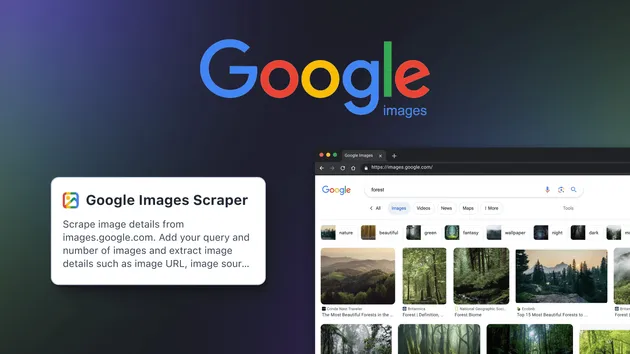
Google Images Scraper
Pricing
$19.99/month + usage
Google Images Scraper
Google Images Scraper 🔍🖼️ extracts image URLs, titles, sources, and metadata from Google Images at scale. Ideal for research, AI datasets, SEO analysis, and content sourcing. Fast, reliable, and customizable for efficient large-scale image data collection. ⚡📊
Pricing
$19.99/month + usage
Rating
0.0
(0)
Developer

ScrapePilot
Maintained by CommunityActor stats
0
Bookmarked
3
Total users
1
Monthly active users
3 months ago
Last modified
Categories
Share
Google Images Scraper
Google Images Scraper is a Playwright-powered tool that extracts image URLs, titles, sources, and metadata from Google Images at scale. It solves the challenge of collecting high-quality image links and context quickly, acting as a Google image search scraper for marketers, developers, data analysts, and researchers who need to scrape Google images by keyword. Use it to automate visual research, build AI datasets, and power downstream pipelines with clean, structured results.
What data / output can you get?
Below are the exact JSON fields this Google images scraping tool saves to the Apify dataset. These map 1:1 to the actor’s output schema and dataset view.
| Data type | Description | Example value |
|---|---|---|
| query | The search keyword used to fetch images | "technology" |
| imageUrl | Direct URL to the selected image | "https://cdn.britannica.com/84/203584-050-57D326E5/speed-internet-technology-background.jpg" |
| title | Title/caption extracted from the result context | "History of Technology Timeline ..." |
| imageWidth | Natural width of the image (if detected) | 1600 |
| imageHeight | Natural height of the image (if detected) | 1131 |
| thumbnailUrl | Thumbnail URL (defaults to imageUrl if none found) | "https://encrypted-tbn0.gstatic.com/images?q=tbn:I9RUPVPHjvqr1M" |
| thumbnailWidth | Thumbnail width (fallbacks to 300 if unknown) | 300 |
| thumbnailHeight | Thumbnail height (fallbacks to 200 if unknown) | 200 |
| contentUrl | Source page URL where the image is embedded | "https://www.britannica.com/story/history-of-technology-timeline" |
| origin | Source hostname derived from contentUrl or "unknown" | "www.britannica.com" |
Notes:
- Fields like imageWidth and imageHeight may be null if not provided by the page.
- origin returns "unknown" when the source page cannot be determined.
- Results are saved to the Apify dataset for easy export (e.g., JSON downloads) and further processing such as bulk download Google images workflows.
Key features
-
⚙️ Playwright-only extraction engine
Fast and resilient Google images crawler that uses a headless Chromium browser for stable, accurate scraping of image results pages. -
🛡️ Automatic proxy fallback
Built-in logic escalates from direct connection to datacenter, then residential proxies if blocks are detected — improving reliability for web scraping Google images at scale. -
📥 Real-time dataset streaming
Toggle pushToDatasetRealtime to stream each record into the output dataset as it’s discovered, enabling instant visibility and faster downstream processing. -
🔍 Smart block and consent handling
Detects CAPTCHA/unusual-traffic pages and attempts Google consent acceptance to keep scraping sessions flowing. -
🧹 Duplicate/invalid filtering
Skips data: URLs and common Google/static assets to keep results clean for downstream “automated Google image downloader” pipelines. -
🧠 Memory-optimized sessions
Uses a fresh browser context per query and blocks non-essential resources for stability during large runs of a Google images SERP scraper. -
🧰 Developer-focused controls
Configure headless runs, per-query limits, and real-time output behavior. Output records are structured for seamless ingestion by Python Google images scraper scripts, APIs, or analytics tools.
How to use Google Images Scraper - step by step
- Sign up or log in to Apify.
- Open the Google Images Scraper actor in your Apify console.
- Add your input: provide queries (keywords), and optionally set maxImages, headless, proxyConfiguration, and pushToDatasetRealtime.
- Start the run. The actor navigates to Google Images and extracts images for each query.
- Watch progress: if pushToDatasetRealtime is enabled, results will appear in the Output dataset table in real time.
- Export results from the dataset (e.g., JSON) or connect the dataset to your pipeline to extract images from Google search automatically.
Pro Tip: Chain this Google images scraper API run with an image-downloader workflow to implement an automated Google image downloader. Use the dataset’s imageUrl field as the source list for bulk download Google images pipelines.
Use cases
| Use case name | Description |
|---|---|
| AI/ML dataset creation | Build training sets by collecting imageUrl, dimensions, and source context for multiple keywords using a reliable Google images results scraper. |
| SEO & SERP intelligence | Analyze visual search presence and track competitors with a Google images SERP scraper that returns titles, contentUrl, and origin. |
| Content sourcing & curation | Extract images from Google search for inspiration and editorial workflows, then route URLs to a Google images downloader. |
| Brand monitoring | Monitor brand assets across sites by scraping images by keyword and reviewing origin domains at scale. |
| Academic & research pipelines | Use a Python Google images scraper workflow to enrich research datasets with structured fields across many queries. |
| E-commerce cataloging | Gather product imagery and source pages to compare listings and enrich catalogs programmatically. |
Why choose Google Images Scraper?
This Google image search scraper is built for precision, scale, and reliability in production.
- ✅ Proven reliability with Playwright-based browsing and consent handling
- ✅ Automatic proxy fallback (direct → datacenter → residential) to reduce blocks
- ✅ Real-time dataset streaming for faster feedback loops
- ✅ Clean, structured fields ready for analytics and automation
- ✅ Developer-friendly controls (headless mode, per-query limits)
- ✅ More stable than ad-hoc scripts or extensions (e.g., a generic Google image scraper Selenium script), with better handling for dynamic pages
Bottom line: a production-ready Google images scraping tool for teams who need consistent, structured outputs and scalable runs.
Is it legal / ethical to use Google Images Scraper?
Yes — when used responsibly. This actor collects publicly available metadata (like image URLs, titles, and source pages) from Google Images. As with any web scraping Google images workflow:
- Only use data in accordance with applicable laws and Google’s terms.
- Avoid downloading or reusing copyrighted images without permission.
- Treat this as a metadata extraction tool and verify compliance for your specific use case with your legal team.
Input parameters & output format
Example JSON input
Input fields
- queries (array, required): List of search queries or keywords to scrape images for. Can be a single query or multiple queries. Default: none.
- maxImages (integer, optional): Maximum number of images to scrape per query (1–1000). Default: 10.
- proxyConfiguration (object, optional): Choose which proxies to use. If Google rejects the proxy, a residential proxy will be used as a fallback. Default: none (editor prefill uses { "useApifyProxy": false }).
- headless (boolean, optional): Run browser in headless mode (recommended for production). Default: true.
- pushToDatasetRealtime (boolean, optional): If enabled, each scraped image is saved to the actor Output table immediately. If disabled, all results are saved at the end. Default: true.
Example JSON output
Notes:
- origin may be "unknown" if the source page cannot be parsed.
- imageWidth/imageHeight can be null for some results; thumbnailWidth/thumbnailHeight default to 300/200 when dimensions are unavailable.
FAQ
Is there an official Google Images API?
No. Google doesn't provide a public Google Images API. This actor serves as a Google images scraper API alternative by extracting structured metadata from the SERP.
Can I scrape Google Images by keyword in bulk?
Yes. Provide a list of queries in the queries array and adjust maxImages per query. The actor processes each query with memory-optimized browser sessions.
Does it handle blocks or CAPTCHAs?
Yes. It detects blocks (e.g., CAPTCHA/unusual traffic) and escalates through proxy modes (none → datacenter → residential) with limited retries to improve success rates.
Can it download images from Google search?
The actor outputs imageUrl values for each result. Use those URLs with your own script or a downstream tool to implement an automated Google image downloader.
Is headless mode required?
Headless mode is optional (headless defaults to true) and recommended for production stability in this Google images crawler.
What does real-time output do?
If pushToDatasetRealtime is true, each image record is pushed to the dataset immediately so your Output table updates live during the run.
How many images can I collect per query?
Control this with maxImages (default 10; up to 1000). The scraper scrolls and interacts with thumbnails until it reaches your limit or the page exhausts results.
Does it work with Python workflows?
Yes. Results are structured in JSON via the Apify dataset, making this a good fit for a Python Google images scraper pipeline or any data ingestion process.
Closing CTA / Final thoughts
Google Images Scraper is built for fast, reliable extraction of image URLs and metadata from Google Images. It delivers clean fields (query, imageUrl, title, dimensions, contentUrl, origin) with real-time streaming and proxy fallback for sustained runs.
Whether you’re a marketer, developer, data analyst, or researcher, this Google image results scraper helps you extract images from Google search, power bulk download Google images workflows, and automate downstream pipelines. Run it on Apify, stream results into your dataset, and integrate with your scripts or APIs to start scaling visual data collection today.