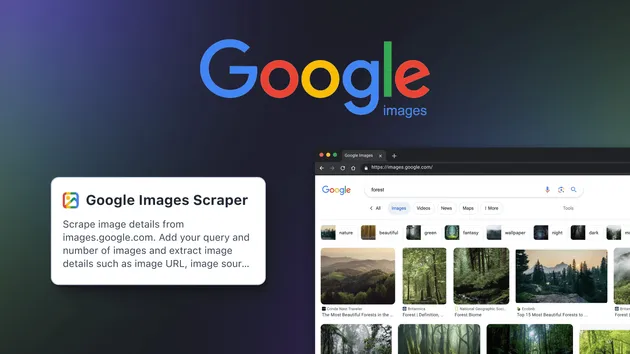
Google Images Scraper
Pricing
$19.99/month + usage
Google Images Scraper
✨ Google Images Scraper to extract image results from Google quickly and at scale. Collect image URLs, titles, sources, and metadata with ease. Ideal for research, datasets, and analysis. Features: ⚡ fast scraping • 📊 clean output • 🔍 image insights • 🌍 scalable automation
Pricing
$19.99/month + usage
Rating
0.0
(0)
Developer

ScrapeBase
Maintained by CommunityActor stats
0
Bookmarked
2
Total users
0
Monthly active users
3 months ago
Last modified
Categories
Share
Google Images Scraper
Google Images Scraper is a fast, scalable Google images scraping tool that collects image URLs, titles, source pages, and metadata from Google Image Search. It helps developers, marketers, data analysts, and researchers scrape Google images at scale, acting as a reliable google image scraper and google image search scraper for structured datasets. With robust proxy fallback and real-time dataset updates, it enables automated pipelines to download images from Google search, power AI datasets, and fuel analysis workflows.
What data / output can you get?
Below are the exact fields this google images crawler outputs to the Apify dataset. Each record corresponds to one image result.
| Data type | Description | Example value |
|---|---|---|
| query | The search keyword used for the image query | technology |
| imageUrl | Direct link to the image | https://miro.medium.com/v2/resize:fit:1400/1*6-dNFz13P5prRz_kYaInXg.jpeg |
| title | Title text extracted from the result panel | Is Technology Ruining Your Experience ... |
| imageWidth | Image width in pixels (if detected) | 1400 |
| imageHeight | Image height in pixels (if detected) | 1025 |
| thumbnailUrl | Thumbnail image URL (may equal imageUrl when no tbnid) | https://encrypted-tbn0.gstatic.com/images?q=tbn:7XZB0ElBde-RCM |
| thumbnailWidth | Thumbnail width in pixels (defaults to 300 if unknown) | 300 |
| thumbnailHeight | Thumbnail height in pixels (defaults to 200 if unknown) | 200 |
| contentUrl | Source page URL where the image is hosted | https://medium.com/jacob-morgan/is-technology-ruining-your-experience-at-work-58eaf3ec40a7 |
| origin | Hostname/domain derived from contentUrl | medium.com |
Notes:
- origin is set to "unknown" if the source page cannot be resolved.
- When a dedicated thumbnail ID (tbnid) is present, thumbnailUrl points to an encrypted-tbn0.gstatic.com resource. Otherwise it falls back to imageUrl.
- You can export the Output dataset from Apify in formats like JSON, CSV, or Excel for downstream use.
Key features
-
⚙️ Robust proxy fallback Automatically cycles through direct, datacenter, and residential proxies with retries if blocking is detected. Keeps your google serp image scraper resilient during scale.
-
⚡ Real-time dataset updates Enable pushToDatasetRealtime to stream each image record to the Output table as soon as it’s scraped—ideal for monitoring and pipelines that scrape Google images continuously.
-
🧠 Block detection & consent handling Detects CAPTCHA/unusual traffic pages and handles Google consent dialogs when present to maintain smooth runs.
-
🧼 Quality filters & de-duplication Skips data URLs and known Google-hosted assets (e.g., gstatic, googleusercontent) and avoids duplicates to keep your google images data extraction clean.
-
🧩 Memory-optimized Playwright engine Launches a fresh Chromium instance per query, blocks non-essential resources, and uses a compact viewport for stable bulk operations.
-
🎯 Precise metadata extraction Captures imageUrl, dimensions, source page (contentUrl), and origin domain—perfect for automatic google images downloader pipelines and bulk download google images workflows using the URLs.
-
💻 Developer-friendly automation Works seamlessly with the Apify API and SDKs, making it a practical google image scraping api for both google images scraper node.js and google image scraper python projects.
How to use Google Images Scraper - step by step
-
Create an Apify account Sign up or log in to Apify.
-
Open the actor Search for “Google Images Scraper” in the Apify Store and open the actor.
-
Add your queries In Input, provide one or more keywords in queries (e.g., ["nature", "technology"]).
-
Set limits and mode
- maxImages: Number of images to collect per query (default 10; up to 1000).
- headless: Keep it true for production stability.
-
Configure proxy behavior Use proxyConfiguration to control proxies. The actor includes built-in fallback from none → datacenter → residential to handle blocking.
-
Choose real-time output Set pushToDatasetRealtime to true to stream results to the Output dataset as they are found.
-
Run the scraper Click Start. The actor will open Google Images, click through thumbnails, and extract image metadata until limits are reached.
-
Export your results Open the run’s Dataset tab to browse and download records in your preferred format (e.g., JSON or CSV). Use these URLs with a google image downloader workflow to fetch the actual files.
Pro Tip: Chain this google images scraping tool with other Apify actors or your own scripts to build an automatic google images downloader pipeline that fetches and stores images in bulk.
Use cases
| Use case name | Description |
|---|---|
| AI/ML dataset creation | Build large training sets by extracting image URLs and metadata for computer vision and labeling workflows. |
| SEO & content research | Analyze visual SERPs for target keywords to benchmark competitors and track trends in image search. |
| Brand monitoring | Detect where logos or brand visuals appear online with origin domains for compliance or outreach. |
| Media & editorial sourcing | Quickly gather candidate images and source pages for journalism, blogs, or newsletters. |
| E-commerce enrichment | Collect product-related images and content URLs for catalogs, comparison pages, or audits. |
| Academic studies | Support research by exporting structured image result datasets for analysis and reproducibility. |
| API pipelines | Integrate this google image scraping api with Node.js/Python to power automated data flows and storage. |
Why choose Google Images Scraper?
This tool is built for precision and reliability—combining Playwright automation with smart proxy fallback and real-time outputs to scrape google images at scale.
- ✅ Accurate, structured output: Clean fields for image URLs, titles, dimensions, source pages, and domains.
- 🚀 Scales per query: Control maxImages per keyword (default 10; up to 1000 per query).
- 🧠 Smart anti-blocking: Detects blocks and falls back across proxy modes automatically.
- 🔌 Developer-ready: Use with the Apify API, apify-client for Python, or Node.js for automation.
- 🛡️ Safer than extensions: No brittle browser plugins—production-ready infrastructure on Apify Cloud.
- 💸 Cost-effective workflows: Stream results in real time, export datasets, and integrate with your data stack.
In short: a dependable google images scraper that outperforms manual methods and unstable extensions for sustained automation.
Is it legal / ethical to use Google Images Scraper?
Yes—when used responsibly. This actor extracts publicly available metadata (e.g., URLs, titles, dimensions, source pages) from Google Image Search results. It does not authenticate into private areas or access gated data.
Guidelines for compliant use:
- Scrape only public result data and respect platform terms.
- Verify usage rights before downloading or using images commercially.
- Adhere to relevant regulations (e.g., GDPR/CCPA) and consult your legal team for specific use cases.
Using filters like usage rights on Google (manually) and limiting to metadata collection helps ensure ethical, compliant operations.
Input parameters & output format
Example JSON input
Parameter reference
| Field | Type | Description | Default | Required |
|---|---|---|---|---|
| queries | array | List of search queries or keywords to scrape images for. Can be single query or multiple queries. | Prefill: ["nature"] | Yes |
| maxImages | integer | Maximum number of images to scrape per query (1-1000). | 10 | No |
| proxyConfiguration | object | Choose which proxies to use. If Google rejects the proxy, a residential proxy will be used as a fallback. | {"useApifyProxy": false} | No |
| headless | boolean | Run browser in headless mode (recommended for production). | true | No |
| pushToDatasetRealtime | boolean | If enabled, each scraped image is saved to the actor Output table immediately. If disabled, all results are saved at the end. | true | No |
Example JSON output
Notes:
- origin may be "unknown" when the source URL cannot be parsed.
- thumbnailWidth and thumbnailHeight default to 300x200 when image dimensions are not available.
FAQ
Is there an official Google Images API?
No. Google does not provide a public Google Image Search API. This actor functions as a google image scraping api alternative via the Apify platform.
Can I scrape Google Images with Python?
Yes. Use the Apify API or the apify-client Python package to run this google image scraper python workflow and fetch dataset results programmatically.
Does it work with Node.js/NPM?
Yes. You can trigger runs and read datasets using the Apify SDK for Node.js, making it a practical google images scraper node.js integration.
Can it download the actual images, not just URLs?
The actor outputs imageUrl fields. To bulk download google images, pair the output with an image-downloader actor or your own script to fetch the files.
How many images can I scrape per query?
You control this via maxImages. The default is 10, and you can set up to 1000 per query.
How does it handle blocking?
It detects CAPTCHA/unusual traffic pages and automatically falls back across proxy modes (none → datacenter → residential) with retries, improving reliability for scrape google images tasks.
Is there a chrome extension version?
This is an Apify actor designed for API and cloud workflows rather than a google images scraper chrome extension. It’s more stable for automation and scaling.
Is it free to use?
You can run it on Apify with available plan credits. Check your Apify account for current free tier details and pricing.
Closing CTA / Final thoughts
Google Images Scraper is built for structured, reliable Google images data extraction at scale. It delivers clean fields (image URLs, dimensions, titles, sources) with smart proxy fallback and real-time dataset updates to power research, SEO, and AI pipelines. Whether you’re a marketer, developer, analyst, or researcher, you can integrate it via the Apify API for an automatic google images downloader flow in Python or Node.js. Start extracting smarter image datasets—clean, structured, and automation-ready.