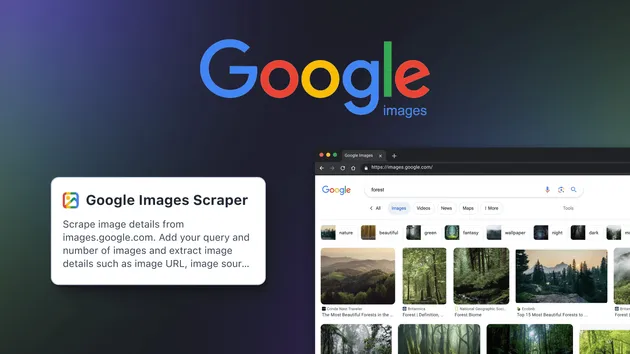
Google Images Scraper
Pricing
$19.99/month + usage
Google Images Scraper
🔎 Google Images Scraper (google-images-scraper) collects image URLs, titles, thumbnails and source pages from Google Images SERPs at scale. 🖼️ Filter by keywords, size, time & SafeSearch. 📊 Export CSV/JSON for research, SEO, datasets & creative sourcing. ⚡ Fast, reliable, automation-ready.
Pricing
$19.99/month + usage
Rating
0.0
(0)
Developer

Scraply
Maintained by CommunityActor stats
0
Bookmarked
2
Total users
0
Monthly active users
3 months ago
Last modified
Categories
Share
Google Images Scraper
Google Images Scraper is a fast, reliable tool that extracts image result data from Google Image Search at scale. It helps marketers, developers, data analysts, and researchers scrape images from Google results with structured fields like direct image URLs, thumbnails, dimensions, titles, and source pages — a dependable google image scraper for building datasets and automating SERP image workflows. Use it to power a google image search scraper pipeline, a serp image scraper for google, or a google images bulk downloader workflow that saves URLs you can fetch with a separate downloader.
What data / output can you get?
The actor saves a clean, consistent record for each image it captures. Below are the exact output fields it pushes to the Apify dataset.
| Data type | Description | Example value |
|---|---|---|
| query | The search term that produced the image result | "technology" |
| imageUrl | Direct link to the image file (as shown on Google Images result) | "https://miro.medium.com/v2/resize:fit:1400/1*6-dNFz13P5prRz_kYaInXg.jpeg" |
| title | Title or heading captured from the result view | "Is Technology Ruining Your Experience ..." |
| imageWidth | Detected image width in pixels (may be null if not available) | 1400 |
| imageHeight | Detected image height in pixels (may be null if not available) | 1025 |
| thumbnailUrl | Thumbnail or preview URL derived from the result | "https://encrypted-tbn0.gstatic.com/images?q=tbn:7XZB0ElBde-RCM" |
| thumbnailWidth | Thumbnail width (falls back to 300 when unknown) | 300 |
| thumbnailHeight | Thumbnail height (falls back to 200 when unknown) | 200 |
| contentUrl | Source page where the image appears | "https://medium.com/jacob-morgan/is-technology-ruining-your-experience-at-work-58eaf3ec40a7" |
| origin | Domain of the source page (or "unknown" if not parsable) | "medium.com" |
Notes:
- All results are exportable from the Apify dataset to common formats like JSON and CSV.
- Some fields (e.g., imageWidth, imageHeight) can be null if they aren’t available at capture time.
- Origin may be "unknown" when a valid source hostname cannot be derived.
Key features
-
⚙️ Playwright-powered scraping (no extension, no Selenium)
- Uses headless Chromium via Playwright for stability and speed, ideal for google images scraping without api or brittle browser plugins.
-
🛡️ Automatic proxy fallback
- Smart fallback chain: direct connection → datacenter proxy → residential proxy (with retries). Blocks are detected and handled to keep runs moving.
-
🔁 Real-time dataset streaming
- Enable “Save results to Output table in real time” to push each image record as it’s found for immediate visibility and faster pipelines.
-
🧹 De-duplication & noise reduction
- Skips data URLs and common Google-hosted placeholders (e.g., gstatic), focusing on actionable image URLs and sources.
-
🖱️ Robust scrolling & “Show more” handling
- Click-based extraction with incremental scrolling and “Show more” support to collect more results per query.
-
🧰 Developer friendly
- Works seamlessly with the Apify dataset and API for automation. Use it as a google images scraper Python/Node.js building block via apify-client and webhooks.
-
📦 Export-ready data
- Clean records with query, URLs, dimensions, and source metadata that you can export as JSON/CSV for downstream processing in your google images downloader or ETL.
-
🚀 Production-ready on Apify Cloud
- Built for reliability with headless mode defaults, memory-efficient browser contexts, and structured logging — great for automated google images download workflows.
How to use Google Images Scraper - step by step
- Sign up or log in to Apify.
- Open “Google Images Scraper” from the Apify Store.
- Add input data:
- Enter your queries as a list (e.g., ["nature", "technology"]).
- Set maxImages per query (default 10; 1–1000 supported).
- Optionally toggle headless mode and real-time dataset streaming.
- Choose your proxyConfiguration (if needed).
- Start the run:
- Click Start. The actor navigates Google Images, clicks results, and extracts structured data.
- Monitor progress:
- Watch logs and the Output (Dataset) to see records appear live when pushToDatasetRealtime is enabled.
- Export results:
- Download from the run’s Dataset as JSON or CSV for analysis or to feed your google images bulk downloader workflow.
- Iterate:
- Add more queries or adjust maxImages to scale results across multiple topics or campaigns.
Pro Tip: Combine this actor with an image-downloading step (e.g., a separate downloader actor or a simple script) to implement a full automated google image results downloader pipeline.
Use cases
| Use case name | Description |
|---|---|
| AI/ML dataset creation | Build large, structured image URL corpora for training and experimentation using a dependable google image crawler tool. |
| SEO & marketing analysis | Analyze visual SERP presence, track themes, and benchmark competitors with a reliable google image search scraper. |
| Brand monitoring | Detect where product photos or logos appear by collecting contentUrl and origin across queries. |
| Creative sourcing | Gather reference imagery URLs in bulk for mood boards and design research; ideal for a google images downloader workflow. |
| E-commerce enrichment | Collect product image links from public sources to enhance catalogs and comparison datasets. |
| Academic & research projects | Export repeatable, query-scoped datasets (JSON/CSV) for reproducible studies that scrape images from google results. |
| Automation pipelines | Orchestrate scheduled jobs via the Apify API to run a serp image scraper for google at intervals for trend monitoring. |
Why choose Google Images Scraper?
This actor focuses on precision, automation, and reliability for structured Google Images data collection.
- ✅ Accurate click-based extraction with dimensions, thumbnails, titles, and sources
- ✅ Automatic proxy fallback (direct → datacenter → residential) and block detection
- ✅ Real-time streaming to the Output dataset for faster feedback loops
- ✅ Developer-friendly: integrate via Apify API in Python or Node.js
- ✅ Export clean JSON/CSV for easy ingestion into downstream tools and scripts
- ✅ No browser extensions required; operates headless by default for stability
- ✅ Built for automation on Apify Cloud — ideal for scheduled jobs and pipelines
Unlike ad-hoc scripts or browser add-ons, this production-grade google image scraper delivers consistent output formats and resilience at scale.
Is it legal / ethical to use Google Images Scraper?
Yes, when used responsibly. The actor extracts publicly available metadata such as image URLs, titles, and source pages from Google Images results.
Guidelines:
- Only collect and use public data; avoid downloading or using copyrighted images without permission.
- Review and respect Google’s Terms of Service and applicable data protection laws (e.g., GDPR/CCPA).
- Use outputs for legitimate purposes like research, analysis, or internal datasets; consult your legal team for edge cases.
Input parameters & output format
Example input
Input fields
- queries (array, required)
- Description: List of search queries or keywords to scrape images for. Can be single query or multiple queries.
- Default: none (required; UI prefill is ["nature"])
- maxImages (integer)
- Description: Maximum number of images to scrape per query (1–1000).
- Default: 10
- proxyConfiguration (object)
- Description: Choose which proxies to use. If Google rejects the proxy, a residential proxy will be used as a fallback.
- Default: no default; UI prefill is { "useApifyProxy": false }
- headless (boolean)
- Description: Run browser in headless mode (recommended for production).
- Default: true
- pushToDatasetRealtime (boolean)
- Description: If enabled, each scraped image is saved to the actor Output table immediately (recommended). If disabled, all results are saved at the end.
- Default: true
Example output (dataset items)
Notes:
- origin can be "unknown" if the source hostname cannot be derived.
- imageWidth and imageHeight may be null when not detectable at capture time.
FAQ
Is there an official Google Images API?
No. Google does not offer a public Google Image Search API. This Google Images Scraper provides a reliable alternative for collecting public results metadata.
Can I use this as a google images downloader to save actual files?
Not directly. The actor outputs imageUrl and thumbnailUrl for each result. To download files in bulk, export the dataset (JSON/CSV) and pass URLs to an image downloader script or actor.
How many images can I collect per query?
You control this via maxImages. It supports 1–1000 per query, with a default of 10.
Does it work with Python or Node.js?
Yes. You can run the actor on Apify and consume results via the Apify API. Use apify-client in Python or JavaScript to trigger runs and fetch dataset items, enabling automated google images download workflows.
Does this require Selenium or a browser extension?
No. It uses Playwright with headless Chromium under the hood. That makes it more robust than a google images scraper chrome extension or ad-hoc selenium scripts.
How are blocks and CAPTCHAs handled?
The scraper detects common block signals and automatically switches proxy modes (direct → datacenter → residential with retries). This proxy fallback improves reliability for google images scraping without api.
What fields are included in the output?
Each record includes: query, imageUrl, title, imageWidth, imageHeight, thumbnailUrl, thumbnailWidth, thumbnailHeight, contentUrl, and origin.
Is it legal to scrape Google Images?
Yes, when done responsibly. The scraper collects publicly available metadata from results pages. Avoid infringing uses of copyrighted images and review Google’s Terms alongside your local regulations.
Final thoughts
Google Images Scraper is built to extract structured image results data from Google Images quickly and reliably. With automatic proxy fallback, real-time dataset streaming, and clean exports, it’s ideal for marketers, developers, analysts, and researchers who need a dependable google image scraper for automation. Integrate it via the Apify API in Python or Node.js to power a google image results downloader pipeline, and start extracting smarter image datasets today.