
YouTube Comments Extractor
Pricing
from $1.60 / 1,000 results
YouTube Comments Extractor
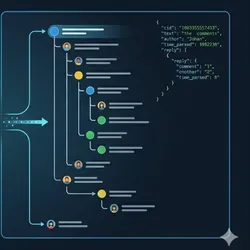
Scrape YouTube comments and replies with full nested trees from any video URL. Perfect for AI training data, sentiment analysis, and brand monitoring.
Pricing
from $1.60 / 1,000 results
Rating
0.0
(0)
Developer

LIAICHI MUSTAPHA
Maintained by CommunityActor stats
0
Bookmarked
1
Total users
1
Monthly active users
4 days ago
Last modified
Categories
Share
YouTube Comments Extractor (Official API)
Extract YouTube comments and replies from any public video with the official YouTube Data API v3. You bring your own free API key, so runs are stable, fast and within YouTube's rules: no scraping of YouTube's website, no proxies, no browser.
Each comment comes out as a flat record with text, author, likes, publication time, reply count and parent ID, ready for sentiment analysis, brand monitoring, audience research and AI datasets.
What you get
- Top-level comments and their full reply threads (including threads with hundreds of replies)
- Text, author, author channel ID, avatar, likes, published and edited time
reply,parent_idandreply_countto rebuild each conversation- Top comments or newest first
- Several videos per run, from watch,
youtu.be, Shorts or embed URLs, or plain video IDs - A
STATSrecord with comments per video, skipped videos and API quota used
Before your first run: get a free API key (about 2 minutes)
- Open the Google Cloud Console (console.cloud.google.com) and create a project (any name).
- Go to APIs & Services > Library, search for YouTube Data API v3 and click Enable.
- Go to APIs & Services > Credentials > Create credentials > API key and copy the key.
- Optional but recommended: click the key and under API restrictions limit it to YouTube Data API v3.
- Paste the key into the YouTube API key field of this Actor. The field is stored encrypted.
The free quota is 10,000 units per day. Each call to the API costs 1 unit and returns up to 100 comments, so the free quota covers several hundred thousand comments a day. The quota resets at midnight Pacific time.
Input
| Field | Type | Default | Description |
|---|---|---|---|
apiKey | string (secret) | required | Your YouTube Data API v3 key |
startUrls | array | required | Video URLs or video IDs |
maxCommentsPerVideo | integer | 100 | Records per video, counting comments and replies |
sort | string | top | top (YouTube's relevance order) or new (newest first) |
includeReplies | boolean | true | Also collect replies |
Output
One dataset item per comment or reply:
Replies have reply: true and parent_id set to the top-level comment's cid.
Changes from the previous version (October 2026)
The Actor now uses the official YouTube Data API instead of reading YouTube's web pages. If you used the earlier version:
- Add your API key (see above). Runs without a key stop with a clear message.
votesis now a number (1520) instead of text ("1.5K").timeis now an exact timestamp instead of "3 months ago";time_parsedis exact too.heart(creator heart) is gone: the API does not provide it.- New fields:
parent_id,reply_count,updated_at,video_id. - No proxy setting: the API does not need one.
Pricing
This Actor uses pay-per-event pricing, so platform usage is included. You pay for each comment or reply saved to the dataset, plus a tiny start charge of $0.00005 per run. Your YouTube API quota is free and separate.
| Plan | Per 1,000 comments |
|---|---|
| Free | $2.00 |
| Bronze | $1.90 |
| Silver | $1.80 |
| Gold, Platinum, Diamond | $1.60 |
Example: 500 comments from each of 4 videos (2,000 comments) costs about $4.00 on the Free plan. Apify shows the exact plan-adjusted price before each run.
FAQ
Why do I need my own API key? It is how YouTube allows programmatic access to comments. Your key, your quota: nobody else's usage affects your runs.
A video was skipped. Why?
The video has comments turned off, is private or members-only, or does not exist. The run continues with the other videos and lists skipped ones in the STATS record.
The run stopped with "quotaExceeded". Your key's daily quota is used up. Comments saved before that point are kept. Run again after midnight Pacific time, or request a higher quota from Google.
Can I get every comment on a video?
Yes. Set maxCommentsPerVideo higher than the video's comment count. Very large videos use more quota: about 1 unit per 100 comments.
Does it collect comments from channels or playlists? Not yet. Add the video URLs you need; channel and playlist input is planned.
Problems or feature requests? Open the Issues tab on this Actor page.
Related scrapers
Doing audience or social listening research across platforms? These Actors from the same developer pair well with this one:
| Actor | What it collects |
|---|---|
| Reddit Comments Deep Scraper | Full Reddit comment threads with nested replies, using your own Reddit API credentials |
| Substack Scraper | Newsletter posts, authors and comments from any Substack |
| Beehiiv Newsletter Scraper | Posts, authors and publication details from any Beehiiv newsletter |


