

Airbnb Scraper — Stays, Reviews & Availability
Pricing
from $2.00 / 1,000 search listings
Airbnb Scraper — Stays, Reviews & Availability
Three focused modes for Airbnb stay research: search cards, full search and listing URLs. Collect available prices, public host details, reviews, calendars, contacts and labelled revenue estimates. Platform usage included.
Pricing
from $2.00 / 1,000 search listings
Rating
0.0
(0)
Developer

Shadow Extractor
Maintained by CommunityActor stats
0
Bookmarked
2
Total users
1
Monthly active users
2 days ago
Last modified
Categories
Security
Limited permissionsShare
🏡 Airbnb Scraper — Stays, Reviews & Availability
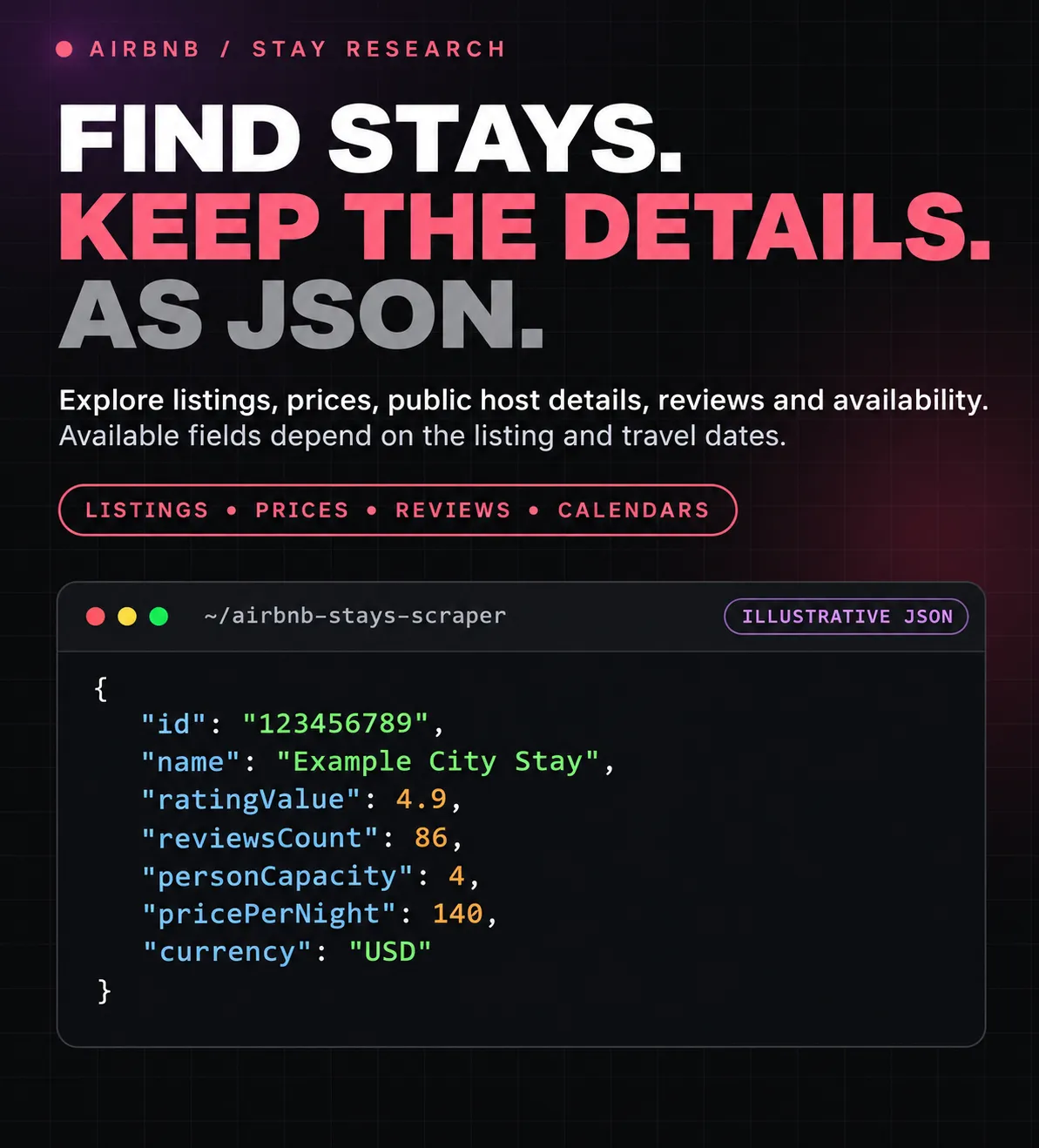
Research Airbnb stays by location or inspect listing URLs you already have. Collect listing cards, prices, photos, amenities, house rules, public host profiles, guest reviews and day-by-day availability, with optional public business contacts and clearly labelled revenue estimates.
Three modes. Native search filters. One listing per main row. Completed listings appear as they finish, and detailed export tables keep hosts, amenities, reviews, calendar days and contact evidence easy to use.
💰 Platform usage is included. Fast search costs $2 per 1,000 saved listing cards. Full search and Listing URLs cost $8 per 1,000 saved detailed listings, including selected available reviews, calendars, public contacts and revenue estimates. Actor Start is $0.00005 per started GB, minimum one event.
📖 On this page
- Quick start
- Three collection modes
- Useful filters
- Ready-to-use inputs
- Public contacts
- Host profiles
- Output tables
- Revenue estimates
- Pricing
- API and exports
- FAQ
🚀 Quick start
- Select Fast search for a first sample.
- Enter one city or neighborhood per line in Locations or Airbnb listing URLs, for example
PragueorLisbon. - Start with a listing limit of 3. Dates are optional; supply both dates for a specific stay context.
- Open Output → Listings while the run is working.
- Choose Full search for property/host details and the extras you need. Choose Listing URLs when you already have listing links.
- Export the main listing table or a focused table to CSV, Excel or JSON.
Use locations or listing URLs in one run. Search modes accept locations; Listing URLs accepts public airbnb.com/rooms/... links. An explicit search mode does not silently upgrade itself to a paid detail lookup when given a URL.
🧭 Three collection modes
| Mode | JSON value | Available field groups |
|---|---|---|
| ⚡ Fast search | search-fast | Search cards: IDs, titles, URLs, photos, displayed/numeric prices, ratings and available room/capacity fields |
| 🏡 Full search | search-full | Location search plus property descriptions, amenities, rules, safety information and public host-profile details; selected extras below |
| 🔗 Listing URLs | urls | The same detail collection for specific listings, without searching a city first; selected extras below |
Selected extras: review text, calendar availability, public contacts and revenue estimates. They run only in Full search or Listing URLs and are included in that listing price. Turn them off when you do not need their data. Revenue analysis also requests the calendar because its estimates require calendar evidence.
A source may publish only some fields. The Actor preserves real zeros and false flags, leaves unknown fields empty and provides coverage/status fields. A complete failure to load detail data in Full search retains a usable search card at the Fast search price, rather than calling it a detailed result.
🎯 Useful filters
| Setting | Purpose |
|---|---|
| Check-in and check-out | A specific stay context; enter both or leave both empty |
| Adults | Required guest capacity and quote context; defaults to 2 |
| Minimum/maximum search price | Native Airbnb price selection in the chosen currency and travel context |
| Room type | Entire home/apartment, private room, shared room or hotel room |
| Minimum bedrooms | A simple room-count constraint for location searches |
| Currency | USD or EUR for the implemented source paths |
These are native location-search constraints. A direct URL identifies a listing explicitly, so price/room-count search filters do not discard direct URLs; the run warns if those settings were supplied. Dates and guests can still affect a listing's quote and availability.
The price shown in a search, the nightly rate and the final total can differ because of dates, length of stay, discounts and fees. The Actor preserves the returned price fields rather than forcing them into one guessed number.
▶️ Ready-to-use inputs
1. Find stays quickly ⚡
2. Full property and host details 🏡
3. Add reviews and availability 📅
4. Inspect known listing URLs 🔗
Replace the illustrative ID with a live URL from your search results:
The source can omit an undated direct-URL quote. Provide travel dates when an exact stay price is important. Missing price data is not fabricated from another property's price.
5. Apply useful location filters 🎯
⚙️ Input reference
| Key | Meaning |
|---|---|
mode | search-fast, search-full or urls |
queries | One city/neighborhood per entry for search, or one listing URL per entry in Listing URLs |
maxItemsPerQuery | Saved unique listings per location; in Listing URLs it caps the whole URL run. Default 10, maximum 270 |
checkIn, checkOut | Both future/current travel dates in the form's date format |
adults | Adult guests, default 2 |
minPrice, maxPrice | Optional native location-search price bounds |
roomType, minBedrooms | Optional native search room constraints |
currency | USD or EUR |
includeReviews, maxReviewsPerListing | Request review texts, with up to 100 per listing |
includeCalendar | Request the published day-by-day calendar and its summaries |
includeContacts | Check available public listing/host text and identity-matched official websites |
analyzeRevenue | Derive labelled estimates from calendar evidence; also requests the calendar |
proxy | Standard connection editor, with a useful default |
Additional JSON options retain children, infants, pets, minBeds, minBathrooms, locale, maxConcurrency, maxRetries, contactWebsites, rawOutput and debugLog. Existing locationQueries and startUrls API inputs remain accepted. They provide the same source types as the simpler queries field.
Filtered and duplicate search candidates do not consume the saved-listing allowance. The source's available result window still limits how much a location can return. Multiple overlapping locations can produce fewer new listings because a listing is saved only once across the run.
📬 Emails, phones and social profiles
Enable includeContacts to check the listing's own public text and matching official property/operator websites. The Actor checks business identity and location before accepting a discovered website. It does not guess an email address or turn an unrelated company into the listing's owner.
| Field | Meaning |
|---|---|
email, emails | One email for a compact table cell and all distinct published emails found. |
phone, phoneNumbers | One phone for a compact table cell and all valid published numbers, normalized with international prefixes. |
instagramUrls, facebookUrls, linkedinUrls | Published social/business profiles. |
xUrls, youtubeUrls, tiktokUrls, pinterestUrls | Additional published profiles/channels. |
whatsappUrls, telegramUrls | Published messaging links. |
contactBusinessName, contactWebsite | The identified business and its verified website, when found. |
contactSourceUrls, contactMatchMethod | Evidence links and the method used to associate the website. |
contactStatus | found, not_publicly_found, or lookup_failed. |
contactsFoundCount, contactPagesChecked | Contact and checked-website-page counts for that listing. |
These are public contacts, often for a professional operator—not necessarily a private host's personal details. Airbnb's booking-only email/phone details are not included. A social-network homepage or sharing button is not treated as a profile. A missing contact stays empty; it is not fabricated. Country-less local telephone numbers may be omitted rather than assigned an invented country code.
If you know an official website, you can supply an optional contactWebsites mapping of listing ID to website. The website must still match the business and location or link to that exact listing. This is a hint, not permission to attach arbitrary contacts.
👤 Public host-profile fields
Full search and Direct URLs also read the public host profile linked to each listing. The listing row and the separate Hosts table can include:
- Host ID and profile URL, name, photo and published location.
- Superhost and identity/verification badges, verification types and “verified since” text.
- Hosting tenure, Airbnb-user tenure, past-trip count and received-review counts.
- Public work, languages, “lives in” value, profile prompts and selected interests.
- Public managed-listing count and listing summaries, including beds, bedrooms, bathrooms and Instant Book where published.
hostProfileStatus:available,unavailable, orfailed.
These fields are conditional. Some listings expose a host card but no public profile ID; those rows keep their listing data and report hostProfileStatus: unavailable rather than inventing profile values.
📦 Where to find your data
The default dataset has one row per listing. Existing structured details remain in JSON; the tables organize them without removing fields.
| Output table | Contents |
|---|---|
| Listings | ID, name, photo, location, price, rating, room type, capacity, available bedroom/bed/bathroom counts, URL and collection time. |
| Pricing | Displayed price, numeric nightly/total prices, currency and available price information. |
| Hosts & ratings / Hosts | Host profile URL, verification types, published location/work/languages, hosting and user tenure, trip/review counts, interests, managed listings, response information and co-host data. |
| Amenities / House rules | Amenity groups, availability flags, house rules, safety information and listing highlights. |
| Public contacts | Emails, phones, social profiles, business website and contact status. |
| Contact sources | One contact/evidence row at a time, with its listing and source URL. |
| Reviews / Review summary | Review text, localized date/text, reviewer and host profile links, public reviewer tenure/location, highlights, media, ratings, available host replies and summaries of the fetched sample. |
| Calendar metrics | Date coverage and 30/60/90/365-day availability and occupancy-estimate summaries. |
| Calendar days | One row per public calendar day: availability, check-in/check-out eligibility, bookable flag, minimum/maximum nights and price when Airbnb publishes one. |
| Revenue estimates | Estimated occupancy, ADR, RevPAR and projected monthly revenue. |
| Run summary | Saved counts, contact coverage, partial results and any correction needed. |
Review summaries describe only the reviews collected in that run. They are not a replacement for every review ever published.
Example listing
This abbreviated example is fictional. Its ID, business, phone and email are placeholders—not real contact data.
💰 Read revenue estimates correctly
Revenue analysis adds a revenue block with 30/60/365-day occupancy windows, counted/available/blocked nights, adr, adrSource, revPar, estimatedMonthlyRevenue, minNightsTypical and monthly seasonality, where the underlying data permits them. The most useful values are also exposed as flat estimated... and ...Next60 fields for CSV and table exports.
Unavailable does not mean confirmed booked. Hosts can block their calendars. These are forward-looking estimates, not verified occupancy, sales or income. Short calendar samples do not receive an occupancy projection. Missing price data does not receive a made-up ADR or revenue value.
The separate revenue dataset and REVENUE_SUMMARY record contain sample medians. Per-listing market comparisons require at least five analyzed listings. They describe your collected sample, not the entire city.
💳 Pricing
| Event | Price |
|---|---|
| Fast search listing card | $2.00 / 1,000 saved cards |
| Detailed listing in Full search or Listing URLs | $8.00 / 1,000 saved listings |
| Actor Start | $0.00005 per started GB, minimum one event |
| Platform usage | Included |
Selected available review text, calendar data, public contacts and revenue estimates have no separate add-on event. Copies in host, review, amenity, calendar, contact and revenue export tables are not billed again as listing results.
Useful partial detail results can be charged at the detailed-listing price. If detail loading completely fails and Full search can retain only its search card, that result uses the card price. Failed or empty records and duplicate listings do not trigger a listing event. The small startup event still applies when the Actor starts.
The Pricing tab is authoritative for the current rates. Set a suitable maximum charge in Apify and start with a small sample. Collection stops when another selected listing cannot fit the remaining allowance; saved records remain available.
❓ Practical questions
Why is a field empty?
A listing may not publish it, an optional extra may be off, or a source may be temporarily unavailable. Check detailStatus, hostProfileStatus, reviewsStatus, calendarStatus and contactStatus. A missing value is not a zero or proof of absence.
What does a price represent?
Dates and guest counts can change it. pricePerNight is the published nightly rate, which may precede a stay discount. priceTotal uses an exact total when published; priceEffectivePerNight divides it by a known priceNightCount. A price.priceSource of search_baseline is undated search context, not an exact quote for a different stay.
Does an unavailable calendar day mean a confirmed booking?
No. Hosts can block dates. Occupancy and revenue estimates are explicitly labelled projections and include notes; they are not verified income or a guarantee of rental performance.
Are private host emails or booking-only phones included?
No. Contacts are public observations, often for a professional property operator. Identity-matched source links explain each accepted contact. Missing contacts are not guessed.
Do all settings apply to listing URLs?
Dates, guests and selected detail extras can apply. Native location-search price and room filters do not remove explicit URLs; the run warns about this accepted-but-inactive combination.
What happens with invalid input or a small budget?
Invalid input finishes with a correction and no source collection. Insufficient allowance stops before new source work. Incomplete/failed items are not saved as empty paid listings. The Actor Start event may still apply.
What if an optional export table fails?
The main saved listing stays available. The run summary reports an issue rather than discarding the already delivered paid record.
Do I need an Airbnb account?
No login is required for the public source data implemented here.
🔌 API and exports
Keep your token in the APIFY_TOKEN environment variable:
Read the returned run's default dataset for the main listing records. OUTPUT in the default key-value store contains saved counts, duplicate skips, partial coverage, billing-event counts, selected extras and warnings.
JSON retains structured details and nested source data. Focused tables make CSV and Excel exports easier. Reviews, calendar days, amenities and contact evidence can be exported from their separate named datasets without paying for the listing a second time.


