

Similarweb Scraper — Traffic, Growth & Research Briefs
Pricing
from $1.50 / 1,000 traffic research profiles
Similarweb Scraper — Traffic, Growth & Research Briefs
Three modes: Traffic & AI, Competitors and Complete. Research traffic, WHOIS, SEO, public contacts and technologies, with explainable briefs, shortlists and automatic comparisons. Platform usage is included in profile prices.
Pricing
from $1.50 / 1,000 traffic research profiles
Rating
0.0
(0)
Developer

Shadow Extractor
Maintained by CommunityActor stats
0
Bookmarked
2
Total users
1
Monthly active users
2 days ago
Last modified
Security
Limited permissionsShare
🔎 Similarweb Scraper — Traffic, Growth & Research Briefs
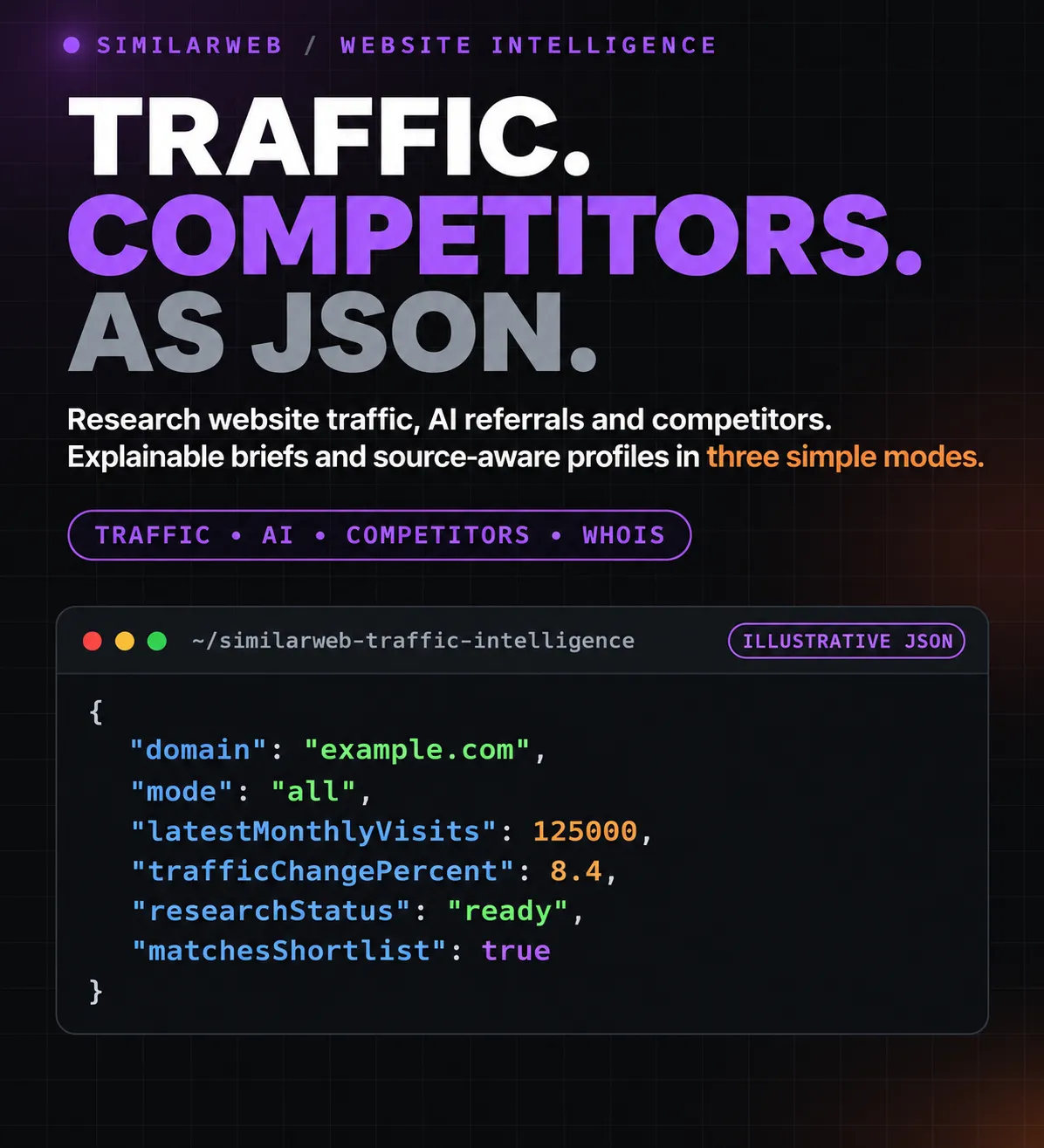
Research a list of websites, understand the available evidence and build a shortlist you can explain. Collect website traffic, growth, acquisition channels, competitors, SEO keywords, AI referrals, domain registration details and public company contacts in export-ready records.
Every useful profile includes an evidence-based research brief. Use focused tables for traffic, contacts or competitors, open the visual report, or compare several websites with a shared benchmark.
💰 Profile prices include Apify platform usage. Traffic & AI costs $1.50 per 1,000 profiles, Competitors $2.00 per 1,000, and Complete $6.00 per 1,000. Actor Start is $0.00005 per started GB, minimum one event. Useful profiles outside the shortlist are also delivered and billed once.
📖 On this page
- Start with a small research run
- Choose your research workflow
- What makes this a research tool
- Build a shortlist without losing the research
- Ready-to-use examples
- Input reference
- Output tables and the visual report
- Field reference
- Pricing and spending
- API and exports
- Coverage and data quality
- Troubleshooting and FAQ
🚀 Start with a small research run
- Add one website per line in Websites, one per line. Domains and HTTP(S) website URLs are accepted.
- Choose 📊 Traffic & AI for your first sample. Use one to three websites.
- Leave the optional shortlist criteria empty until you have inspected the available data.
- Set a suitable maximum charge in Apify and start the Actor.
- Open Output → Research briefs for the observations, or All researched profiles for the complete records.
- Open Research report for a visual overview, then export CSV, Excel or JSON.
📦 A complete website profile appears when it is ready. Independent websites do not wait for the whole run. Complete adds its automatic group comparison in a separate table after collecting the comparable input group.
🧭 Choose your research workflow
| Mode | API value | Field groups | Price / 1,000 useful profiles |
|---|---|---|---|
| 📊 Traffic & AI | base_data | Available visits, growth, rankings, engagement, countries, search keywords, channels and AI referrals | $1.50 |
| 🧭 Competitors | similar_sites | Related websites, similarity grades, available visit estimates, categories, tags and related apps | $2.00 |
| ✨ Complete | all | Both groups above, plus WHOIS, domain age, homepage SEO, public company contacts and technologies; automatic group comparison and related-site links | $6.00 |
Platform usage is included. The small startup event is additional. Useful partial profiles carry coverage/status fields and use the selected mode's fee.
Complete retains every implemented source field group. Complete also keeps additional audience fields already present in its collected public response. includeInDepth allows an extra lookup when more data is needed. With several input websites, Complete also calculates comparison and group-share fields from their collected traffic, using matching reporting months. This adds no website requests or research fee. Related-site links are extracted from the lists already collected; the Actor does not automatically expand your paid target list.
✨ What makes this a research tool
🔎 A brief with evidence behind each signal
researchSummary gives you a concise reading of available traffic and growth. researchSignals explains noteworthy observations with the field, observed value, rule and explanation that produced them.
| Signal or field | How to read it |
|---|---|
traffic_growth | Published month-over-month visits increased by at least 10% |
traffic_decline | Published month-over-month visits decreased by at least 10% |
channel_dependence | The leading channel accounts for at least 60% of the published channel mix, with a sufficiently complete mix |
high_bounce | Published bounce rate is at least 70%; interpret it in the website's category |
observed_ai_referrals | A positive AI referral share is published; this is not a conversion or chatbot-ranking score |
channelDependencyLevel | High, moderate or diversified when the channel evidence is sufficiently complete |
trafficVolatilityPercent | Standard deviation divided by mean, times 100, across at least three available nonnegative traffic observations |
trafficObservationMonths | Number of usable published traffic observations behind the variability calculation |
trafficPeriodLagDays | Days since the end of the reported traffic month; this is not the website's last update time |
researchStatus | Ready, limited or insufficient evidence, according to the available profile |
These are explainable observations, not forecasts. A short traffic history cannot establish future performance. Missing fields do not become zeros, and a failed lookup does not become a billable profile just because a summary can be written.
📖 A visual report you can read
The Research report presents delivered websites as cards, with their summaries, evidence and shortlist decisions. It includes counts of matched, non-matching and undetermined profiles.
The visual preview covers up to 200 delivered profiles. This preview limit does not truncate the research datasets. Use the dataset exports for the complete run. The report has no additional research-event fee.
🧾 Original records remain available
The Actor retains source-compatible nested objects such as engagement, estimatedMonthlyVisits, trafficSources, countryRank, whois and websiteIntelligence. Flat columns make common metrics easier to use in spreadsheets, while JSON retains the original structure.
🎯 Build a shortlist without losing the research
Shortlist criteria answer “Which of the researched websites match my requirements?”
They do not suppress useful profiles from the main dataset. Every useful researched profile is delivered and charged once, including non-matches. Matching profiles are copied to Matching shortlist with no second research fee.
| Decision | Meaning | Output |
|---|---|---|
matched | Every requested, supported criterion can be evaluated and passes | Main Results and Matching shortlist |
not_matched | At least one criterion is known to fail | Main Results, with failed rule names |
unknown | No known failure, but a required field or workflow capability is unavailable | Main Results, with unknown rule names |
matchesShortlist is true, false or unavailable when the decision is unknown. Use shortlistStatus as the explicit three-way decision. shortlistFailedRules and shortlistUnknownRules explain the outcome.
The Actor researches these websites, retains all useful profiles, and creates the matching subset. If a website's bounce rate is unavailable, that criterion remains unknown. The Actor does not guess the rate or upgrade to a more expensive workflow automatically.
💡 Choose the workflow for your evidence. Contact and technology criteria need Complete. Traffic criteria need Traffic & AI or Complete. Unsupported criteria remain unknown and are explained in the run summary.
🛠️ Ready-to-use examples
1. Research traffic and growth 📈
Use Traffic & growth, Acquisition channels, Audience countries and AI referrals to inspect the available data. Traffic figures are estimates of visits, not counts of unique people.
2. Discover related websites 🧭
This returns a competitor profile and its available related-site list. To research particular related sites, add their domains to your input and choose Traffic & AI or Complete. The Actor does not silently add paid website targets.
3. Get WHOIS, SEO, contacts and technologies with Complete 🏢
Available fields include WHOIS/RDAP registration information, domain age, public homepage emails and phones, social links, company metadata, technologies and homepage keyword phrases. Contact details are collected only when publicly published; email deliverability is not verified.
4. Collect a combined research profile ✨
Complete research merges the available source groups into one main profile per website. It does not guarantee that every source publishes every field. Inspect the profile's status, notes and availability columns.
Optional additional audience details:
Complete retains available audience demographics, referring domains, publishers and rank history from an already collected response. This flag allows an additional lookup when needed; it is off by default and can take longer. There is no additional research event for the attempt; platform usage is included. indepthStatus explains whether those fields were accessible.
5. Compare your website with competitors ⚔️
In Complete, the first input website is the primary website. Main profiles stream immediately. Complete · Comparison adds group shares, ranks and gaps for profiles with the same reporting month, without another profile event. Check cohortComplete and the automatic analysis status when some traffic or a matching period is unavailable.
6. Explore competitor relationships without extra targets 🕸️
Complete · Related sites contains available seed-to-related-site links from the competitor lists already collected. competitorProfileCollected says whether a linked site was also researched because it appeared in your input. The default graph export cap is 1,000 links, adjustable in JSON up to 10,000. Source similarSites arrays in the original profiles are retained independently of the relationship preview cap.
7. Build a company-contact shortlist ✉️
All useful profiles are delivered and billed. Matching shortlist contains the profiles whose public contact evidence and registration information satisfy the criteria. An unreadable homepage or unavailable registration date can produce an unknown decision.
⚙️ Input reference
The form has six fields and three modes. More shortlist criteria and collection controls are accepted in the JSON editor; they do not add more modes.
| Setting | Meaning |
|---|---|
domains | Required list of website domains or HTTP(S) URLs, one website per entry |
mode | base_data, similar_sites or all |
maxDomains | Maximum unique valid websites scheduled from your input; defaults to 10,000 |
maxRelationshipLinks | Complete relationship export cap; JSON option, defaults to 1,000, allowed range 1–10,000; no extra sites are researched |
includeInDepth | Allow additional audience requests in Complete; defaults to false. Audience values already collected are retained automatically |
maxConcurrency | Concurrent website work; defaults to 10, allowed range 1–50 |
proxyConfiguration | Standard Apify connection configuration; keep the default for a first run |
Advanced JSON: traffic, audience and engagement criteria
| Setting | Criterion |
|---|---|
minMonthlyVisits, maxMonthlyVisits | Minimum and maximum latest available monthly visits |
maxGlobalRank | Maximum numeric global rank; smaller ranks are better |
maxCountryRank, maxCategoryRank | Maximum published country/category rank |
minTrafficChangePercent, maxTrafficChangePercent | Month-over-month growth band, expressed as percentages |
maxBounceRatePercent | Maximum bounce percentage on a 0–100 scale |
minPagesPerVisit | Minimum average pages per visit |
minTimeOnSiteSeconds | Minimum average visit duration, in seconds |
includeCategories, excludeCategories | Category words to include or exclude |
topCountries | Requested audience countries, using two-letter codes |
minCountrySharePercent | Minimum published combined share of requested countries |
topTrafficChannels | Requested leading acquisition channel |
minOrganicSearchPercent, minPaidSearchPercent | Minimum organic or paid search share |
minAiTrafficPercent | Minimum published AI referral share |
Channel choices: direct, organic_search, paid_search, organic_social, paid_social, referrals, email, display_ads, affiliate, ai.
Advanced JSON: domain, company and technology criteria
| Setting | Criterion |
|---|---|
minDomainAgeYears, maxDomainAgeYears | Domain registration age band |
requireContactEmail, requireContactPhone | Public email or phone observed on the website |
includeTechnologies, excludeTechnologies | Technology names observed on the fetched homepage |
includeTlds, excludeTlds | Domain endings to include or exclude |
All criteria mark the shortlist. They do not remove delivered research profiles or waive their research fee. Missing data remains unknown. An observed lack of a technology signature does not prove a website never uses that technology.
📦 Output tables and the visual report
| Output | What to use it for |
|---|---|
| Research briefs | Concise summaries, evidence signals and shortlist decisions |
| All researched profiles | Every delivered profile, plus clearly marked non-billable not-tracked responses when applicable |
| Matching shortlist | Copies of profiles that pass every supported criterion |
| Research report | A visual preview of up to 200 delivered profiles |
| Complete · Comparison | Automatic same-month comparison of already delivered Complete profiles |
| Complete · Group shares | Traffic shares and positions within the comparable input group |
| Complete · Related sites | Links from collected competitor lists; linked sites are not automatically researched |
| Source diagnostics | Failed lookups, with specific reasons and no profile-event charge |
| Run summary | OUTPUT: exact counts, warnings, effective prices and stop information |
The main dataset also includes focused views for traffic history, channels, audience countries, search keywords, AI referrals, competitors, public contacts, domain information and keyword/channel gaps.
The main profile appears as soon as its collection is ready. In Complete, final group calculations are published separately, using matching reporting months. A website without a comparable traffic period keeps its original Complete profile and is omitted from the numeric comparison. There is no second profile charge.
Example profile structure
This is a subset of a small research-run result. Values change with source updates, and other source fields may be unavailable.
🧾 Field reference
Identity and rankings
domain, websiteUrl, similarwebUrl, siteName, title, description, category, snapshotDate, screenshot, globalRank, countryRank, countryCode, countryRankValue, categoryRank, categoryRankValue, marketPosition
Traffic, growth and engagement
engagement, estimatedMonthlyVisits, trafficHistory, latestMonthlyVisits, previousMonthlyVisits, trafficChangeMoM, trafficChangePercent, threeMonthGrowthPercent, trafficTrend, trafficHistoryMonths, bounceRatePercent, pagesPerVisit, timeOnSiteSeconds
Monthly traffic is estimated visits. trafficChangeMoM is fractional; trafficChangePercent is a percentage. engagement.bounceRate preserves the source fraction, while bounceRatePercent is on a 0–100 scale. Monthly figures are not live analytics.
Acquisition channels and geography
trafficSources, directPercent, organicSearchPercent, paidSearchPercent, organicSocialPercent, paidSocialPercent, referralsPercent, mailPercent, displayAdsPercent, affiliatePercent, aiTrafficPercent, topTrafficChannel, topTrafficChannelPercent, trafficConcentrationScore, acquisitionDiversityScore, organicPaidRatio, topCountryShares, topCountryCode, topCountrySharePercent
countryTrafficEstimates and channelTrafficEstimates multiply the published monthly visits by a published share. These are labelled calculations, not separately measured visitor counts. trafficEstimatesMethod and trafficEstimatesMonth describe the calculation and period.
Search keywords and AI referrals
topKeywords, topKeyword, topKeywordVolume, aiTrafficPercent, aiTotalVisits, estimatedAiVisits, topAiPlatform, aiChatbotDistribution, aiChatgptSharePercent, aiGeminiSharePercent, aiPerplexitySharePercent, aiClaudeSharePercent, aiCopilotSharePercent, aiDeepseekSharePercent, aiGrokSharePercent
AI fields are included when published. Use aiDataSource, aiSnapshotDate, aiPublicStatus and aiPlatformCoverage to understand availability and period. Referral traffic is not proof of citations, chatbot answer ranking or conversions. Prompt details can be unavailable; consult topAiPromptsStatus rather than assuming a blank list means zero prompts.
Competitors and relationships
similarSites, competitors, competitorCount, topCompetitor, relatedApps, tags, similarityGrade, similarityRank, sourceSeedDomains
Related-site lists are the source's published sample. They are not an exhaustive list of every business competitor. Complete · Related sites connects input domains to their published related domains.
Domain, homepage and public company data
whois, domainAgeDays, daysUntilDomainExpiration, websiteIntelligence, companyName, companyFoundingDate, companyAddress, companyLogo, contactEmails, contactPhones, socialLinks, technologies, technologyCount, keywordDensity, keywordPhrases1Word, keywordPhrases2Words, keywordPhrases3Words, keywordPhrases4Words, keywordPhrases5Words, keywordLanguage, keywordTextScope
Registration data depends on registry publication and privacy rules. Homepage keyword phrases describe the fetched homepage text; they are not search-engine ranking keywords. Technology detection describes observed signatures. Contact details are public observations, not verified deliverability or proof of ownership.
Automatic comparison and input-group analysis in Complete
primaryDomain, compareRank, trafficSharePercent, trafficGapVsPrimaryPercent, globalRankGapVsPrimary, growthRank, engagementRank, competitivePositionScore, winnerMetrics, keywordGapVsPrimary, keywordGapStatus, channelGapsVsPrimary, benchmarkPeriodsMatch
Complete group analysis also includes marketRole, marketRank, marketTrafficSharePercent, emergingCompetitor and relationship evidence. Final analysis uses cohortComplete, cohortSitesCollected, cohortSitesRequested and cohortStopReason to explain bounded or interrupted collections. Keyword gaps are based on the published keyword sample, not a complete keyword universe.
Additional public audience and firmographic fields in Complete
audienceAgeDistribution, audienceTopAgeGroup, audienceMaleShare, audienceFemaleShare, audienceTopTopics, audienceTopCategories, audienceAlsoVisits, similarwebCompetitors, globalRankNeighbours, topIncomingReferrers, topOutgoingReferrers, topAdsPublishers, topSocialNetworks, technologyProviders, companyLegalName, companyEmployeesMin, companyEmployeesMax, companyHeadquartersCountry, companyHeadquartersCity, companyRevenueMin, companyRevenueMax, globalRankHistory, countryRankHistory, categoryRankHistory, trafficByCountry, organicKeywordCount
These fields come from public response data when available. Locked referral/publisher names remain withheld; they are not reconstructed. Source-declared zero shares are retained.
Research, shortlist and coverage
researchSummary, researchStatus, researchSignals, researchSignalCount, researchMethod, channelDependencyLevel, trafficVolatilityPercent, trafficObservationMonths, trafficPeriodLagDays, matchesShortlist, shortlistStatus, shortlistFailedRules, shortlistUnknownRules
Coverage fields include status, coverage, trafficDataAvailable, baseDataSource, baseDataStatus, unavailableFields, trafficHistoryCoverage, dataCompletenessScore, riskFlags, notes and optional indepthStatus. Source restrictions can produce a useful partial profile. A completeness score describes field presence, not a statistical confidence interval.
💰 Pricing and spending
Pay per delivered research profile, with platform usage included. Users are not charged separately for the run's compute, connection or storage usage covered by this Actor's pricing.
| Event | Price |
|---|---|
| Traffic & AI research profile | $1.50 / 1,000 |
| Competitor research profile | $2.00 / 1,000 |
| Complete research profile | $6.00 / 1,000 |
| Actor Start | $0.00005 per started GB, minimum one event |
| Platform usage | Included |
The Pricing tab is the source for your current rates.
Examples before the small startup event:
- 1,000 Traffic & AI profiles: $1.50.
- 1,000 Competitor profiles: $2.00.
- 1,000 Complete profiles: $6.00, including their collected field groups, research briefs, shortlist copies and derived comparison exports.
- Three Complete profiles: $0.018, plus Actor Start.
There is no second profile event for the research brief, visual report, shortlist copy, final comparison or related-site table. Useful partial profiles and useful non-matching profiles use the selected mode's price. Failed or empty-source lookups and not-tracked markers do not trigger a profile event. The small startup event still applies when a run starts.
Start with a few websites and choose a suitable maximum charge in Apify. Completed profiles are saved and charged as they are delivered. When the event charge limit is reached, the Actor stops scheduling work and closes its active source operations.
🔌 API and exports
Export the main profiles, shortlist, comparison or relationship dataset to CSV, Excel, JSON, JSONL or other Apify-supported formats. Prefer JSON for nested source objects, evidence arrays and relationship data. Select focused views for a cleaner spreadsheet.
Start a run
Keep your token in the APIFY_TOKEN environment variable:
The response contains the run ID and default dataset ID. Poll the run, read the dataset while it is running, or wait for completion.
Read the dataset and summary
OUTPUT.shortlist.datasetId identifies the matching subset when it was created. The REPORT key contains the visual report. Complete identifies its automatic analysis dataset and status in the run details.
Python
🌍 Coverage and data quality
- Public coverage varies. A website can have traffic data, partial data, no tracked traffic, or a temporary source failure. The Actor reports the distinction.
- A missing metric is not zero. Explicit source zeros and false flags are retained. Unknown shortlist evidence stays unknown.
- Periods matter. Traffic, AI and registration fields can describe different periods. Read their period and coverage fields before combining them.
- Shares describe the collected group. Complete group shares are not claims about an entire market.
- Public lists are samples. Keyword, country and competitor lists have source-dependent depth. Raising an input limit cannot create data the source does not publish.
- Company data is conditional. Public homepages may omit emails, phones, addresses or founding dates, and registration information may be redacted.
- Optional audience details are conditional. Restricted demographics are not fabricated or replaced with generic assumptions.
- The report is a preview. Its 200-profile limit affects the visual cards only, not dataset collection or export.
🛟 Troubleshooting and FAQ
Why does a website outside my criteria appear in Results?
Results contains every useful researched profile. Your criteria create a shortlist rather than discarding research. Open Matching shortlist for confirmed matches. Non-matches are still delivered and billed once.
Why is a shortlist decision unknown?
A criterion requires a source field that is unavailable, or the selected workflow does not collect it. shortlistUnknownRules identifies the criteria. Select Complete or another suitable mode or remove criteria you do not need; the Actor does not upgrade your mode automatically.
Why did I get a partial profile?
One source group or field can be unavailable while other useful information is published. Read status, unavailableFields, source-specific statuses and notes. A partial result is not a promise of complete coverage.
Why does the shortlist contain fewer rows than Results?
Only confirmed matches are copied. Non-matches and unknown decisions remain in the main dataset with explanations. The shortlist is not billed a second time.
What if the shortlist copy cannot be written?
The primary delivered profile remains available. OUTPUT.shortlist.shortlistWriteErrors reports a copy problem. Use matchesShortlist and shortlistStatus in the main dataset to recover the selection.
Does Complete research include every possible Similarweb field?
It combines the available public source groups implemented by this Actor. Source restrictions, untracked websites, redacted registration data or a sparse homepage can leave fields unavailable. Additional lookup requests are opt-in; audience fields already present in a collected public response are retained automatically. Coverage remains conditional.
Are platform expenses charged separately?
No. Platform usage is included in the profile prices. The small Actor Start event is listed separately. Profiles are charged once, including useful profiles outside the shortlist.
Can a failed or empty run have a cost?
There is no profile charge for failed or empty-source lookups. The small Actor Start event can still apply. No separate platform-usage charge is added under this pricing model.
Do I need a Similarweb account?
No Similarweb login is required for the public sources used by this Actor. You need an Apify account, and your own Apify token when starting runs through the API.
How do I report a problem?
Open the Actor's Issues tab with the run ID, workflow, expected field and the observed source/status message. Keep API tokens and private credentials out of issue reports.


