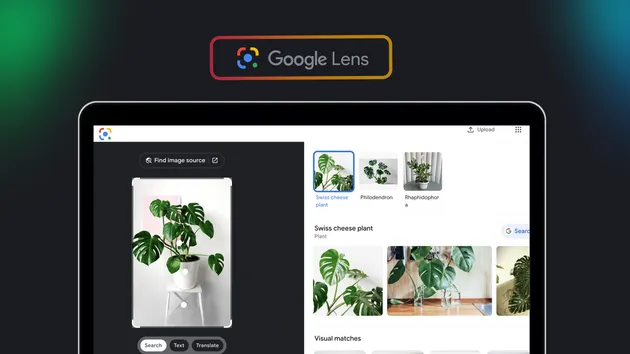
Google Lens OCR — Image to Text & Word Boxes
Pricing
from $125.72 / 1,000 completed ocr image records
Google Lens OCR — Image to Text & Word Boxes
Extract visible text from a public image URL with Google Lens OCR. Get the recognized text, language and available paragraph, sentence and word boxes in one image record. Export JSON, CSV or Excel. This actor handles image-to-text only; it does not search for visual matches or products.
Pricing
from $125.72 / 1,000 completed ocr image records
Rating
0.0
(0)
Developer

SIÁN OÜ
Maintained by CommunityActor stats
0
Bookmarked
2
Total users
1
Monthly active users
5 days ago
Last modified
Categories
Share
Google Lens OCR — Image to Text 🔤




🔤 Read one public image and export its recognized text
For researchers, editors and teams working with image text
🔎 What is the Google Lens OCR — and when should you use it?
The Google Lens OCR turns a public HTTPS image URL into clean, structured rows you can filter, export and feed straight into a spreadsheet, database or AI agent. No account, no portal API key, no browser automation to maintain.
Use it when you need: recognized text, detected language and available paragraph, sentence and word boxes from one public image.
Use something else when: you need matching web pages for an image. Use Reverse Image Search Scraper for reverse-image page matching. This actor extracts text only. It does not perform visual search, object detection or PDF processing.
🤖 Use with AI agents
Already connected to the Apify MCP server? Just ask for this Actor by name: sian.agency/google-lens-data-scraper
Agentic payments: Availability of x402 and Skyfire depends on this Actor's current Store eligibility. Check the published listing for supported payment methods. One image with recognized non-empty text is one OCR-image event. Images without recognized text and failed retrievals have no OCR-image charge. A separate run-start fee applies.
Otherwise copy this prompt into Claude, ChatGPT, Cursor or any MCP-enabled assistant:
Things you can ask your agent for:
- Read the text in this public image and preserve its source URL.
- Export recognized text and word boxes from this screenshot to JSON.
- Show the words recognized in this image so I can check them against the original.
Machine-readable API, MCP config and OpenAPI definition for this Actor are published at apify.com/sian.agency/google-lens-data-scraper.md.
📋 Overview
Google Lens OCR turns a public image URL into recognized text and available paragraph, sentence and word boxes. The text and box hierarchy stay together in one image record. Use JSON to preserve that structure.
- 🔤 Text export: get the recognized words without a generated summary.
- 📐 Word boxes: keep the available position fields for your own analysis.
- 🖼️ Image preview: inspect the source image beside its text.
- 💰 Clear billing: one image event when non-empty text is returned.
- 📊 Exports: download JSON, CSV or Excel from Apify.
- 📄 Processing report: review image counts and accepted charges.
✨ Features
- 🖼️ Public image input: paste one HTTPS image URL.
- 🔤 Complete text: retain the recognized text as returned.
- 📐 Box hierarchy: preserve paragraphs, sentences and words together.
- 🗣️ Detected language: keep it when the result includes one.
- 📏 Character count: see the size of the returned text.
- 🕒 Retrieval date: record when the image was read.
- 📄 JSON export: retain nested box data without flattening.
This actor handles image-to-text only. It does not return visual matches, products, objects or knowledge panels. Text recognition can contain mistakes; check the image before quoting it.
🎬 Quick Start
Open the actor in Apify Console and use the prefilled Google logo image. Press Start and inspect the recognized text. The example returns “Google” with its available word box.
🚀 Getting Started
Step 1: Choose an image
Use a public HTTPS image URL containing clear text. Private links, PDFs, local files and sign-in pages are not supported.
Step 2: Start the run
Submit one image URL. This focused version reads one image per run.
Step 3: Inspect the text
Compare the recognized text with the image. Download JSON when you need the full box structure.
📥 Input Configuration
| Field | Type | Meaning |
|---|---|---|
| operation | string | ocr |
| imageUrl | string | Public HTTPS image containing readable text |
The image field has a Console prefill. API calls must supply an imageUrl. There are no language, image-processing or visual-search controls in this version.
📤 Output
| Field | Type | Meaning |
|---|---|---|
| imageUrl | string | Requested public image |
| text | string | Recognized non-empty text |
| characterCount | integer | Text length |
| paragraphCount | integer | Returned paragraph count |
| paragraphs | array | Full paragraph, sentence and word hierarchy |
| language | string/null | Detected language when available |
| processedAt | string | ISO 8601 processing timestamp |
| scrapingDate | string | UTC processing date (YYYY-MM-DD) |
| status | string | Record status |
The example omits the paragraph structure for brevity. Actual records preserve every returned box. Coordinates are provided as returned; this actor does not convert or calibrate their geometry.
💼 Use Cases & Examples
1. Screenshot text export
Researchers can turn a public screenshot URL into text for their notes. Keep the image URL beside the export so the words can be checked.
2. Image text review
Editors can inspect the recognized text before quoting an image. Check the original: recognition can contain mistakes.
3. Word location research
Developers can inspect the paragraph, sentence and word boxes returned with the text. Test the coordinates against the original image before using them in a layout.
4. Catalog text checks
Retail teams can compare visible image text with their own catalog records. This actor exports text; it does not identify products or correct the catalog.
5. Research archives
Analysts can save the text with its image URL and retrieval date. Only submit images you are authorized to process.
6. Spreadsheet workflows
Operations teams can send the text field into a spreadsheet. Use JSON when the next step also needs the complete box structure.
🔗 Integration Examples
JavaScript
Python
cURL
Automation Workflows (N8N / Zapier / Make)
- Trigger a workflow with an image URL you are authorized to process.
- Start the actor with an HTTP request.
- Wait for the run and read the dataset.
- Save the text and source URL to your notes, spreadsheet or database.
📊 Performance & Pricing
An image with non-empty recognized text produces one record and one OCR-image event. Images without recognized text and failed retrievals have no OCR-image charge. A separate run-start fee applies, including invalid input and early stops.
| Apify plan | Per image with text | Run start |
|---|---|---|
| Free | $0.57144 | $0.020 |
| Bronze | $0.14286 | $0.005 |
| Silver | $0.13429 | $0.005 |
| Gold | $0.12572 | $0.005 |
Enterprise customers should check their live quote. One image is read per run on every plan. Processing time and recognition quality depend on the image. No accuracy percentage or processing-time guarantee is offered.
❓ Frequently Asked Questions
Does this perform reverse image search?
No. This actor extracts text only. Use the Reverse Image Search Scraper when you need matching pages.
What images are supported?
Supply a public HTTPS image URL with readable text. Sign-in links, local files, PDFs and private images are not supported.
Are empty images charged?
No OCR-image event applies when recognized text is absent. The platform run-start fee applies separately.
Are word boxes exact?
The returned boxes are preserved as provided. Test them against your own images before relying on them for layout or measurement.
Does this support multiple images?
This focused version retrieves one image per run. You can schedule or orchestrate separate runs in your workflow.
Can I export the full boxes?
Yes. JSON retains the paragraph, sentence and word structures. CSV and Excel are useful for the image text fields.
🐛 Troubleshooting
No readable text was returned
Check that the image opens publicly and contains clear text. Try a sharper image or a tighter crop. No OCR-image event is charged when text is absent.
The image URL was rejected
Use HTTPS without embedded credentials or a custom port. Local addresses and private-network targets are not accepted.
The run stopped before reading the image
Check credits and the run budget. Free API-origin runs are restricted; use Console or MCP for evaluation.
Box positions do not match my display
The box values are preserved without conversion. Test them against the original image dimensions and your own display before using them for layout calculations.
⚖️ Legal Disclaimer
Google and Google Lens are trademarks of Google LLC. SIÁN Agency is independent and is not endorsed by Google. Supply images you are authorized to process. Images and recognized text can contain personal data; check your purpose and applicable rules, including GDPR, before sharing the results.
Read Apify’s web scraping legal guide for background.
🤝 Support
Open an issue with the run link and an image you are allowed to share. Avoid posting private images or account tokens.
Email apify@sian-agency.online. See more tools in the SIÁN Agency Store.
Built by SIÁN Agency