
Instagram Location Scraper
Pricing
from $1.19 / 1,000 results
Instagram Location Scraper
Instagram Location Scraper — Extract Instagram location data, including place names, addresses, geotagged posts, captions, usernames, media URLs, and engagement metrics. Useful for local marketing, location-based research, competitor analysis, travel discovery, and social media insights.
Pricing
from $1.19 / 1,000 results
Rating
0.0
(0)
Developer

Social Data API
Maintained by CommunityActor stats
0
Bookmarked
1
Total users
0
Monthly active users
4 days ago
Last modified
Categories
Share
Instagram Location Scraper — Extract Posts, Owners and Place Data
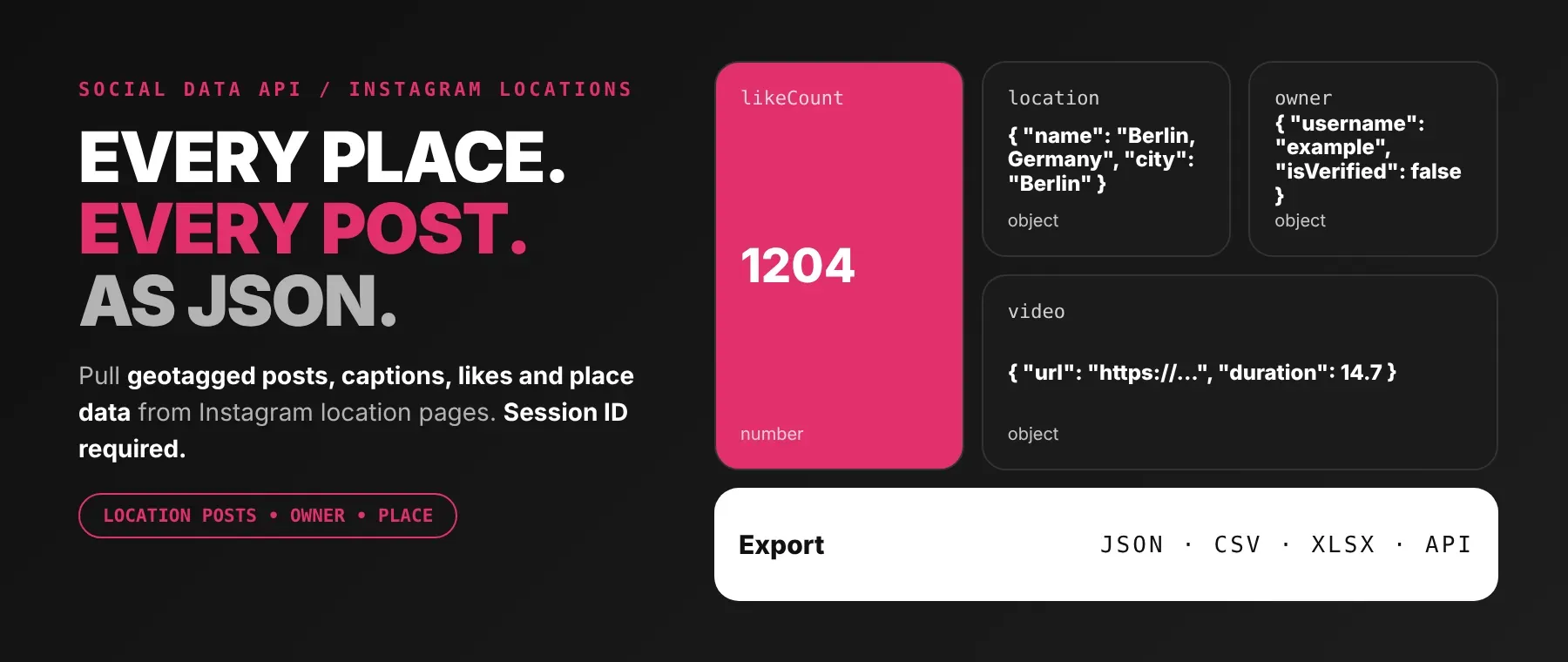
Instagram Location Scraper turns an Instagram location page, username, or place keyword into structured post data: caption, like and comment counts, media-type flags, the tagged place, and the poster's public profile, one row per post. Every response is structured JSON — ready to pass directly to an LLM, index into a vector store, or feed a location-intelligence pipeline. Pagination mirrors Instagram's own location feed in order, so results arrive the same way a visitor browsing that page would. Start with one venue, then scale to as many as you need.
What data can I extract with Instagram Location Scraper?
Using this Instagram location posts API, you will be able to extract the following Instagram location post data:
| 🆔 Post ID | 🔡 Post shortcode | 🔗 Post URL | 📅 Created at |
| ❤️ Like count | 💬 Comment count | 📝 Caption | ✅ Available flag |
| 🙈 Like/view counts hidden | 📌 Pinned flag | 🤝 Paid partnership flag | 🎞️ Carousel flag |
| 🎥 Video flag | 👤 Poster profile (nested) | 📍 Tagged place (nested) | 🎬 Video file (nested) |
| 🖼️ Image file (nested) | 🎵 Audio track (nested) | 🏷️ Row type |
How to use Instagram Location Scraper
Anyone who needs geotagged Instagram data — destination marketers, competitive intelligence teams, researchers, or AI agents — can scrape Instagram location posts in one run, whether you start from a place, a username, or a keyword.
Copy to your AI assistant:
Instagram Location Scraper MCP Server: use these Actors from ChatGPT, Claude or Cursor
Point your AI assistant at Apify's MCP server and it can call Instagram Location Scraper on its own: paste a place, get back posts, owners, and engagement data. No glue code, no scraping logic in your prompts.
Step by step
- Create a free Apify account.
- Open Instagram Location Scraper on the Apify Store (or your Apify Console if you already have it saved).
- Enter a location URL, username, or keyword in
startUrls, plus your Instagram session ID. - Click Start (or send your API request).
- Download or stream your results in JSON, CSV, or Excel.
How to scale Instagram Location Scraper to bulk
startUrls accepts any number of location URLs, usernames, or keywords in a single array, so this doubles as a bulk Instagram location post extractor — tracking 50 places is one run, not fifty. Each entry is resolved and processed in turn within that run, and posts stream into the shared dataset as they're collected rather than waiting for the whole run to finish. For recurring monitoring, set up an Apify schedule to re-run the same input on a timer with dateFilterType set to relative, so each run only returns what's new at that place.
✨ Features
Instagram Location Scraper fetches clean, structured location posts from Instagram ⚡ at low cost 💸, working as a complete Instagram places scraper for ongoing venue monitoring. It's ideal for destination marketing, competitive intelligence at a storefront or event, and feeding fresh geotagged content into an AI pipeline.
It extracts, per post:
- Caption and engagement – the full caption plus like and comment counts, with an opt-out toggle when you only need the content.
- Tagged place – the resolved location's name, city, and coordinates, embedded on every row by this Instagram location data scraper.
- Poster profile – username, full name, avatar, and verification/privacy flags for who posted it.
- Media details – the highest-resolution image or video variant, plus audio/music metadata when present.
- Flexible location input – a location URL, a bare username, or a free-text place keyword, auto-detected and resolved on its own.
- Date filtering – an absolute date range or a relative "last N days/weeks/months/years" window, so repeat runs only return what's new.
⚡ Posts stream into the dataset page by page as they're fetched, so a free-plan run never burns its quota on data you'll never see.
Use cases 💡
- Destination marketer — use this Instagram venue posts scraper to track
likeCountandowner.usernamefor every geotagged post at a venue or landmark. - Competitive intelligence analyst — watch who's posting from a competitor's storefront or event location over time.
- Researcher — build a dataset of geotagged content, engagement, and place data with this Instagram geotagged posts scraper.
- Product builder — feed
locationandownerfields into your own location-intelligence or event-monitoring product. - AI agent builder — index
captionalongsidelocation.nameandlocation.cityinto a vector store for a RAG pipeline on geotagged content.
Building an AI agent? Connect Instagram Location Scraper over MCP and let it call the actor on its own.
Why choose this actor?
- Three ways to point it at a place, one Actor.
startUrlsaccepts a location URL, a bare username, or a free-text keyword in the same field, auto-detected and resolved without separate input modes — a flexibility most tools built to scrape Instagram by location don't offer. - 19 fields on every post, with place and poster already nested. Each row carries the post's own fields plus a complete
ownerprofile andlocationobject, so you don't join two scrapers' output together. - Absolute or relative date filtering, built in. Run once with a fixed date range, or schedule it weekly with a relative window so each run only returns what's new at that place.
⬇️ Input
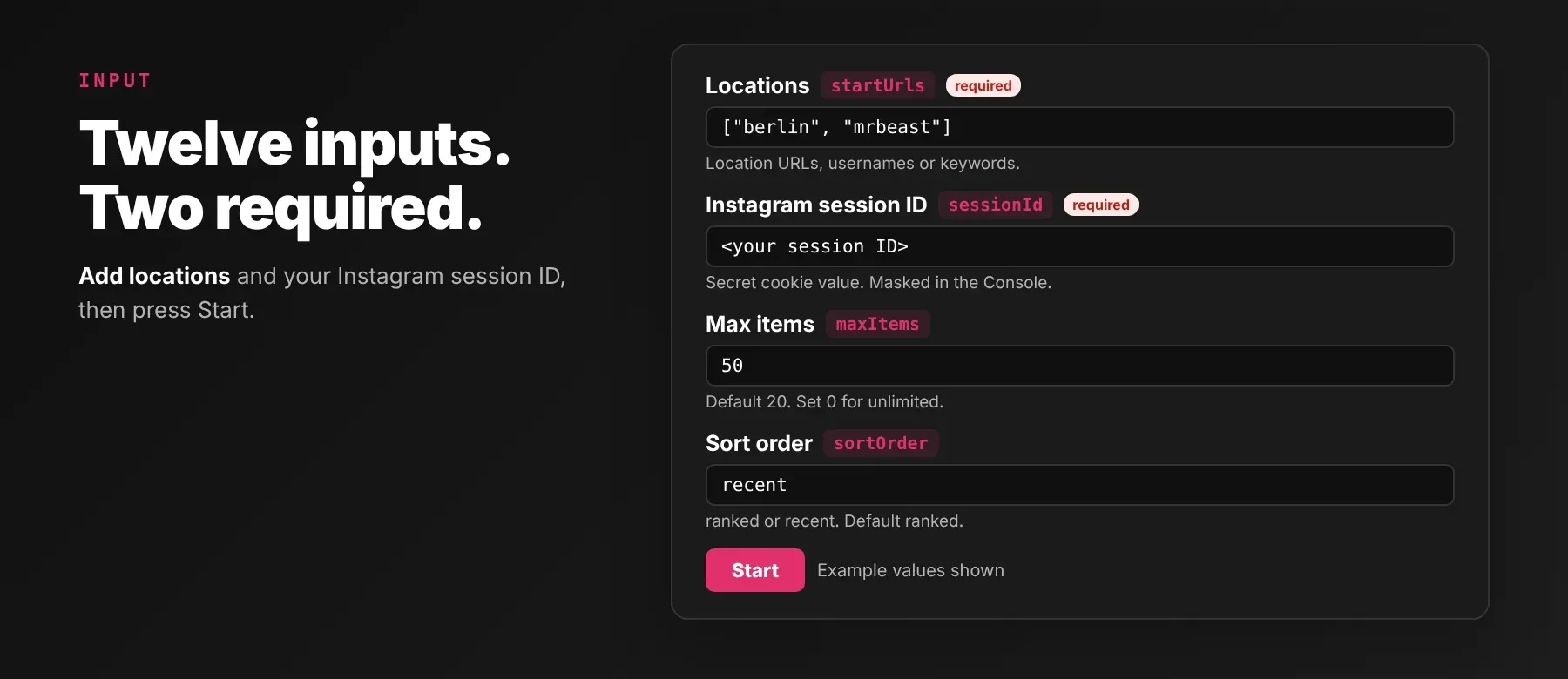
Instagram Location Scraper accepts a list of Instagram location URLs, usernames, or place keywords in startUrls, plus your Instagram session ID — the two required fields.
| Parameter | Required | Type | Description | Example Value |
|---|---|---|---|---|
startUrls | Yes | array | List of Instagram location URLs, usernames, or keywords. Examples: 'https://www.instagram.com/explore/locations/213131048/berlin-germany/' (URL), 'mrbeast' (username), 'berlin' (keyword). | ["https://www.instagram.com/explore/locations/213131048/berlin-germany/"] |
maxItems | No | integer | Maximum number of posts to extract (0 for unlimited). Minimum 0. Default 20. | 50 |
Free plan limits
Free plan: up to 20 posts per run (all locations together) and 200 per month; paid plans have no limit.
| sessionId | Yes | string (secret) | Instagram session ID cookie value. Required — Instagram's location data request rejects unauthenticated requests outright, so the run fails fast at start if this is empty. Masked in the Console and run history. Get this from your browser cookies when logged into Instagram. | "5951xxxxx%3Axxxxxxxxxxxxxx%3A..." |
| proxyConfiguration | No | object | Choose which proxies to use. If Instagram rejects the proxy, a residential proxy will be used as a fallback. Prefilled with {"useApifyProxy": false}. | {"useApifyProxy": true, "apifyProxyGroups": ["RESIDENTIAL"]} |
| dateFilterType | No | string (enum) | Select whether to use absolute date or relative time. One of absolute, relative. Default "relative". | "relative" |
| absoluteStartDate | No | string | Start date in YYYY-MM-DD format. Use this when 'Posts newer than' is set to 'absolute'. Default "". | "2026-01-01" |
| absoluteEndDate | No | string | End date in YYYY-MM-DD format. Use this when 'Posts newer than' is set to 'absolute'. Leave empty for current date. Default "". | "2026-07-01" |
| relativeValue | No | integer | Number of time units. Use this when 'Posts newer than' is set to 'relative'. Minimum 0. Default 0. | 30 |
| relativeUnit | No | string (enum) | Unit of time for relative date. One of days, weeks, months, years. Default "days". | "days" |
| sortOrder | No | string (enum) | How location posts are ordered. ranked returns Instagram's top posts tab; recent returns the most recent posts tab. Default "ranked". | "recent" |
| includeEngagement | No | boolean | Include engagement metrics (like count and comment count) on each post. Turn off to null these fields. Default true. | true |
| includeVideoMetadata | No | boolean | Include detailed video metadata (width, height, duration) on video posts. Turn off to keep only the video id and url. Default true. | true |
Example input
⬆️ Output
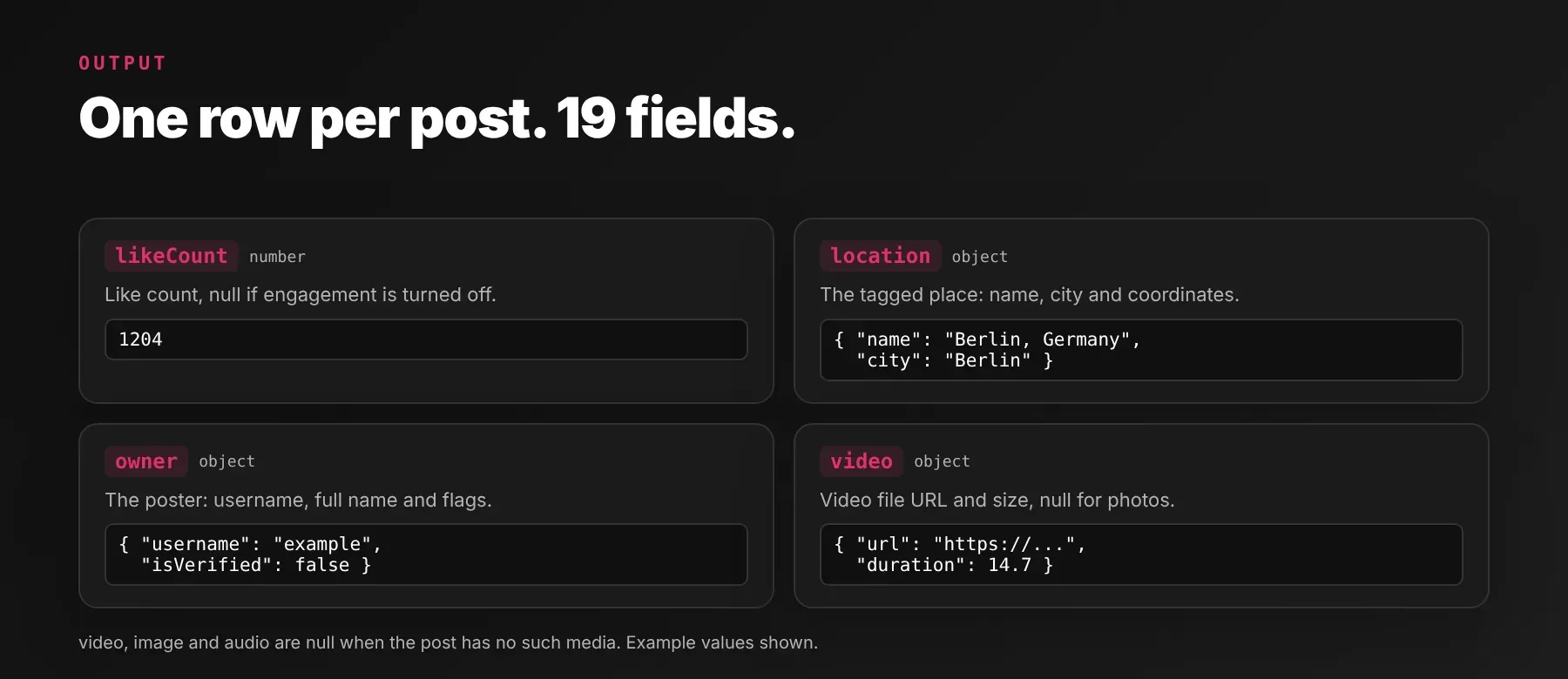
Every post is pushed to the run's default dataset as one typed, normalized JSON record — 19 fields, the same shape on every row — the moment it's extracted; pages stream in while the run is still going, so the output table fills progressively instead of only at the end. Export it as JSON, CSV, Excel, or an HTML table from the Apify Console, or read it programmatically via the Apify API or apify_client. There are no separate uncharged error or accounting rows, so every dataset row you see is a scraped post.
Example output
video, image and audio are each null on posts that don't carry that media type — a photo post returns video: null, and a post with no detected music returns audio: null. location itself is null on the rare post where Instagram's response includes no location object at all, and owner is null if the raw post node carries neither a user nor an owner key.
How does it work?
Instagram Location Scraper reads the posts shown on a location's own page, using the session cookie you provide — Instagram requires an authenticated request to return location posts at all, so a run without one fails immediately with a clear error instead of returning anything. Requests start direct or through the proxy tier you choose, and automatically escalate from no proxy to a datacenter proxy to a residential one, with retries and backoff, when Instagram blocks a request. A username or keyword is resolved to a location through Instagram's own public search, with a couple of fallback lookups if the first attempt comes back empty. Results are normalized into the same JSON schema before being written to the dataset, so field names and types stay stable even when Instagram changes its layout.
How do you integrate Instagram Location Scraper into your stack?
Instagram Location Scraper works with what you already use: the Instagram Location Scraper API from any language, MCP for AI agents, and no-code automation tools.
Using Instagram Location Scraper with the Apify API
Works in Go, Ruby, Node.js, cURL — any language that can make an HTTP request.
MCP integration for AI agents
Point your AI assistant at Apify's MCP server and it can call Instagram Location Scraper directly, with no glue code and no scraping logic written into your prompts.
This registers Instagram Location Scraper as a tool your agent can call directly. It works the same way in Claude Code, Cursor, and Windsurf — the client finds the Actor through the server's own search, add, and call-actor tools, so you never hardcode an Actor ID.
No-code tools (n8n, Make, LangChain)
In n8n, use the Apify node's "Run an Actor" action, or the HTTP Request node pointed at this Actor's run-sync endpoint with your token. In Make, the Apify app's "Run an Actor" module followed by "Get Dataset Items" does the same without writing code. In LangChain, install langchain-apify and wrap the Actor with ApifyActorsTool("instagram-location-scraper") so an agent can request fresh geotagged Instagram content on demand.
Is it legal to scrape Instagram data?
Scraping publicly accessible Instagram content is generally treated as permissible under US law, since Instagram Location Scraper only reads what any visitor to a location page can already see — no login wall is bypassed on Instagram's side. That legal status is separate from Instagram's own Terms of Service, which restrict automated data collection; violating a platform's terms is a contractual matter between you and the platform, not a criminal one, though it can still lead to account restrictions, and this Actor's session-cookie requirement ties a run to a real, logged-in account. The output does carry personal data — owner.username, owner.fullName and owner.profilePicUrl identify a natural person — so GDPR, CCPA, and equivalent regimes apply if you store or process it. location fields describe a place, not a person, and don't carry that same obligation on their own. Consult legal counsel if your use case involves bulk storage of personal data.
Frequently asked questions
What fields does Instagram Location Scraper return?
The top fields are caption, like count, comment count, the tagged place, and the poster's profile — see the data fields section above for every key returned on each row.
Does Instagram Location Scraper require an Instagram account or login?
Yes — a session ID from a logged-in Instagram account, because Instagram's location data request rejects unauthenticated requests outright. The field is marked secret, masked in the Console and run history, and never written to logs.
What happens if a location, username, or keyword doesn't resolve?
Instagram Location Scraper tries Instagram's own public search, a couple of fallback lookups, and a small list of pre-verified places before giving up. If every stage returns nothing, the Actor logs "No locations found for keyword" and moves on to the next startUrls entry — no row is written for that entry, and no run-ending error is raised.
Can I scrape multiple Instagram locations at once?
Yes — list any number of location URLs, usernames, or keywords in startUrls and they're resolved and processed one after another within the same run, each streaming its own posts into the shared dataset.
Does Instagram Location Scraper work with Claude, ChatGPT, and other AI agent tools?
Yes — Instagram Location Scraper is available as an MCP tool. Run claude mcp add --transport http apify "https://mcp.apify.com?tools=socialdataapi/instagram-location-scraper" to register Apify's MCP server in Claude Code, Cursor, or Windsurf, then ask your agent to find and call this Actor. Any agent that can call an HTTP endpoint can also use the REST API directly.
How does Instagram Location Scraper compare to other Instagram location scrapers?
Checked on the Apify Store on 17 October 2026: apidojo/instagram-location-scraper takes a location URL or location ID as input and bills pay-per-result; louisdeconinck/instagram-location-posts-scraper returns individual posts by location; louisdeconinck/instagram-location-stats-scraper returns one aggregate profile per location (media count, hours, coordinates) rather than individual posts. Where this Actor differs: it accepts a location URL, username, or bare keyword in the same input field and resolves all three itself, filters by an absolute or relative date window, and lets you opt out of engagement or video-metadata fields per run without changing the underlying request.
Does Instagram Location Scraper return data in a format LLMs can use directly?
Yes. Every post is typed, normalized JSON with the same field names and shapes across runs — no HTML to parse and no CSS selectors to maintain — so it can be passed straight to an LLM prompt, indexed into a vector store, or handed to an agent tool.
What happens when Instagram changes its layout or anti-bot system?
This Actor is maintained against Instagram's current page structure, and the output schema is designed to stay the same regardless of front-end changes. No specific turnaround time is published for updates.
Can I use Instagram Location Scraper without managing proxies or browser infrastructure?
Yes — proxy selection and escalation (via Apify Proxy / proxyConfiguration) and retries are all handled by the Actor. You only choose the proxy group (residential is recommended); there's no separate browser or infrastructure to run yourself.
Which Instagram location post fields work best for AI training data and RAG indexing?
For RAG, index caption alongside location.name and location.city — the highest-information free text on each post, paired with exactly which place it came from. For training data, likeCount, commentCount, isVideo, isCarousel, and isPaidPartnership are consistently typed across every row and pair directly with caption for a supervised engagement or content-classification dataset.
Your feedback
Found a bug or a field that's not populating? Let us know via the Issues tab on this Actor's Apify Store page, or through Apify's support chat in the Console — reports like this get folded directly into the next update.


