

Snapchat User Stories Scraper - Cheapest
Pricing
from $1.00 / 1,000 results
Snapchat User Stories Scraper - Cheapest
Snapchat User Stories Scraper — Extract publicly accessible Snapchat Stories data, including usernames, story media, captions, timestamps, and profile details. Useful for social media research, content monitoring, audience insights, and trend analysis.
Pricing
from $1.00 / 1,000 results
Rating
0.0
(0)
Developer

Social Data API
Maintained by CommunityActor stats
0
Bookmarked
2
Total users
0
Monthly active users
14 days ago
Last modified
Categories
Features
Share
Snapchat User Stories Scraper — Highlights, Snaps and Media URLs
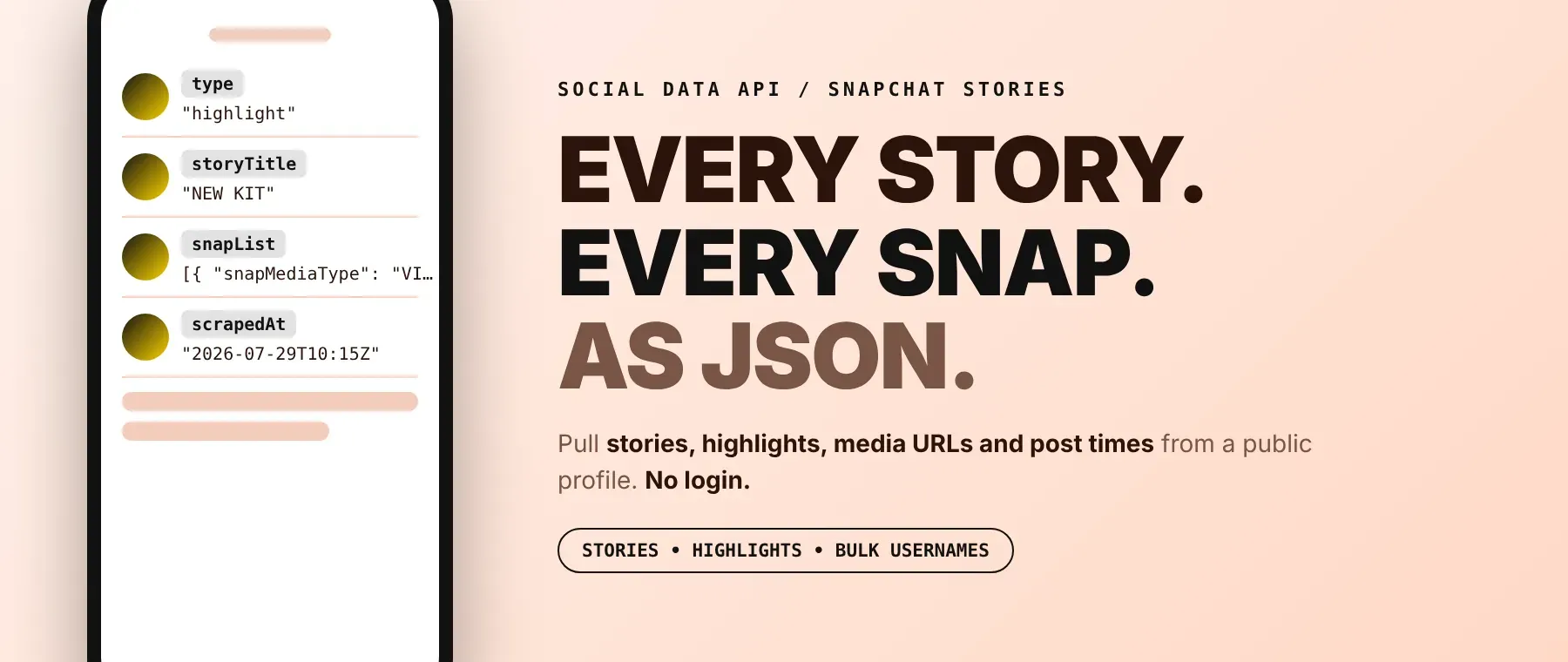
Snapchat User Stories Scraper reads a public Snapchat profile page and returns its current story plus every saved highlight, with each snap's media URL, preview URL, and post time. Every response is structured JSON — ready to pass directly to an LLM, index into a vector store, or feed a social-monitoring pipeline. No Snapchat account, login, or cookies are needed — only data a public visitor can already see. Point it at one username today, then add every account you track to the same run.
What data can I extract with Snapchat User Stories Scraper?
Using this Snapchat Stories API, you will be able to extract the following Snapchat story and highlight data:
| 👤 Username | 🏷️ Row type (story or highlight) | 📝 Story/highlight title | 🖼️ Thumbnail image URL |
|---|---|---|---|
| 🆔 Highlight ID | 📅 Scraped-at timestamp | 🎞️ Snap list (nested, per story/highlight) | 🔢 Snap position in the list |
| 🆔 Snap ID | 🎬 Snap media type (image or video) | 📅 Snap post time | 🔗 Media URL and quality tier |
| 🖼️ Preview/thumbnail URL and quality tier | 🎨 Overlay image URL, when present | 📎 Attachment URL, when present | 📝 Snap caption text |
| 💬 Snap subtitle text | 💰 Sponsored-snap flag | 📍 Geotag latitude and longitude | ✅ Has-attachment flag |
| ⏱️ Snap interval start time (ms) | 🔊 Audio transcription URL, when present |
How to use Snapchat User Stories Scraper
Anyone who needs story-level Snapchat data — brand monitoring teams, influencer marketing analysts, or AI agents — can scrape Snapchat stories and highlights for one or many usernames in a single run.
Copy to your AI assistant:
Snapchat User Stories Scraper MCP Server: use these Actors from ChatGPT, Claude or Cursor
Point your AI assistant at Apify's MCP server and it can read Snapchat on its own: public stories, highlights, and their snap media. No glue code, no scraping logic in your prompts.
Step by step
- Create a free Apify account.
- Open Snapchat User Stories Scraper on the Apify Store (or your Apify Console if you already have it saved).
- Enter one or more Snapchat usernames or profile URLs in
startUrls. - Click Start (or send your API request).
- Download or stream your results in JSON, CSV, or Excel.
How to scale Snapchat User Stories Scraper to bulk
startUrls accepts any number of usernames or profile URLs in a single array — there's no schema-enforced maximum — so tracking fifty accounts for brand or influencer monitoring is one run, not fifty. Each username is processed fully (its current story, then every highlight) before the run moves to the next one, with every story and highlight streaming into the shared dataset as it's scraped. For recurring monitoring, set up an Apify schedule to re-run the same input on a timer and diff new highlights against your last export.
✨ Features
Snapchat User Stories Scraper fetches clean, structured stories and highlights from Snapchat, working as a practical Snapchat story scraper, Snapchat highlights scraper, and Snapchat public profile scraper in one tool. It's ideal for brand monitoring, influencer campaign archiving, platform-content research, and feeding fresh Snapchat data into an AI pipeline.
It extracts, per story or highlight:
- Row type and title – whether the row is the current story or a saved highlight, with its title.
- Full snap list – every snap's media URL and quality tier, doubling as a Snapchat media URL scraper and Snapchat snap scraper for archiving campaign creative before links expire.
- Automatic quality upgrade – verifies and swaps in a higher-resolution video rendition when one is confirmed available.
- Snap timing and captions – post time, caption text, and subtitle text for every snap, when Snapchat provides them.
- Sponsored and attachment flags – flags sponsored snaps and snaps carrying a link attachment.
- Date filtering – an optional cutoff so only recent snaps come back.
⚡ Streams every story and highlight into the dataset the moment it's built, so a free-plan run never burns its quota on data you'll never see.
Use cases 💡
- Brand monitoring team — track how often an account posts new highlights and under what titles.
- Influencer marketing analyst — archive media and thumbnail links across many usernames before Snapchat CDN links expire.
- Platform researcher — flag sponsored or link-carrying snaps across many profiles at once.
- Content team — separate permanent highlights from the 24-hour story when building an archive.
- AI agent builder — feed snap captions and story titles into a RAG pipeline for social listening.
Building an AI agent? Connect Snapchat User Stories Scraper over MCP and let it call the actor on its own.
Why choose this actor?
- Every public highlight, not just the current story. Each run fetches the profile's own current story page plus every highlight discovered on it, so permanent highlight reels aren't missed in favor of the 24-hour story alone.
- 18 fields on every snap. Each snap carries its own media URL, preview URL, quality tier, post time, caption, sponsored flag, and geotag, all inside the nested snap list under its story or highlight row.
- Three proxy tiers, one Actor. Requests start with no proxy and automatically escalate to Apify's datacenter proxy, then residential proxy with retries, if Snapchat blocks or rate-limits a request.
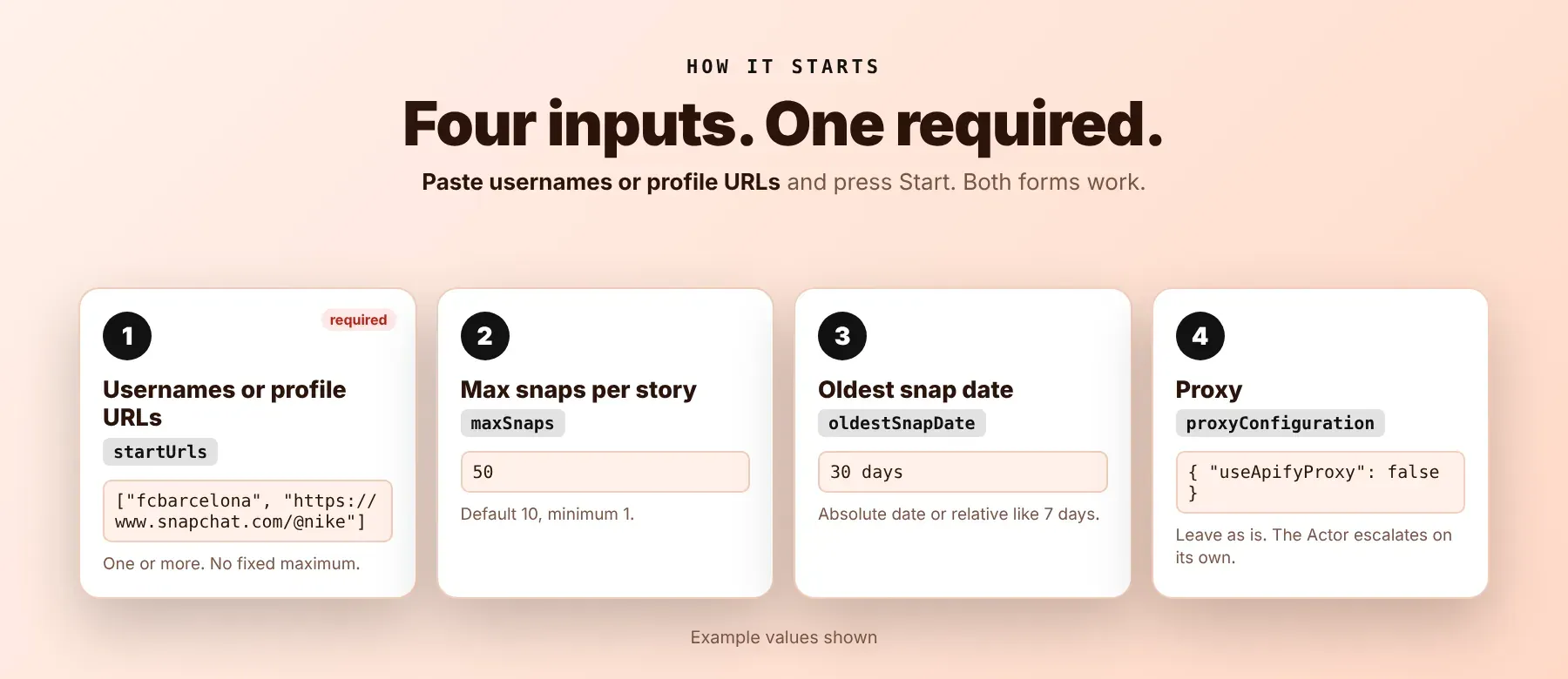
Snapchat User Stories Scraper accepts a list of Snapchat usernames or profile URLs in startUrls — the only required field.
| Parameter | Required | Type | Description | Example Value |
|---|---|---|---|---|
startUrls | Yes | array of strings | List one or more Snapchat usernames (e.g., fcbarcelona) or profile URLs (e.g., https://www.snapchat.com/@fcbarcelona). | ["fcbarcelona", "https://www.snapchat.com/@nike"] |
maxSnaps | No | integer (default: 10, minimum: 1) | Maximum number of snaps to return for each story or highlight. | 50 |
oldestSnapDate | No | string (datepicker, absolute or relative) | Skip snaps older than this date. Accepts an absolute date (e.g. 2026-01-01) or a relative expression (e.g. "7 days", "2 weeks", "1 month"). Leave empty to return all available snaps. | "30 days" |
proxyConfiguration | No | object (proxy editor) | Choose which proxies to use. By default, no proxy is used. If Snapchat rejects or blocks the request, the actor automatically falls back to datacenter proxy, then residential proxy, with 3 retries. | { "useApifyProxy": false } |
⚠️ maxSnaps only trims what Snapchat's own page already embeds — the Actor doesn't paginate or lazy-load beyond the initial page response. If a highlight has more snaps than Snapchat ships in that response, only the embedded subset is ever available, regardless of maxSnaps.
Free plan limits
Free plan: up to 20 story/highlight rows per run (all usernames together) and 200 per month; paid plans have no limit.
Example input
⬆️ Output
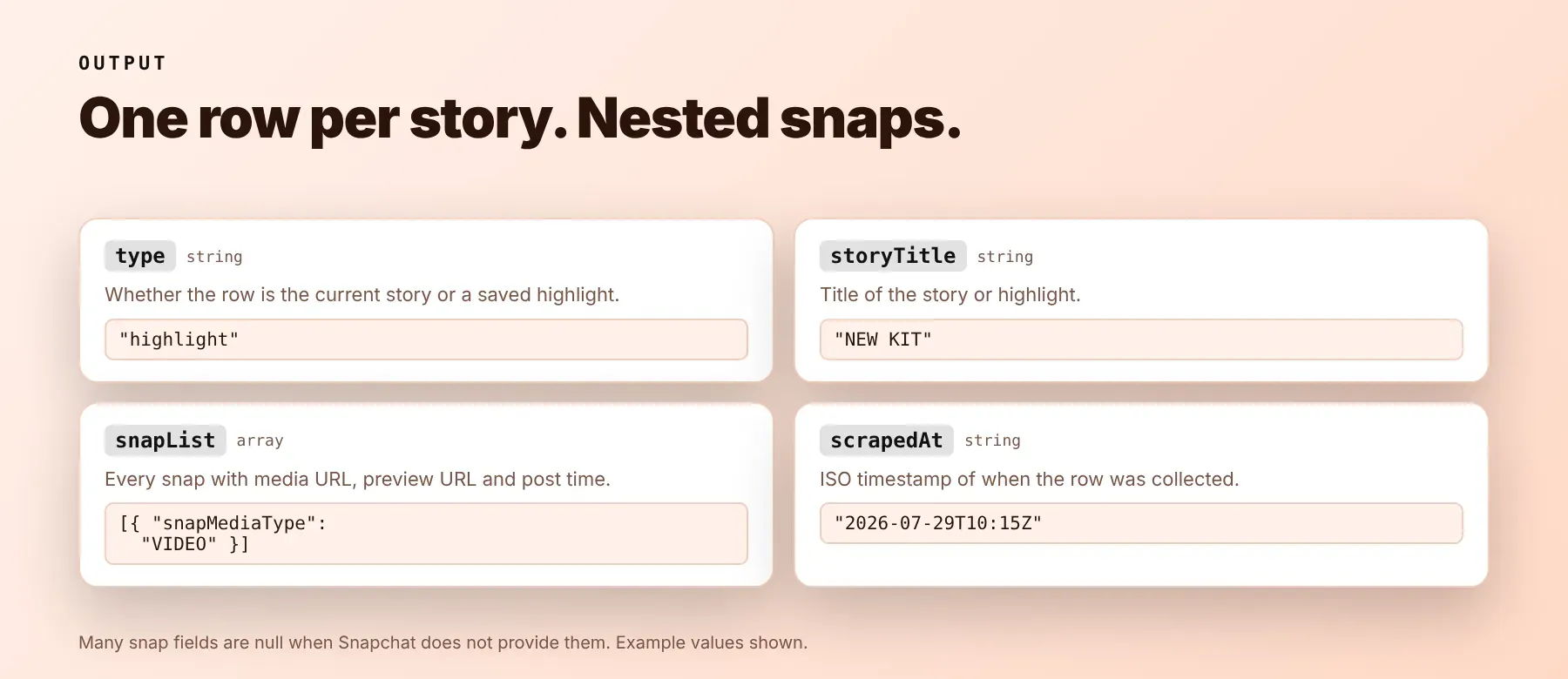
Every story and every highlight is one typed, normalized JSON item with the same schema on every run. Both row types — the current story and each highlight — are pushed as their own row_result event the moment they're collected, so you can download Snapchat stories and highlights as JSON, CSV, Excel, or XML straight from the Apify Console or API — a complete Snapchat stories data export with no extra conversion step.
Example output
How does it work?
Snapchat User Stories Scraper reads the same public profile page the Snapchat site itself loads, over plain HTTP, with automatic proxy escalation and retries if Snapchat blocks the request — no browser rendering is used. Each highlight shown on the profile is then fetched as its own additional page request, since a highlight's full snap list isn't reliably available from the profile page alone. For videos, the Actor also checks whether a higher-quality rendition of the same clip is available and verifies it before using it. Only what's already public is ever returned — there's no login step and no access to friends-only content. The output is normalized into a consistent JSON schema, so field names and types stay stable even when Snapchat changes its page design.
How do you integrate Snapchat User Stories Scraper into your stack?
Snapchat User Stories Scraper works with what you already use: a REST API from any language, MCP for AI agents, and no-code automation tools.
Using Snapchat User Stories Scraper with the Apify API
Works in Go, Ruby, Node.js, cURL — any language that can make an HTTP request.
MCP integration for AI agents
Point your AI assistant at Apify's MCP server and it can call Snapchat User Stories Scraper directly, with no glue code and no scraping logic written into your prompts.
This registers Snapchat User Stories Scraper as a tool your agent can call directly. It works the same way in Claude Code, Cursor, and Windsurf — the client finds the Actor through the server's own search, add, and call-actor tools, so you never hardcode an Actor ID.
No-code tools (n8n, Make, LangChain)
In n8n, use the Apify node's "Run an Actor" action, or the HTTP Request node pointed at this Actor's run-sync endpoint with your token. In Make, the Apify app's "Run an Actor" module followed by "Get Dataset Items" does the same without writing code. In LangChain, install langchain-apify and wrap the Actor with ApifyActorsTool("snapchat-user-stories-scraper") so an agent can request fresh Snapchat story data on demand.
Is it legal to scrape Snapchat stories and highlights?
Scraping publicly available data — content anyone can view on a Snapchat profile page without logging in — is generally permitted. Snapchat User Stories Scraper only returns this kind of publicly visible content; it never accesses private accounts or friends-only content. Because story and highlight content is tied to an identifiable Snapchat username, it can constitute personal data under GDPR and CCPA when the account belongs to an individual, which affects how you may store and use it. Consult legal counsel if your use case involves bulk storage of personal data.
Frequently asked questions
What fields does Snapchat User Stories Scraper return?
The top fields are username, story/highlight title, row type, thumbnail URL, and the snap list with each snap's media URL and post time. See the full field table above.
Does Snapchat User Stories Scraper require a Snapchat account or login?
No. It reads the public profile page with no cookies and no session — the input schema has no login or cookie field at all.
What happens if a Snapchat profile is private or doesn't exist?
The Actor can't find any story or highlight content on the page, logs a warning that the profile may not exist, is private, or has no public content, and returns zero rows for that username — no error is thrown, and the run continues to the next username in startUrls.
Can I scrape multiple Snapchat usernames at once?
Yes — startUrls accepts a list of usernames or profile URLs, processed one after another within the same run, with every story and highlight for a username streaming into the shared dataset as soon as it's scraped.
Does Snapchat User Stories Scraper work with Claude, ChatGPT, and other AI agent tools?
Yes — Snapchat User Stories Scraper is available as an MCP tool. Run claude mcp add --transport http apify "https://mcp.apify.com?tools=socialdataapi/snapchat-user-stories-scraper" to register Apify's MCP server in Claude Code, Cursor, or Windsurf, then ask your agent to find and call this Actor. Any agent that can call an HTTP endpoint can also use the REST API directly.
Does Snapchat User Stories Scraper return data in a format LLMs can use directly?
Yes. Output is typed, normalized JSON with consistent field names across runs — no HTML parsing or CSS selectors involved. Pass it directly to an LLM, index it into a vector store, or feed it to an agent tool.
What happens when Snapchat changes its layout or anti-bot system?
This Actor is maintained against Snapchat's current page structure, and the output schema is designed to stay stable regardless of front-end changes. No specific turnaround time is published for updates.
Can I use Snapchat User Stories Scraper without managing proxies or browser infrastructure?
Yes. The Actor makes plain HTTP requests itself and handles proxy selection and escalation (no proxy → datacenter → residential, with retries) internally — you don't need to run a browser or manage your own proxy pool.
Which Snapchat story fields work best for AI training data and RAG indexing?
For RAG, index the text-bearing fields — story/highlight title, snap caption, and snap subtitle — alongside username for attribution. For training data, row type, is-highlight flag, and post time are the fields with the most consistent structure across every row. All fields return as typed primitives, never nested strings to re-parse.
Your feedback
Found a bug or a field that's not populating? Let us know via the Issues tab on this Actor's Apify Console page — reports like this get folded directly into the next update.


