

Facebook Posts Scraper
Pricing
from $2.99 / 1,000 results
Facebook Posts Scraper
Facebook Posts Scraper — Extract Facebook post data including text, captions, reactions, comments, shares, timestamps, media URLs, page or profile details, and post links. Useful for content research, competitor analysis, audience insights, and social media monitoring.
Pricing
from $2.99 / 1,000 results
Rating
0.0
(0)
Developer

Social Data API
Maintained by CommunityActor stats
0
Bookmarked
2
Total users
1
Monthly active users
21 hours ago
Last modified
Categories
Share
Facebook Posts Scraper — Text, Reactions, Comments, Shares and Media
Facebook Posts Scraper collects posts from public Facebook Pages and profiles and returns each one with its text, publish time, reaction, comment and share counts, photos and videos, links in the text, and author details. Every response is structured JSON — ready to pass directly to an LLM, index into a vector store, or feed a social listening pipeline. No Facebook account or cookies needed. Start with one Page you follow closely, then add every competitor and publisher you want to track.
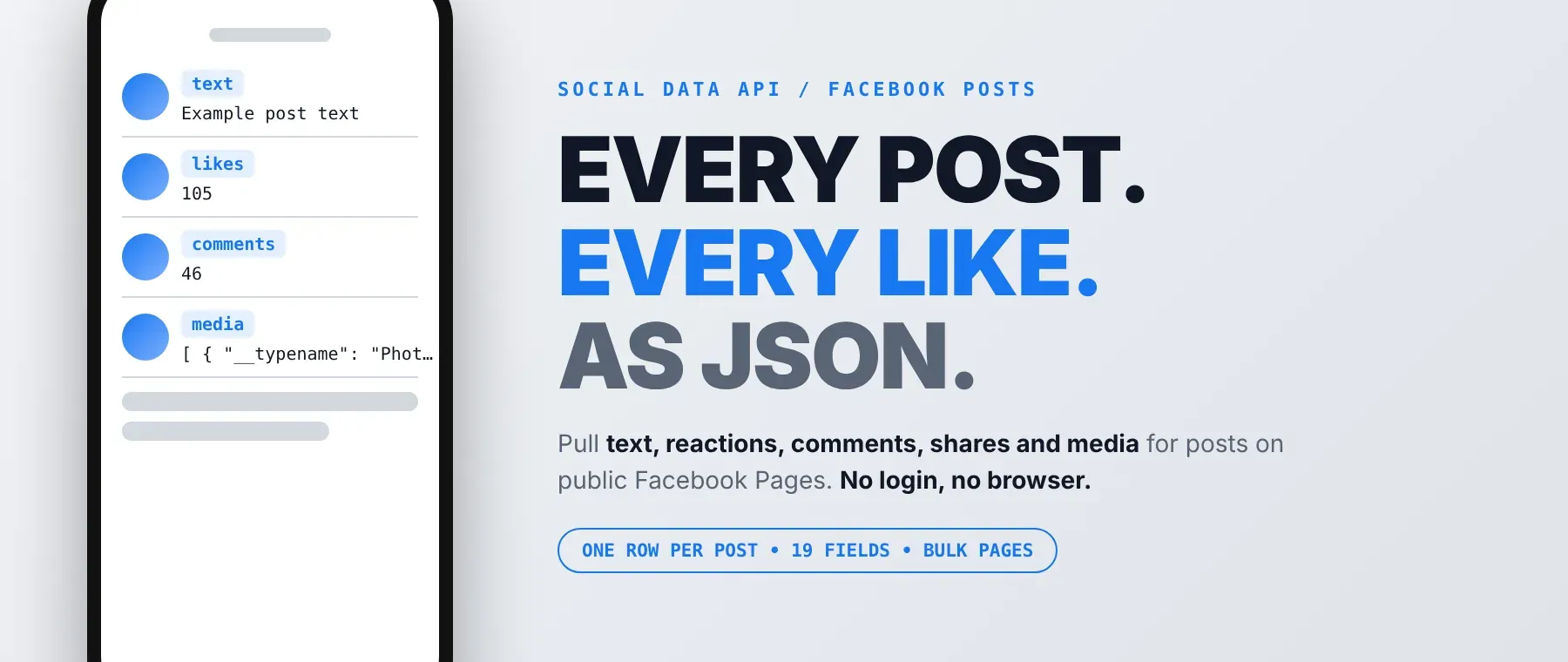
What data can I extract with Facebook Posts Scraper?
Using this Facebook Posts API, you will be able to extract the following Facebook post data:
| 📝 Post text | 📅 Publish time (ISO and Unix) | ❤️ Reactions (all types) | 💬 Comment count |
|---|---|---|---|
| 🔁 Share count | 😀 Number of reaction types | 🖼️ Photos, videos and link previews (with image size and alt text) | 🔖 Links, mentions and hashtags in the text |
| 👤 Author name, ID, profile link and picture | 🆔 Post ID | 🌐 Post link | 📌 Permalink |
| 📛 Page name | 🔗 Page URL | 📚 Ad Library Page ID (if available) | 🧾 Feedback ID |
| 🪪 Author ID | 📥 Input URL |
How to use Facebook Posts Scraper
Built for marketers, analysts and researchers who want to scrape Facebook posts with their engagement numbers in one run.
Copy to your AI assistant:
Facebook Posts Scraper MCP Server: use these Actors from ChatGPT, Claude or Cursor
Connect your AI assistant to the Apify MCP server with this Actor already loaded as a tool, ready to call. No glue code, no scraping logic in your prompts.
Step by step
- Create a free Apify account.
- Open this Actor in the Apify Store.
- Enter the Facebook Page URL or username (for example
https://www.facebook.com/nytimesornytimes). - Click Start (or send your API request).
- Download or stream your results in JSON, CSV or Excel.
How to scale Facebook Posts Scraper to bulk
Put as many Pages or profiles as you like into the URL list. The actor removes duplicates, reads up to 3 Pages at the same time, and stops as soon as the total post limit is reached, so set that limit to the number of posts you want across the whole list. For regular tracking, save the input as a task and schedule it daily or weekly with a relative date range such as "7 days", so every run brings only fresh posts. This makes it a simple bulk Facebook posts scraper for whole competitor or publisher lists.
✨ Features
This actor fetches clean, structured posts from Facebook ⚡. It's ideal for competitor content tracking, engagement benchmarking, newsroom monitoring and social listening datasets, and it works as a Facebook page posts scraper and a Facebook post engagement scraper for any public Page.
It extracts, per post:
- Post text – the full text, with links, mentions and hashtags listed separately
- Publish time – UTC time as an ISO string and as a Unix timestamp
- Reactions – the total of all reaction types, plus how many different types were used
- Comments and shares – the counts Facebook shows under the post
- Media – photos, videos and link previews with image URL, size and alt text
- Author – name, ID, profile link and profile picture
- Post links – the post link and a permanent link built from the author and post IDs
⚡ Reads public data with plain HTTP requests, no browser, over Apify Residential proxy, and retries a failed request up to 3 times on a new IP.
Use cases 💡
- Social media manager — benchmark competitors' reactions, comments and shares per post.
- Journalist — extract Facebook Page posts from news outlets within a set date range.
- Brand analyst — run Facebook page post monitoring for mentions and hashtags in post text.
- Researcher — export Facebook posts to CSV for content and engagement studies.
- AI engineer — turn Facebook posts to JSON context for a RAG agent.
Building an AI agent? Connect Facebook Posts Scraper over MCP and let it call the actor on its own.
Why choose this actor?
- Several Pages in one run. A recorded run read 3 targets (one of them a Page that does not exist) and returned 8 posts in 7 seconds, stopping the moment the 8-post total was reached.
- The numbers behind each post. A recorded New York Times post came back with 2,696 reactions of 7 different types, 854 comments and 890 shares, plus its photo and link.
- 19 fields and 6 inputs. Text, timing, engagement, media and author fields, with an absolute or relative date range and a switch to leave the text out.
⬇️ Input
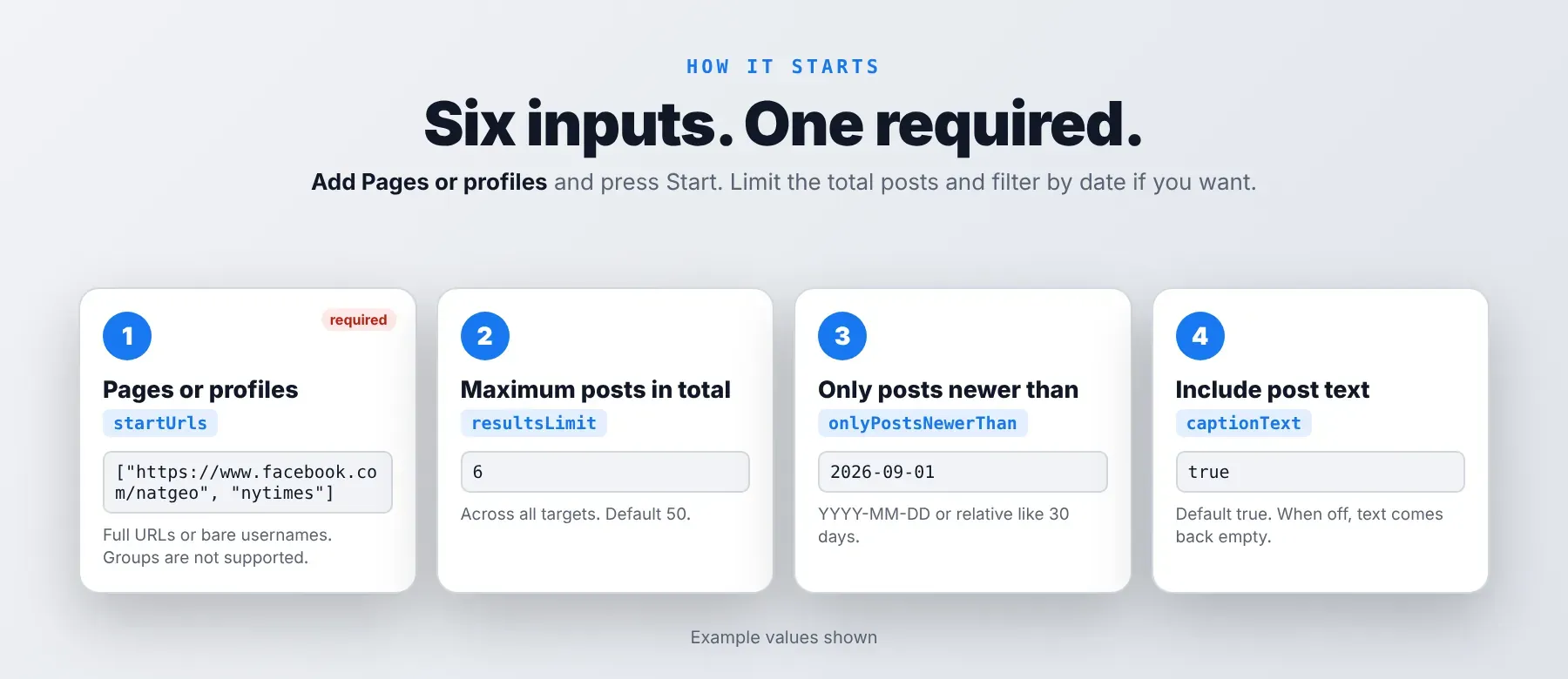
The actor accepts a list of public Facebook Page or profile URLs or bare usernames. Only the URL list is required.
| Parameter | Required | Type | Description | Example value |
|---|---|---|---|---|
startUrls | Yes | array | Public Facebook Pages or profiles, one per line: a full URL, a profile.php?id= link or a bare username. Duplicates are removed. Groups are not supported. | ["https://www.facebook.com/natgeo", "nytimes"] |
resultsLimit | No | integer | Maximum posts in total across all targets (1–100,000, default 50). Up to 3 targets are read at once; the one that finishes first fills the total first. | 6 |
captionText | No | boolean | Include the post text (default true). When off, the text comes back empty. | true |
onlyPostsNewerThan | No | string | Keep posts published at or after this time (UTC): YYYY-MM-DD, YYYY-MM-DD HH:MM, or relative like 30 days. Empty = no lower bound. | "2026-09-01" |
onlyPostsOlderThan | No | string | Keep posts published at or before this time (UTC), same formats. A date alone means 00:00 UTC that day. Empty = no upper bound. | "2026-10-04" |
proxyConfiguration | No | object | Kept for compatibility. Every request uses Apify Residential proxy whatever is selected; only a proxy country chosen here is applied. | {"useApifyProxy": true} |
Accepted target formats:
https://www.facebook.com/nytimeshttps://www.facebook.com/profile.php?id=<number>nytimes
Free plan limits
Users on the Apify free plan can fetch up to 20 posts per run (all targets together) and 200 posts per month. When the limit is reached, the run finishes successfully with a status message explaining the limit. Upgrade to any paid Apify plan to remove these limits.
Example input
⬆️ Output
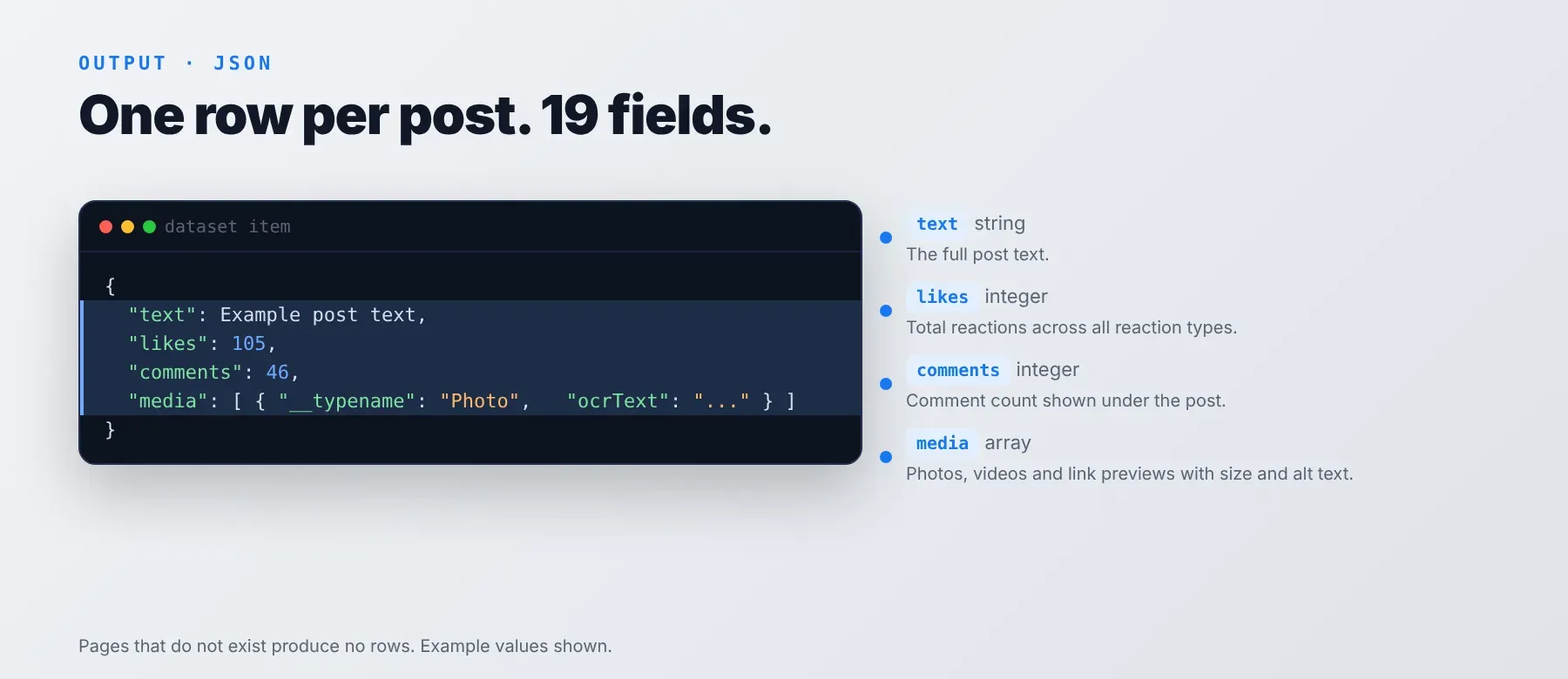
Every post is one typed, normalized JSON item with the same 19 fields on every run. Export it as JSON (default), CSV or Excel.
Example output
The reaction count is the total of every reaction type, and the reaction-type number says how many different types were used (4 here). The Page URL and the input URL both hold the target you entered, written as a full URL. The Ad Library ID is the Page ID Facebook uses in its Ad Library when Facebook shows one; otherwise it is the author ID.
How does it work?
The actor reads the same public Pages any visitor can open without logging in, so you never need a Facebook account. It sends plain HTTP requests, no browser, and reads up to 3 Pages at the same time. Every request goes through Apify Residential proxy from the start. A request that fails or is blocked is retried up to 3 times, each time on a new residential IP after a short pause; if it still fails, that part of the Page is skipped, and Pages that do not exist are skipped without producing rows. Only publicly visible data is returned: what anyone sees on the Page. Every post comes back in the same normalized format with the same field names, so your code keeps working when Facebook changes its pages.
How do you integrate Facebook Posts Scraper into your stack?
It works with what you already use: the REST API from any language, MCP for AI agents, and no-code tools.
MCP integration for AI agents
Add the Apify MCP server to your agent with one command, signing in with your Apify account when asked:
This registers Facebook Posts Scraper as a tool your agent can call directly: the agent runs it with your Page list and reads the posts back as JSON. It works in Claude Code, Cursor and Windsurf.
No-code tools (n8n, Make, LangChain)
- n8n: add the Apify node and pick "Run an Actor", or use the HTTP Request node pointed at the Actor's run-sync endpoint with your Apify token. The posts come back as items you can send to Sheets, Slack or a database.
- Make: use the Apify app's "Run an Actor" module, then "Get Dataset Items" to pull the posts into the next step of your scenario.
- LangChain: install
langchain-apifyand wrap this Actor withApifyActorsTool, so your chain can fetch fresh Page posts on demand.
Is it legal to scrape Facebook data?
Scraping publicly available Facebook data is generally lawful when you collect only what any visitor can see and use it responsibly. Facebook Posts Scraper returns only publicly available data — what any user sees without logging in. Under GDPR, scraping public data is generally permissible, but storing and using it must comply with local data-protection law, especially when posts or author details relate to identifiable people. Consult legal counsel if your use case involves bulk storage of personal data.
Frequently asked questions
What fields does Facebook Posts Scraper return?
It returns the post text, publish time, total reactions, comment count and share count, plus media, author details and links. See the data fields section for all 19 fields.
Does Facebook Posts Scraper require a Facebook account or login?
No. Only public post data is extracted, and no credentials or cookies are needed.
How fast does Facebook Posts Scraper run?
A recorded run returned 8 posts from 3 targets in 7 seconds. Data is read live from Facebook on every run, not from a cache.
What happens if a post is private or doesn't exist?
A Page that does not exist or is not available produces no rows and is not charged; the run log marks it as skipped. A Page that stays blocked after all retries is skipped the same way, so in code simply check which of your inputs appear in the input URL field of the results.
Can I scrape multiple Facebook posts at once?
Yes. Add many Pages or profiles to the URL list; the actor reads up to 3 at a time and stops when the total post limit is reached.
Does Facebook Posts Scraper work with Claude, ChatGPT, and other AI agent tools?
Yes — Facebook Posts Scraper is available as an MCP tool. Run claude mcp add --transport http apify "https://mcp.apify.com?tools=socialdataapi/facebook-posts-scraper" to register the Apify MCP server with this Actor as a tool in Claude Code, Cursor or Windsurf. Any agent that can call an HTTP endpoint can use the REST API directly.
Does Facebook Posts Scraper return data in a format LLMs can use directly?
Yes. Every post is typed, normalized JSON with consistent field names. No HTML parsing, no selectors. Pass it straight to an LLM, index it into a vector store, or feed it to an agent tool — no transformation step.
What happens when Facebook changes its layout or updates its anti-bot system?
The actor is maintained. When Facebook changes, the actor is updated — your calls keep returning the same JSON schema with no changes on your end.
Can I use Facebook Posts Scraper without managing proxies or browser infrastructure?
Yes. The residential proxy and retries run on the actor's side, and it needs no browser. You send one request and get structured JSON back. No proxy accounts, no headless browser setup, no maintenance.
Which Facebook post fields work best for AI training data and RAG indexing?
For RAG, use the post text, the links and hashtags in it, the author name and the media alt text. For training data, use the reaction total, number of reaction types, comment count, share count and publish timestamp. All fields are typed values — strings, integers, booleans — no normalization needed.
Your feedback
Found a bug or missing a field? Let us know through the Issues tab of this Actor. Every report is read, and fixes ship in new versions.


