

Twitter/X Profile Scraper
Pricing
from $0.67 / 1,000 results
Twitter/X Profile Scraper
Twitter/X Profile Scraper extracts public profile data from X (Twitter) accounts by username or URL: name, bio, followers, following, tweet count, verification, location and links. No login or cookies needed. Export to JSON, CSV or Excel, or use the API.
Pricing
from $0.67 / 1,000 results
Rating
0.0
(0)
Developer

Social Data API
Maintained by CommunityActor stats
0
Bookmarked
1
Total users
0
Monthly active users
a month ago
Last modified
Categories
Features
Share
Twitter/X Profile Scraper — Tweets, Replies and Profile Stats
Twitter/X Profile Scraper extracts a public X account's tweets and profile stats using your own login cookies, returning tweet text, like, retweet and view counts, plus flattened profile fields such as follower count and bio for one or many profiles in one run. Every row comes back as structured JSON, ready to pass directly to an LLM, index into a vector store, or feed a social-listening pipeline. Built-in rate-limit handling and retries keep one blocked request from failing a whole profile. Point it at a handle or URL to start.
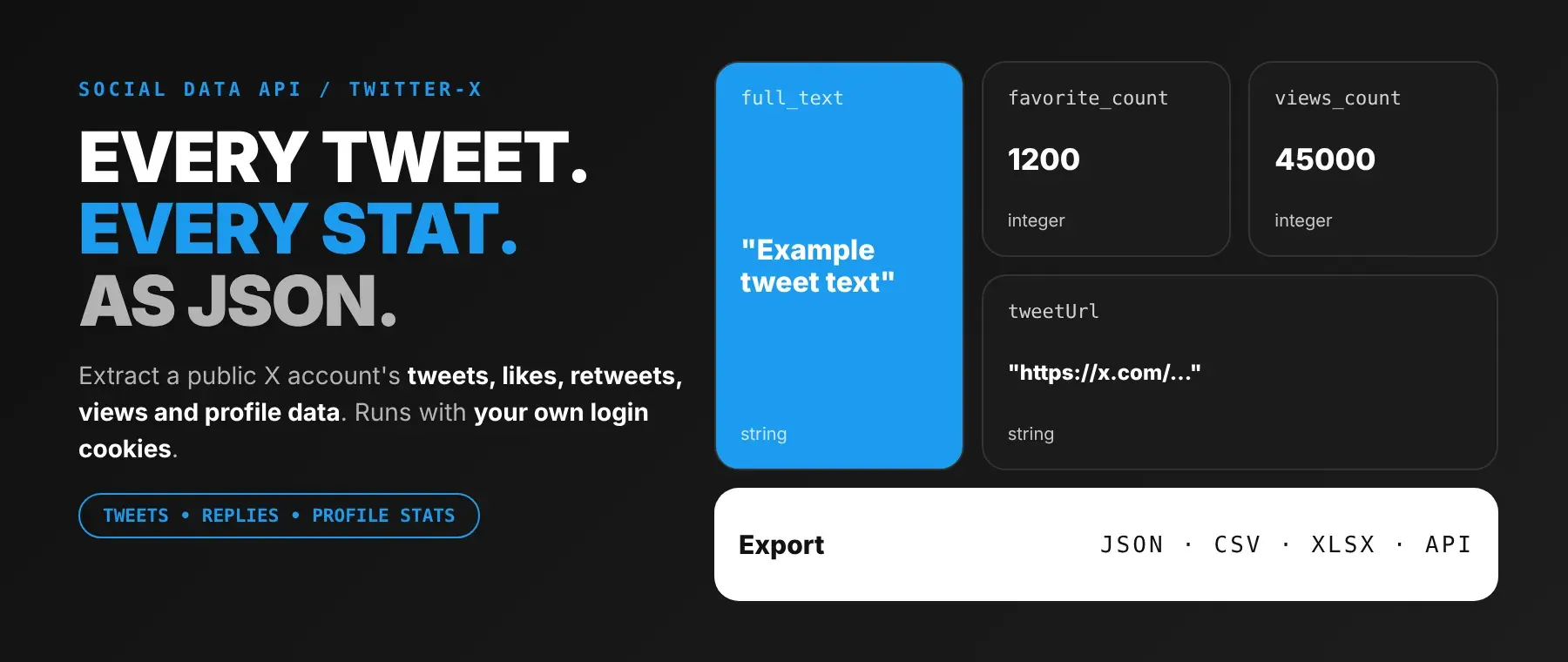
What data can I extract with Twitter/X Profile Scraper?
Using this Twitter/X Profile API, you will be able to extract the following Twitter/X profile data:
| 📝 Tweet text | ❤️ Likes, retweets, replies, quotes, bookmarks, views | 👤 Flattened profile stats (about row) | 🔁 Replies (optional) |
|---|---|---|---|
| 🆔 Tweet, conversation and author IDs | 📅 Creation date | 🔗 Direct tweet URL | 🌍 Detected language |
| 🖼️ Media and entity data (hashtags, mentions, links) | 👁️ View count | 🔖 Bookmarked / liked / retweeted by the session | ✅ Legacy and Blue verification flags |
| 📍 Location and bio | 📊 Follower, following, tweet and listed counts | 🗓️ Account creation date | ⏱️ Scraped timestamp |
Twitter/X Profile Scraper only returns data that is already visible on a public profile page or public tweet — what any visitor sees. Your own login cookies are used only to make the requests, not to unlock anything behind X's login wall.
How to use Twitter/X Profile Scraper
What this Actor does: Twitter/X Profile Scraper is an Apify Actor that returns a public X profile's tweets as structured JSON — full text, likes, retweets, replies, quotes, bookmarks, views — plus, on request, a flattened profile-stats row with follower/following counts, bio and verification flags. Use it whenever you need to scrape Twitter profile data and tweets without building your own login flow or browser automation — competitor and influencer monitoring, sentiment or engagement analysis, and audience research. Inputs: one or many profile URLs or handles, a date range, image/retweet filters, optional replies and about-data toggles, your own login cookies, and an optional proxy. A reply row or the about row is billed the same as a tweet row — one row, one charge.
Twitter/X Profile Scraper MCP Server: use these Actors from ChatGPT, Claude or Cursor
Point your AI assistant at the Apify MCP server and it can find and call this Actor on its own — no glue code, no scraping logic in your prompts.
Step by step
- Create a free Apify account if you don't already have one.
- Open Twitter/X Profile Scraper in the Apify Store.
- Provide at least one profile — paste full URLs into Profile URLs (e.g.
https://x.com/nasa) or bare usernames into Twitter Handles (e.g.nasa). - Provide your own Auth Token and CSRF Token login cookies (see "How to get your X auth_token and ct0 cookies" below) — required for every run.
- Click Start (or send your API request).
- Download or stream your results in JSON, CSV or Excel once the run finishes.
How to get your X auth_token and ct0 cookies
- Log in to x.com in your browser.
- Open your browser's developer tools and go to the Application (Chrome/Edge) or Storage (Firefox) panel.
- Under Cookies for
x.com, find the cookie namedauth_tokenand copy its value into the Auth Token field. - In the same list, find the cookie named
ct0and copy its value into the CSRF Token field. - Keep both values private — treat them like a password for your X account.
How to scale to bulk Twitter/X profile extraction
Both Profile URLs and Twitter Handles accept arrays, so a single run can process many profiles at once — mix full URLs and bare handles freely in the same list. Maximum Items caps rows across the entire run, not per profile, so raise it in step with your target profile count. For very large profile lists you want to run on a recurring basis, split them across separate scheduled runs rather than one unbounded run.
✨ Features
Twitter/X Profile Scraper fetches clean, structured tweets and profile stats from X, acting as both an x profile scraper and a twitter profile stats scraper in the same run. It's ideal for competitor and influencer monitoring, sentiment and engagement analysis, audience research, and feeding tweet content into an LLM or RAG pipeline.
It extracts, per tweet:
- Full text – the tweet's complete text
- Engagement counts – likes, retweets, replies, quotes, bookmarks and views
- Flattened profile stats – follower, following, tweet and listed counts, bio, location and verification, as plain top-level columns instead of a nested object — effectively a built-in twitter bio scraper whenever the about-data toggle is on
- Reply rows – optional replies to each qualifying tweet, tagged to their parent tweet
- Date and media filters – keep only tweets in a date range, with images, or excluding native retweets
⚡ Re-discovers X's current API configuration on every run, so the same output columns keep working even after X changes its page.
Use cases 💡
- Growth marketer — track competitor tweet performance by likes, retweets and views.
- Social listening analyst — scrape Twitter followers count, bio and location from the about row.
- Research team — build a posting-activity timeline from tweet and account creation dates.
- Outreach specialist — use it as a twitter account profile scraper for niche contact lists.
- AI engineer — feed tweet text and engagement counts into a RAG pipeline or an LLM classifier.
Building an AI agent? Connect Twitter/X Profile Scraper over MCP and let it call the actor on its own.
Why choose this actor?
- One profile, three row shapes. Every run can return a profile's tweets, optional replies to each tweet, and a flattened profile-stats row — all under the same output schema.
- 27 columns on every tweet row. Each tweet comes back with its full text, five engagement counts, the author object, media and entity data, and a direct tweet URL — no column is ever dropped between runs.
- Five filters, one run. Date range, image-only, native-retweet and minimum-reply-count filters, plus an optional about-data toggle, all combine in a single run against the same login cookies.
⬇️ Input
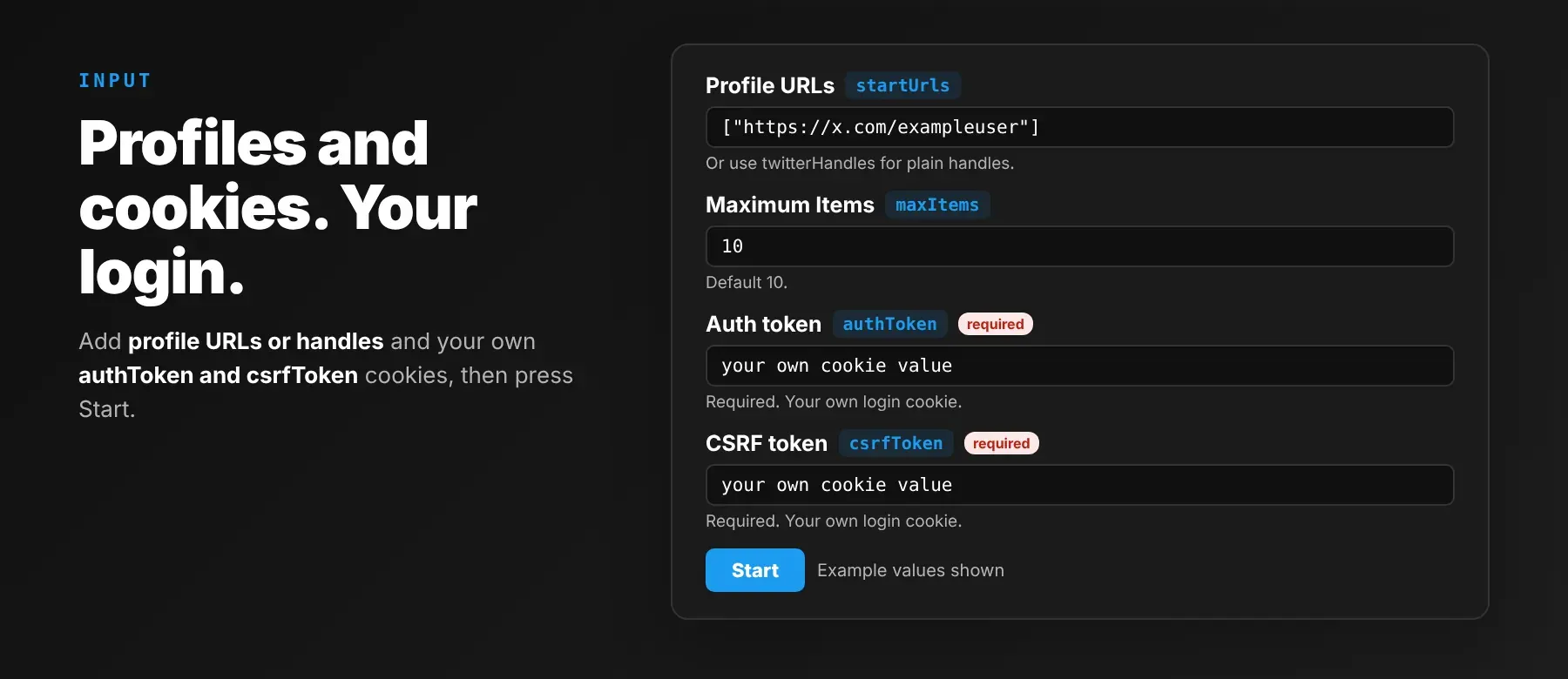
Provide at least one profile (a URL or a bare handle) and your own login cookies; everything else is optional.
| Parameter | Required | Type | Description | Example Value |
|---|---|---|---|---|
startUrls | No | array | List of Twitter/X profile URLs (e.g., https://x.com/elonmusk). Required if twitterHandles is empty. | ["https://x.com/nasa"] |
twitterHandles | No | array | List of usernames without the @ (e.g., elonmusk). Required if startUrls is empty. | ["nasa"] |
maxItems | No | integer | Hard cap on total items written across the whole run. Free plan: up to 20 per run (all profiles together) and 200 per month; paid plans have no limit. Default 10. | 100 |
start | No | string | Lower bound for tweet date. Absolute date (YYYY-MM-DD) or relative value (e.g. 7 days). Empty = no lower bound. | "7 days" |
end | No | string | Upper bound for tweet date. Absolute date (YYYY-MM-DD) or relative value (e.g. 1 day). Empty = no upper bound. | "" |
includeNativeRetweets | No | boolean | When false, native retweets are dropped. Only effective for the last ~7-10 days. Default false. | false |
onlyImages | No | boolean | Keep only tweets that contain at least one photo. Default false. | false |
getAboutData | No | boolean | Emit one profile-about record per user (flattened follower/following/tweet-count stats). Default false. | true |
getReplies | No | boolean | Fetch replies to each qualifying tweet. Default false. | false |
minReplyCount | No | integer | Only fetch replies for tweets whose reply count is at least this value. Default 0. | 5 |
authToken | Yes | string (secret) | Value of the auth_token cookie from x.com. Required for every run. | (your own cookie value) |
csrfToken | Yes | string (secret) | Value of the ct0 cookie from x.com. Required for every run. | (your own cookie value) |
proxyConfiguration | No | object | Apify proxy configuration. Recommended for reliability against rate limits. Off by default. | {"useApifyProxy": true} |
Free plan limits
Free plan: up to 20 items per run (all profiles together) and 200 per month; paid plans have no limit. A free-plan run with several profiles shares that same 20-item ceiling across all of them, not 20 per profile — the Actor stops the whole run once the run total is reached and tells you so in the log and status message. Paid plans, local apify runs and Apify's own test runs are never limited.
Example input
⬆️ Output
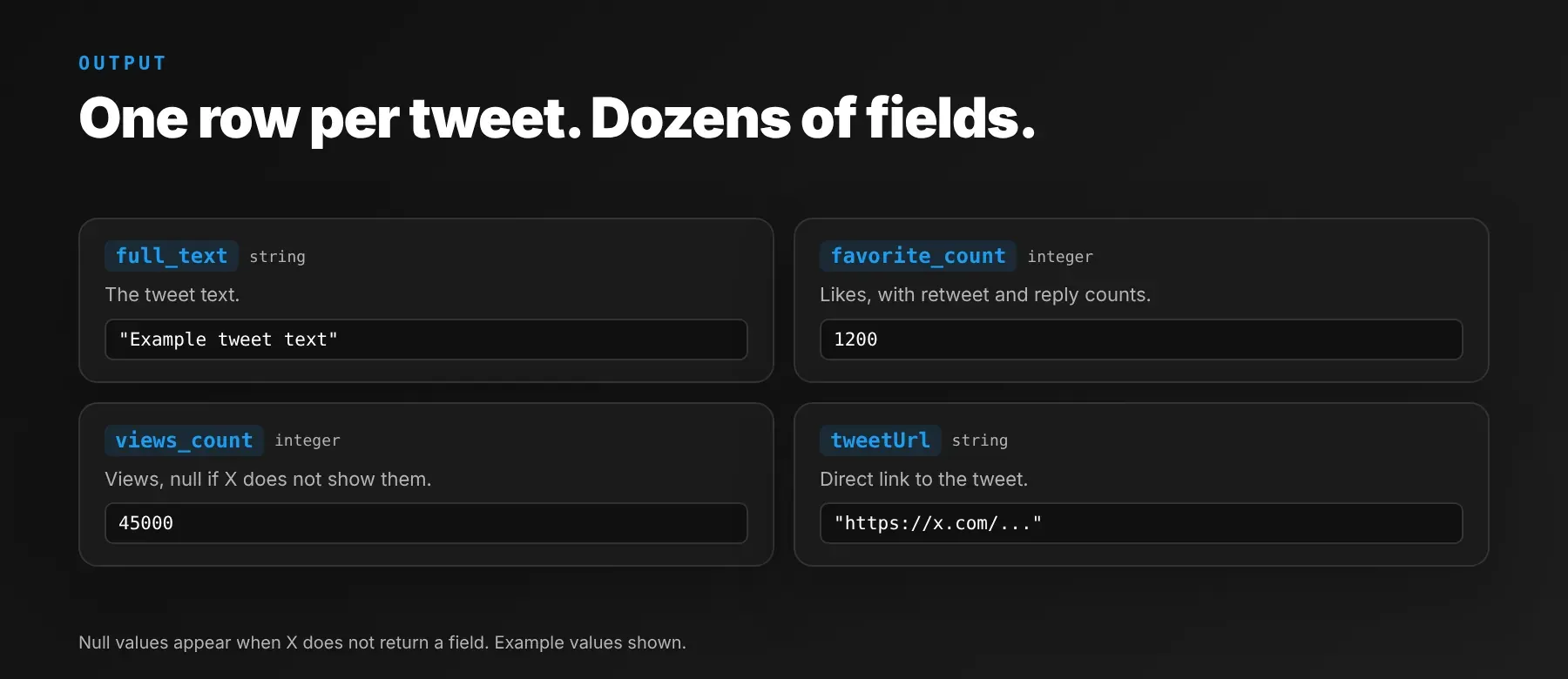
Results are written to the Actor's default dataset as typed, normalized JSON rows — one per tweet, plus an optional per-user about row and optional reply rows — with a consistent schema across runs. Export directly from the Apify Console as JSON, CSV, Excel, or XML, or pull rows via the Apify API/dataset client — the fastest way to export Twitter profile data at scale.
Example output
How does it work?
Twitter/X Profile Scraper doesn't use a browser. It talks to the same internal API the X web app calls when you're signed in, using your own login cookies for every request, and re-discovers the current API configuration directly from X's web app on each run instead of relying on hardcoded values that break the moment X ships an update. It resolves a handle to a numeric user ID the same way the signed-in web app does, with a profile-page fallback for the rare case that lookup doesn't succeed, then pages through the timeline, applying your date, retweet and image filters as it writes rows. When a request is rate-limited, the run waits out the limit instead of failing; a failed request is retried a few times before that page is given up on and the run moves to the next profile. The output schema stays the same even when X changes its page layout.
How do you integrate Twitter/X Profile Scraper into your stack?
As an x profile data scraper, Twitter/X Profile Scraper works with the tools you already use for automation and data pipelines: a REST API from any language, MCP for AI agents, and no-code tools.
Using Twitter/X Profile Scraper with the Apify API
Call the Twitter profile scraper API from any language: start a run with a POST request to the Apify API using your Apify API token and an input JSON matching the schema above, then poll the run or stream the finished dataset's items. Works in Go, Ruby, Node.js, Python, cURL — any language that can make an HTTP request.
MCP integration for AI agents
Register Twitter/X Profile Scraper (Apify Actor ID: socialdataapi/twitter-profile-scraper, https://apify.com/socialdataapi/twitter-profile-scraper) as a tool your AI agent can call directly — no glue code, no scraping logic in your prompts.
This works in Claude Code, Cursor and Windsurf; any AI agent framework that can call an HTTP endpoint can also call the Apify API directly.
No-code tools (n8n, Make)
In n8n, use the Apify node (or a generic HTTP Request node) to call this Actor's run endpoint with your input JSON and Apify API token, then feed the returned dataset items into downstream nodes. In Make, use the Apify app's "Run Actor" module with the same JSON input and iterate over the resulting dataset items in your scenario.
Is it legal to scrape Twitter/X profiles?
Scraping publicly available social media data is generally lawful — courts (e.g., hiQ v. LinkedIn in the US) have repeatedly held that accessing public, non-login-walled pages is not itself prohibited. Twitter/X Profile Scraper only returns data already visible on a public profile page or public tweet — the same data any visitor can see; your own login cookies are used only to make the requests, not to unlock anything behind X's login wall, and reply scraping still only surfaces public replies. Because tweets and profile fields (bio, location, handle) can be personal data about identifiable people, GDPR and CCPA still govern how you store, process and retain what you collect, even though the collection itself targets public data. Consult legal counsel before any bulk storage or commercial use of personal data scraped this way.
Frequently asked questions
What fields does Twitter/X Profile Scraper return?
It returns the tweet's full text, like, retweet and view counts, and creation date on every tweet row, plus follower and bio fields when the about-data option is enabled — see What data can I extract above for the full field list.
Does Twitter/X Profile Scraper require a Twitter/X account or login?
Yes — every run needs your own login cookie pair (an auth token and a CSRF token) from a logged-in x.com session, whether or not you enable replies. Both are stored as secret input fields.
What happens if a profile is private, suspended, or doesn't exist?
No row is written for that profile. The Actor logs a "User not found" warning and moves on to the next target in your list rather than failing the whole run.
Can I scrape multiple Twitter/X profiles at once?
Yes — both Profile URLs and Twitter Handles accept arrays, so you can list many profile URLs and/or bare handles in a single run and they'll be processed in order until Maximum Items is reached.
Does Twitter/X Profile Scraper work with Claude, ChatGPT, and other AI agent tools?
Yes, as a callable HTTP endpoint through the Apify API, and as an MCP tool through the Apify MCP server — any agent framework that can make an authenticated HTTP request can trigger a run and read back the resulting dataset items.
Does Twitter/X Profile Scraper return data in a format LLMs can use directly?
Yes. Output is typed, normalized JSON with consistent field names across runs — no HTML parsing or CSS selectors needed. Pass it directly to an LLM, index it into a vector store, or feed it to an agent tool.
What happens when Twitter/X changes its layout or anti-bot system?
The Actor is maintained and re-discovers its API configuration fresh on every run, so the output schema stays stable through most front-end changes. No specific fix turnaround time is promised for deeper changes.
Can I use Twitter/X Profile Scraper without managing proxies or browser infrastructure?
Yes. It makes direct HTTP calls with no browser involved, and proxy support is optional — you can run it with no proxy configured at all. You do still need to supply your own login cookies for every run.
Which Twitter/X fields work best for AI training data and RAG indexing?
For RAG, index the tweet text alongside hashtags/mentions and the profile bio for author context. For consistent-structure training data, like, retweet, view and follower counts return as typed numeric primitives across every row.
Your feedback
Found a bug or missing a field? Let us know so we can fix it — reach out through the Actor's Issues tab on Apify Console. Reports get looked at as part of ongoing maintenance.


