

Twitter Trends Scraper - Cheapest
Pricing
from $1.00 / 1,000 results
Twitter Trends Scraper - Cheapest
Twitter Trends Scraper — Extract trending topics, hashtags, keywords, locations, tweet counts, and related post data from X (Twitter). Ideal for trend discovery, hashtag research, content planning, audience insights, and social media monitoring.
Pricing
from $1.00 / 1,000 results
Rating
0.0
(0)
Developer

Social Data API
Maintained by CommunityActor stats
0
Bookmarked
2
Total users
1
Monthly active users
12 days ago
Last modified
Categories
Features
Share
Twitter Trends Scraper — Worldwide Trends, Live & Hourly
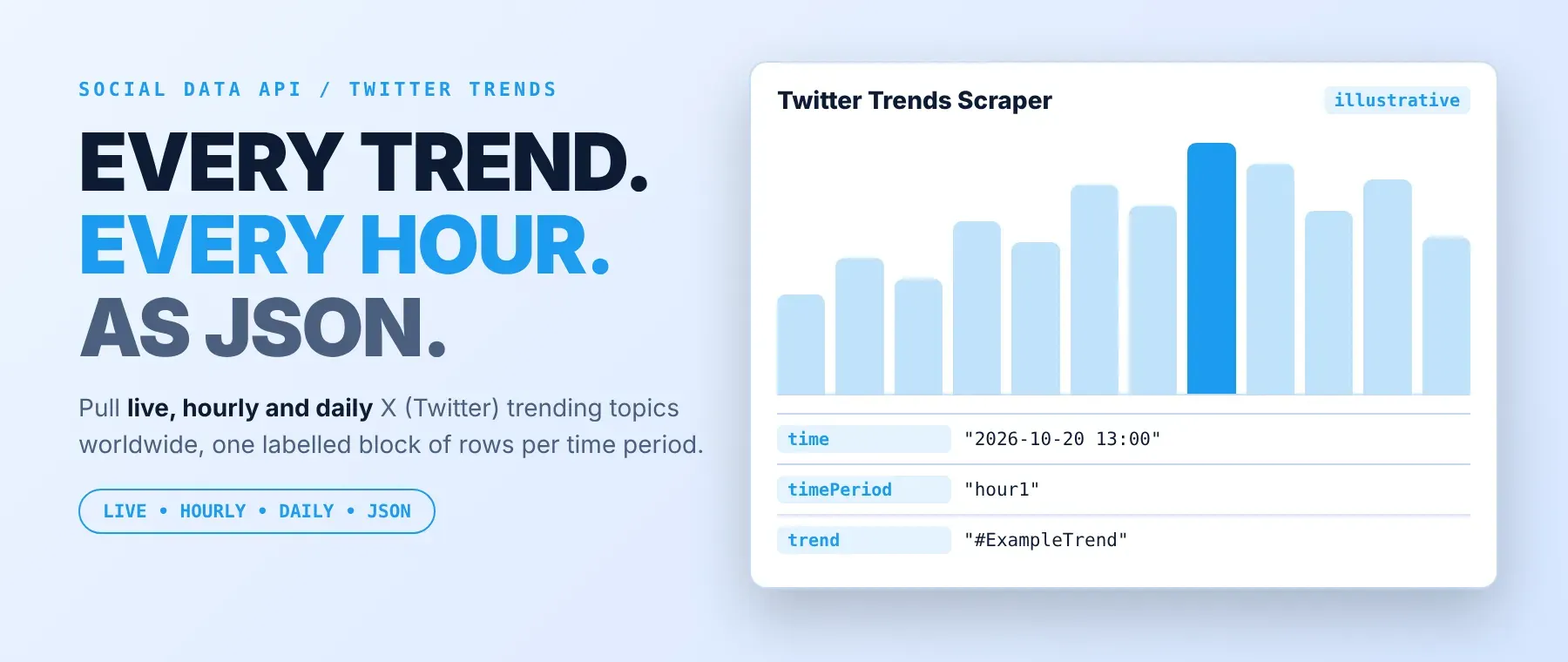
Twitter Trends Scraper returns worldwide Twitter/X trending topics as structured JSON: trend name, time period, scrape time, and a volume figure on rare rows. Pick any mix of the live board, five hourly rewinds, and the last two days' snapshots — each one returns as its own labelled block. No login, cookie, API key or session token is involved. Every row is ready for an LLM, a vector store, or a trend-monitoring pipeline. Start with the live board, then add history.
⚠️ Read the note on volume before your first run. It is a real field, but it is empty on almost every row — see why below.
Twitter Trends Scraper MCP Server: use these Actors from ChatGPT, Claude or Cursor
Point your AI assistant at Apify's MCP server and it can call Twitter Trends Scraper (Apify Actor ID: socialdataapi/twitter-trends-scraper, https://apify.com/socialdataapi/twitter-trends-scraper) on its own. No glue code, no scraping logic in your prompts.
What is Twitter Trends Scraper?
Twitter Trends Scraper — also handy as an X trends scraper — is an Apify Actor that reads the public, logged-out HTML of a third-party Twitter/X trends aggregator page for the Worldwide trend board, and separately checks a public, anonymous lookup that X's own web app uses for its own published tweet-volume numbers. It is not the official X API: one HTTP GET per selected time period, no pagination, no browser.
No Twitter/X account, login, cookie, bearer token or API key is required, and no captcha-solver key or other third-party credential either. The only credential in play is your Apify token. Requests go out anonymously and, by default, without a proxy.
It is built as a Twitter trending topics scraper for social media managers and news teams tracking what is trending worldwide right now or an hour ago, and developers feeding trending topics into dashboards, alerting jobs or agent tools.
What Twitter trend data is publicly available to scrape?
The trends page this Actor reads publishes, to any logged-out visitor, a Worldwide board of up to 50 ranked trends per time period — enough to scrape Twitter trends as a practical Twitter trending hashtags scraper for any hashtag or phrase that breaks into the worldwide board. Hourly rewind pages and the last two days' closing snapshots are separate pages the same site serves.
| Data Category | On the public trends page | Not available to this Actor |
|---|---|---|
| Trend name — hashtag or plain phrase | ✅ Public | — |
| Live board, right now | ✅ Public | — |
| Hourly rewind — 1, 3, 6, 12 or 24 hours back | ✅ Public — one page per period | — |
| Day 2 / Day 3 closing snapshot (23:00 UTC) | ✅ Public | — |
| A tweet-volume figure for a trend | ⚠️ Rare | Most trends carry no published volume right now — see below |
| The posts, authors and engagement behind a trend | ❌ | Not on this page at all — no handles, no post text, no counts |
| Country-level or city-level boards | ❌ | This Actor covers Worldwide only |
Twitter Trends Scraper only returns publicly visible data — what any visitor sees on a logged-out trends page. Nothing behind a login wall.
⚠️ Why is volume usually empty?
volume is a real output field, not a placeholder. It is filled from whichever of two public sources actually publishes a number for that trend: the source page's own volume cell, or a public, anonymous tweet-volume lookup used as a fallback for the live board only. In practice both have been returning no number for most trends since early 2026, so volume comes back "" on the great majority of rows. The field is never invented — when no source publishes a number, it stays an empty string rather than a guess.
What data can I extract with Twitter Trends Scraper?
Every row carries the trend, which time period it belongs to, when it was scraped, and the volume figure when one exists.
| Field Name | Description |
|---|---|
trend | The trending topic exactly as published — a hashtag like #Wimbledon or a plain phrase |
timePeriod | The period this row belongs to: Live, 1 hour ago, 3 hours ago, 6 hours ago, 12 hours ago, 24 hours ago, Day 2 (Yesterday) or Day 3 |
time | When this row was scraped, ISO 8601 UTC with microseconds. Identical for every row parsed from the same page |
volume | A tweet-volume figure as text, e.g. "43.8K tweets", when one is published for this trend. Empty string "" on every row where no source publishes a number — which is most rows right now |
Example input
Example output
A row with a published volume figure looks like:
How to use Twitter Trends Scraper
Twitter Trends Scraper runs on Apify. Start it from the Apify Console or call it through the Apify API.
- Open Twitter Trends Scraper on Apify and click Try for free
- Leave ✅ Live now on for the board as it stands right now, and tick any of the hourly or day-summary toggles you also want. They are not mutually exclusive — Live plus three others gives you four boards in one run
- Click Start, then export as JSON, CSV or Excel, or read the dataset through the Apify API
Nothing is required beyond keeping at least one period on. The schema defaults live, hour1 and day2 to on, so an empty input already scrapes three periods. Turning every period off and running with no period selected fails the run with a clear status message rather than scraping nothing silently.
What can you do with Twitter trend data?
- 📰 A newsroom social editor runs Live plus
hour1andhour3, then diffstrendacross the threetimePeriodvalues to separate a story that is climbing from one that already peaked. - 🧵 A brand monitoring analyst uses it as an hourly Twitter trends tracker, matching
trendagainst a watch list across the day to catch a spike worldwide. - 🤖 An AI engineer building a content agent indexes
trendandtimePeriodinto a vector store so the agent can answer "what was trending worldwide an hour ago" from observed rows instead of a model's stale training data. - 📊 A researcher comparing a story's lifetime runs Live,
hour24,day2andday3together, building a twitter trends history for that topic to see whether it was still trending a full day or two later.
Every one of these is callable from an agent framework over the Apify API, since the Actor is a standard HTTP-triggered run. Building an AI agent? Connect Twitter Trends Scraper over MCP and let it call the actor on its own.
How does Twitter Trends Scraper handle rate limits and blocking?
The source serves this Actor without a proxy, and that is the default: proxy prefills useApifyProxy: false and a plain run goes out on a direct connection. Requests carry a native Linux-container browser fingerprint rather than a default HTTP client signature.
If you do select a proxy, it is validated before the run starts: the Actor makes one test request through it and, if that fails, falls back to Apify RESIDENTIAL. If no proxy was selected at all and a direct request comes back blocked, the run itself escalates to Apify RESIDENTIAL for the requests that follow. The tier used is logged and written into RUN_SUMMARY.json.
A response counts as good only when it actually contains the expected result markers, so a soft block or a wrong page is caught rather than parsed into hollow rows. Retries back off with increasing delays, and a period whose page keeps failing gets a few longer pause-and-retry rounds before it is finally given up on.
When a period cannot be fetched or parses to zero trends, the run does not stop: that period is logged as failed and the remaining periods continue.
⬇️ Input
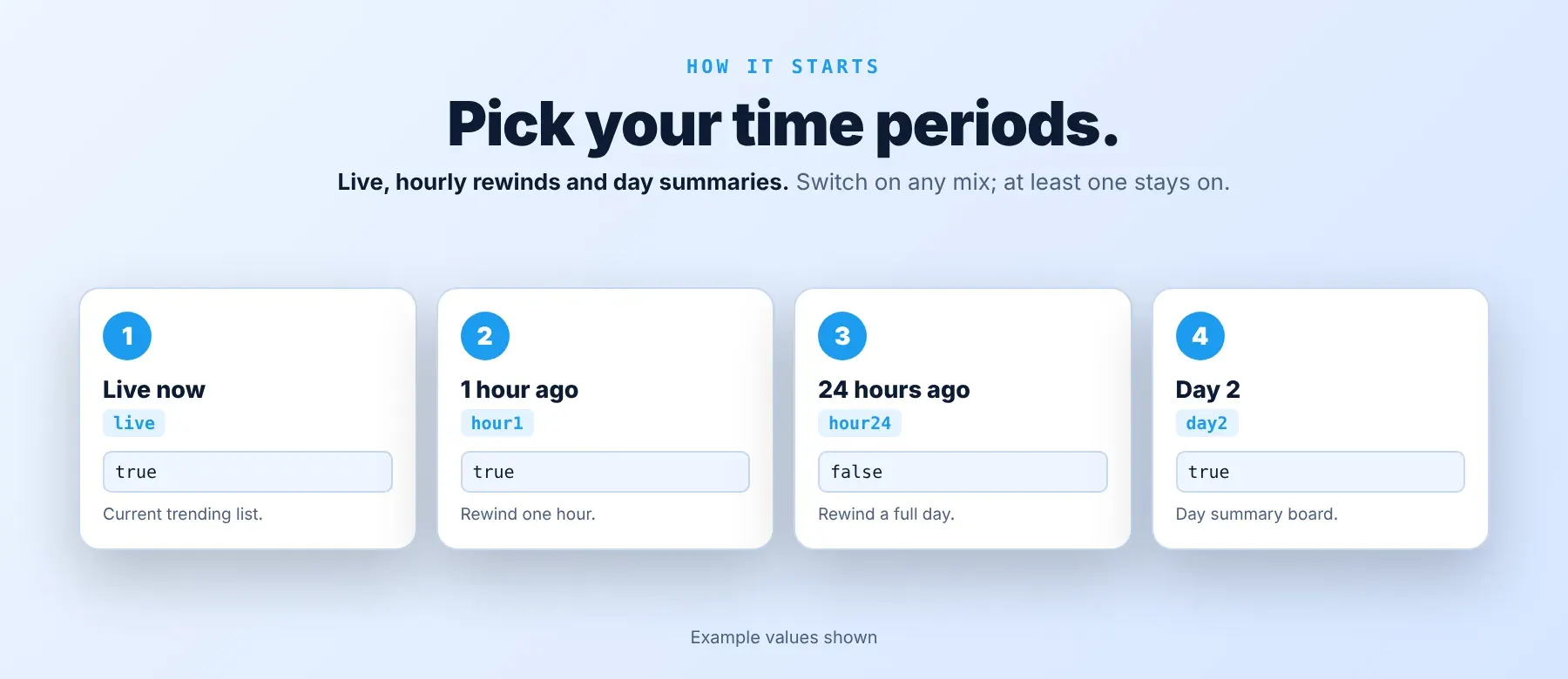
Nine parameters, none of them required.
| Parameter | Required | Type | Description | Example Value |
|---|---|---|---|---|
live | No | boolean | Scrape the Worldwide board as it stands right now — use it as a live Twitter trends checker for what's trending this second. Default true. | true |
hour1 | No | boolean | The board as it stood 1 hour ago. Default true. | true |
hour3 | No | boolean | The board as it stood 3 hours ago. Default false. | false |
hour6 | No | boolean | The board as it stood 6 hours ago. Default false. | false |
hour12 | No | boolean | The board as it stood 12 hours ago. Default false. | false |
hour24 | No | boolean | The board as it stood 24 hours ago (same hour, yesterday). Default false. | false |
day2 | No | boolean | Yesterday's closing (23:00 UTC) snapshot. Default true. | true |
day3 | No | boolean | The day before yesterday's closing (23:00 UTC) snapshot. Default false. | false |
proxy | No | object | Proxy strategy, proxy editor. Prefilled {"useApifyProxy": false} — no proxy, which is what the source expects. An unreachable selection, or a direct connection that gets blocked, falls back to Apify RESIDENTIAL. | {"useApifyProxy": false} |
At least one of the eight period toggles must stay on; a run with all eight off fails immediately with a clear status message instead of scraping nothing.
Free plan limits
Free plan: up to 20 trends per run (all selected time periods together) and 200 per month; paid plans have no limit. A free-plan run with several time periods selected shares that same 20-trend ceiling across all of them, not 20 per period — the Actor stops the whole run once the run total is reached and tells you so in the log and status message. Paid plans, local apify runs and Apify's own test runs are never limited.
⬆️ Output
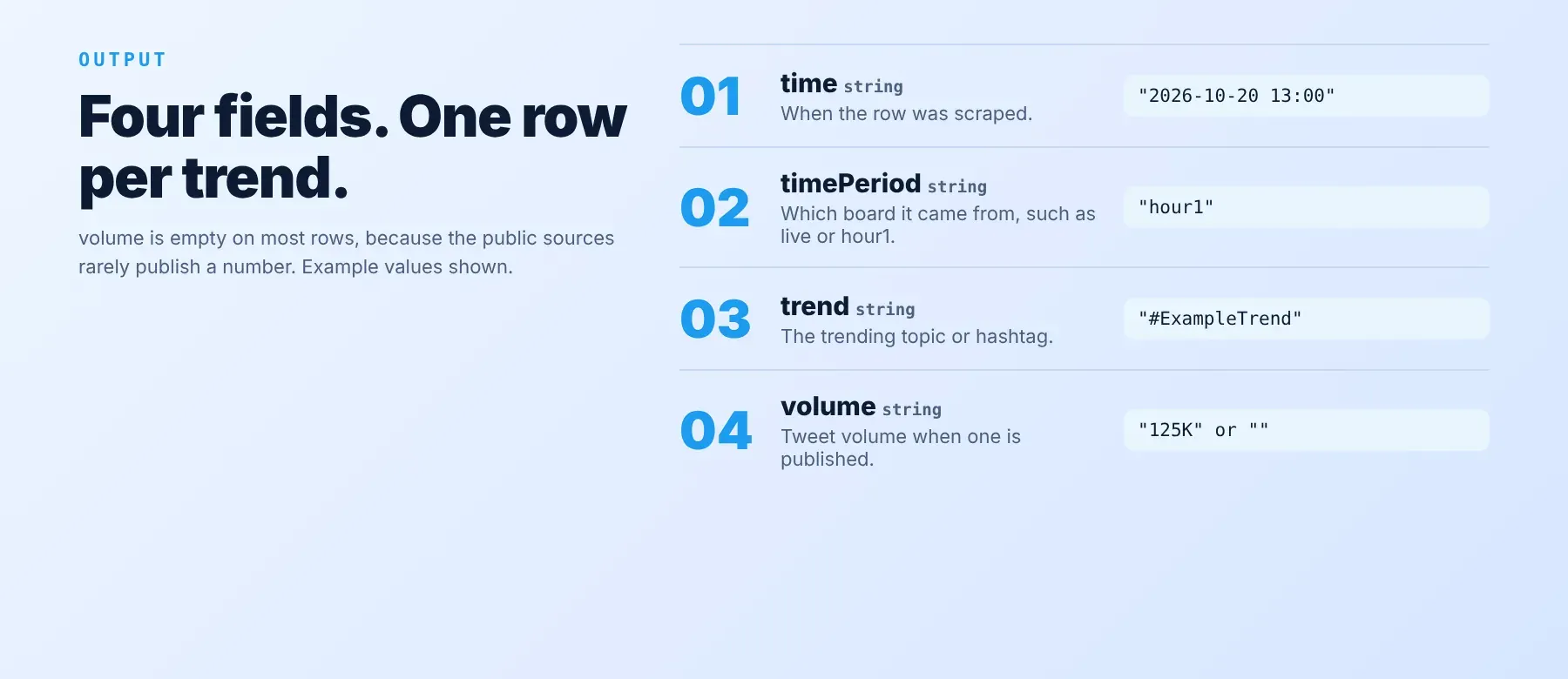
One dataset row per trend per time period, typed and the same key names on every run. Rows are pushed as each page is parsed, so a crash part-way through never loses what has already landed. Export as JSON, CSV or Excel, or read the dataset through the Apify API. A run also writes RUN_SUMMARY.json to the run's key-value store, carrying the proxy tier used, which periods were requested and scraped, the total number of trend rows pushed, and any periods that failed.
Charging is per pushed row: one row_result event per trend row.
How does it work?
For each time period you enable, the Actor builds one URL — the live page, an hourly rewind page, or a dated end-of-day snapshot page — and issues a single plain HTTP GET per URL with a native Linux-container browser fingerprint. There is no headless browser, no JavaScript execution, no login and no cookie jar. For the live board, it separately checks a public, anonymous tweet-volume lookup and fills volume on any trend that lookup actually publishes a number for.
A response is accepted only when it actually contains the page's expected result markers, which catches soft blocks that arrive dressed as success. Requests go out directly by default; a selected proxy is tested first and a direct connection that gets blocked escalates to Apify RESIDENTIAL.
Only publicly visible data is collected, and the output key names stay the same whatever the source does to its layout.
Integrations
Twitter Trends Scraper is an Apify Actor, so it works with anything that can call the Apify API from any language, register it as an X trending topics API tool over MCP, or run it from a no-code tool.
Calling Twitter Trends Scraper from the Apify API
Once the Actor is on your account, run it with the Apify apify-client library — available for Python, Node.js, Go and others — or with a plain HTTP request (cURL works too) against your own Apify token and this Actor's run-sync endpoint. Send the same JSON input shown above (live, hour1, day2, …), then read timePeriod, trend and volume off each item in the dataset the run returns. The Apify API reference covers the exact endpoint path and authentication for your account.
MCP integration for AI agents
Point your AI assistant at Apify's MCP server and it can call Twitter Trends Scraper directly as a tool — no glue code, no scraping logic in your prompts.
This registers Twitter Trends Scraper as a tool your agent can call directly. Compatible with Claude Code, Cursor and Windsurf.
No-code tools (n8n, Make, Zapier)
In n8n, use the Apify node — or an HTTP Request node pointed at the Apify run endpoint with your token — and pass the same JSON input shown above. In Make, the Apify module supports run-and-wait, so a trends pull can feed a Google Sheets, Airtable or Slack step directly. Both platforms handle scheduling, which is how you turn the live period into a rolling archive without writing any code.
Is it legal to scrape Twitter trending topics?
Scraping publicly accessible trend listings is broadly treated as permissible where no authentication is bypassed, and this Actor reads only logged-out public pages — no account, no cookie, no session.
The output is aggregate platform signals: a topic name, a time period, a timestamp, and occasionally a volume figure. There are no author handles, no user IDs, no post text and no engagement counts in any field this Actor writes, so GDPR and equivalent personal-data regimes do not attach to this output the way they would to a profile scraper. The one nuance worth naming: a trend name is free text, so trend can occasionally contain a person's name or an @-style handle simply because that is what was trending — treat trend as free text that may contain names rather than as a guaranteed-anonymous label if you retain trend history in bulk.
What applies primarily is contractual and database-related: the terms of service of the aggregator page being read, X's own terms and its rights in the underlying trend data, and database or unfair-competition rules covering systematic reuse of a compiled dataset.
Consult legal counsel if your use case involves republishing this data as a competing trends dataset, or bulk retention where trend names are matched back to individuals.
❓ Frequently asked questions
What Twitter trend fields does Twitter Trends Scraper return?
Four: trend, timePeriod, time and volume. See the data fields table above.
Does Twitter Trends Scraper require a Twitter/X account, login or API key?
No. No X account, no login, no cookie, no bearer token, no API key and no captcha-solver key. The only credential involved is your Apify token.
Where does the trend data actually come from?
From the public HTML of a third-party Twitter/X trends aggregator page, plus a public, anonymous tweet-volume lookup for the live board only. Neither call uses your X account or any login.
Why is volume usually empty?
Because both public sources this Actor checks have published no tweet-volume number for most trends since early 2026. The field is kept and filled whenever a source does publish a number; it is never invented when neither one does.
What happens if a period has no trends, or the page fails to load?
That period is logged as a failure and the run continues with the remaining periods — nothing is charged for a period that produced no rows. The failure is also listed in RUN_SUMMARY.json.
How many trends can I get in one run, and can I combine time periods?
Yes, combine freely — the eight toggles are independent, not mutually exclusive. Each enabled period is one page fetch returning up to 50 ranked trends.
Does Twitter Trends Scraper work with Claude, ChatGPT and other AI agent tools, and is the output LLM-ready?
Yes — Twitter Trends Scraper (Apify Actor ID: socialdataapi/twitter-trends-scraper, https://apify.com/socialdataapi/twitter-trends-scraper) is available as an MCP tool:
That registers it in Claude Code, Cursor or Windsurf. Any agent that can call an HTTP endpoint can also use the REST API directly — LangChain, CrewAI, n8n or a hand-written tool definition all receive typed, normalized JSON with consistent field names across runs.
Can I use Twitter Trends Scraper without managing proxies?
Yes, and that is both the default and the recommended setting — the source serves this Actor on a direct connection, so proxy prefills to no proxy and most runs never need one. If you do select one, or a direct connection gets blocked mid-run, the fallback to Apify RESIDENTIAL is automatic and logged.
🔗 Related scrapers
| Scraper Name | What it extracts |
|---|---|
| X Twitter Posts Search | Search results on X for a query — the posts behind a trend |
| Twitter X Posts Scraper | Public posts from X/Twitter |
| Twitter X Reply Scraper | Replies under a given X post |
| Reddit Trends Scraper by Sort, Time and Score Filter | Trending Reddit posts with sort, time-window and score filters |
| TikTok Trending Hashtags Scraper by Multiple Countries | Trending TikTok hashtags across several countries |
| Google News Scraper by Publisher Site Filter | News coverage filtered to a specific publisher or domain |
💬 Your feedback
Found a bug, or need a time period that is not covered? Open an issue on the Actor's Issues tab. Reports that include the exact input JSON are the fastest to reproduce and fix.


