

Youtube Most Replayed Scraper
Pricing
from $3.49 / 1,000 results
Youtube Most Replayed Scraper
YouTube Most Replayed Scraper — Extract YouTube “Most Replayed” data, including replayed timestamps, viewer activity, video titles, durations, channel details, and video URLs. Useful for audience behavior analysis, content optimization, video research, and engagement insights.
Pricing
from $3.49 / 1,000 results
Rating
0.0
(0)
Developer

Social Data API
Maintained by CommunityActor stats
0
Bookmarked
2
Total users
1
Monthly active users
5 days ago
Last modified
Categories
Share
Youtube Most Replayed Scraper — Heatmap, Views and Engagement Data
Youtube Most Replayed Scraper reads the public watch page of any YouTube video and returns its Most Replayed graph as structured JSON: the intensity curve showing where viewers rewatch most, the labelled replay peaks, plus the channel name, title, view count, likes, comments and upload date. Every response is structured JSON — ready to pass directly to an LLM, index into a vector store, or feed a video-analytics pipeline. No YouTube account, login or cookies are needed. Start with one video, then scale to an entire channel.
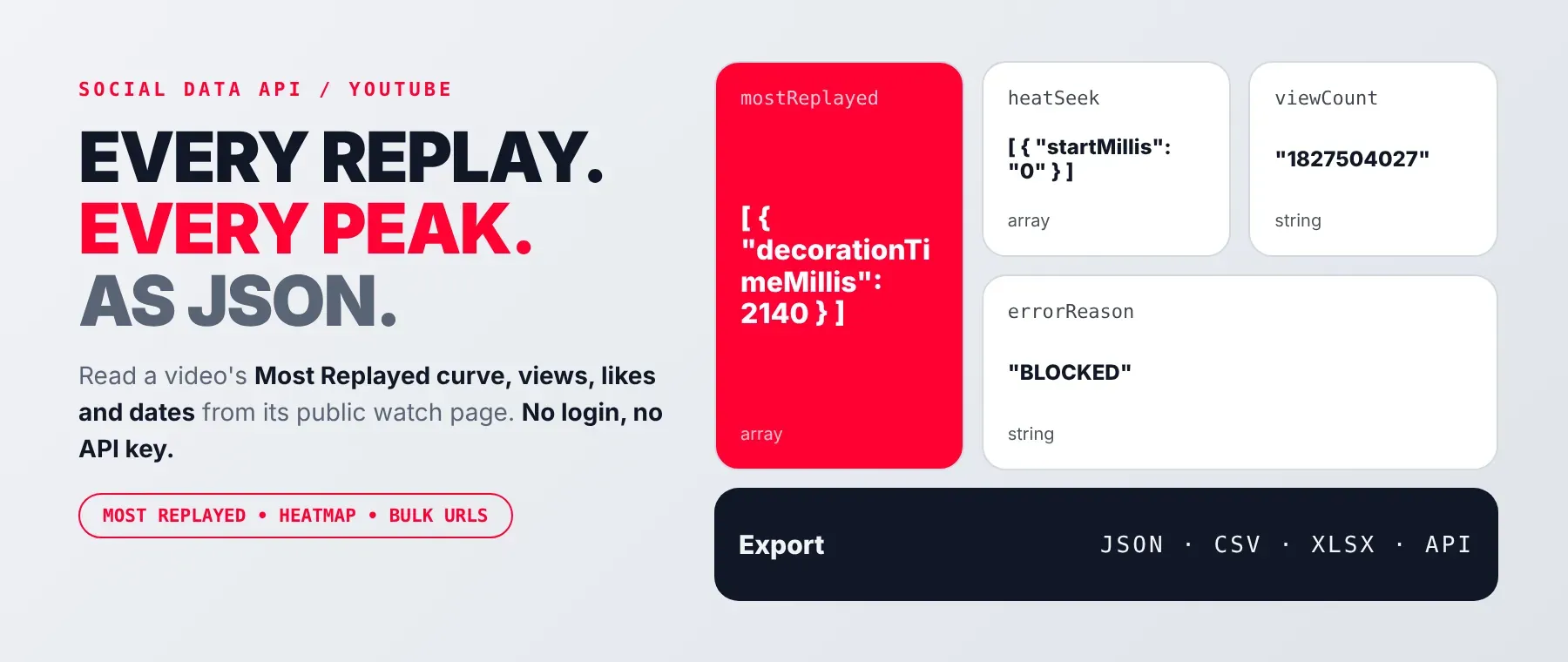
What data can I extract with Youtube Most Replayed Scraper?
Using this YouTube heatmap scraper, you will be able to extract the following YouTube Most Replayed data:
| 🆔 Video ID | 📌 Title | 📺 Channel name | 👁️ View count |
|---|---|---|---|
👍 Like count (null if YouTube hides it) | 💬 Comment count | 📅 Upload date | 🕐 Relative upload date |
| 🔥 Most replayed peaks | 📈 Heatmap intensity curve (100 points) | ⚠️ Error reason (failed rows only) | ❌ Error message (failed rows only) |
How to use Youtube Most Replayed Scraper
It is for video editors, channel analysts and AI-agent builders who need to scrape YouTube heatmap data as structured rows instead of reading it off the player scrubber, and get one typed row back per URL.
Copy to your AI assistant:
Youtube Most Replayed Scraper MCP Server: use these Actors from ChatGPT, Claude or Cursor
Point your AI assistant at the Apify MCP server and it can find and call this Actor on its own: no glue code, no scraping logic in your prompts. The agent discovers it itself through the server's search, add and call-actor tools.
Step by step
- Create a free Apify account.
- Open Youtube Most Replayed Scraper on the Apify Store and click Run, or start it via the Apify API or
apify-client. - Enter the YouTube video URL(s).
- Click Start.
- Download or stream your results in JSON, CSV or Excel.
How to scale Youtube Most Replayed Scraper to bulk
The URL list accepts any length, so a single run takes as many watch links as you paste in — one per line — and scrapes them one by one, applying the proxy-fallback and retry logic to each. There is no separate batch endpoint; for very large lists, splitting across multiple runs keeps any one run's timeout budget manageable.
✨ Features
It is a youtube replay graph extractor that fetches clean, structured heatmap and metadata rows from YouTube's own watch page. It's ideal for finding where viewers rewind on a video, cutting trailers or Shorts around real retention peaks, and benchmarking engagement across a catalogue.
It extracts, per video:
- Heatmap intensity curve – the 100-point retention curve for the whole video
- Most replayed peaks – the labelled timestamps viewers rewatch most
- View count, likes, comments – the engagement counters shown on the page
- Channel name, title, upload date – the identity fields for the video
⚡ Failed or unavailable URLs come back as an uncharged row instead of wasting a charge on a blank result.
Use cases 💡
- Video editor — finds the exact rewatched timestamp to cut a highlight clip around.
- Channel analyst — tracks the youtube retention heatmap across uploads to compare attention.
- Content researcher — compares which most replayed youtube videos hold viewers longest.
- Marketer — checks whether likes come back
nullbefore citing them in a benchmark. - AI/LLM engineer — feeds the heatmap and metadata into a RAG pipeline or agent tool to auto-generate retention-based highlight timestamps.
Building an AI agent? Connect Youtube Most Replayed Scraper over MCP and let it call the actor on its own.
Why choose this actor?
- One request, the full graph. A recorded run returned the complete 100-point heatmap and its labelled replay peak for a single video URL in 1.2 seconds.
- Real numbers, never placeholders. That same recorded run returned a view count over 1.8 billion and more than 19 million likes as plain typed values — a field YouTube hasn't published yet stays an honest
nullor empty array instead of a guess. - One actor, twelve typed fields. Every run returns the same 10 success fields — heatmap, replay peaks and 7 metadata fields — plus 2 extra fields that appear only on an uncharged error row.
⬇️ Input
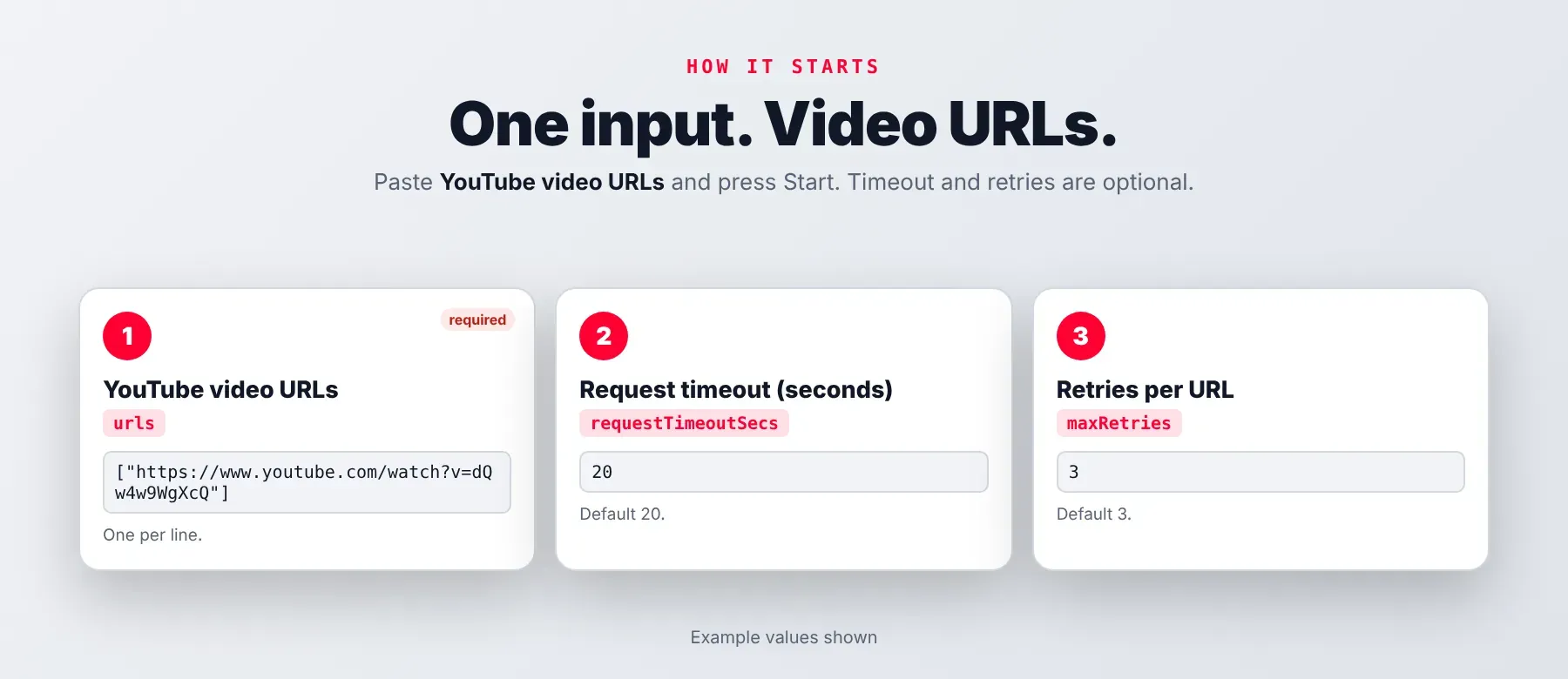
It accepts a list of YouTube video URLs — the URL list is the only required field.
| Parameter | Required | Type | Description | Example value |
|---|---|---|---|---|
urls | Yes | array | One or more YouTube video URLs, one per line. watch?v=, youtu.be/, /shorts/, /embed/ and /live/ links are all accepted and normalised to the desktop watch page. | ["https://www.youtube.com/watch?v=dQw4w9WgXcQ", "https://youtu.be/9bZkp7q19f0"] |
requestTimeoutSecs | No | integer | How long to wait for a single watch-page response before treating it as failed. Default: 20. Minimum: 5. Maximum: 300. | 30 |
maxRetries | No | integer | How many times to retry a URL that fails to load. Videos YouTube reports as unavailable are not retried. Default: 3. Minimum: 0. Maximum: 10. | 3 |
proxy | No | object | Apify Proxy configuration. Off by default. If left off and the Actor is blocked, it switches to Apify Residential itself and stays on it. Default: {}. | {"useApifyProxy": true, "apifyProxyGroups": ["RESIDENTIAL"]} |
Free plan limits
Free plan: up to 20 videos per run (all URLs together) and 200 per month; paid plans have no limit.
Example input
⬆️ Output
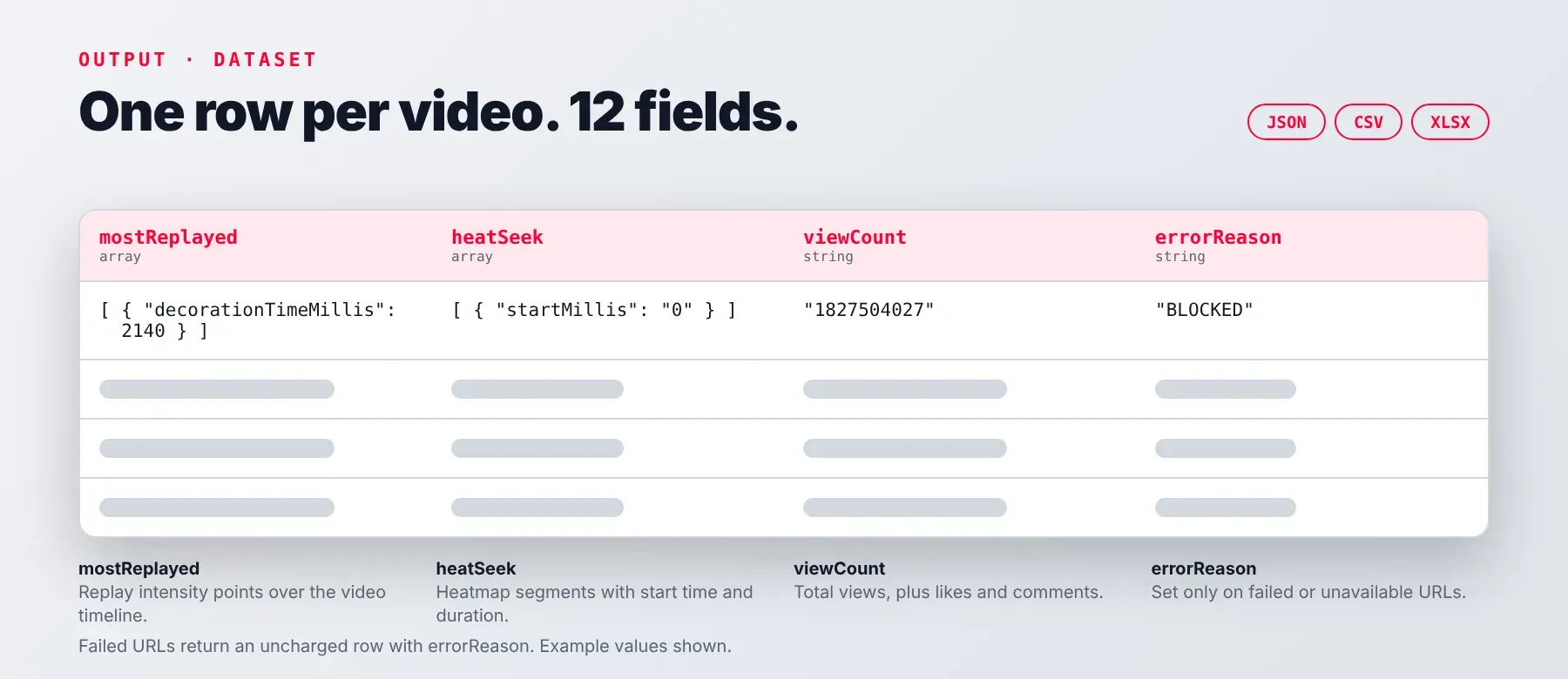
Every run writes one typed, normalized JSON row per video to the default dataset, with the same field names and shapes whether the video had a heatmap or not. Only successful rows are charged; a failed or unavailable URL is pushed as an uncharged row carrying an error code and message instead of the metadata and heatmap fields. Results export as JSON, CSV or Excel, Apify's standard dataset formats.
Example output
A real, recorded successful row (first 3 of the 100 heatmap points shown):
An uncharged error row for a video YouTube refuses to serve:
How does it work?
It sends one plain HTTPS request per video to the public YouTube watch page with a desktop browser's user agent — no headless browser, no login, no cookies. The page already carries the Most Replayed heatmap and the video's metadata in its own server-rendered data, which the actor reads directly rather than calling a separate API. Extracting youtube heatmap data this way means only data already visible to any visitor on the public watch page is ever returned — nothing is inferred or pulled from a logged-in session. If the target blocks a request, the actor switches its outgoing IP to Apify Residential proxy and retries instead of giving up. The dataset's field names and shapes are fixed by the actor's own code, so they stay stable even when YouTube changes how its page looks.
How do you integrate Youtube Most Replayed Scraper into your stack?
This youtube video heatmap API works with whatever you already use to call Apify Actors: the REST API from any language, MCP for AI agents, or a no-code tool.
MCP integration for AI agents
This registers Apify's MCP server as a tool your agent can call directly, and the agent finds and calls this Actor on its own. Compatible with Claude Code, Cursor and Windsurf.
No-code tools (n8n, Make, LangChain)
In n8n, use the Apify node's "Run an Actor" module pointed at this Actor, or an HTTP Request node against the Apify API with your token. In Make, use the Apify app's "Run an Actor" module followed by "Get Dataset Items". In LangChain, use langchain-apify and its ApifyActorsTool wrapper to call this Actor from an agent.
Is it legal to scrape YouTube video and heatmap data?
Scraping publicly visible video metadata and the Most Replayed graph is generally permissible, since this Actor returns only what YouTube already displays to any visitor without a login. This is engagement data tied to a public video and channel, not private data about individual viewers, but storing and using it must still comply with local data-protection law such as GDPR where it applies. Consult legal counsel if your use case involves bulk storage of personal data.
Frequently asked questions
What fields does Youtube Most Replayed Scraper return?
It returns youtube heatseek data — the 100-point heatmap intensity curve and the labelled replay peaks — plus view count, likes and comments, channel name, title, video ID and upload date. See What data can I extract above for the full field table.
Does Youtube Most Replayed Scraper require a YouTube account or login?
No. It fetches the public desktop watch page with a plain HTTPS request — no Google account, YouTube login or cookies are used or required.
How fast does Youtube Most Replayed Scraper run?
A recorded run returned one video's complete heatmap and metadata in about 1.2 seconds. Every run reads the page live — nothing is served from a cache.
What happens if a video has no Most Replayed graph?
YouTube only publishes the graph once a video has accumulated enough watch history — on a 43-video sample checked during development, 27 (62.8%) had one and the rest did not, with absence tracking video age more than view count. When there's no graph, the row still saves successfully with empty heatmap arrays — it is not treated as an error.
What happens if a video is removed, private, or region-locked?
The watch page can return HTTP 200 while still refusing to serve the video. The actor detects this from the page's own playability status, skips parsing a blank row, and instead pushes an uncharged row with an error code and message set (VIDEO_UNAVAILABLE for a dead video, BLOCKED for a login/age/content wall). Filter these out downstream by checking whether the error reason field is present.
Can I scrape multiple YouTube videos at once?
Yes. Pass multiple URLs in the URL list in a single run; each is fetched, retried, and saved independently, so one slow or unavailable video doesn't block the rest.
Does Youtube Most Replayed Scraper work with Claude, ChatGPT, and other AI agent tools?
Yes — Youtube Most Replayed Scraper is reachable through Apify's MCP server. Show the command above to register it in Claude Code, Cursor or Windsurf. Any agent that can call an HTTP endpoint can also use the REST API directly.
How does Youtube Most Replayed Scraper compare to the official YouTube API?
The YouTube Data API v3 has no endpoint that returns the Most Replayed heatmap at all — that data exists only inside the watch page's own rendered data, which is exactly what this Actor reads. Both return structured data, but only this Actor returns the heatmap, and it needs no Google Cloud project, API key or quota to do it.
Does Youtube Most Replayed Scraper return data in a format LLMs can use directly?
Yes. Output is typed, normalized JSON with consistent field names across every run — no HTML parsing, no CSS selectors. Pass it directly to an LLM prompt, index it into a vector store, or call it as an agent tool.
What happens when YouTube changes its layout or anti-bot system?
The actor is actively maintained; when YouTube changes its page, the parsing logic is updated so the same output fields keep returning real data — no changes needed on your end. No specific turnaround time for fixes is published.
Can I use Youtube Most Replayed Scraper without managing proxies or browser infrastructure?
Yes. There's no browser to run — the actor makes plain HTTP requests — and proxy handling, including the Residential fallback when blocked, runs on the actor's side. You only need to opt into a proxy if you want one active from the first request instead of after a block.
Which fields work best for AI training data and RAG indexing?
For RAG or semantic search, the title, channel name and upload date give the descriptive context to pair with a video ID. For structured analysis or training data, the heatmap intensity curve and replay peaks are the most consistently shaped fields across records — fixed-key objects in an array — while view count, likes and comments return as typed strings (or null for hidden likes) rather than free text.
Related scrapers
| Scraper | What it extracts |
|---|---|
| Youtube Video Details Scraper | A video's own metadata and details |
| Youtube Video Scraper by Hashtag | Videos discovered from a seed hashtag or keyword |
| Youtube Metadata Scraper | A video's title, description and metadata fields |
| youtube-search-scraper | Videos matching a search keyword |
Your feedback
Found a bug or missing a field? Let us know via this Actor's Issues tab on the Apify Store. Every report is read, and fixes ship as YouTube's page markup changes.


