

Facebook Posts Search Scraper
Pricing
from $1.49 / 1,000 results
Facebook Posts Search Scraper
Facebook Posts Search Scraper — Search and extract Facebook posts by keywords, including post text, authors, page details, timestamps, reactions, comments, shares, media URLs, and post links. Useful for content research, competitor analysis, audience insights, and social media monitoring.
Pricing
from $1.49 / 1,000 results
Rating
0.0
(0)
Developer

Social Data API
Maintained by CommunityActor stats
0
Bookmarked
4
Total users
3
Monthly active users
4 days ago
Last modified
Categories
Share
Facebook Posts Search Scraper — Posts, Engagement and Page Contacts
Facebook Posts Search Scraper takes one or more keywords and returns every matching public post it can find, with page identity, engagement counts, and post text on each row. No Facebook account or cookies are needed — it reads only what's publicly visible on facebook.com. Every response is structured JSON — ready to pass directly to an LLM, index into a vector store, or feed a social-listening pipeline. Start with one keyword, then scale to a full brand-monitoring watchlist.
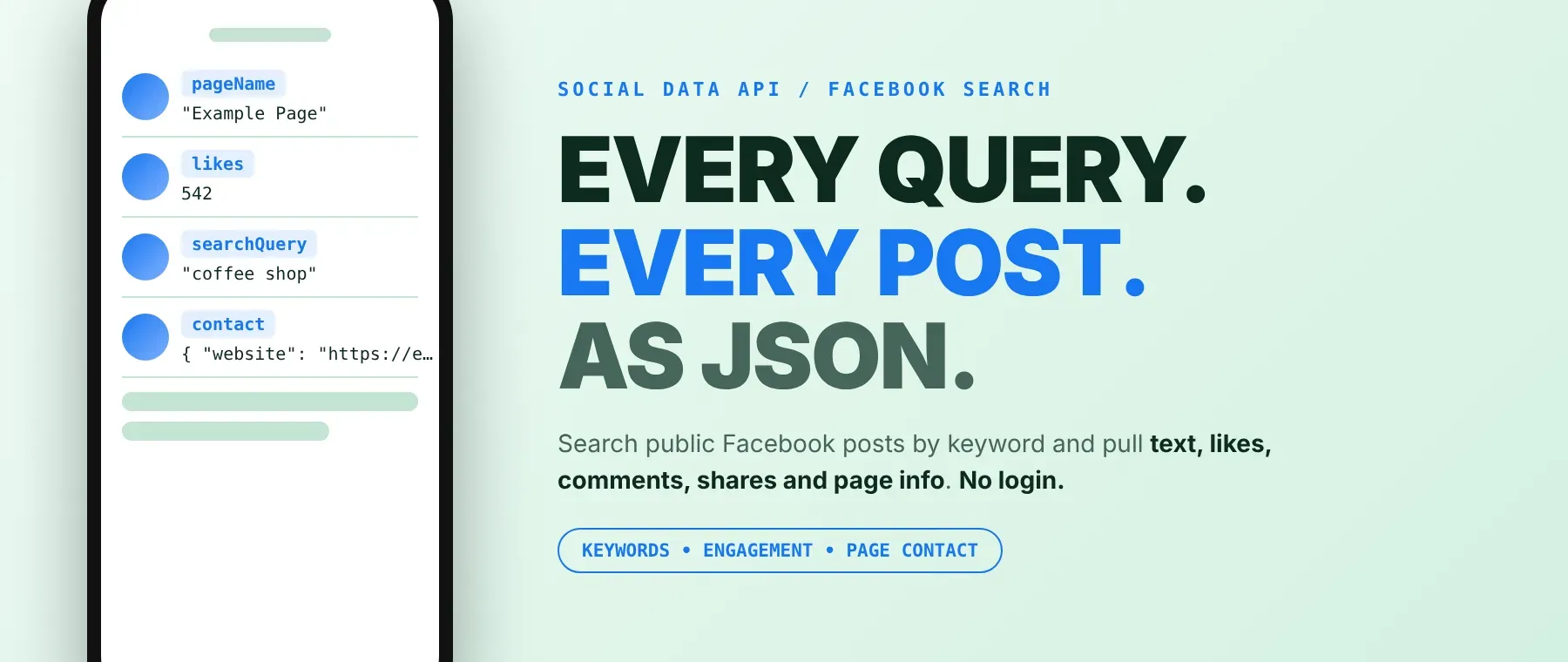
What data can I extract with Facebook Posts Search Scraper?
Using this Facebook Posts Search Scraper API, you can extract Facebook post data — the fields below cover everything the actor returns for each post:
| 👤 Page name | 🔗 Page URL | 🆔 Page ID | 📝 Post text |
| 📅 Publish time | ❤️ Likes | 💬 Comments | 🔄 Shares |
| 🔎 Search keyword | 🖼️ Post thumbnail | 🔗 Attached link | 📇 Page contact (email, phone, website, address) |
| 💬 Comments fetched (child dataset) | 🕒 Scraped at | 🆔 Post ID | 📎 Post URL |
How to use Facebook Posts Search Scraper
Enter one or more keywords and run a Facebook keyword search that returns every matching public post it can find — with page identity, engagement counts, and text — written to the dataset as each post is scraped, not held back to the end of the run.
Copy to your AI assistant:
Facebook Posts Search Scraper MCP Server: use these Actors from ChatGPT, Claude or Cursor
Point your AI assistant at the Apify MCP server and it can find and call this Actor on its own, directly from a prompt — no glue code, no scraping logic to write.
Step by step
- Create a free Apify account.
- Open Facebook Posts Search Scraper in the Apify Store.
- Enter one or more Facebook search keywords.
- Click Start (or send your API request).
- Download or stream your results in JSON, CSV or Excel.
How to scale Facebook Posts Search Scraper to bulk
Add more entries to searchQueries to scrape Facebook posts by keyword across many topics in one run — each keyword runs as its own independent search, so a run with ten keywords returns results for all ten without ten separate runs. For a recurring brand-monitoring or social-listening workflow, schedule the actor with the same searchQueries list on a daily or weekly interval and compare pageName and text week over week. There's no published rate limit beyond maxPosts itself, so the practical ceiling on one run is maxPosts multiplied by the number of searchQueries entries.
✨ Features
As a Facebook posts scraper built around free-text keyword search, it fetches clean, structured post data without needing a list of Page URLs. It's ideal for social listening, market research, Facebook lead generation, and grounding context for AI agents.
It extracts, per post:
- Page name and ID – who posted it, for de-duplicating across posts
- Likes, comments and shares – counts a Facebook engagement scraper needs for ranking posts at scrape time
- Post text and thumbnail – the caption and attached media
- Publish time – a real timestamp, not an estimate
- Page contact – email, phone, website and address when lookup is on
⚡ A recency filter is enforced before a post is ever saved, so an out-of-window post never reaches the dataset or gets charged.
Use cases 💡
- Social listening analyst — run it as a Facebook social listening tool to track a brand keyword and read post text and likes in one feed.
- Market researcher — compare post volume and engagement across countries with
targetCountry. - Lead-generation agency — use it as a Facebook lead generation scraper: turn on contact lookup and export page emails and phone numbers.
- Competitor tracker — run competitor names as
searchQueriesand watch shares trend weekly. - AI agent / RAG pipeline — feed matching posts as grounding context for summarization or trend-alerting.
Building an AI agent? Connect Facebook Posts Search Scraper over MCP and let it call the actor on its own.
Why choose this actor?
- Finds posts by topic, not by Page. This Facebook post search scraper needs no list of Facebook Page URLs — enter a keyword and get back matching public posts with page identity, text and engagement counts, up to 5,000 posts per keyword.
- Twenty fields per post, outreach-ready. Each row carries up to 20 fields, including likes, comments, shares, publish time, and an optional page contact object with email, phone, website and address.
- Three optional layers on one search. A recency filter enforced before a row is ever saved, an uncharged child comment feed, and page-contact lookup — each one turned on independently from the same input.
⬇️ Input
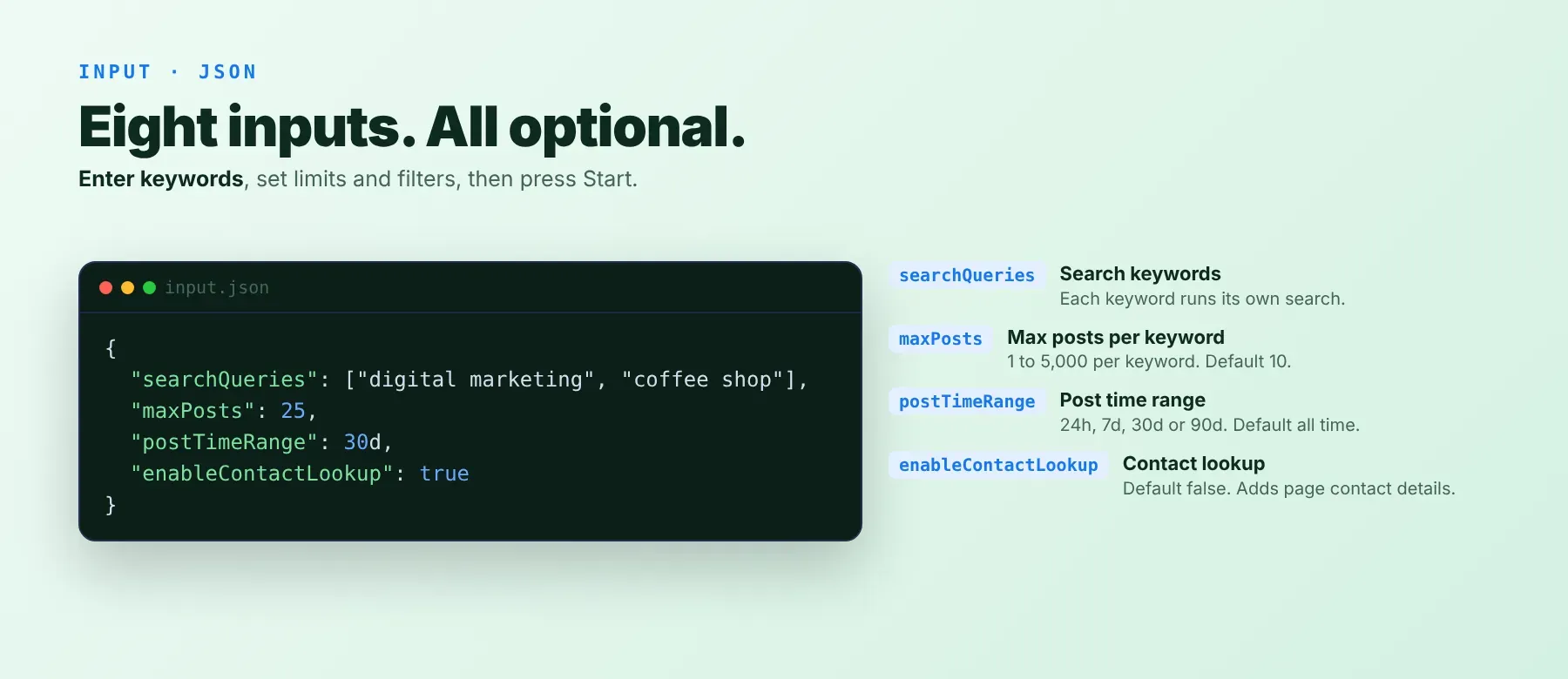
Enter one or more search keywords in searchQueries — every other field is optional and falls back to a sensible default.
| Parameter | Required | Type | Description | Example Value |
|---|---|---|---|---|
searchQueries | No | array | Keywords/topics to search for on Facebook. Each keyword runs its own search. Default [""] (falls back to "football" if left empty at run time). | ["digital marketing", "coffee shop"] |
maxPosts | No | integer | Max posts to collect per keyword, 1–5,000. Default 10. | 25 |
postTimeRange | No | string (enum) | Recency window enforced before rows are saved: "" (all time), 24h, 7d, 30d, 90d. Default "". | "30d" |
targetCountry | No | string (enum) | Biases the initial keyword-search step toward a country's results. Default "" (no bias). | "us" |
targetLanguage | No | string (enum) | Sets the language used for the initial keyword-search step. Default "" (English). | "es" |
enableContactLookup | No | boolean | When true, fetches each post's Page and attaches a contact object (email/phone/website/address). Default false. | true |
maxCommentsPerPost | No | integer | Max top-level comments to fetch per post, 0–500, saved to an uncharged comments-<runId> dataset. Default 0 (disabled). | 10 |
proxyConfiguration | No | object | Proxy used to fetch each discovered post/Page's HTML. The initial keyword-search step always uses a separate, fixed Apify proxy setup, independent of this setting. Default { "useApifyProxy": true }. | { "useApifyProxy": true } |
Free plan limits
Free plan: up to 20 posts per run (all keywords together) and 200 per month; paid plans have no limit.
Example input
Common pitfall: maxPosts is a per-keyword limit, not a total — if searchQueries has 5 entries and maxPosts is 25, the run can produce up to 125 charged rows, not 25. Size maxPosts and the length of searchQueries together before starting a large run.
⬆️ Output
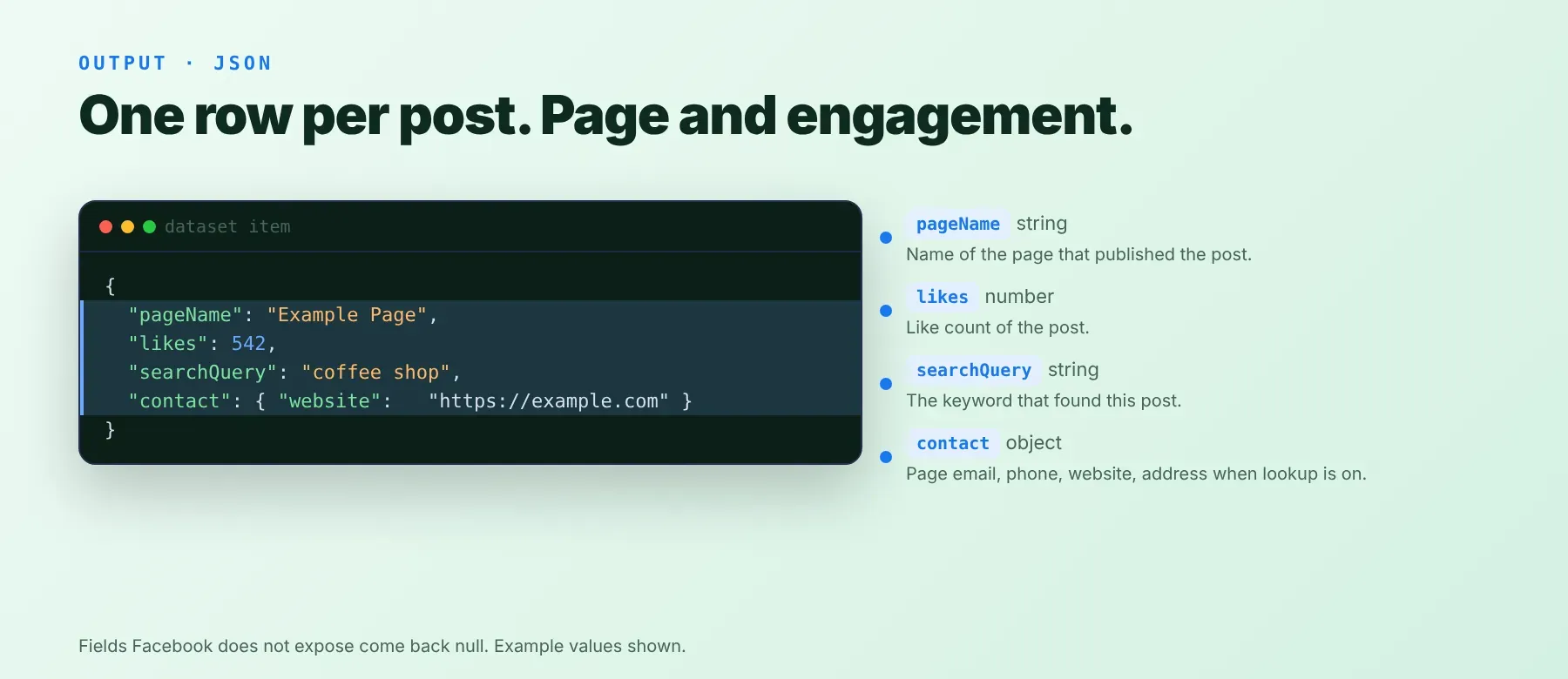
Every scraped post is one typed, normalized JSON item with the same schema on every run. Export the dataset as JSON, Excel, or download Facebook posts to CSV directly from the Console, or fetch items via the Apify API. When maxCommentsPerPost is above 0, each post's top-level comments go to a separate, uncharged comments-<runId> dataset instead of the main one.
Example output
How does it work?
Facebook Posts Search Scraper runs an initial keyword-search step to locate matching public post pages, then opens each discovered post directly over plain HTTP requests — no browser — to read its text, engagement counts, and page identity. Requests rotate through proxies, and a request that comes back blocked or login-walled is retried on a fresh proxy session instead of being saved as-is. The actor returns only Facebook public post data — the same content any visitor sees without logging in — and a field Facebook genuinely doesn't expose on a given post comes back null rather than a guessed value. The output schema stays the same shape run after run, even as Facebook's own page layout changes, because that normalization work happens on the actor's side, not yours.
How do you integrate Facebook Posts Search Scraper into your stack?
Facebook Posts Search Scraper works with what you already use: a REST API callable from any language, an MCP server for AI agents, and no-code automation tools.
Using Facebook Posts Search Scraper with the Apify API
Works in Go, Ruby, Node.js, cURL — any language that can make an HTTP request.
MCP integration for AI agents
Point your AI assistant at the Apify MCP server and it can find and call Facebook Posts Search Scraper on its own, directly from a prompt — no glue code, no scraping logic to write. Works with Claude Code, Cursor, and Windsurf.
No-code tools (n8n, Make, LangChain)
In n8n, use the Apify node's "Run an Actor" operation, or the HTTP Request node pointed at the run-sync endpoint with your token. In Make, use the Apify app's "Run an Actor" module followed by "Get Dataset Items." In LangChain, install langchain-apify and point its ApifyActorsTool at this Actor once you have its id.
Is it legal to scrape Facebook data?
Yes — scraping publicly visible Facebook posts is generally legal, since the same data is visible to any visitor without logging in. Facebook Posts Search Scraper returns only what's publicly available on facebook.com; it does not access anything behind a login wall. That said, a scraped row can include personal data — a page owner's name, and when contact lookup is on, an email, phone number, or address. GDPR and CCPA generally permit scraping public data, but storing and using it still requires a lawful basis and honoring deletion/access requests. Consult legal counsel if your use case involves bulk storage of personal data.
Frequently asked questions
What fields does Facebook Posts Search Scraper return?
Every row includes page name, post text, likes, comments and shares, plus page identity and media fields. See the data fields section for the full list.
Does Facebook Posts Search Scraper require a Facebook account or login?
No. Only public post data is extracted. No Facebook credentials are needed to run it.
What happens if a keyword returns no matching posts?
The run moves on to the next keyword, and the dataset simply has no rows for that one. A field Facebook genuinely didn't expose on a given post — for example likes or comments — comes back null rather than a fabricated zero.
Can I scrape multiple Facebook keywords at once?
Yes — searchQueries accepts an array of keywords, and each entry runs as its own independent search within the same run.
Does Facebook Posts Search Scraper work with Claude, ChatGPT, and other AI agent tools?
Yes — it's available as an MCP tool. Run claude mcp add --transport http apify "https://mcp.apify.com?tools=socialdataapi/facebook-posts-search-scraper" to register the Apify MCP server in Claude Code, Cursor, or Windsurf. Any agent that can call an HTTP endpoint can use the REST API directly.
Does Facebook Posts Search Scraper return data in a format LLMs can use directly?
Yes. Every response is typed, normalized JSON with consistent field names. No HTML parsing, no selectors — pass it straight to an LLM, index it into a vector store, or feed it to an agent tool with no transformation step.
What happens when Facebook changes its layout or updates its anti-bot system?
This actor is maintained and updated when Facebook changes its page layout or defenses — your calls keep returning the same JSON schema with no changes on your end.
Can I use Facebook Posts Search Scraper without managing proxies or browser infrastructure?
Yes. Proxy rotation and retry handling run on the actor's side, and it uses plain HTTP requests rather than a headless browser — you send one request and get structured JSON back, with no browser infrastructure to manage at all.
Which Facebook Posts Search Scraper fields work best for AI training data and RAG indexing?
For RAG indexing: the post text and page name give rich entity context. For training data: the likes, comments and shares counts, plus the publish timestamp, are the most structurally consistent fields across posts. All fields are typed primitives — strings, integers, booleans — no normalization needed.
Your feedback
Found a bug or missing a field? Let us know from this Actor's page in the Apify Console. We read every report and ship fixes — this is how the normalized schema in the data fields section above stays accurate as Facebook's own pages change.


