Google Images Scraper
Pricing
from $1.80 / 1,000 results
Google Images Scraper
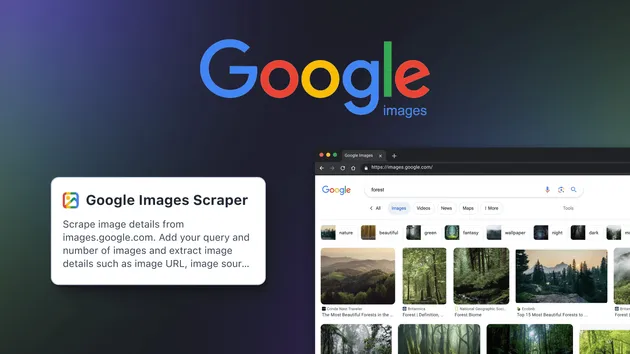
[💰 $1.8/1K] Extract image results from Google Imagesm image URLs, thumbnails, dimensions, titles, source pages, and domains. Batch multiple queries, paste full image-search URLs, and filter by size, color, type, aspect ratio, time, and usage rights. Localized across 45+ countries and 20+ languages.
Pricing
from $1.80 / 1,000 results
Rating
0.0
(0)
Developer

SolidCode
Maintained by CommunityActor stats
1
Bookmarked
117
Total users
35
Monthly active users
2 months ago
Last modified
Categories
Share
Pull image search results from Google Images at scale — full-resolution image URLs, pixel dimensions, file size, source domains, source-page titles, Google-hosted thumbnails, and a docid join key for every tile. Filter by 16 dominant colors, 5 aspect ratios, 6 image types, 6 time windows, 3 license buckets, 3 size brackets, and SafeSearch — across 250 countries and 208 interface languages. Built for creative teams, e-commerce catalogers, and ML dataset builders who need clean, structured image data without clicking through Google one tile at a time.
Why This Scraper?
- 18 typed fields per image —
imageUrl,imageWidth,imageHeight,thumbnailUrl,thumbnailWidth,thumbnailHeight,sourceUrl,sourceDomain,sourceTitle,title,imageBytes,docid,position,googleUrl,searchUrl,query,scrapedAt,recordType. No HTML, no post-processing. - Direct full-resolution image URLs, not just thumbnails — every row carries the original
imageUrlwith pixelimageWidthximageHeightand the human-readableimageBytesGoogle reports (e.g."214KB"). - 16 dominant-color filters — full color, black & white, transparent background, plus 12 named colors (red, orange, yellow, green, teal, blue, purple, pink, white, gray, black, brown). Match a brand palette in one input.
- Up to 260 unique images per query — hits Google's own per-query ceiling with automatic pagination across
start=0/10/20/30and docid-level deduplication. - Every Google Images filter wired into a dropdown — 5 aspect ratios (Tall, Square, Wide, Panoramic), 6 image types (Photo, Clip art, Line drawing, GIF, Animated), 6 time windows (hour, 24h, week, month, year), 3 license buckets (Creative Commons, Commercial), and 3 size brackets (Large, Medium, Icon).
- 250 countries and 208 interface languages — full coverage of every regional Google frontend, with the
Accept-Languageheader auto-matched to yourlanguagechoice sohl=actually changes results. includeRelatedQueriesfor keyword expansion — toggles a bonusrecordType: "relatedQueries"row per query carrying Google's "Related searches" chips, ready for trend research.- Stable
docidjoin key on every row — Google's internal document identifier survives across runs, so you can dedupe, diff, and join scrape outputs over time. - Paste any Google Images URL — power users can craft a search visually with
tbs=filters, copy the URL, and drop it in; every encoded filter is preserved.
Use Cases
Marketing, Creative & Brand
- Build mood boards filtered by dominant color to match a brand palette
- Source on-brand stock candidates by combining
imageType: "photo"with a Creative Commons license filter - Track how a campaign visual is being repurposed across the open web
E-commerce & Product Catalogs
- Pull reference photography for new SKUs from a batch of product names
- Collect competitor packaging shots filtered to
imageType: "photo"andaspectRatio: "square" - Build hero-image candidates for category pages by aspect ratio
Market & Consumer Research
- Run the same query across multiple
countrycodes to map regional visual differences - Use the
includeRelatedQueriesoutput for keyword-expansion research - Track meme and trend imagery week-over-week with the
pastWeektime filter
SEO & Digital Marketing
- Audit which
sourceDomainvalues dominate Google Images for target keywords - Map the source pages Google rewards with image visibility for branded vs. non-branded terms
- Diff visibility across a 12-month window with the
pastYearfilter
ML, Computer Vision & Datasets
- Build training sets pre-filtered to Creative Commons with width/height included for resolution gating
- Seed image-recognition pipelines with query-tagged URLs and the
docidas a stable join key - Generate per-class folders by running batched queries with shared filter settings
Getting Started
Simple Search
The fastest way to start — just a keyword:
Multi-Query with Filters
Run several queries with the same filters applied to every one:
Paste a Google Images URL
Already built the perfect search in Google's UI? Copy the URL from your browser bar and drop it in:
Any filters already encoded in the URL are preserved exactly as you set them.
Localized Search — Match Country and Language
Pull German-hosted results with a German interface:
Input Reference
Search
| Parameter | Type | Default | Description |
|---|---|---|---|
queries | string[] | ["golden retriever puppies"] | Keywords to search on Google Images. Each query runs independently and produces its own image set. Up to 100 queries and URLs combined per run. |
searchUrls | string[] | [] | Paste full Google Images result URLs. Filters encoded in the URL are preserved verbatim. |
maxResultsPerQuery | integer | 100 | Maximum images per query or URL. Set 0 for all available. Google caps each query at roughly 260 unique images. |
Filters
All filters are optional — leave on the defaults for no filter.
| Parameter | Type | Default | Options |
|---|---|---|---|
imageSize | string | any | Any size, Large, Medium, Icon |
imageColor | string | any | Any color, Full color, Black and white, Transparent background, Red, Orange, Yellow, Green, Teal, Blue, Purple, Pink, White, Gray, Black, Brown |
imageType | string | any | Any type, Photo, Clip art, Line drawing, GIF, Animated |
aspectRatio | string | any | Any aspect, Tall (portrait), Square, Wide (landscape), Panoramic |
timePeriod | string | anytime | Anytime, Past hour, Past 24 hours, Past week, Past month, Past year |
usageRights | string | any | Any license, Creative Commons licenses, Commercial & other licenses |
safeSearch | string | off | Off, Moderate, Strict |
The usageRights filter surfaces images Google has classified under each license bucket. Always verify the license at the source page before using any image commercially.
Localization
| Parameter | Type | Default | Description |
|---|---|---|---|
language | string | en | Interface language. 208 options spanning English, Spanish (8 regional variants), Portuguese (Brazil, Portugal), Chinese (Simplified, Traditional, Hong Kong), Japanese, Korean, Arabic, Hindi, and 190+ more. |
country | string | us | Country code for the regional Google frontend. 250 options covering every country Google supports. |
Enrichment
| Parameter | Type | Default | Description |
|---|---|---|---|
includeRelatedQueries | boolean | false | Emit a recordType: "relatedQueries" row per query carrying Google's "Related searches" suggestions. |
Output
Every row carries a recordType field — image or relatedQueries — so downstream filtering is one column away.
Image record (recordType: "image")
| Field | Type | Description |
|---|---|---|
recordType | string | Always "image" for image rows |
query | string | The keyword that produced this result (or the auto-extracted query for pasted URLs) |
position | integer | 1-based rank of the image within its query |
title | string | Image title or alt text as surfaced by Google |
imageUrl | string | Direct URL to the full-resolution image |
imageWidth | integer | Full-resolution width in pixels |
imageHeight | integer | Full-resolution height in pixels |
thumbnailUrl | string | Google-hosted, CDN-stable thumbnail URL |
thumbnailWidth | integer | Thumbnail width in pixels |
thumbnailHeight | integer | Thumbnail height in pixels |
sourceUrl | string | URL of the page where the image was found |
sourceDomain | string | Hostname of the source page (e.g. example-media.com) |
sourceTitle | string | Title of the source page |
imageBytes | string | Human-readable file size as reported by Google (e.g. "214KB") |
googleUrl | string | Google's in-product image preview URL |
searchUrl | string | The exact Google Images URL this result was scraped from (query + filters + pagination) |
docid | string | Google's internal document identifier — stable join key across runs |
scrapedAt | string | ISO 8601 UTC timestamp of when the row was captured |
Related-queries record (recordType: "relatedQueries")
Emitted only when includeRelatedQueries: true. One row per query.
| Field | Type | Description |
|---|---|---|
recordType | string | Always "relatedQueries" |
query | string | The source query Google suggested these refinements for |
relatedQueries | string[] | Array of Google's "Related searches" suggestions |
scrapedAt | string | ISO 8601 UTC timestamp of when the row was captured |
Tips for Best Results
- Google caps every query at ~260 unique images — this is a platform-wide ceiling, identical whether you scroll Images yourself or use any tool. To exceed it, split broad queries into specific variants (
"nike air max"+"nike air force"+"nike dunk"instead of"nike shoes") and run them as a batch. - Match
countryandlanguage— pairingcountry: "de"withlanguage: "de"returns German-hosted results with a German interface; mismatching the two can silently dilute the result set with cross-locale tiles. - Use
searchUrlsfor power-user filter combos — Google's UI exposes some filter mixes (e.g.imageColor: "orange"+aspectRatio: "panoramic"+timePeriod: "pastWeek") that are easier to compose visually. Build the search in your browser, copy the URL, paste it in. - Enable
includeRelatedQuerieson a topic-discovery run — one extra row per query gives you Google's keyword-expansion list for free, so you don't need a separate run to find adjacent search terms. - Verify licenses at the source page — the
usageRightsfilter reflects how Google classifies each image, but licensing on the host page can change. Click through tosourceUrlbefore any commercial use. - Use
docidto dedupe across runs — the same image can re-enter the result set under different queries or on different days. Thedocidis Google's stable identifier — group on it before merging datasets. - Start small, then scale — try
maxResultsPerQuery: 50first to confirm the filter combination matches what you want, then bump to 200–260 per query for the production run.
Pricing
From $1.8 per 1,000 results — the lowest price on Apify for Google Images data.
| Results | Estimated Cost |
|---|---|
| 100 | $0.18 |
| 1,000 | $1.80 |
| 10,000 | $18.00 |
| 100,000 | $180.00 |
A "result" is any row in the output dataset — an image or a related-queries record. Platform fees (compute, storage) are additional and depend on your Apify plan.
Integrations
Export data in JSON, CSV, Excel, XML, or RSS. Connect to 1,500+ apps via:
- Zapier / Make / n8n — Workflow automation
- Google Sheets — Direct spreadsheet export
- Slack / Email — Notifications on new results
- Webhooks — Trigger custom APIs on run completion
- Apify API — Full programmatic access
Legal & Ethical Use
This actor is designed for legitimate market research, competitive analysis, creative inspiration, and dataset building. Users are responsible for complying with applicable laws and Google's Terms of Service. Image copyright belongs to the original creator — always verify licensing at the source page before reusing any image commercially. Do not use extracted data for spam, harassment, copyright infringement, or any illegal purpose.