
LinkedIn Companies Scraper — Bulk Company Profiles
Pricing
Pay per usage
LinkedIn Companies Scraper — Bulk Company Profiles
Collect public LinkedIn company pages in bulk: website, industry, size, followers, description, locations, logos and more. No LinkedIn login or cookies required.
Pricing
Pay per usage
Rating
0.0
(0)
Developer

Spiderly
Maintained by CommunityActor stats
0
Bookmarked
3
Total users
2
Monthly active users
15 days ago
Last modified
Categories
Features
Share
What does LinkedIn Companies Scraper do?
Collect structured company information from public LinkedIn company pages. Supply company URLs, exact slugs or numeric LinkedIn company IDs, run a bulk lookup, then export the results as JSON, CSV or Excel. No LinkedIn login, cookies or subscription required.
This is direct company-page lookup. Keyword company discovery and people profiles are not included.
Use it to enrich a company list, prepare business research, organize company websites and industries, or monitor public company information over time.
What does it extract?
When available on the public overview page:
- Company name, tagline, LinkedIn URL, slug and company ID.
- Description, industry, company type and founding year.
- Company website, with LinkedIn's public redirect unwrapped.
- Public business phone number, when exposed.
- Company-size range and the separate employees-on-LinkedIn count.
- Followers, specialties, headquarters and public location addresses.
- Company logo, cover image and public jobs search link.
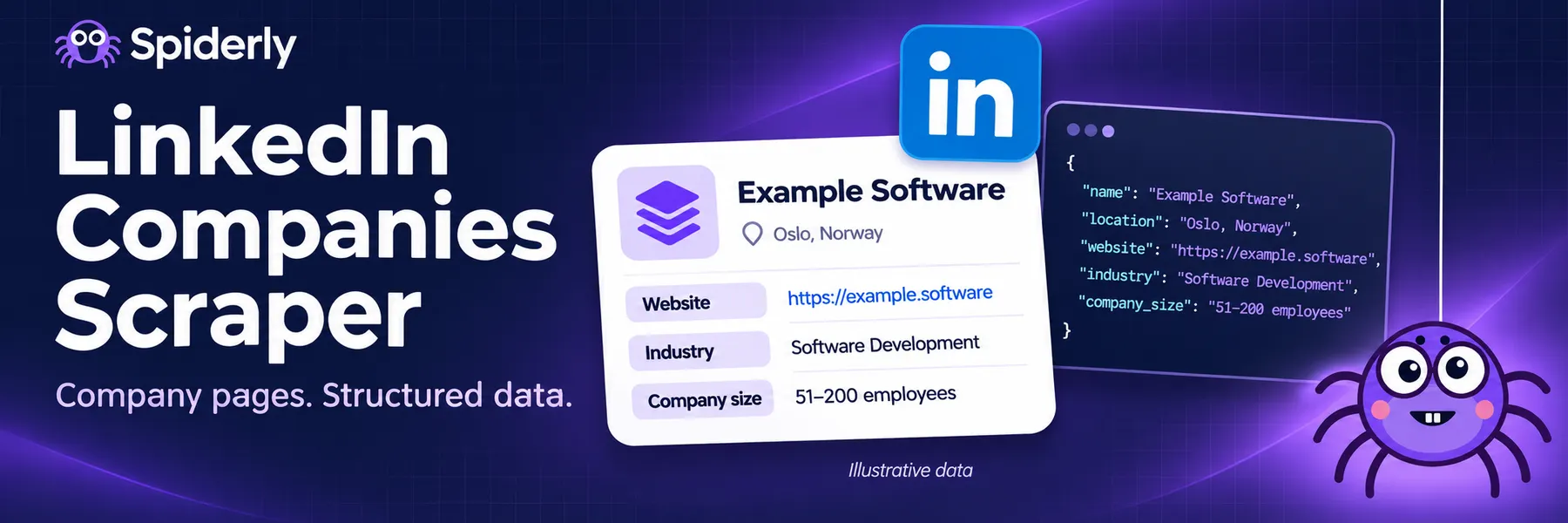
Each result includes its original input, normalized request URL, timestamp, attempt count and lookup status. Missing information stays null or an empty list. Counts and addresses reflect what LinkedIn exposes, not independently verified company records. Banner data is illustrative.
| Field | Type | Meaning |
|---|---|---|
name, companyId, linkedinUrl | text or null | Company identity and source page. |
description, tagline, industry | text or null | Public company overview fields. |
websiteUrl | text or null | Public website link, with LinkedIn redirect unwrapped. |
employeeCount, followersCount | number or null | Public LinkedIn counts; not verified payroll data. |
employeeCountRange | object or null | Parsed company-size range; open-ended upper bound is null. |
headquarter, locations | object / list | Public structured headquarters and office address text. |
status, reason | text / text or null | Whether the company was found and why a lookup failed. |
Start with a company list
- Paste company page URLs, slugs or IDs into Company URLs, slugs or IDs.
- Start with a small list to check access and output.
- If LinkedIn restricts requests, configure an appropriate proxy or lower the request rate.
- Click Start and inspect the Companies dataset.
- Export the data or connect it to your workflow through the Apify API.
microsoft means the exact /company/microsoft/ page. It is not a search for every company whose name contains Microsoft. A numeric ID is requested as /company/ID/ and follows LinkedIn's redirect to the company page when available. Numeric IDs can redirect to sign-in instead; use the company slug or full URL for the most dependable public lookup.
You can also use startUrls:
Both lists are combined. Up to 5,000 entries are accepted. Exact duplicates after URL normalization are collected once: locale subdomains, tracking parameters, capitalization and trailing slashes are normalized. Different identifiers that redirect to the same company may still produce separate rows so you can retain their input mapping.
Inputs
| Field | Meaning |
|---|---|
companies | Company URLs, /company/slug paths, exact slugs or numeric company IDs. |
startUrls | An additional list of company overview URLs, in Apify's URL-list format. |
maxConcurrency | Parallel lookups, 1–10; default 3. |
maxRequestsPerMinute | Rate across all requests, including redirects and retries; default 60. |
maxRetries | Retries after temporary failures; default 2, maximum 5. |
requestTimeoutSecs | Per-request timeout; default 30 seconds. |
proxyConfiguration | Optional Apify or custom proxy. Direct requests are the default. |
Only LinkedIn company overview pages are accepted. Person profiles, arbitrary websites, company posts URLs and broad search terms are rejected. The Actor does not visit a company's external website; it extracts the website link from LinkedIn.
Output example
These shortened records come from the 7 November 2026 live validation sample. Fields not shown here remain available in the full dataset; counts may change over time. You can download the dataset in JSON, HTML, CSV or Excel.
Important field details:
employeeCountis the employees-on-LinkedIn value exposed in the public page's structured data. It is not a verified payroll count.employeeCountRangecomes from the company-size label. An open-ended range such as10,001+hasend: null.locationscontainsaddress,addressLines,headquarterandmapUrl. Addresses are preserved as public text. Coordinates are not inferred or geocoded.headquarteris the structured headquarters address when exposed;headquartersis LinkedIn's visible headquarters label.taglineandphoneare only populated when exposed in supported public fields.industryIdis currentlynull; this version does not infer an industry code from its name.FOUNDmeans a company overview was parsed. It does not mean every optional field was available.
Lookup statuses and failures
| Status | Meaning |
|---|---|
FOUND | A public company overview was collected. |
NOT_FOUND | LinkedIn returned HTTP 404 or 410. |
BLOCKED | Access was restricted, rate-limited or redirected to sign-in/verification. |
ERROR | A network failure, server error, unexpected redirect or unsupported page response prevented extraction. |
Failed lookups remain in the dataset with input, requestedUrl, status, reason, httpStatus, attempts and scrapedAt, so you can retry them later. An HTTP 200 login page is not reported as a company. If no company profiles are collected, the run fails with an explanation while preserving the dataset.
The key-value store's SUMMARY record counts found, missing, blocked and failed lookups. Some failures in a batch do not discard the companies that succeeded.
What is included in this version?
This Actor focuses on bulk company-page lookup. It does not currently include broad keyword company discovery, LinkedIn people profiles, employee lists, Sales Navigator, company posts, private contact enrichment or authenticated-only data.
Verification badges, active status, arbitrary company hashtags and latitude/longitude are not guessed. Public-page availability can change, and some pages may require a proxy or remain inaccessible.
Automation and costs
Use Apify's API, schedules, webhooks and integrations to connect your company data to other tools. Read the dataset for company results and the SUMMARY record for batch health. Always keep your API token private.
The Actor has no added developer fee at publication; normal Apify platform usage still applies. The Actor uses HTTP requests and parses public HTML and structured data. Cost depends on your Apify plan, proxy configuration, timeouts, redirects and retries. Enabling a proxy can add charges. Start with a small test; no fixed price or speed is guaranteed.
Troubleshooting
I get blocked results. Lower the request rate and concurrency, or use a proxy configured for your Apify account. The Actor does not solve verification challenges or use your personal LinkedIn session.
My company name is rejected. Use its exact LinkedIn company URL or slug. A business name such as Example Software AS is not necessarily its LinkedIn slug.
Some values are empty. The public company page may not include them. No value is invented to fill a missing field. Follower counts use the visible company header or the company page metadata; compact labels such as 1.2M are rounded values from LinkedIn.
A run failed but has rows. Check their statuses. A batch with no successfully parsed company pages is deliberately marked failed so an empty or blocked scrape is visible.
Report issues with a run link and an affected company URL, without credentials.
Built by Spiderly. Independently developed and not affiliated with or endorsed by LinkedIn. LinkedIn names and marks belong to their owner. Use collected data in accordance with applicable rules and the source site's terms.


