

Sitemap URL Delta Monitor
Pricing
from $1.00 / 1,000 delta results
Sitemap URL Delta Monitor
Monitor public sitemap.xml files for new URLs, removed URLs, lastmod changes, and clean stateful deltas for SEO, RAG indexing, and content operations.
Pricing
from $1.00 / 1,000 delta results
Rating
0.0
(0)
Developer

Nikita S
Maintained by CommunityActor stats
0
Bookmarked
2
Total users
1
Monthly active users
3 months ago
Last modified
Categories
Share
Monitor public sitemap.xml files and emit only URLs that changed since the previous run.
Use it for:
- SEO change monitoring;
- RAG indexing queues;
- documentation/content update alerts;
- competitor content tracking;
- n8n, Make, Google Sheets, Slack, or crawler workflows.
Visual demo: Sitemap Delta Monitor
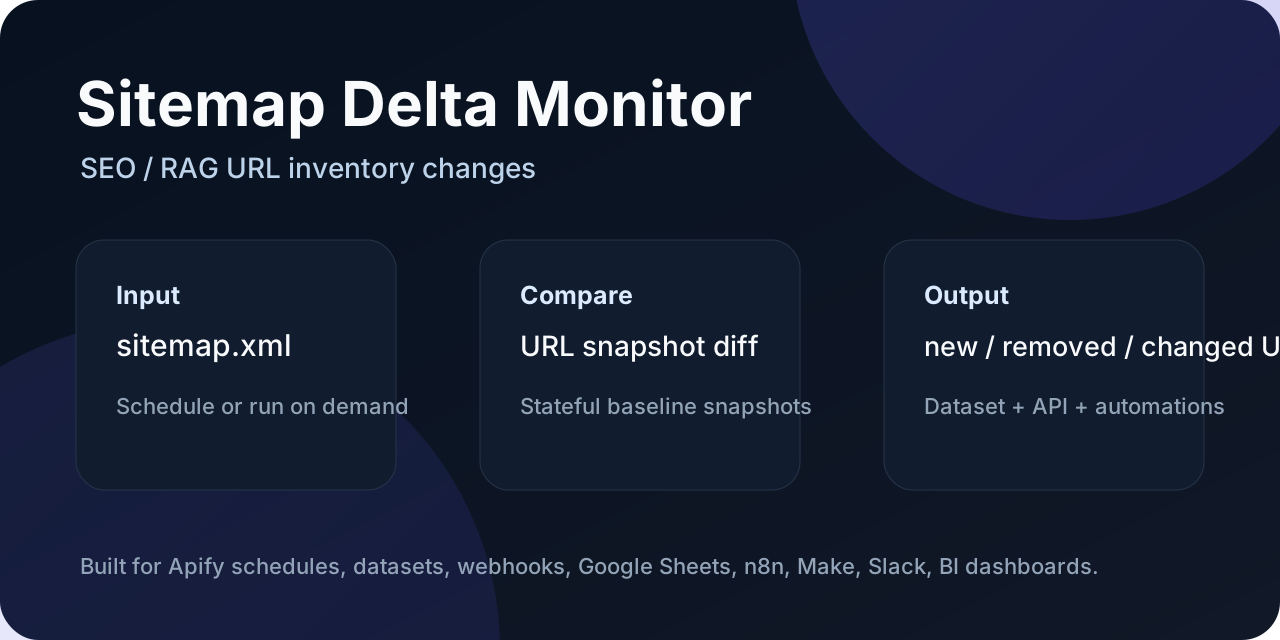
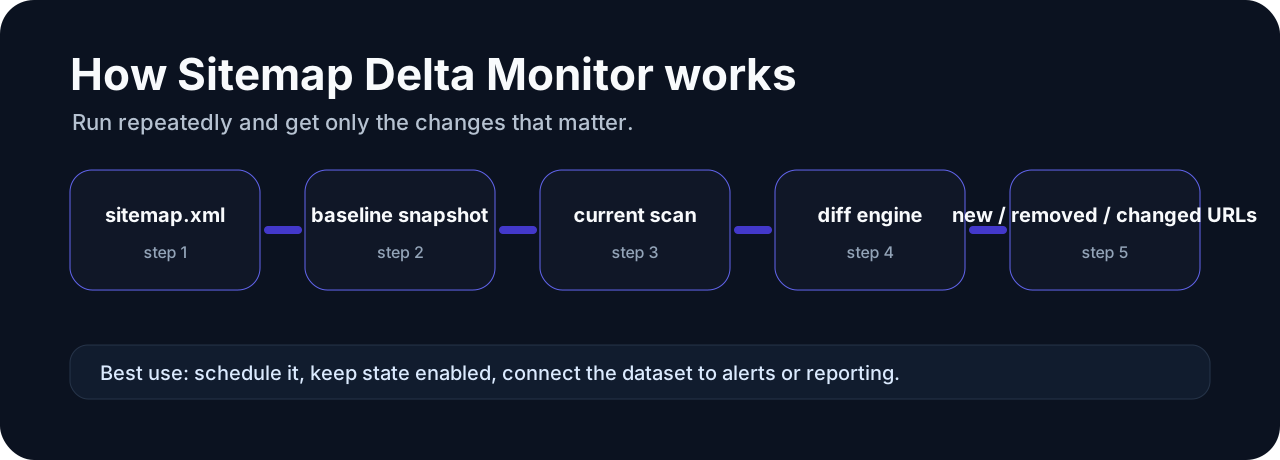
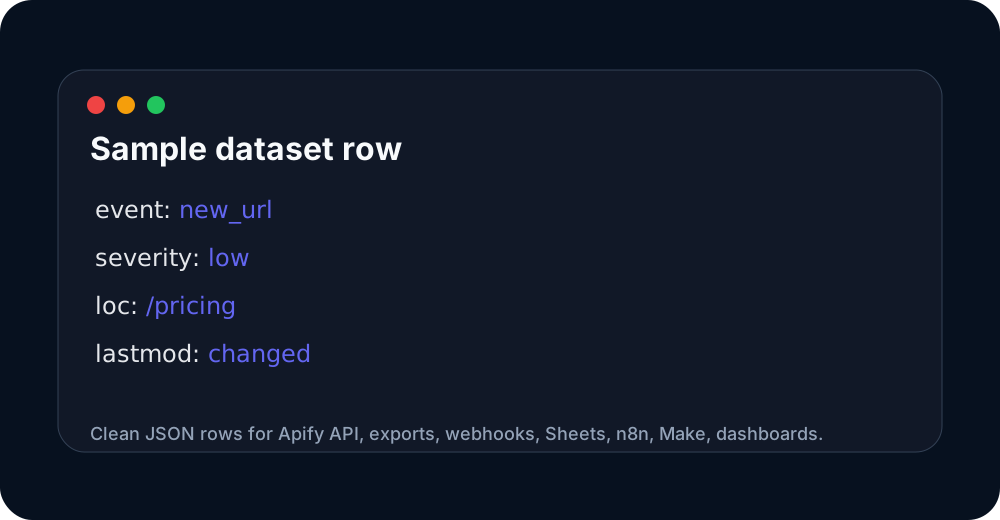
These images are hosted in a persistent Apify key-value store so the Store README has stable, clickable visual previews.
Input
| Field | Required | Notes |
|---|---|---|
sitemapUrls | yes | Public sitemap.xml or sitemap index URLs. Root domains (e.g. https://example.com) are also accepted when discoverSitemaps: true — the Actor fetches /robots.txt and enqueues Sitemap entries from it. |
discoverSitemaps | no | Default false. When true, fetch each start URL's robots.txt and enqueue every Sitemap: directive found. Brings the Actor to feature parity with tri_angle/sitemap-change-detector on the most common onboarding step. |
urlFilterRegex | no | Default "". JavaScript-compatible regex applied to discovered URLs. Matched URLs are included in the output and snapshot; non-matches are skipped. Applies to final URLs, not intermediate sitemaps. |
changeTypes | no | Default ["new_url","updated_url","removed_url"]. Whitelist of statuses to emit. Add unchanged to also get rows that did not change. |
addRemovedUrlsToKvs | no | Default false. When true, also writes a REMOVED-URLS key to the state key-value store with the full list of URLs that disappeared since the last snapshot. |
previousItems | no | Optional previous sitemap URL rows from an earlier run (overrides persisted state if provided). |
onlyChanged | no | Default true. Backward-compat alias. Equivalent to changeTypes without unchanged. |
persistState | no | Default true. Store the latest sitemap snapshot in a named key-value store. |
stateStoreName | no | Default sitemap-delta-monitor-state. |
stateKey | no | Optional snapshot key. Leave empty to derive from input sitemap URLs. |
maxSitemapUrls | no | Default 25. Maximum nested sitemaps to fetch from indexes and robots.txt. |
maxUrls | no | Default 5000. Maximum URLs to track per run. |
requestTimeoutMs | no | Default 30000. Per-request timeout for sitemap and robots.txt fetches. |
Supports sitemap indexes and regular URL sitemaps. Public sources only — no login, no CAPTCHA bypass, no anti-bot workarounds.
Output events
new_url— URL is in the current sitemap but was not in the previous snapshot.updated_url— URL was in both, but<lastmod>(orchangefreq/priority) changed. Emits the structuredchanges[]array.removed_url— URL was in the previous snapshot but is no longer in the current sitemap.unchanged— only emitted ifchangeTypesincludesunchanged(oronlyChanged: false).error— per-sitemap error (network, parse, 4xx, 5xx).
Rows include sitemapUrl, url, lastmod, changefreq, priority, status, event, events, event_severity, and changes. The SUMMARY record on the default key-value store contains sitemapsSeen, urlsSeen, rowsEmitted, eventCounts, discoveredSitemaps, urlsFilteredOut, stateKey, stateSaved, and errors.
Monetization hooks
delta_resultfor new / updated / removed URL rows.apify-actor-startonce per run on Actor init.- New pricing events (
updated_url_alert,removed_url_alert) are reserved in the billing model for v0.3; the Apify 2-week pricing-change rule plus 1-month cooldown keep them off the table until2026-08-21.
No login / CAPTCHA / anti-bot bypass. Public sitemaps and public robots.txt only.
Run it from Claude / Cursor / VS Code via MCP
The Actor is available through the Apify MCP server, so you can ask your AI assistant to "watch my sitemap for new URLs" without setting up a custom crawler.
Add this to your MCP client config (for example claude_desktop_config.json):
Once connected, the assistant can discover this Actor and trigger runs with a plain prompt like "Run Sitemap Delta Monitor on https://example.com/sitemap.xml and tell me which new pages appeared today." The remote MCP server at https://mcp.apify.com works the same way without a local install.
Quick start
- Open this Actor in Apify Console.
- Paste one or more sitemap.xml URLs into the input.
- Keep
persistStateenabled for scheduled monitoring. - Run once to create the baseline snapshot.
- Run again on a schedule to receive only delta rows.
- Export the dataset to CSV/JSON, or send it to Google Sheets, n8n, Make, Slack, Discord, or a webhook.
Sample output
Use this sample dataset to see the output shape before running it yourself:
- Sample dataset: https://console.apify.com/storage/datasets/q04svWdkew7gDgwWg
The important fields for automation are event, events, event_severity, status, and changes. Filter for event_severity = high when you only want alerts that deserve immediate attention.
Pricing and cost expectations
This Actor is designed for scheduled monitoring and delta-only outputs. It avoids charging or processing unchanged rows where possible. Pay-Per-Event pricing is scheduled/used for meaningful emitted deltas such as new items, removed items, price changes, stock changes, URL changes, or pricing-plan changes depending on the Actor.
Start with a small input list first. Once the baseline looks correct, schedule recurring runs and set a reasonable max charge limit in Apify.
FAQ
Is this a one-time scraper or a monitor?
It is a monitor. The first run creates a baseline. Later runs compare the current data against the stored baseline and emit only the changes.
Can I send alerts to Slack, Discord, Google Sheets, n8n, or Make?
Yes. Use Apify integrations, webhooks, dataset export, or API polling. The event, events, event_severity, and changes fields are meant for automation routing.
Does it bypass CAPTCHA, login walls, or anti-bot systems?
No. This portfolio is intentionally focused on public, low-risk sources such as public APIs, feeds, sitemaps, product pages, or storefront endpoints.
Which rows should trigger alerts?
Use event_severity. High-severity rows are the best candidates for Slack/Discord/email alerts. Low-severity rows are usually better for reports or spreadsheets.
Support and custom monitoring
If a public source does not fit this Actor, check the related monitors below. Open an issue on the Actor page with a sample URL and the output you need.
Which monitor should I use?
This Actor is part of a focused monitoring portfolio. Pick the narrowest Actor that matches your source:
| Source you have | Use this Actor | Best for |
|---|---|---|
| Shopify store | Shopify Delta Monitor | Shopify competitor price/stock/sale monitoring |
| WooCommerce store | WooCommerce Delta Monitor | WooCommerce Store API product deltas |
| Product page URLs with Schema.org JSON-LD | Schema.org Product Delta Monitor | Magento, BigCommerce, custom stores, marketplaces |
| Product feeds / APIs / CSV / XML | Product Feed Delta Monitor | Supplier feeds, affiliate feeds, Google Merchant exports |
| sitemap.xml | Sitemap Delta Monitor | SEO, content ops, RAG indexing queues |
| SaaS pricing pages | SaaS Pricing Page Monitor | Plan/price/feature changes on public pricing pages |
All monitors are built for scheduled runs, stateful comparisons, delta-only outputs, and workflow automation via Google Sheets, n8n, Make, Slack, Discord, or webhooks.


