

WooCommerce Price & Stock Delta Monitor
Pricing
from $2.00 / 1,000 delta results
WooCommerce Price & Stock Delta Monitor
Monitor public WooCommerce Store API catalogs for competitor price drops, stock changes, sale starts, new products, and removed products with clean stateful deltas.
Pricing
from $2.00 / 1,000 delta results
Rating
0.0
(0)
Developer

Nikita S
Maintained by CommunityActor stats
0
Bookmarked
2
Total users
1
Monthly active users
3 months ago
Last modified
Categories
Share
Track public WooCommerce product catalog changes and get a clean feed of price, stock, sale, new product, and removed product deltas.
This Actor is for e-commerce teams, agencies, resellers, price analysts, and automation builders who monitor WooCommerce competitors without building a custom backend.
Visual demo: WooCommerce Delta Monitor
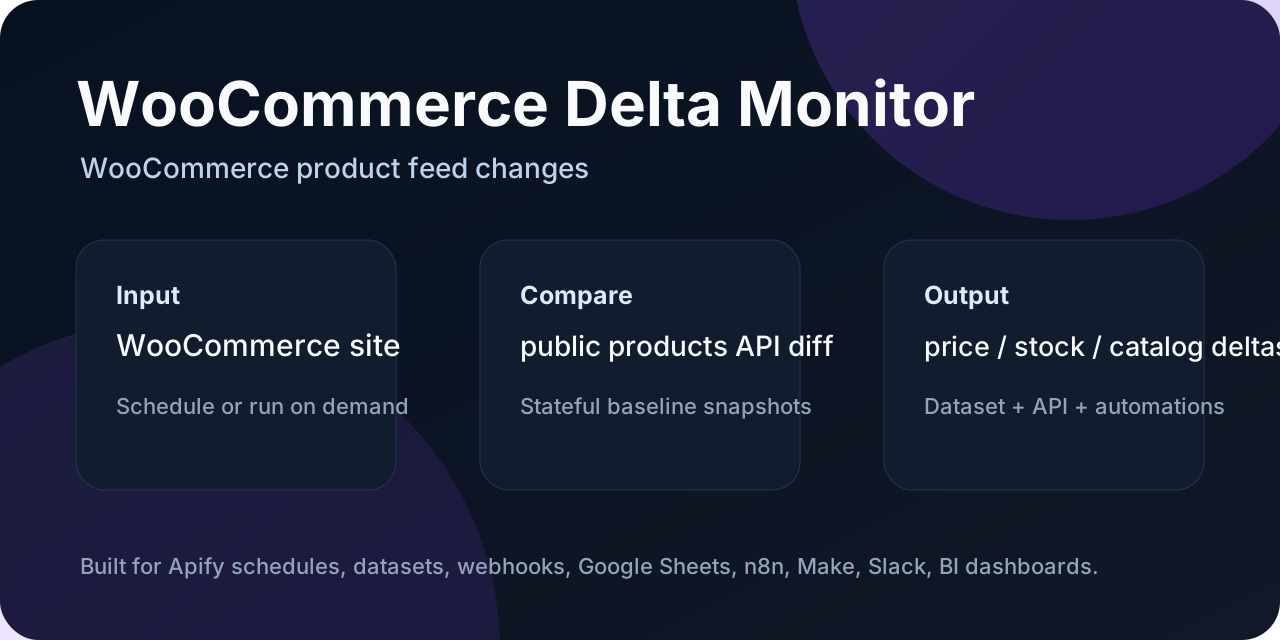
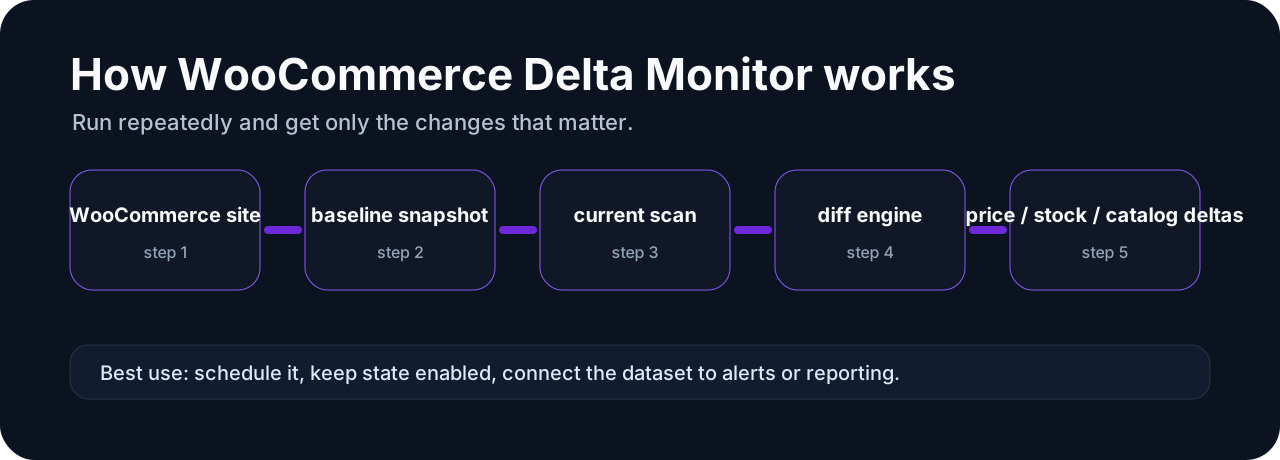
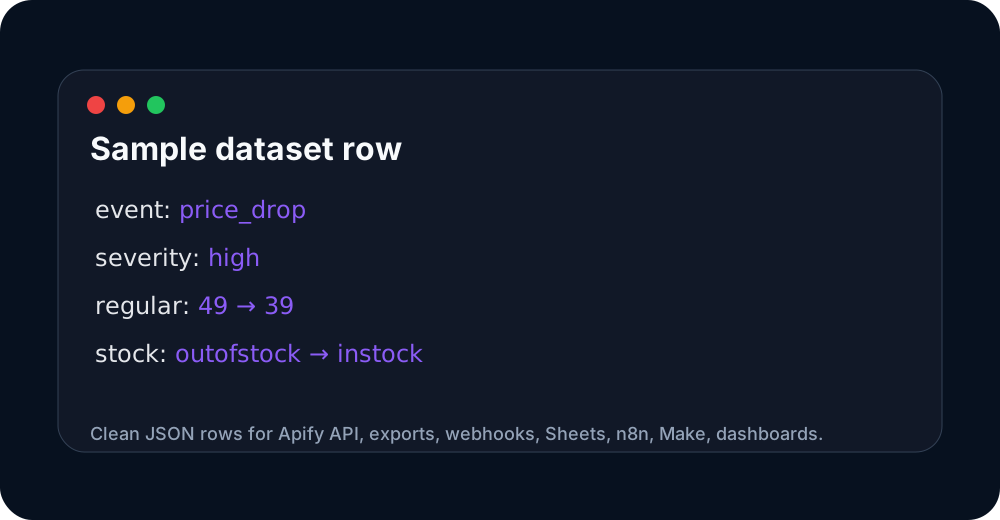
These images are hosted in a persistent Apify key-value store so the Store README has stable, clickable visual previews.
Three jobs this Actor does
- WooCommerce competitor price monitoring — detect price changes and 20%+ drops from public Store API products.
- Stock and sale monitoring — catch restocks, sold-out products, sale starts, and sale ends.
- Delta feed for automation — schedule recurring runs and send only changed rows to Sheets, n8n, Make, Airtable, BI, or Slack workflows.
Why this exists
The Apify Store already has broad WooCommerce product scrapers. This Actor is narrower: it is built for recurring monitoring. First run creates a baseline; later runs emit only deltas.
Input example
Output example
The Actor also writes a SUMMARY key-value-store record with per-store counts and event totals.
Requirements and limitations
- Works on WooCommerce stores exposing the public
/wp-json/wc/store/v1/productsendpoint. - Does not bypass login, paywalls, CAPTCHA, Cloudflare, or anti-bot systems.
- Uses public Store API product data only; some stores may hide exact stock quantities or disable the endpoint.
- Users are responsible for lawful use and target-store terms.
Monetization-ready events
The code emits Actor.charge() hooks for:
delta_result— one emitted non-unchanged product delta row;price_drop_alert— one high-severity 20%+ price drop;apify-actor-start— one run start.
Pricing must be configured in Apify Console/API before these become billable.
Support
For custom integrations, Sheets/n8n/Make handoff, or a weekly competitor report, contact via the Apify Actor page.
Run it from Claude / Cursor / VS Code via MCP
The Actor is available through the Apify MCP server, so you can ask your AI assistant to "monitor this WooCommerce store and show me the price drops" instead of wiring it manually.
Add this to your MCP client config (for example claude_desktop_config.json):
Once connected, the assistant can discover this Actor and trigger runs with a plain prompt like "Run WooCommerce Delta Monitor on https://example.com and list the new products from the last 7 days." The remote MCP server at https://mcp.apify.com works the same way without a local install.
Quick start
- Open this Actor in Apify Console.
- Paste one or more WooCommerce Store API URLs into the input.
- Keep
persistStateenabled for scheduled monitoring. - Run once to create the baseline snapshot.
- Run again on a schedule to receive only delta rows.
- Export the dataset to CSV/JSON, or send it to Google Sheets, n8n, Make, Slack, Discord, or a webhook.
Sample output
Use this sample dataset to see the output shape before running it yourself:
- Sample dataset: https://console.apify.com/storage/datasets/aodrCTNdXgnARiViZ
The important fields for automation are event, events, event_severity, status, and changes. Filter for event_severity = high when you only want alerts that deserve immediate attention.
Pricing and cost expectations
This Actor is designed for scheduled monitoring and delta-only outputs. It avoids charging or processing unchanged rows where possible. Pay-Per-Event pricing is scheduled/used for meaningful emitted deltas such as new items, removed items, price changes, stock changes, URL changes, or pricing-plan changes depending on the Actor.
Start with a small input list first. Once the baseline looks correct, schedule recurring runs and set a reasonable max charge limit in Apify.
FAQ
Is this a one-time scraper or a monitor?
It is a monitor. The first run creates a baseline. Later runs compare the current data against the stored baseline and emit only the changes.
Can I send alerts to Slack, Discord, Google Sheets, n8n, or Make?
Yes. Use Apify integrations, webhooks, dataset export, or API polling. The event, events, event_severity, and changes fields are meant for automation routing.
Does it bypass CAPTCHA, login walls, or anti-bot systems?
No. This portfolio is intentionally focused on public, low-risk sources such as public APIs, feeds, sitemaps, product pages, or storefront endpoints.
Which rows should trigger alerts?
Use event_severity. High-severity rows are the best candidates for Slack/Discord/email alerts. Low-severity rows are usually better for reports or spreadsheets.
Which monitor should I use?
This Actor is part of a focused monitoring portfolio. Pick the narrowest Actor that matches your source:
| Source you have | Use this Actor | Best for |
|---|---|---|
| Shopify store | Shopify Delta Monitor | Shopify competitor price/stock/sale monitoring |
| WooCommerce store | WooCommerce Delta Monitor | WooCommerce Store API product deltas |
| Product page URLs with Schema.org JSON-LD | Schema.org Product Delta Monitor | Magento, BigCommerce, custom stores, marketplaces |
| Product feeds / APIs / CSV / XML | Product Feed Delta Monitor | Supplier feeds, affiliate feeds, Google Merchant exports |
| sitemap.xml | Sitemap Delta Monitor | SEO, content ops, RAG indexing queues |
| SaaS pricing pages | SaaS Pricing Page Monitor | Plan/price/feature changes on public pricing pages |
All monitors are built for scheduled runs, stateful comparisons, delta-only outputs, and workflow automation via Google Sheets, n8n, Make, Slack, Discord, or webhooks.


