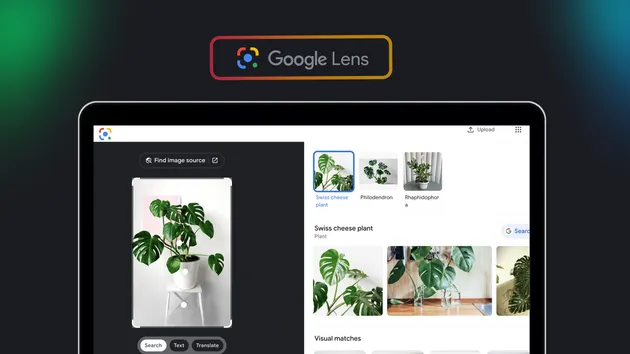
Google Lens OCR Scraper: Image to Text with Word Boxes
Pricing
from $3.49 / 1,000 image reads
Google Lens OCR Scraper: Image to Text with Word Boxes
Read the text in any image with Google Lens: full text, detected language, and every block, line and word with its box in pixels. Also the emails, links and addresses Lens picks out. Bulk image links, one row per image. Receipts, signs, screenshots, in any language. No API key, no browser.
Pricing
from $3.49 / 1,000 image reads
Rating
0.0
(0)
Developer

The Mine Works
Maintained by CommunityActor stats
0
Bookmarked
1
Total users
0
Monthly active users
16 days ago
Last modified
Categories
Share
From The Mine Works, makers of Threads Scraper and B2B Leads Finder, with over 140,000 runs across 170+ public actors.
Why choose this actor?
- Google Lens text recognition on a list of links. Paste image links and get the text of each image as Google Lens reads it. In our test on 1 October 2026, 31 links took 46 seconds: text came back from 30 images in 10 languages (Arabic, Dutch, English, French, German, Hindi, Japanese, Odia, Portuguese and Telugu), and the one broken link we added on purpose was reported, not charged. No Google account, no API key.
- Text you can use as it is. Every row has the full text, the text re-read row by row (so a receipt line comes out as
MIRAS OLIJFOLIE (GLAS) 1L 3,99), the language, and every block, line and word with its box in pixels, ready to draw on the image or to crop. Email addresses, web links and postal addresses Lens recognises are picked out too. - You pay only for images with text. Images where Lens finds no text, broken links, links that are not images and repeated links are never charged. You pay per image with text plus a flat $0.005 per run.

Part of The Mine Works Developer and AI tools family: Website to Markdown Crawler, GitHub Skill Finder, GitHub Repo Scraper, GitHub Trending Scraper.
Try it in one minute
Paste this into the JSON tab of the input page. It reads two images (a Swiss restaurant receipt and a book cover) in well under a minute.
The only input is a list of public image links (http or https), one per line: JPEG, PNG, WebP, GIF or BMP, from any site that serves the image to a logged out visitor. A single link in imageUrl works too. Files on your own computer need a public link first, for example from an Apify key-value store; data: links are not accepted.
Apify's free plan includes $5 of credit every month, which covers about 990 images with text at this actor's Free plan price, counted for runs of 100 images with the $0.005 start fee.
Copy to your AI assistant
Key features
- Up to 5,000 images per run, 8 at a time: Google Lens takes about 10 seconds to answer each image (9.7 to 13.1 seconds in our test), so a batch moves at about 1.5 seconds per image.
- The text three ways:
fullTextin the blocks Lens found,textByRowsread left to right across the whole image, andblockswith their lines and words. - Boxes in fractions and in pixels: every block, line and word has a
boundingBoxwith its centre, width, height and tilt as fractions of the image, pluspixelCoordsonce the actor has read the image's size from its first bytes. All 30 images with text in our test had pixel boxes. - Three levels of detail:
full(blocks, lines and words),lines(no words, smaller rows) ortext(just the text and its language). - Images Google cannot fetch still get read: when Google cannot fetch an image from its link, the actor downloads it and sends the file instead (2 of 30 images in our test).
- Entities and key phrases: email addresses, web links and postal addresses in
entities(a Dutch receipt's shop address came back asBergweg 170, 3036 BL Rotterdam, Netherlands), and the names, dates, phone numbers and headings Lens picks out inkeyPhrases.
How to use it
Basic: one image
Many images at once
Put up to 5,000 links in one run. The same link given twice is read once and charged once.
Receipts and invoices into a spreadsheet
Set outputDetail to text for small rows, run, and export CSV. Use the textByRows column: each item, unit price and amount stay on one line, ready to split into columns.
Highlight words on the image, or redact them
Keep outputDetail at full and draw each word's boundingBox.pixelCoords rectangle (x and y of the top left corner, width, height) on the original image. The actor checks the size it reads from the file against the proportions Lens reports, and leaves pixels out rather than give wrong ones.
Signs and menus in one language
Set language to that language's code, for example ja or ar. It is a hint only; text in other languages in the same image is still read.
Images found by another actor
Product photos, ad creatives or social media images collected by another scraper can go straight in: put their links in imageUrls, or chain the two actors in Make, Zapier or n8n, or call this actor from code with the list you build.
Input parameters
| Parameter | Type | Default | What it does |
|---|---|---|---|
imageUrls | array of strings | none (required) | Public image links, one per line: JPEG, PNG, WebP, GIF or BMP. Up to 5,000 per run; the same link given twice is read once. A single link in imageUrl works too. |
language | string | empty (English hint) | A language code such as en, de, ja, zh or pt-BR, passed to Google Lens as a hint. Text in any language is found either way, and the language Lens detects is in every row. A value that is not a language code is ignored with a warning. |
outputDetail | string | full | full: blocks, lines and words, each with its box. lines: blocks and lines with boxes, no words. text: the full text and language only. The text by rows, the detected language, the counts, entities and key phrases come with every choice. |
If no usable link is given, the run stops at once with an info row that says what to add.
What data do you get?
One row per image link. Empty fields are dropped rather than sent as null.
Status: status is text_found (the only status that is charged), no_text, image_unreadable (a broken link, a link that is not an image, or a file Lens cannot read), robots_disallowed, failed (Lens did not answer after three tries) or skipped (the run stopped before the image, for example at its spend cap). Rows that are not text_found or no_text carry an error that says why in plain words.
The text: language (the language Lens detected, as a code such as de, ja, ar, zh-Hant or hi), fullText (all the text, blocks separated by a blank line, lines by a line break), textByRows (the same text read row by row across the image, left to right; best for receipts, invoices and tables), wordCount, lineCount and blockCount.
The layout (with full or lines): blocks in reading order, each with text, boundingBox and lines; each line with text, boundingBox and, with full, words. A boundingBox has centerX, centerY, width and height as fractions of the image (0 to 1), rotation in radians when the text is tilted, and pixelCoords (x and y of the top left corner, width, height) when the image size is known.
What Lens recognised: entities (email addresses, web links and postal addresses: type, text as printed, value as Lens reads it) and keyPhrases (names, dates, phone numbers, headings and other phrases Lens picked out).
The image: imageUrl, imageWidth and imageHeight in pixels as shown (a phone photo stored sideways is turned upright), lensImageWidth and lensImageHeight (the scaled copy Lens worked on), sentAs (link when Google fetched the image itself, bytes when the actor downloaded it and sent the file), languageHint and scrapedAt.
A last dataset row with _type: "info" says how many images had text, or why none did; it is never charged. The run's key-value store also holds an OUTPUT record with the status, attempts and time of every image, the robots.txt state of every host and what was charged.
Stable fields for automations
These fields were present in every text_found row of our test on 1 October 2026 (30 images):
| Field | What it holds |
|---|---|
imageUrl | The image link as read |
status | text_found, no_text, image_unreadable, robots_disallowed, failed or skipped |
language | Language Lens detected |
fullText | All the text, by block |
textByRows | The text read row by row |
wordCount | Number of words |
lineCount | Number of lines |
blockCount | Number of blocks |
entities | Emails, links and addresses (may be an empty list) |
keyPhrases | Phrases Lens picked out (may be an empty list) |
lensImageWidth | Width of the copy Lens read |
lensImageHeight | Height of the copy Lens read |
languageHint | The hint used, en when empty |
sentAs | link or bytes |
scrapedAt | When the row was made, ISO 8601 |
Rows with any other status always carry imageUrl, status, fullText (empty), wordCount (0), languageHint and scrapedAt. These names will not change. New fields may be added, never renamed or removed.
Output examples
Real rows from our test runs, trimmed for length: long texts end with ..., and blocks is cut to its first block, line and word.
A Dutch supermarket receipt (outputDetail: "full", 1 October 2026). textByRows puts each item and its price back on one line, and the shop's address comes out as an entity:
Neon street signs in Tokyo (blocks left out here). Japanese and English on one photo, with the language detected as Japanese:
A restaurant's daily menu board in French. Most dishes read well, while some prices come back wrong (Plat de Jour 9620), so check numbers from boards and handwriting before you rely on them:
A broken link (1 October 2026) and an image with no text (29 September 2026: a street name built from giant 3D letters, which Lens does not read as text). Neither is charged:
Pricing
Pay per event: you pay for each image in which Google Lens found text, plus a flat $0.005 per run whatever memory you choose.
| Event | Free plan | Starter (Bronze) | Scale (Silver) | Business (Gold) and above |
|---|---|---|---|---|
Image with text (image-ocr), per image | $0.00499 | $0.00449 | $0.00399 | $0.00349 |
| Per 1,000 images with text | $4.99 | $4.49 | $3.99 | $3.49 |
Run start (run-start), once per run | $0.005 | $0.005 | $0.005 | $0.005 |
The start fee is our own flat run-start event, not Apify's per GB start event, so it stays $0.005 at any memory setting; it is charged once when the run starts. So 1,000 images with text cost 1,000 times the per image price of your plan, plus $0.005. The output detail, pixel boxes, text by rows, entities and the proxy are all included. These prices have applied since 30 September 2026, and no price change is scheduled.
Never charged: images in which Lens finds no text (their row says no_text), links that are not images or answer 404, links robots.txt keeps the actor from reading, images Lens could not answer for after three tries, the same link given twice, and the info row. You can also cap a run's spend with Apify's "Max cost per run" setting; once the cap is reached the actor stops, keeps every row delivered so far and writes its OUTPUT summary.
FAQ
What is Google Lens, and how does the actor use it?
Google Lens is the image recognition in Google's own apps, which reads text in photos in most of the world's scripts. For each image the actor calls two public Lens addresses on lens.google.com as a logged out visitor, through Apify's datacenter proxy: one makes Google fetch the image, the other returns the text with its layout, language and recognised phrases. Lens's answer points to a Google Search results page, which the actor never opens.
How many images can I read, and how fast?
Up to 5,000 links per run. Lens holds each text answer for about 10 seconds, and the actor works on 8 images at a time, so a batch moves at about 1.5 seconds per image: our 31 links took 46 seconds, and 1,000 images should take about 25 minutes. The default run timeout is 1 hour; raise it in the run options for the biggest batches. If a run reaches its timeout, it stops cleanly and keeps every row delivered so far. For one image at a time with answers in under a second, this is not the tool.
Which languages and scripts does it read?
Whatever Google Lens reads. Our tests on 29 September and 1 October 2026 covered Arabic, Chinese, Dutch, English, French, German, Hindi, Japanese, Korean, Odia, Portuguese, Spanish and Telugu, often several in one image. On mixed text Lens picks one language for the row; the text itself is complete either way.
How well does it read handwriting and menus?
Handwriting was not part of our tests. Printed text, signs, receipts, labels, covers and screenshots read well; a restaurant's menu board came back with some prices wrong (see the example above), and letters built as objects, such as giant 3D letters, may not count as text at all.
Do I need a Google account, an API key or a proxy?
No. The actor uses Google Lens the way a logged out visitor does, with no key to create and nothing of yours to connect, and it brings its own Apify datacenter proxy. In our test on 1 October 2026 every Lens request was answered, with no captcha.
What happens with a broken link, a private image or a page that is not an image?
The image gets a row with a status and a plain error, and it is not charged: image_unreadable for a 404, a web page instead of an image, or a file Lens cannot read; robots_disallowed when the image host's robots.txt keeps the actor from downloading a file that Google could not fetch itself; failed when Lens did not answer after three tries. Images over 20 MB that Google cannot fetch itself are skipped. If 6 images in a row get no answer from Lens, the run stops rather than keep trying.
Why does a row have boxes but no pixelCoords?
The pixel size comes from the image's own first bytes. When the image host's robots.txt does not allow the actor to read the file, or the file is in a format the actor cannot size, boxes stay as fractions of the image; multiply them by the image's width and height to get pixels.
What does sentAs: bytes mean?
Google could not fetch that image from its link (some hosts refuse it), so the actor downloaded the image and sent the file to Lens instead. The result is the same.
Does it return visual matches, similar images or a translation?
No. Visual matches, similar images and shopping results live on Google Search result pages, which google.com's robots.txt asks crawlers not to open. The text comes back in the language it was written in, with no translation.
Can it read PDFs or files from my computer?
Images only, and only from public links. Convert PDF pages to PNG or JPEG first, and put files from your computer somewhere with a public link, such as an Apify key-value store.
Can I run it on a schedule?
Yes, when your list of links changes, for example a daily export of new product photos. Save the input, then in Apify Console open this actor, go to Schedules and add one. The actor does not remember earlier runs, so a link given again in a later run is read and charged again.
Can I use it from Claude, ChatGPT or another AI assistant?
Yes. Add it to Claude Code with claude mcp add --transport http apify "https://mcp.apify.com/?tools=themineworks/google-lens-ocr-scraper", or point any MCP client at https://mcp.apify.com/?tools=themineworks/google-lens-ocr-scraper. Then ask, for example, "read the text in these three screenshots and list every link in them" or "turn this receipt photo into a table of items and prices".
Is it legal to extract text from images with Google Lens?
The actor reads only the images you point it at and uses public Lens addresses: lens.google.com had no robots.txt rules on 1 October 2026, and the host of every image is checked against its own robots.txt before the actor downloads from it. It is an independent tool, not affiliated with, endorsed by or sponsored by Google; Google Lens is a trademark of Google LLC. You are responsible for having the right to process the images you send, and data protection laws such as GDPR and CCPA apply to any personal data in them.
Integrations
- Google Sheets, Excel, CSV, JSON: export the dataset from the run page (JSON keeps the nested blocks; CSV and Excel suit
textByRowswithoutputDetail: "text"), or link a Google Sheet with Apify's Google Sheets integration. - Make, Zapier, n8n: use the Apify app to start a run with a list of image links and pick up the text when it finishes.
- Webhooks: get a call to your own endpoint when a run succeeds or fails.
- API: start runs and read results with the Apify API or the
apify-clientpackage for Python and JavaScript. - MCP clients: Claude, ChatGPT, Cursor and other MCP clients can call the actor through Apify's MCP server.
More from The Mine Works
Developer and AI tools
Social media and video
Leads and business directories
Marketing, SEO and reviews
Real estate
Science, health and government data
Jobs and hiring
E-commerce and marketplaces
Company and business data
Food and local services
More tools
Support
Found a problem or need a field we do not return? Open an issue on the actor's Issues tab and we will answer there. To ask for a new source, email dmineworks@gmail.com.
Google Lens OCR Scraper turns a list of image links into each image's text, language and word boxes, read by Google Lens, with no API key and no charge for images without text.