

Google Sheets Export & Import — Reliable, Append & Dedupe
Pricing
from $0.20 / 1,000 rows
Google Sheets Export & Import — Reliable, Append & Dedupe
Send any Apify dataset to Google Sheets (replace, append or append without duplicates) or import a sheet into a dataset. Service-account auth that doesn't expire, automatic retries on Google quotas, nested JSON flattened into columns, big datasets in chunks.
Pricing
from $0.20 / 1,000 rows
Rating
0.0
(0)
Developer

tidydata
Maintained by CommunityActor stats
0
Bookmarked
2
Total users
1
Monthly active users
2 days ago
Last modified
Categories
Share
📊 Google Sheets Export & Import — reliable, append & dedupe
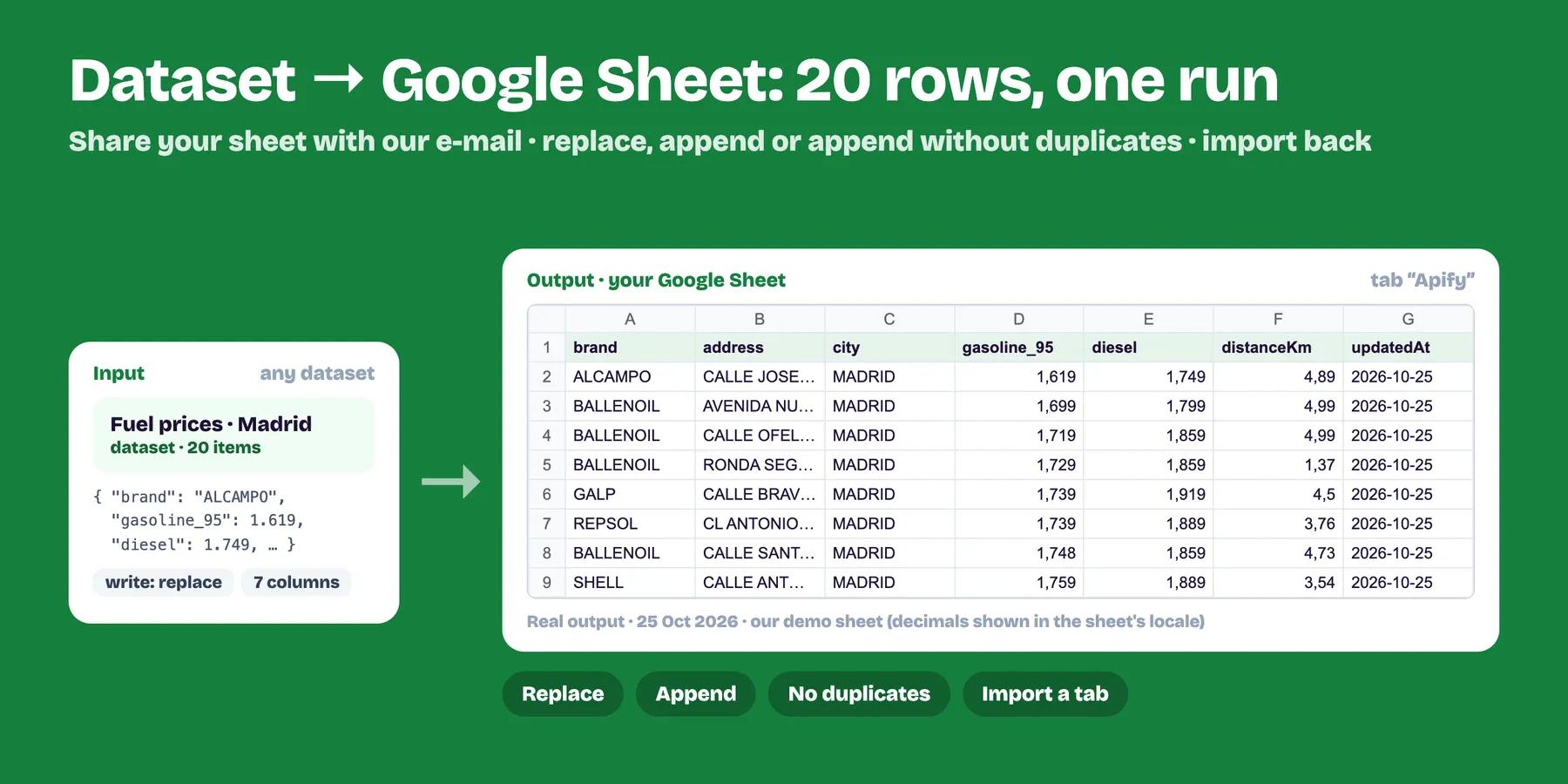
Send any Apify dataset to Google Sheets in one run, or import a sheet into a dataset. No Google Cloud setup, no OAuth pop-ups that expire: just share your spreadsheet with our email and run.
- ✅ Replace, Append, or Append without duplicates (by key columns like
urlorid) - ✅ Nested JSON flattened into columns (
price.value,address.city); lists joined as text - ✅ Automatic retries when Google rate-limits, big datasets written in chunks
- ✅ New columns are added at the end when appending, nothing gets overwritten
- ✅ Values written as plain data (RAW), so scraped text can never run as a formula
- ✅ Import any tab into a dataset (one row per sheet row, header = field names)
- ✅ You pay only for rows written or imported
Setup (30 seconds)
- Open your Google spreadsheet → Share.
- Add
tidydata@tidydata-sheets.iam.gserviceaccount.comas Editor (untick "Notify"). - In this Actor: paste the spreadsheet URL, pick the dataset, choose a write mode, run.
🔒 Privacy: the first Apify account that uses a spreadsheet becomes its owner for this Actor; any other account is refused, even if it knows the URL. You can remove our email from the sheet at any time. Advanced users can paste their own service account key instead.
Use it after another Actor (integration)
In your scraper's Integrations tab add this Actor and set datasetId to {{resource.defaultDatasetId}}. Every run then lands in your sheet automatically; use Append without duplicates to keep one growing, clean table.
Clean the data first: put Merge, Filter, Deduplicate & Transform between your scraper and this Actor (scraper → Merge → Google Sheets) to filter rows, remove duplicates, rename or drop columns and keep only rows not seen in earlier runs.
Output
Export: one summary row with the spreadsheet link, tab, rows written and columns. Import: one dataset row per sheet row.
Pricing
Pay per row written or imported. Duplicates skipped are free. Running without a spreadsheet shows a free preview of how your data becomes columns.
Limits
Google Sheets holds up to 10 million cells per spreadsheet and 50,000 characters per cell (longer text is truncated and marked).
FAQ
Do I need a Google Cloud project or an API key? No. Share the spreadsheet with tidydata@tidydata-sheets.iam.gserviceaccount.com as Editor and run. If you prefer, paste your own service account key instead.
What is the difference between the write modes? Replace clears the tab and writes your data. Append adds rows under the existing ones. Append without duplicates skips rows whose key columns (e.g. url or id) are already in the sheet.
How much does it cost? Pay per row written or imported. Duplicates skipped are free. Running without a spreadsheet shows a free preview of how your data becomes columns.
Can it run automatically after my scraper? Yes. Add it in your scraper's Integrations tab with datasetId set to {{resource.defaultDatasetId}}, or run it on an Apify schedule.
Why do I get "doesn't exist or isn't shared"? The spreadsheet is not shared with our email as Editor, or the link or ID is wrong. Share it and run again.
Why is my spreadsheet "already linked to a different Apify account"? With our shared email, each spreadsheet belongs to the first Apify account that used it, so nobody else can read or overwrite it. Use your own copy of the spreadsheet, or your own service account key.
Related Actors
- Merge, Filter, Deduplicate & Transform Datasets — combine several datasets, CSV or Excel files, remove duplicates and clean columns before they reach your sheet.
- HTTP Request & Bulk API Calls — send the same rows to your API, CRM or a webhook ($1 per 1,000 requests).


