

Airbnb Scraper — Listings, Prices, Reviews & Availability
Pricing
from $0.35 / 1,000 search listings
Airbnb Scraper — Listings, Prices, Reviews & Availability
Scrape Airbnb listings by location or URL. Export prices, ratings, photos, amenities, rich public host profiles, reviews, day-by-day availability, public contacts, and revenue estimates.
Pricing
from $0.35 / 1,000 search listings
Rating
0.0
(0)
Developer

Kelopr_bk
Maintained by CommunityActor stats
0
Bookmarked
2
Total users
1
Monthly active users
3 days ago
Last modified
Categories
Features
Share
🏡 Airbnb Scraper — Listings, Prices, Reviews & Availability
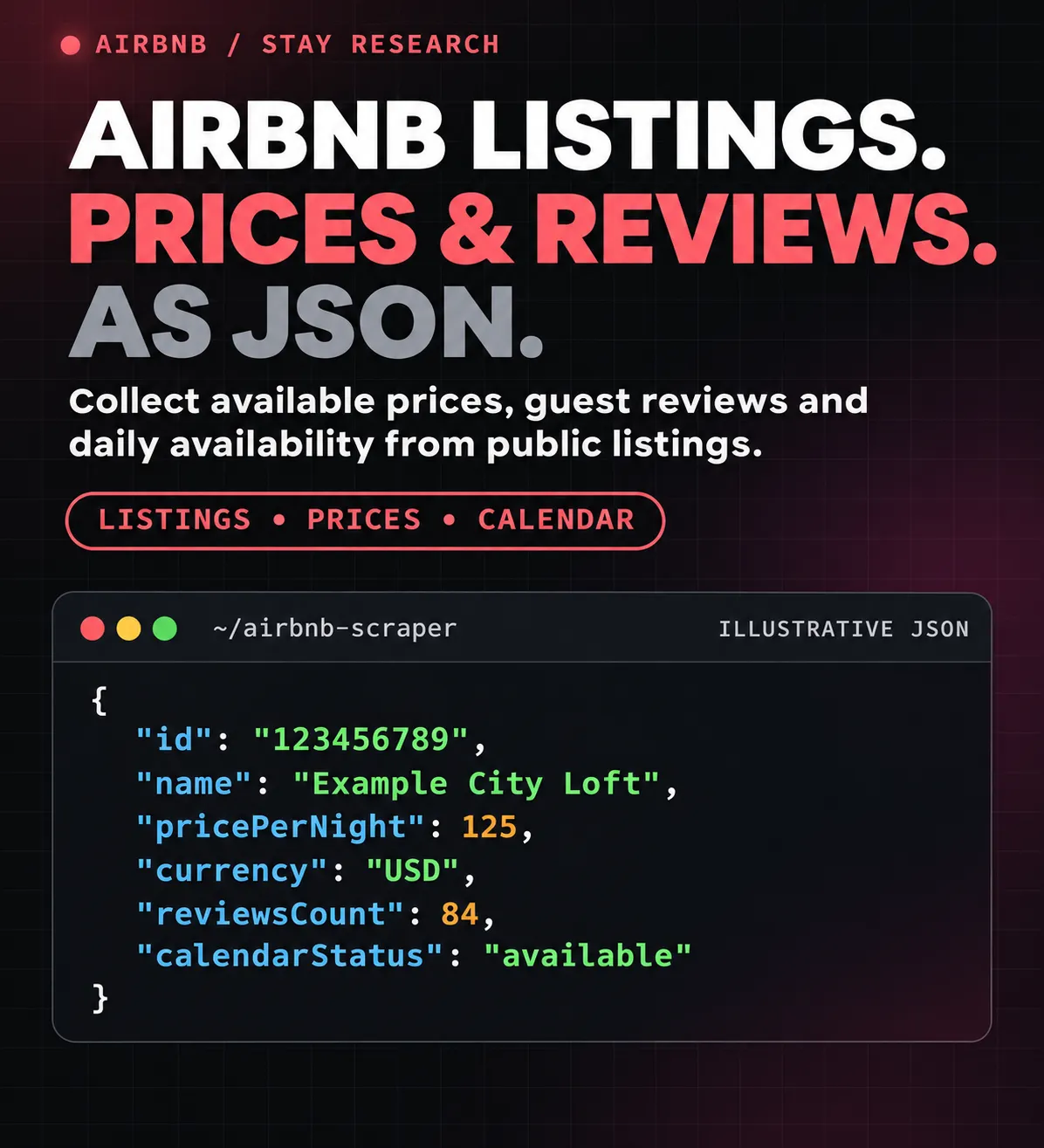
Collect structured data from a city search or a list of Airbnb room links. Start with listing cards and prices, inspect property and public host details, or add guest reviews, daily availability, estimated revenue and published business contacts. Export the records as JSON, CSV or Excel.
The main dataset has one row per saved listing. Separate datasets hold available reviews, calendar days, amenities, house rules, hosts, contact evidence and revenue comparisons. Join them to the main dataset through the listing ID.
📖 Guide
- Quick start
- Choose a workflow
- Collection coverage
- Practical recipes
- Simple input reference
- Advanced JSON controls
- Prices and stay quotes
- Public hosts and business contacts
- Guest reviews
- Calendar and revenue estimates
- Datasets and output fields
- Exports and API access
- Pricing and spending limits
- Coverage and run status
- Field dictionary
🚀 Quick start
- Select Fast search for a market sample, Full search for richer listing data or Listing URLs for known properties.
- Enter one location or one Airbnb room link per line. Keep all targets in the same format within a run.
- Set Listings per source. For a first search, start with five listings.
- Enter both dates for a dated stay quote. In a detailed mode, select the extras you need.
- Open Output as listings are saved. Select a table and export it when you are ready.
The form opens with this Prague sample. In Listing URLs, replace the location with an Airbnb room link and set the mode to urls. Full search and Listing URLs use Standard details when the extras field is left at its default.
🧭 Choose a workflow
| Workflow | mode | Included collection | Common use |
|---|---|---|---|
| ⚡ Fast search | search-fast | Search-card identity, location, photos, price and rating fields | Market scans, dated price samples and listing discovery |
| 🏡 Full search | search-full | Search cards plus available listing details, amenities, rules and public host profiles | Comp-set research and listing comparisons |
| 🔗 Listing URLs | urls | Detailed collection for the room links you supply | Monitoring known properties and enriching an existing list |
Extras for detailed listings
| Form option | detailOptions | Collection |
|---|---|---|
| Standard details | standard | Property and public host details |
| Add guest reviews | reviews | Details plus guest reviews and a review summary |
| Add calendar and revenue estimates | calendar | Details plus public calendar days and derived revenue estimates |
| Add reviews, calendar, estimates and public business contacts | full-audit | All of the above plus public business contact research |
Choose an extra in Full search or Listing URLs. Individual flags such as includeReviews also work in JSON and take precedence over the corresponding extra setting. Revenue analysis always requests a calendar because it uses the calendar to calculate its estimates.
📋 Collection coverage
| Field family | Fast search | Full search and Listing URLs |
|---|---|---|
| ID, title, room link and images | Search-card values | Available property detail and image gallery |
| Price and currency | Available displayed values from search | Detail or search price, with a stay quote when dates and source data allow |
| Location and capacity | Available search-card information | Location labels, coordinates, capacity and published room counts |
| Property description, amenities, rules and safety | Fields supplied by the card | Available listing-page details and separate detail exports |
| Ratings and published review counts | Listing-level aggregate where published | Aggregate, available rating categories and optional review text |
| Public host details | Available search-card labels and badges | Public host profile data where Airbnb supplies a profile |
| Guest review text and host replies | — | With reviews selected |
| Availability by day and revenue estimates | — | With the relevant calendar or revenue option selected |
| Public business contacts | — | With contact collection enabled |
Airbnb listings vary in the data they expose. For example, a listing can have photos and a public host name while its host profile, price or business website is unavailable. Relevant status fields are described in Coverage and run status.
🛠️ Practical recipes
1. Scan a neighborhood
Use the Listings view for ranking a shortlist by price, rating or reviews count. The displayed location can be a source label or coordinates on the search card.
2. Compare prices for a specific stay
Replace both date placeholders with real future dates. Keep dates, guests and currency the same when comparing runs. Read the Pricing view for available exact totals, effective nightly prices and discount information.
3. Research entire homes with a price range
The room type, bedroom count and price bounds are native search filters in this example. Use Amenities and House rules to compare the available property details.
4. Read reviews for known listings
The main row contains the listing rating and review counters. Open Reviews & calendar for the individual review records and Review summary for statistics about the fetched sample. The Calendar days tab holds daily availability when requested.
5. Compare availability and projected revenue
Use Calendar days for daily availability and stay restrictions. Use Calendar metrics for window summaries and Revenue estimates for modeled occupancy, ADR, RevPAR and monthly revenue. The estimates depend on the available source days and prices.
6. Collect evidence for public business contacts
Read Public contacts for listing-level values and Contact sources for their evidence. Keep the source URL and business identity in your export when a result will be reviewed by another person.
7. Run a full audit on a small sample
Start with one URL to see which optional fields the property supplies. The calendar rate applies to a saved listing carrying daily calendar records. See Pricing and spending limits for the delivery rules.
🎛️ Simple input reference
| Form field | JSON key | Accepted values and scope |
|---|---|---|
| Mode | mode | search-fast, search-full or urls |
| Locations or Airbnb listing URLs | queries | One search phrase or supported airbnb.com/rooms/ link per entry |
| Listings per source | maxItemsPerQuery | 1–270 saved listings per location or across the direct-link batch. The form starts at 5. The API default is 10 when omitted. |
| Check-in | checkIn | Optional date in YYYY-MM-DD. Supply check-out with it. |
| Check-out | checkOut | Optional date after check-in |
| Extras for detailed listings | detailOptions | standard, reviews, calendar or full-audit |
Listing links may contain query parameters. The Actor normalizes them to the underlying listing ID. Repeated links and overlapping searches share one deduplicated set of saved listings.
🧰 Advanced JSON controls
Open the JSON editor or send the same keys through the API. The form shows six common controls.
Travel context and search filters
| Key | Use |
|---|---|
adults | 1–16 adults. Default 2. |
children, infants, pets | Additional guests or pets. Default 0 for each. |
currency | USD or EUR. Default USD. |
locale | en, de, fr, es, it, pt, nl, pl, ru. Default en. Translated fields depend on Airbnb. |
minPrice, maxPrice | Optional native search bounds in the selected currency. |
roomType | Entire home/apt, Private room, Shared room or Hotel room. |
minBedrooms, minBathrooms, minBeds | Optional minimum counts for location searches. |
The direct-link workflow uses the listing IDs you supply. Apply market-wide filters through a location search. Both dates must be today or later, with check-out after check-in.
Detail collection
| Key | Use |
|---|---|
includeReviews | Collect reviews in a detailed mode. |
maxReviewsPerListing | 1–100 requested reviews per listing. Default 50. Actual delivery follows source coverage. |
includeCalendar | Request up to twelve months of daily availability. |
analyzeRevenue | Derive labeled revenue estimates and request the calendar. |
includeContacts | Check published business contact sources. |
contactWebsites | Map a listing ID to a known official website. The website must still match the business and location or reference the exact listing. |
rawOutput | Include raw source context alongside the normalized row for debugging. |
Previously supported locationQueries, startUrls, dateRange and researchPreset remain available in JSON. A dateRange uses YYYY-MM-DD/YYYY-MM-DD. Use canonical mode values for the form and examples.
💳 Prices and stay quotes
| Field | Interpretation |
|---|---|
displayPrice, price.displayPrice | Published display text, which can include rounding. |
pricePerNight | Published nightly amount where available. It can precede a stay discount. |
priceTotal | Numeric total for the source's stay context when available. |
priceOriginalTotal | Original total for a displayed comparison, when Airbnb supplies one. |
priceNightCount | Nights represented by the published price. |
priceEffectivePerNight | Numeric total divided by the known night count. |
price.breakdown | Available source line items for the price. |
price.priceSource | Identifies paths such as search_card or search_baseline when present. |
currency | Currency associated with the returned price. |
A search_baseline value comes from an undated search. Use a dated result for a comparison tied to a specific stay. Quotes can vary with guests, promotions, availability, fees and taxes. Compare like-for-like date and guest settings across properties.
👤 Public hosts and business contacts
Detailed workflows include the available public host profile alongside property data. The host object and Hosts dataset can contain the host ID, name, photo, profile link, public location, verification indicators, languages, hosting tenure, Airbnb membership tenure, received reviews and managed listings. Some property records expose the host card while the public profile is unavailable. Use hostProfileStatus for coverage.
Contact collection is optional. It checks public listing text and identity-matched business websites for available emails, phones and social links. A professional management company can be the contact source for several listings. Keep the associated business name and source URL when joining contacts across listings.
| Field | Meaning |
|---|---|
email, emails | A representative email and the distinct published emails found. |
phone, phoneNumbers | A representative phone and the published phone numbers found. |
instagramUrls, facebookUrls, linkedinUrls, xUrls, youtubeUrls | Available public social profiles or channels. |
tiktokUrls, pinterestUrls, whatsappUrls, telegramUrls | Other available platform and messaging links. |
contactBusinessName, contactWebsite | Matched business identity and website when found. |
contactSourceUrls, contactMatchMethod | Evidence for the observed values and website match. |
contactStatus, contactsFoundCount, contactPagesChecked | Contact coverage and activity counts. |
Contact results cover published sources. Booking-only communication details require the booking flow. Empty contact fields can mean the site lacks a published contact or the lookup was unavailable.
⭐ Guest reviews
reviewsCount is the listing-level total from Airbnb. fetchedReviewsCount counts the review records collected in the run, subject to the requested limit and source coverage. Compare the fetched counts before drawing conclusions from samples of different sizes.
Reviews & calendar contains the review rows. Useful columns include listingId, reviewId, reviewRating, reviewsText, localizedText, createdAt, localizedDate, language, reviewerName, reviewerProfileUrl, reviewerLocation, hostResponse and respondedAt. Media and highlights appear when Airbnb returns them. The separate Review summary describes the fetched window and gives a compact view of each listing's review sample.
reviewsStatus | Meaning |
|---|---|
available | The source returned review rows. Compare the fetched count to the requested limit for sample coverage. |
empty | The source returned an empty review sample. |
partial | Some review rows were retained after a source failure. |
failed | The requested review lookup failed before a usable sample was collected. |
📅 Calendar and revenue estimates
Use Calendar days for source-backed rows at the listingId and date level. The table can include availability, check-in and checkout eligibility, bookability, minimum and maximum nights, and nightly price. Join each day back to the main listing with Calendar days.listingId and Listings.id.
The main row contains availabilityCalendar plus available calendar summaries across 30, 60, 90 and 365 days. The Actor measures the days actually returned in each window. The count of dated nights explains the denominator when a calendar is incomplete.
Interpreting estimates
- An unavailable night can come from a booking or a host block. Occupancy values based on this signal are estimates.
- Revenue analysis needs at least 14 dated calendar nights for an occupancy projection.
revenue.adrSourcerecords the price basis used for average daily rate. Available nightly calendar prices are preferred, with a listing-price fallback when appropriate.revenue.revParandrevenue.estimatedMonthlyRevenueare forward-looking estimates derived from the available calendar and price data.- The
revenuedataset andREVENUE_SUMMARYrecord describe the run's sample. Per-listing comparisons require at least five analyzed listings with comparable data.
Use consistent travel context and currency across exports. Changes in the sampled properties and date coverage can move the reported median.
📦 Datasets and output fields
Each unique saved listing has one main record. Related datasets group the detailed data at the appropriate level, such as one row per review or calendar day.
| Output tab or storage alias | Contents and join key |
|---|---|
| Listings, Pricing, Hosts & ratings | Views of the default listing dataset. Primary key id. |
Hosts · hosts | Public host profile and reputation fields linked by listingId. |
Amenities · amenities | Amenity labels, categories and availability linked by listingId. |
House rules · propertyInfo | Available rules, safety items and property information linked by listingId. |
Reviews & calendar · reviews | Individual guest reviews linked by listingId; reviewId identifies a review where published. |
Review summary · reviewSummary | Per-listing counts and statistics for the fetched review sample. |
Calendar metrics and Calendar days · calendar | Listing-level availability summaries and separate daily rows. Join daily rows by listingId. |
Public contacts and Contact sources · contacts | Published contact values and separate evidence records with listing and source URLs. |
Revenue estimates · revenue | Listing estimates in the main dataset and market summaries and comparisons in the named dataset. |
Run summary · OUTPUT | Status, saved counts, coverage, warnings and charge-limit outcome. |
Example listing
Illustrative selection of fields from a detailed listing. Actual rows include additional fields where available.
🔌 Exports and API access
In Console, open the run's Output tab or choose a dataset from Storage. Select a view when exporting. JSON is useful for nested data such as rating details and calendar months, and CSV or Excel is convenient for focused tables and joins.
Use a token with access to this Actor. Store it in your environment. The example reads up to five listing records from the default dataset.
Read data.id and data.defaultDatasetId from the run response. Poll the run until it finishes for a complete export, or read the available dataset rows while it collects.
Send the same authorization header for those reads. Use the run's named dataset IDs to export reviews, calendar days or contacts into separate files. Keep listing IDs as strings for stable joins.
💰 Pricing and spending limits
| Delivered listing | Event | Price per listing | Price per 1,000 |
|---|---|---|---|
| Search-card listing | listing-fast | $0.00035 | $0.35 |
| Detailed listing | listing-full | $0.00165 | $1.65 |
| Detailed listing with daily calendar records | listing-calendar | $0.00450 | $4.50 |
Exactly one listing rate applies per saved unique listing. Available selected reviews, contacts, revenue estimates and separate export tables are included in the applicable rate. Useful search-card fallbacks are billed at the search-card rate. A detailed listing uses the calendar rate when daily records are delivered.
The actor-start event costs $0.00125 per started GB, with a minimum of one event. Platform usage is included. The examples below use the default 512 MB memory and assume one startup event.
| Example | Total |
|---|---|
| 100 Fast listings | $0.03625 |
| 50 detailed listings | $0.08375 |
| 8 listings with daily calendars | $0.03725 |
| One detailed listing by URL | $0.00290 |
Set Apify's maximum charge for the run to control spend. The Actor checks the cost of another listing with the requested options before it starts more collection. Saved listings remain accessible when collection reaches the cap. Invalid inputs, duplicates and empty results produce zero listing events. Apify applies its startup event separately.
🔍 Coverage and run status
Read the Run summary first when a run saves fewer listings than requested. It reports status, mode, saved, completeDetails, partialListings, contact coverage, analyzed listings and available warnings. chargedListingsByEvent shows the listing-event count by rate.
| Output signal | Interpretation |
|---|---|
status: completed | Collection finished without recorded source issues. Check the saved count for sample size. |
status: completed_with_issues | Some source work was incomplete. Review the warning and the relevant row status. |
status: charge_limit_reached | Collection stopped at the configured budget boundary. |
status: invalid_input | A field needs correction. The summary gives the input guidance. |
status: no_results | Zero listings were saved. Check the target and its filters. |
detailStatus: search_card | The row contains listing-card fields. |
detailStatus: complete | The listing detail stage returned a usable result. |
detailStatus: partial | The Actor retained available card fields when listing details were unavailable. |
Unavailable optional fields can remain empty on a complete listing. Check hostProfileStatus, reviewsStatus, calendarStatus and contactStatus for those stages. When comparing exports, use the same mode and extras, and keep the dates, guest counts, currency and source coverage with the records.
📚 Field dictionary
The names below are commonly used in the main dataset. The full JSON also contains detailed objects when they are returned.
| Group | Fields | Reading guidance |
|---|---|---|
| Identity | id, name, url, canonicalUrl, recordType | Use the listing ID as the durable join key. |
| Location | displayLocation, locationTitle, neighborhood, latitude, longitude, isLocationVerified | Source location labels and coordinates where exposed. |
| Capacity | personCapacity, roomType, propertyType, bedrooms, beds, bathrooms, sleepingArrangement | Count and layout fields if published. |
| Media | imageUrl, imageUrls, images, imageCount | Cover image and available gallery. |
| Listing attributes | instantBookEnabled, isGuestFavorite, isSuperhost, isNewListing, registrationNumber | Published flags and registration identifier when available. |
| Property content | description, amenities, availableAmenitiesCount, houseRules, safety, highlights, cancellationPolicyNames | Detail content organized by source section. |
| Price | price, currency, displayPrice, pricePerNight, priceTotal, priceOriginalTotal, priceNightCount, priceEffectivePerNight | Price context and available components. |
| Reputation | rating, ratingValue, reviewsCount, ratingCleanliness, ratingAccuracy, ratingLocation | Overall rating and published subratings. |
| Review sample | reviews, reviewsStatus, fetchedReviewsCount, reviewTagsCount | Fetched review content and coverage counters. |
| Host | host, hostId, hostName, hostUrl, hostProfileStatus | Public host identity and source coverage. |
| Host profile | hostLanguages, hostLivesIn, hostIdentityVerificationTypes, hostProfilePrompts, hostManagedListingsTotalCount | Rich public profile fields where exposed. |
| Contacts | email, emails, phone, phoneNumbers, contactBusinessName, contactWebsite, contactStatus, contactSourceUrls | Published business contact evidence. |
| Calendar | availabilityCalendar, calendarDaysCount, calendarStartDate, calendarEndDate, calendarAvailabilityNext30Percent | Daily source availability and collected windows. |
| Estimates | revenue, estimatedAdr, estimatedAdrSource, estimatedOccupancyPercent, estimatedRevPar, estimatedMonthlyRevenue | Derived forward-looking metrics with a source basis. |
| Provenance | sourceUrl, detailStatus, scrapedAt, locale | Source reference, coverage and collection context. |


