

Threads Profile Scraper: Posts, Views, Likes, $1.50/1K
Pricing
from $1.00 / 1,000 results
Threads Profile Scraper: Posts, Views, Likes, $1.50/1K
Scrape public Threads profiles and posts without login: post text, views, likes, replies, reposts, quotes, media URLs, hashtags, links, exact date, plus followers, bio and verified flag. Filter by date, monitor for new posts. No API key, no cookies. Flat price, no start fee.
Pricing
from $1.00 / 1,000 results
Rating
0.0
(0)
Developer

Detroit Web Agent - Open Data
Maintained by CommunityActor stats
0
Bookmarked
2
Total users
1
Monthly active users
a day ago
Last modified
Categories
Share
Threads Profile Scraper: Posts, Views, Likes, Replies and Follower Stats

| Price per 1,000 posts | Free plan | Starter | Scale | Business |
|---|---|---|---|---|
| This Actor | $1.50 | $1.40 | $1.20 | $1.00 |
| Most-used alternative | $2.50 | $2.50 | $2.50 | $2.50 |
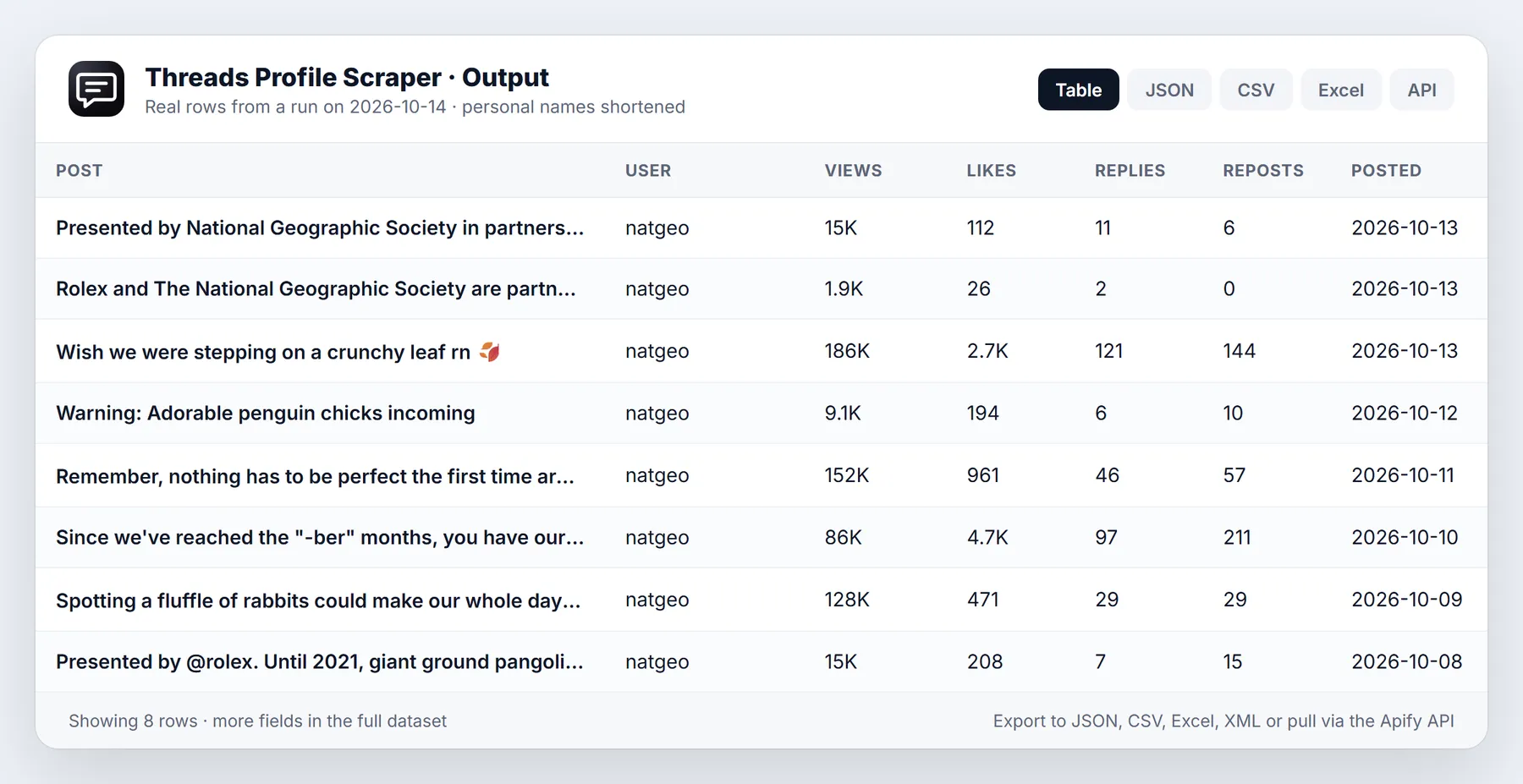
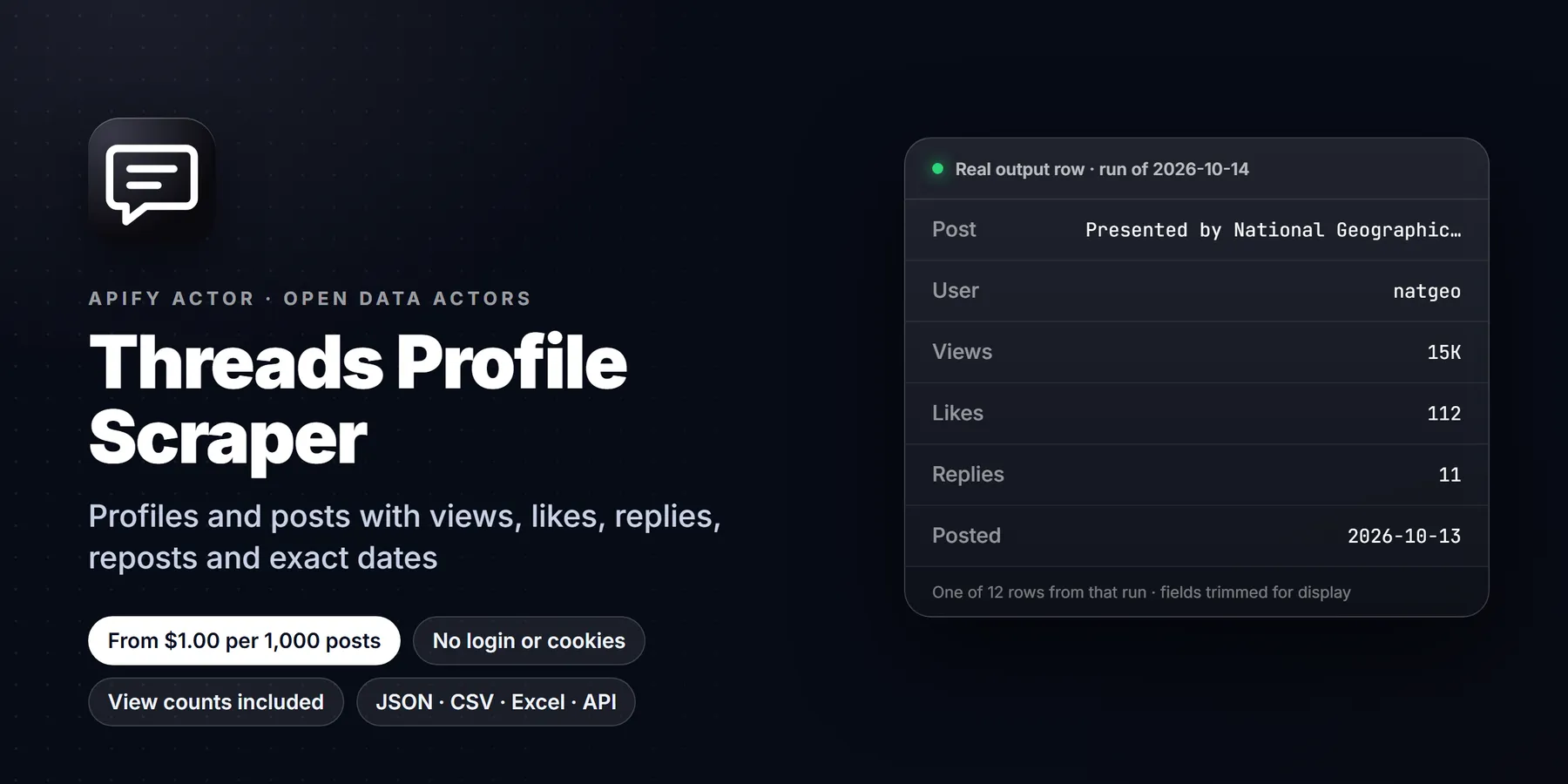
Scrape public Threads profiles and their posts without logging in. Give it a list of usernames and get one clean row per post: text, view count, likes, replies, reposts, quotes, shares, exact publish time, media URLs, hashtags, links and the full author block (followers, bio, bio links, verified flag, profile picture). No Threads account, no cookies, no API key and no browser to maintain.
The price is flat at $1.50 per 1,000 posts on the Free plan and falling to $1.00 per 1,000 on the Gold plan and above. There is no per-run start fee beyond Apify's own platform event, and you are never charged for a missing account, a failed page, a post filtered out by date or a post already delivered by an earlier monitor run.
Run in 30 seconds
- Click Try for free and leave the prefilled username
zuckin place, or type your own list under Usernames. - Press Start. The run finishes in well under a minute for a normal list.
- Open the Overview tab for a table, or export JSON, CSV or Excel from the Export button.
That is the whole setup. The default input returns the 20 newest posts of the profile with view counts and the complete profile block on every row.
What you get for every post
| Group | Fields |
|---|---|
| Post | id, code, url, text, createdAt, createdAtTimestamp, createdAtDisplay, language, topicTag, isEdited, isPinned, isReply, isQuotePost, isRepost, replyControl, canReply |
| Engagement | viewCount, viewCountStatus, likeCount, replyCount, repostCount, quoteCount, shareCount |
| Media | hasMedia, mediaType (text, image, video, carousel), mediaCount, mediaUrl, mediaUrls, media (type, URL, thumbnail, size and alt text for each item), mediaWidth, mediaHeight, hasAudio, videoDuration, altText, audioTitle, musicTitle |
| Content signals | hashtags, mentions, links, externalLinks, linkPreview, poll, quotedPostUrl, quotedPostText, repostedPostUrl, replyToUsername |
| Author profile | username, userId, displayName, profileUrl, isVerified, isPrivate, followersCount, bio, bioLinks, profilePicUrl, profilePicHdUrl, profileTags |
| Housekeeping | type, sourceTab, requestedUsername, scrapedAt |
Around 80 columns are available in total, and more than 50 are filled on a typical text-and-image post. Fields that do not apply to a post (a poll on a plain text post, for example) come back empty instead of being dropped, so every row has the same shape and loads cleanly into a spreadsheet or database.
Input
| Field | What it does |
|---|---|
usernames | Threads usernames, @handles or profile links. One per line. Duplicates are removed. |
startUrls | The same, in URL-list form. Profile links such as https://www.threads.com/@zuck are accepted. |
maxPosts | Posts to return per profile, newest first. Default 20, up to 100,000. |
oldestPostDate | A date (2025-01-31) or a relative period (24 hours, 7 days, 2 weeks, 3 months, 1 year). Older posts are skipped and not charged. Pinned posts are always kept. |
includeViewCounts | On by default. Opens each post page to read its view count. Turn it off for the fastest possible listing. |
maxConcurrency | How many post pages load at once for view counts. Default 8. |
monitorMode and stateStoreName | Only deliver posts that earlier runs have not delivered. Use one store name per schedule. |
autoProxyFallback and proxyConfiguration | Apify datacenter proxy is used by default. If Threads starts rate-limiting it, the run switches itself to residential proxy. |
Pricing
Pay per event. You pay for results, not for compute time or monthly rental. Rates per 1,000 delivered rows, by Apify plan:
| Plan | Price per 1,000 |
|---|---|
| Free | $1.50 |
| Starter | $1.40 |
| Scale | $1.20 |
| Business and above | $1.00 |
Platform costs such as the tiny run-start event and any residential proxy traffic are billed by Apify at their own published rates. A run that finds nothing, or only already-seen posts in monitor mode, costs nearly nothing. Set a maximum charge per run in the run options and the Actor stops cleanly when it reaches it.
Use it from code, schedules or AI agents
The Actor works with the Apify API, the official JavaScript and Python clients, schedules, webhooks, Zapier, Make and n8n. It is also exposed as a tool to AI agents through the Apify MCP server, so an assistant can call it with a username and get structured rows back.
Who uses it and why
- Brand and social teams track what a competitor, a creator or their own account posts, with views and likes per post, and compare it week over week.
- Influencer and partnership researchers pull follower counts, bios, bio links and recent post performance for a shortlist of creators before a deal. The paid-partnership flag is included on every post.
- Journalists and analysts archive the public statements of officials, companies and newsmakers with exact timestamps and permalinks.
- Agencies schedule a daily run in monitor mode on a client list and receive only posts published since the last run.
- Dataset builders collect post text, language, hashtags and engagement for classification, sentiment or trend work. Each row is flat JSON that loads straight into a notebook or warehouse.
How the input fields work together
Use usernames for plain handles and startUrls for links you already have. You can fill both in one run, and each profile gets its own maxPosts limit. Every run reads the profile page first, which gives the profile block and the newest posts, then loads further pages of the same public feed until it has enough posts, runs out, or reaches the date cutoff.
With oldestPostDate set, paging stops as soon as a whole page is older than the cutoff, so a 7-day window on a quiet account costs one or two requests. Pinned posts are kept regardless of age because Threads lists them first, and they are labelled with isPinned.
includeViewCounts is the main speed switch. The public feed does not carry view counts, so with the switch on, each post page is opened once to read its count. Those requests run in parallel (maxConcurrency) and the run still finishes quickly. With the switch off, viewCount is empty and viewCountStatus says unavailable; everything else is identical and the price is the same.
Monitor mode stores the post codes already delivered in a named key-value store. The next run with the same store name returns only newer posts. Entries older than a year are dropped automatically.
Worked examples
Latest posts of a few accounts
Last 30 days of a brand account, with views
Fast listing without view counts
Daily schedule, only new posts
Sample row
Choosing what to keep
Most analyses need only a handful of columns. The default Overview table shows the profile picture, username, link, text, date, views, likes, replies, reposts, media type, followers and the verified flag. Use the API fields parameter or the Export dialog to keep just the columns you need, and the omit parameter to drop heavy ones such as media or profileTags.
Reading the engagement numbers
likeCount, replyCount, repostCount, quoteCount and shareCount are the public counters Threads shows under each post. repostCount counts plain reposts, quoteCount counts reposts with a comment, and shareCount counts shares out of the app. A simple engagement rate for a post is (likeCount + replyCount + repostCount + quoteCount) / followersCount, and because the follower count sits on every row you can compute it in a spreadsheet column with no second lookup. viewCount lets you go one step further and divide by views for a reach-based rate.
To compare accounts, run several usernames in one go with the same maxPosts, then group the dataset by username. Averages of viewCount and likeCount per account are enough for a first ranking, and createdAt lets you check posting frequency. For trend work, schedule a daily run with monitor mode and append each day's rows to one table; the post code is a stable key.
Cleaning and joining the data
Timestamps are ISO 8601 in UTC (createdAt) with the raw Unix value alongside (createdAtTimestamp). hashtags and mentions are arrays of plain strings without the leading symbol. links lists the full URLs found in the post, while linkPreview holds the card Threads shows for the first link. media is a list with one entry per image or video, so a carousel has several. If you only need one picture per post, use mediaUrl. Use userId as the stable account key, because usernames can be renamed.
Tips to keep runs fast and cheap
- Put many usernames in one run. Profile pages are fetched one after another, but the posts inside each profile load in parallel, so one run is cheaper than many small runs.
- Turn view counts off when you only need text, dates and likes.
- Use
oldestPostDatefor recurring runs instead of a hugemaxPosts. - Use monitor mode for schedules. You pay only for new posts.
- Set a maximum charge per run when you test a new list.
Limits and honest caveats
- Only public profiles are read. Private accounts return a profile row with
isPrivateset and no posts. - The Threads tab is read: a profile's own posts and self-replies. Replies to other people, the reposts tab and keyword search are not covered.
- Threads decides how far back a logged-out visitor can page. Very large accounts return recent history reliably; if the feed stops early, the run says so in its warnings and delivers everything it did get.
- View counts are the numbers Threads shows publicly and are rounded or hidden for some posts. When a post has none,
viewCountis empty. - Follower counts update with Threads' own caching, so they can differ by a few from the app at the same moment.
- Data is public information shown to any visitor. Use it in line with Threads' terms and local data-protection law, especially when personal data is involved.
More questions
Do I need a Threads account or cookies? No. The Actor reads only what a logged-out visitor sees.
Why is a post missing? Posts that are deleted, restricted or hidden from logged-out visitors are not returned. Posts older than your date cutoff are skipped on purpose.
Why do two runs show slightly different like counts? The counts are live. A post gaining likes between runs changes the number.
Can I get replies or search by keyword? Not in this version. It focuses on profiles and their posts.
What happens if Threads blocks the datacenter IP? With automatic fallback on, the run retries through residential proxy and carries on. The residential traffic is billed by Apify.
FAQ
How fast is it? A 20-post profile with view counts typically finishes in 10 to 20 seconds, and 100 posts in under a minute.
Is the data JSON-ready? Yes. Every row is flat JSON with consistent keys, and the dataset exports to CSV, Excel, XML and HTML.
Can I schedule it? Yes. Use Apify schedules with monitor mode for a daily feed of new posts.
Where do I report a problem? Open an issue on the Actor page with the username and run link, and it will be looked at.
More resources
- Apify API documentation
- Schedules and webhooks
- Apify MCP server for AI agents
New to Apify? Create a free account and run this Actor in under a minute. Some links are affiliate links.


