

Instagram Profile Scraper: Followers, Bio Links, $1.8/1K
Pricing
from $1.12 / 1,000 result rows
Instagram Profile Scraper: Followers, Bio Links, $1.8/1K
Instagram public profiles and latest posts without login: exact followers, following, posts, bio, all bio links, emails in bio, verified and private flags, plus each recent post's caption, likes, comments, date and media URLs. Engagement rate per profile.
Pricing
from $1.12 / 1,000 result rows
Rating
0.0
(0)
Developer

Detroit Web Agent - Open Data
Maintained by CommunityActor stats
0
Bookmarked
2
Total users
1
Monthly active users
2 hours ago
Last modified
Categories
Share
Instagram Profile Scraper: followers, bio links, emails and latest posts, no login
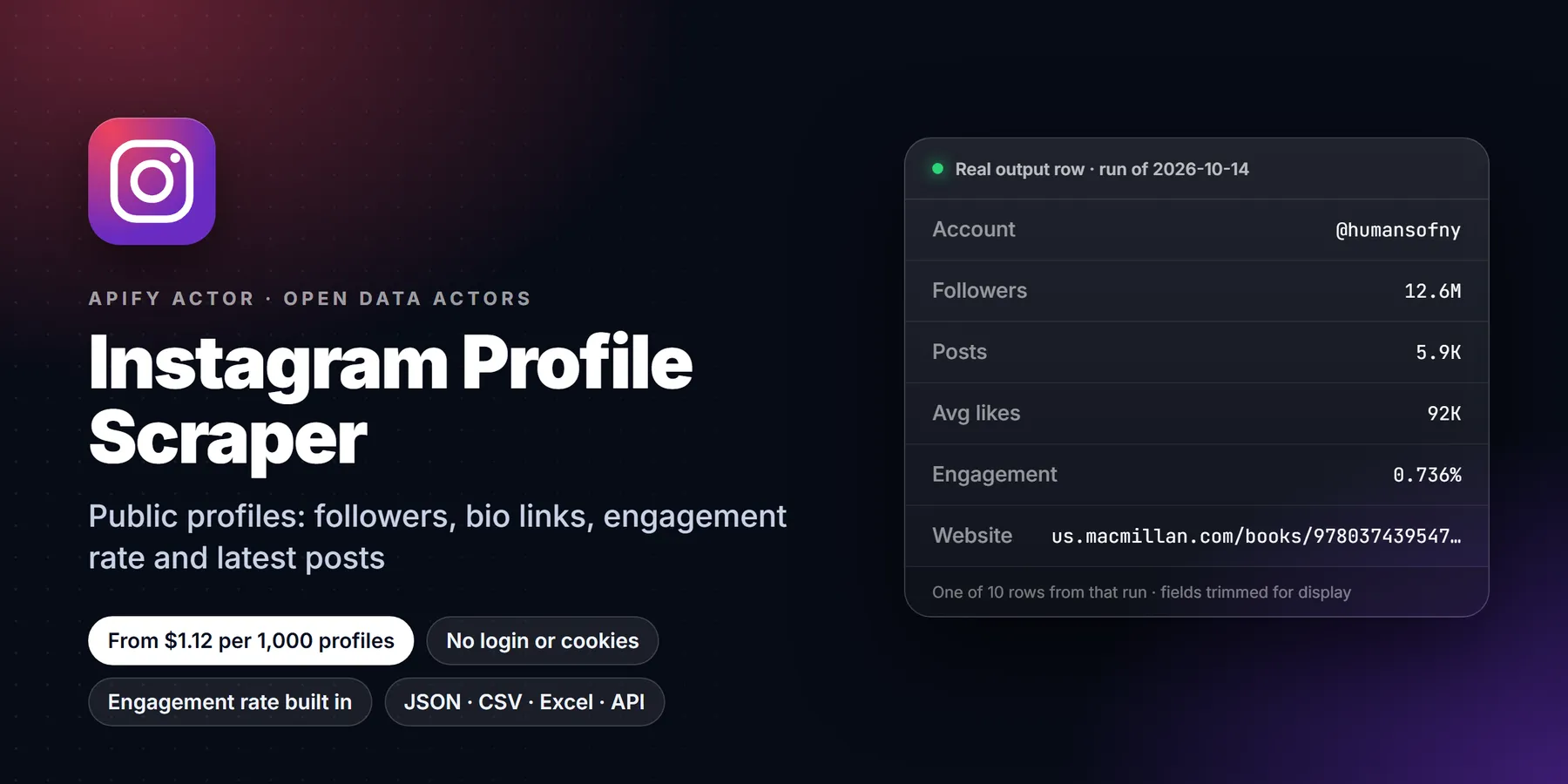

| Price per 1,000 profiles | Free plan | Starter | Scale | Business |
|---|---|---|---|---|
| This Actor | $1.82 | $1.61 | $1.40 | $1.12 |
| Most-used alternative | $2.60 | $2.30 | $2.00 | $1.60 |
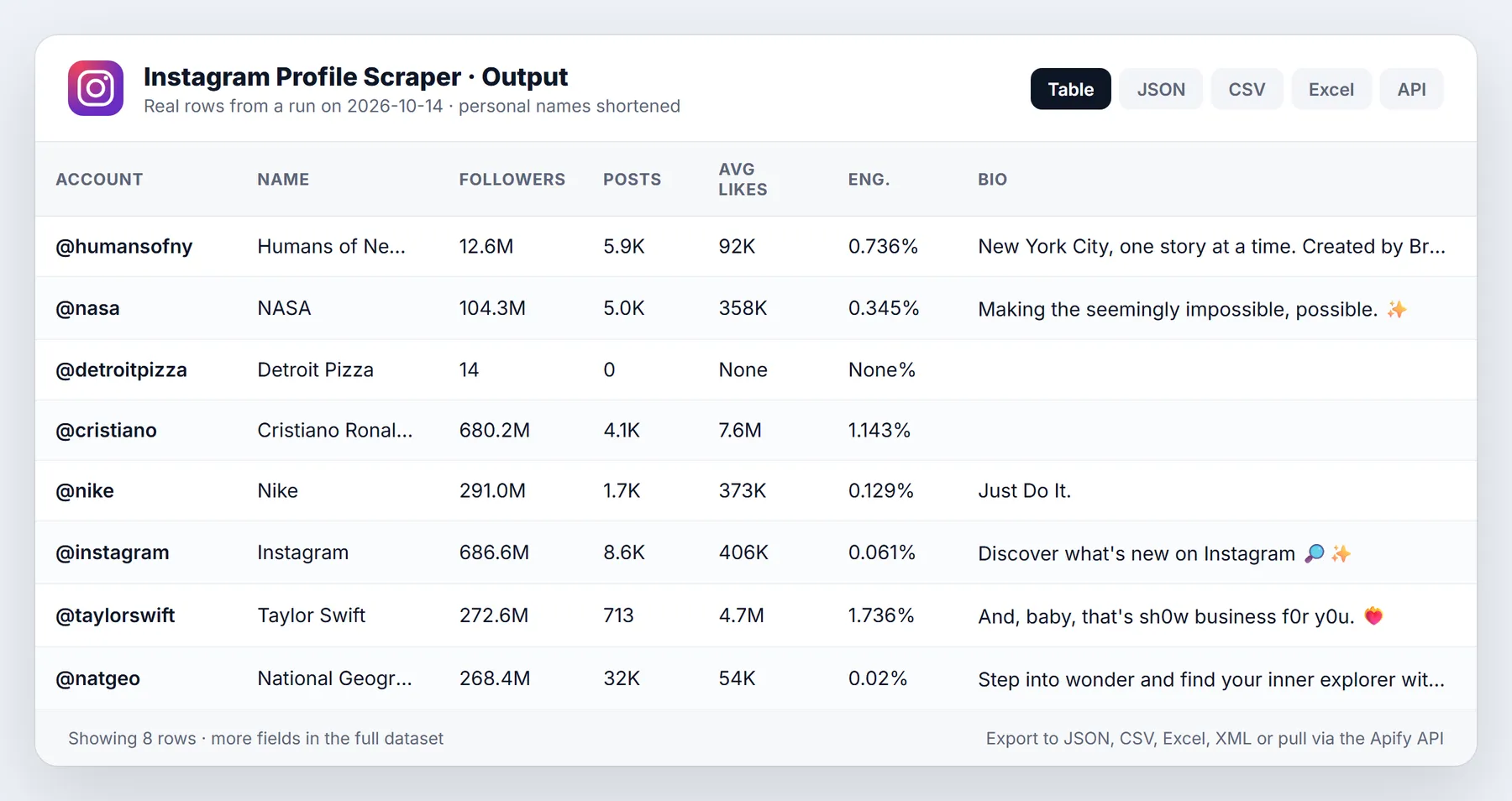
Get public Instagram profile data without logging in: exact followers, following, post count, bio, every link in bio, emails written in the bio, verified and private flags, profile picture and HD picture, business category, business flag, related profiles, plus the latest 12 posts with caption, likes, comments, date, type, image URLs and hashtags. Each profile row also carries average and median likes and an engagement rate, so you can vet influencers or benchmark competitors in one table.
- No Instagram account, cookies or session needed. Nothing is logged in, nothing is hidden behind a login.
- One row per profile (latest posts nested) or one row per post.
- Paste usernames, @handles, profile URLs, or post and reel URLs.
- Business fields without a login:
businessCategoryName,isBusinessAccount,fbid,profilePicUrlHD,igtvVideoCount,joinedRecently,relatedProfiles, plus public business email, phone and address when the account shows them. - Monitor mode returns only new posts on each scheduled run.
- From $0.0018 per profile on the free plan, less on paid plans. Accounts that do not exist and failed pages are never charged.
Run in 30 seconds
- Open the actor in Apify Console (a free Apify account is enough).
- Press Start with the prefilled input: @natgeo and @nasa, 2 profile rows with their latest posts, about $0.005.
- Open the Output tab: the Profiles view is a table with followers, bio, link in bio and engagement. Download CSV, Excel or JSON.
Why choose this over alternatives
- Exact counts. Followers and posts come from Instagram's official profile embed, so you get 104335933, not "104M".
- All bio links, not only the first one, with their titles. Emails, hashtags and mentions in the bio are pulled out into their own columns.
- Engagement built in: average likes, median likes, average comments and engagement rate per profile.
- Business fields without an account: business category, business flag, Facebook ID, HD profile picture, video count, related profiles, and the public business email, phone and address. No cookie, no risk to your own Instagram account.
- Latest 12 posts per profile with video URLs and carousel images.
- Influencer filters: minimum and maximum followers. Skipped profiles are not charged.
- Monitor mode for competitor tracking: only new posts, stored per watch list.
- Priced below the best-known Instagram profile scraper on the Free, Bronze, Silver and Gold plans.
What it does and who it is for
The actor reads what Instagram serves to any logged-out visitor: the public profile information that Instagram's app loads, the official profile embed (the widget websites use to show an account's latest posts), the official post embed and, when needed, the public profile page. It combines them into clean rows.
- Marketers and agencies: vet influencers by followers, engagement rate and contact links before outreach.
- Brands: benchmark competitors' follower growth and post performance; schedule it daily with monitor mode.
- Lead generation: collect the website, link-in-bio and public bio email of local businesses from their Instagram handles.
- Researchers and journalists: snapshot public accounts with timestamps.
What you get: output fields
Profile rows (resultsType: details):
| Field | Meaning |
|---|---|
username, fullName, id, url | Handle, display name, Instagram user ID, profile URL |
followersCount, followsCount, postsCount | Followers (exact), following, total posts |
countsExact | True when followers and posts came from the exact embed counts |
biography, bioLinks, externalUrl | Bio text, all links in bio [{title, url}], first link |
emailsInBio, hashtagsInBio, mentionsInBio | Pulled out of the bio text |
verified, isPrivate, hasPublicStory, threadsBadge | Account flags |
profilePicUrl, profilePicUrlHD | Profile picture URL, and the 320 px HD version |
businessCategoryName, categoryName | Business category (for example Government Agencies, Publishers) |
isBusinessAccount, isProfessionalAccount | Business and professional (creator or business) flags |
businessEmail, businessPhoneNumber, businessAddress, businessContactMethod | Public business contact details, when the account shows them |
fbid, igtvVideoCount, joinedRecently, highlightReelCount, hasClips, pronouns | Facebook-side ID, long-video count, new-account flag, story highlights, reels flag, pronouns |
relatedProfiles | Accounts Instagram suggests as similar [{id, username, full_name, is_private, is_verified, profile_pic_url}] |
businessDetails | complete, or instagram-error when Instagram's own server fails the business lookup for that account (see Limits) |
externalUrls, externalUrlShimmed | Every bio link with its type, and Instagram's tracked redirect link |
avgLikes, medianLikes, avgComments, engagementRatePct | Over the latest posts; engagement = (avg likes + avg comments) / followers |
latestPosts | Latest posts (fields below) |
scrapedAt, inputUrl | Snapshot time and the input it came from |
Post fields (nested in latestPosts, or one row each with resultsType: posts): shortCode, url, type (Image, Video, Sidecar), caption, hashtags, mentions, likesCount, commentsCount, timestamp, isVideo, displayUrl, images, childCount, dimensions, isPinned, isPaidPartnership, locationName, ownerUsername, ownerId, videoUrl and productType (feed, clips) for profile posts, and with owner data on: ownerFullName, ownerFollowersCount, ownerVerified, ownerUrl.
Sample output
Input options
| Option | What it does |
|---|---|
usernames | Usernames, @handles, profile URLs, or post/reel URLs |
directUrls | Same, for pasting a list of links (compatible with other Instagram scrapers' inputs) |
resultsType | details (1 row per profile) or posts (1 row per post) |
resultsLimit | Latest posts per profile, 0-12 (0 = profile only), default 12 |
includeLatestPosts | Nest latest posts in profile rows (default on) |
addParentData | Add owner name, followers and badge to post rows (default on) |
onlyPostsNewerThan | A date (2025-01-31) or a span (7 days, 2 weeks) |
excludePinnedPosts | Drop pinned posts |
minFollowers, maxFollowers | Skip profiles outside the range (not charged) |
maxItems | Stop after this many rows |
monitorMode, monitorStoreName | Only new posts since the last run, per watch list |
maxConcurrency | Profiles fetched in parallel (1-10) |
sessionCookie | Optional and not needed. A sessionid from a spare account, tried only if Instagram rate-limits the logged-out lookup. Stored encrypted, never logged |
proxyConfiguration | Apify Proxy by default; residential is used for profile pages automatically, cost included |
Pricing
Pay per event. No subscription, no rental fee.
| Event | Free | Bronze | Silver | Gold | Platinum | Diamond |
|---|---|---|---|---|---|---|
| Result row (one profile with its latest posts, or one post) | $0.00182 | $0.00161 | $0.0014 | $0.00112 | $0.00112 | $0.00112 |
| Profiles | Free | Bronze | Silver | Gold |
|---|---|---|---|---|
| 100 | $0.20 | $0.18 | $0.16 | $0.13 |
| 1,000 | $2.00 | $1.80 | $1.60 | $1.30 |
| 10,000 | $20 | $18 | $16 | $13 |
Not charged: accounts that do not exist, pages that stay blocked after retries, profiles removed by a filter, and posts already delivered in monitor mode. Proxy costs are included. In posts mode each post is one row.
How to run it
- Console: fill the form, press Start.
- API:
POST https://api.apify.com/v2/acts/transparent_meteorite~instagram-public-profile-scraper/run-sync-get-dataset-items?token=<TOKEN>with the input JSON as the body. - Python:
ApifyClient(token).actor("transparent_meteorite/instagram-public-profile-scraper").call(run_input={"usernames": ["nasa"]}) - Schedules and integrations: run daily with monitor mode on and send new posts to Google Sheets, Slack, Make, Zapier or n8n.
Reliability and blocking
Every request uses a real browser TLS fingerprint and is retried on a fresh proxy session. Profile lookups go through Apify residential proxy, because Instagram rate-limits datacenter IPs on them; embeds work from datacenter IPs. If the profile lookup fails, the actor falls back to the public profile page, and if that stays blocked too, the row still comes back with exact counts and the latest posts from the embed, and the log says what was unavailable. In our tests on 30 public profiles across 3 runs, every existing public account returned a full row.
Limits and honest caveats
- Latest 12 posts per profile. That is what Instagram shows logged-out visitors. Full post history, comments, followers lists, stories, hashtag and location feeds need a signed-in session, which this actor does not use. A
resultsTypeother thandetailsorpostsis accepted but falls back to details with a log message. - Business lookup error on some brand accounts. For some business accounts (in our tests 7 of 16 large brands, for example natgeo and chipotle) Instagram's own server answers the business lookup with an error. Those rows still have the bio, links, exact counts and the latest 12 posts,
isBusinessAccountis true (the error only happens for business accounts),businessDetailsisinstagram-error, and the category, Facebook ID and HD picture are null. Personal, creator and most business accounts return every field. - Private accounts return the profile row (counts, bio, flags) but no posts.
- Following is read from the public page summary, so very large values may be rounded (for example 1.2K). Followers and posts are exact whenever the account has public posts.
- Post rows from post URLs have no
timestamp(the post embed does not include it); profile posts do. - Accounts that hide like counts return
likesCount: null. - Image URLs are signed by Instagram and expire after some days; download them promptly if you need the files.
Use cases
- Influencer shortlists. Paste a list of handles and get followers, engagement rate and bio links for each. Set
minFollowersandmaxFollowersto keep only the size band you want, for example micro-creators between 10,000 and 100,000 followers. Profiles outside the range are skipped and not charged. - Contact discovery from public bios. Many creators and small businesses write an email address or a booking link in the bio.
emailsInBioandbioLinkscollect them in one column each. Only what the account published is returned. - Competitor watching. Schedule monitor mode daily on a fixed list of brand accounts and receive only the posts that were not delivered before, with captions, hashtags, likes and comments.
- Brand and partnership checks.
isPaidPartnershipon a post shows whether the account marked it as a paid partnership, which is useful when reviewing how a creator discloses sponsored content. - Social listing for agencies. One table with followers, following, post count, verified badge and link in bio is the base of most creator or client audits.
- Research and journalism. Snapshot the public state of a set of accounts at a known time (
scrapedAt) and compare snapshots later.
Input guide
usernamestakes plain usernames,@handles, profile URLs, and also post or reel URLs. Profile entries give profile rows, post and reel entries give post rows.directUrlsis the same list for tools that export links. Hashtag, explore and story pages need a login, so they are skipped with a log warning.resultsTypeisdetails(one row per profile with the latest posts nested) orposts(one row per post). Choosedetailsfor audits and shortlists,postswhen each post should be its own table row for filtering or charts.resultsLimitgoes from 0 to 12, default 12. Use 0 for profile data only.includeLatestPostsapplies todetails. Turn it off to get a compact profile row without nested posts.addParentDataapplies toposts. When on, each post row also carries the owner's name, followers, verified badge and profile URL, so the table can be used without a join.onlyPostsNewerThanaccepts a date such as2026-09-01or a span such as7 days,2 weeks,3 months.excludePinnedPostsdrops posts pinned to the top of the grid. Pinned posts are often old and can skew the engagement figures.minFollowersandmaxFollowersfilter profiles by size before they are delivered.maxItemsis a hard cap on rows for the run, default 1000. Pair it with the run's maximum total charge for a firm budget.monitorModeandmonitorStoreNamekeep a named key-value store of posts already delivered. Use a new store name for each watch list.maxConcurrencyis the number of profiles fetched in parallel, 1 to 10, default 5.
Worked examples
Shortlist by follower range
One row per post for the last two weeks
Daily competitor monitor
The first monitor run sets the baseline. Every later run returns only the posts that appeared since.
Tips to reduce cost and runtime
- Use
resultsLimit: 0for profile-only lists such as audience size checks. No post data is read. - Apply
minFollowersandmaxFollowersinstead of filtering in a spreadsheet: skipped profiles are not charged. - Keep
maxConcurrencynear the default of 5; lower it if many profiles come back blocked. - Use monitor mode for anything that repeats. Profiles with nothing new return no row and cost nothing for posts.
- Set
maxItemswhile testing a new list, then raise it for the full run. - Download image files soon after a run if you need them. Instagram image URLs are signed and expire after a few days.
Post field details
typeisImage,VideoorSidecar(a carousel). For a carousel,childCountis the number of slides andimageslists the slide image URLs.videoViewCountis filled for videos when Instagram publishes it.likesCountisnullwhen the account hides like counts.accessibilityCaptionis the image description Instagram generates, when available.dimensionsholds the width and height of the media.locationNameis the tagged place, when one is set.isPinnedmarks posts pinned to the grid, andisPaidPartnershipmarks posts flagged as paid partnerships.
Calling it from code
More questions
Can it scrape private accounts? Only the public summary of a private account comes back (counts, bio, flags). Posts are not available.
Does it return followers lists, comments or stories? No. Those need a signed-in session, which this actor does not use.
Can I scrape a hashtag or location page? No. Hashtag and location pages require a login and are skipped with a warning.
How current is the data? Each row is a snapshot taken at scrapedAt. Run it again, or schedule it, to see changes.
Is the follower count exact? Followers and post counts are exact when the account has public posts, and countsExact says so. The following count is read from the public summary and large values may be rounded.
How do I get posts from a specific date range? Use onlyPostsNewerThan for the start. Because only the latest 12 posts are visible, older posts cannot be reached for busy accounts.
What happens when an account is renamed? The old username returns no row and is not charged. Use the new username.
Can I use the output in a spreadsheet? Yes. Export CSV or Excel from the Output tab. Choose posts as the output type when each post should be a row.
FAQ
Do I need an Instagram account or cookies? No. Only public, logged-out data is read, business fields included. The optional sessionCookie is a fallback for rate limits only.
How many posts per profile? Up to 12, Instagram's logged-out limit. Set resultsLimit to 0 for profile data only.
Can I get emails? If the account wrote an email in its bio, it is in emailsInBio. Links in bio are in bioLinks. Business accounts that show a public email, phone or address have them in businessEmail, businessPhoneNumber and businessAddress. Nothing hidden is accessed.
What is engagement rate? (average likes + average comments) / followers, in percent, over the latest posts.
How do I track competitors? Turn on monitor mode, give the list a monitorStoreName, and schedule the actor daily. You get only new posts.
Why did a profile return no row? It does not exist, was renamed, or stayed blocked after retries. Check the log; those are not charged.
Terms and responsible use
The actor reads only data Instagram shows publicly to logged-out visitors, the same as opening the page in a private browser window. You are responsible for using it lawfully (GDPR, CCPA, Instagram's terms) and for how you store and use personal data such as bio emails. Do not use it for spam, harassment or profiling private individuals.
Use it from AI assistants (MCP)
Instagram Profile Scraper works as a tool for AI assistants through the official Apify MCP server. Add this URL to any MCP client (Claude Desktop, Claude Code, Cursor, ChatGPT connectors, VS Code):
Then ask, for example: "Compare the engagement rate of @nike, @adidas and @puma on Instagram."
Changelog
- 0.1 (2026-10-13): first release. Profiles with exact counts, all bio links, bio emails, latest posts, post URLs, engagement, follower filters, monitor mode.
Support
Found a bug or need a field? Open an issue on the Issues tab with the run URL and we reply there.
New to Apify? Create a free account and run this Actor in under a minute. Some links are affiliate links.


