

TikTok Profile Scraper: Followers, Bio Emails, Recent Videos
Pricing
from $0.27 / 1,000 result rows
TikTok Profile Scraper: Followers, Bio Emails, Recent Videos
Research TikTok creators: followers, likes, video count, bio, bio link, emails in bio, verified flag and each recent video's plays, likes, comments, shares, hashtags and music. No login.
Pricing
from $0.27 / 1,000 result rows
Rating
0.0
(0)
Developer

Detroit Web Agent - Open Data
Maintained by CommunityActor stats
0
Bookmarked
9
Total users
5
Monthly active users
5 hours ago
Last modified
Categories
Share
TikTok Profile Scraper: followers, latest posts, bio links and emails
Use this to research TikTok creators: follower counts, bio links and emails, and recent video performance, without a login.

| Price per 1,000 results | Free plan | Starter | Scale | Business |
|---|---|---|---|---|
| This Actor | $2.50 | $2.00 | $1.60 | $0.48 |
| Most-used alternative | $3.70 | $3.00 | $2.30 | $1.70 |
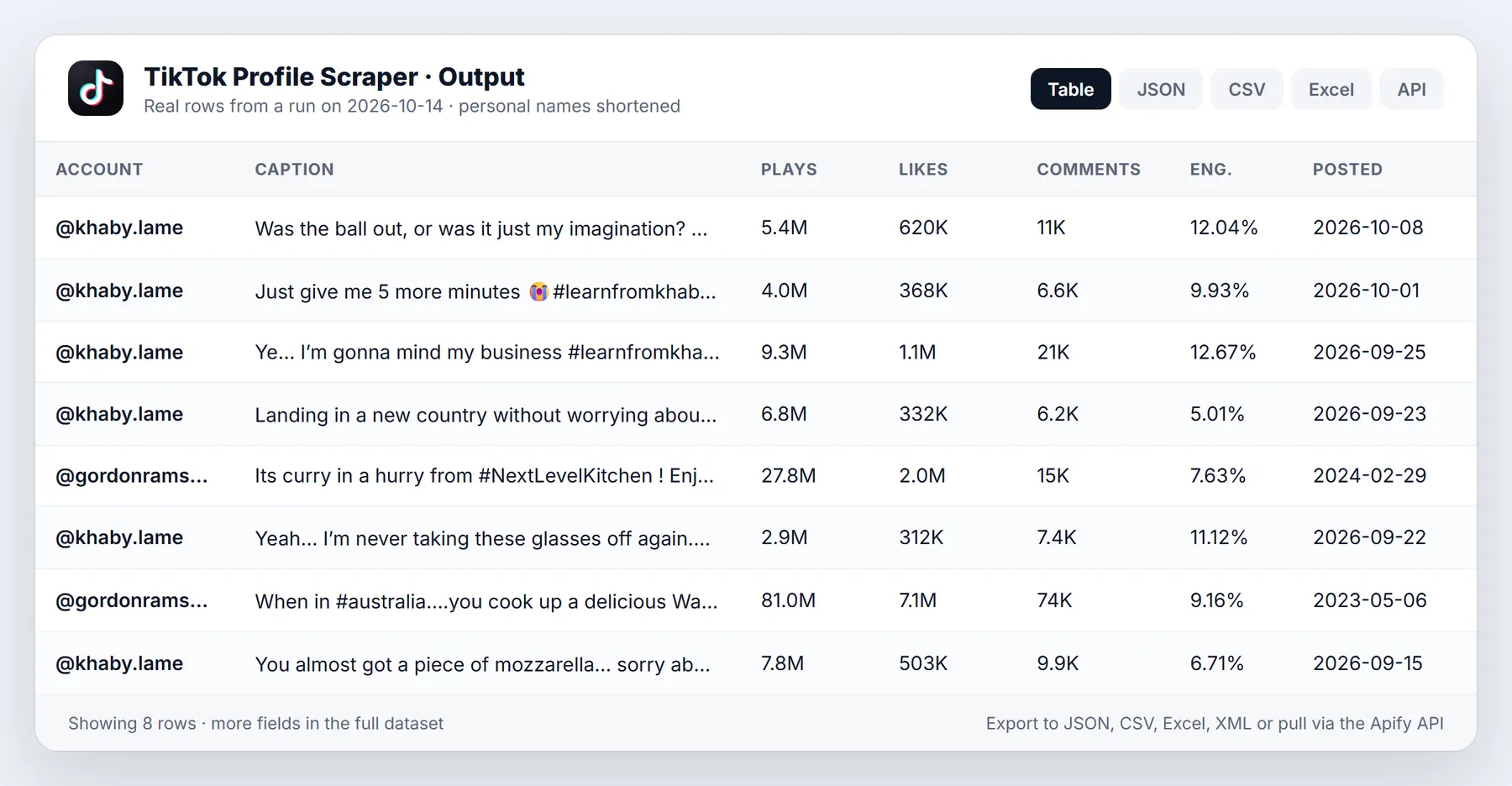
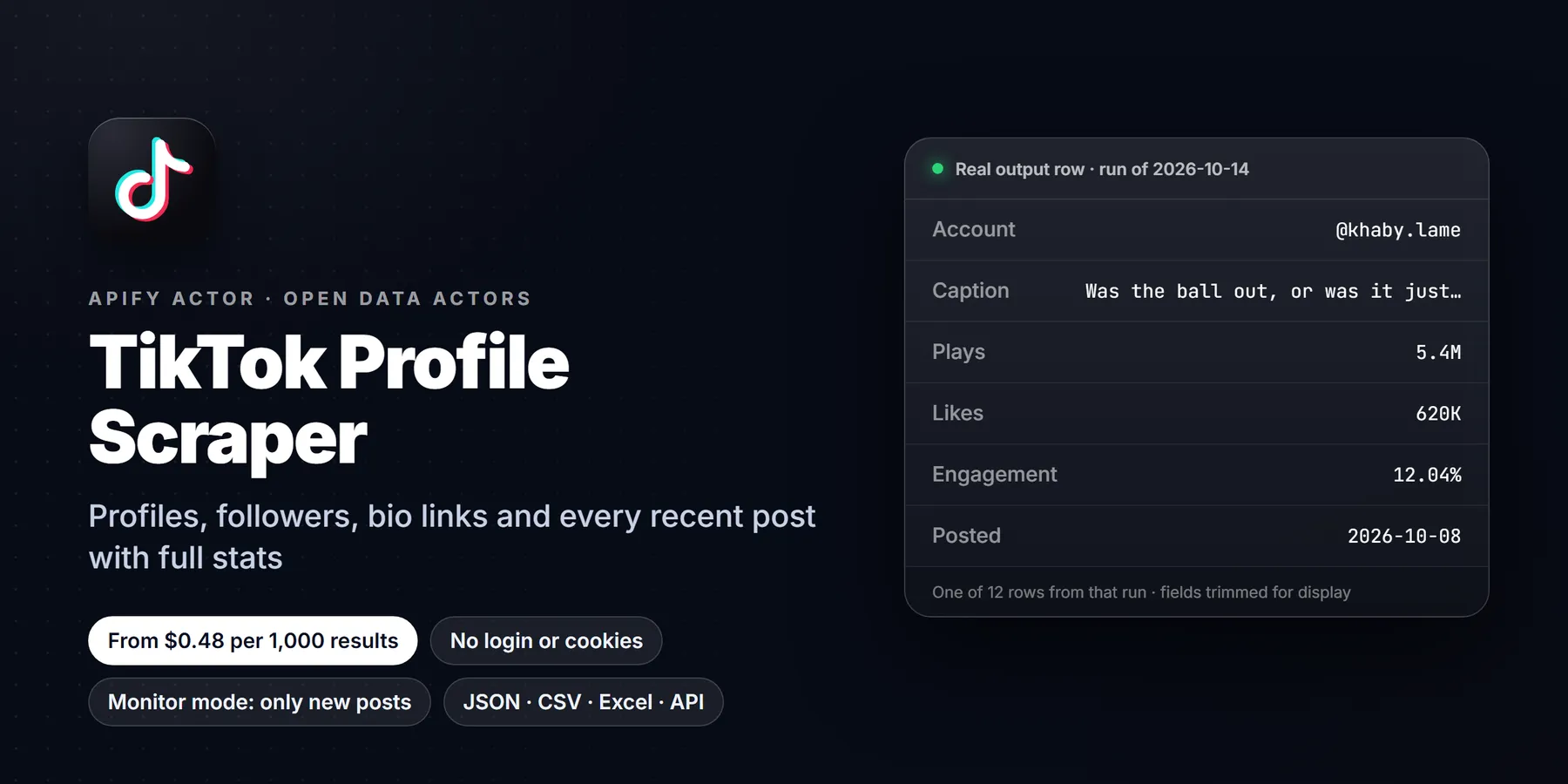
Turn any public TikTok account into clean rows: followers, following, total likes, video count, verified badge, bio, link in bio, emails and links written in the bio, business category and account creation date, plus the latest posts with views, likes, comments, shares, saves, post date, hashtags, mentions, music, duration and engagement rate. Paste usernames, profile URLs or video URLs. Public pages only. No login, no cookies.
- In short: TikTok Profile Scraper (Apify actor
transparent_meteorite/tiktok-public-profile-scraper) reads public TikTok profiles, their latest posts and single video URLs, and returns one row per post (author data included) or one row per profile. - Who it is for: influencer marketers, agencies, brands vetting creators, social media analysts, lead generation (bio emails and links), researchers.
- Input: usernames or profile URLs; video URLs (short links too); output type (posts, profiles, both); latest posts per profile (up to about 10-13, TikTok's public limit); full post stats on/off; date and minimum-views filters; skip pinned; max rows; monitor mode; proxy.
- Output: post rows with 25+ fields and nested author data, or profile rows with 30+ fields including average and median views, engagement rate and posting frequency. JSON, CSV or Excel.
- Pricing: pay per event. Per row delivered: $0.0025 free plan, $0.002 Bronze, $0.0016 Silver, $0.00048 Gold, Platinum and Diamond. Plus a start event of $0.00005 per GB of run memory.
- Limits: TikTok's logged-out view exposes about the latest 10-13 posts per profile. Hashtag feeds are not read (they need a signed-in session).
Paste a username, press Start, get the profile and its latest posts as a table in about 10 seconds.
Run in 30 seconds
- Open the actor in Apify Console (a free Apify account is enough).
- Press Start with the prefilled input: the 10 latest posts of @natgeo and @nba with full stats, 20 rows, about $0.05 on the free plan.
- Open the Output tab: the Posts view is a table, the Profiles view lists the accounts. Download as CSV, Excel or JSON.
An empty input {} also works: it reads @natgeo as an example.
Why choose this over alternatives
| This actor | Typical TikTok profile scrapers | |
|---|---|---|
| Price per row (free plan) | $0.0025 | $0.003 or more |
| Price per row (Gold, Platinum, Diamond) | $0.00048 | $0.0017 / $0.001 / $0.0005 |
| Date range + likes filters together | Yes (oldestPostDate + newestPostDate + leastDiggs/mostDiggs + minPlayCount) | Often one at a time |
| Emails and links found in the bio | Yes (bioEmails, bioUrls) | Usually no |
| Link in bio as a full URL | Yes | Sometimes |
| Engagement rate per post | Yes | Usually no |
| Profile summary (avg + median views, engagement, posts per week) | Yes | No |
| Pinned post detection | Yes | Some |
| Monitor mode (only new posts, follower change) | Yes | No |
| Unknown accounts, failed pages, filtered rows | Not charged | Varies |
| Login or cookies needed | No | No |
What it does and who it is for
- Influencer vetting: follower count, real reach (median views of recent posts, not just followers), engagement rate and posting frequency in one row per creator.
- Lead generation: many creator and business bios carry a contact email or a link-in-bio page. The actor pulls them into
bioEmails,bioUrlsandbioLink. - Competitor tracking: schedule monitor mode daily on competitor accounts and get only their new posts, with follower change since the last run.
- Content research: captions, hashtags, music, duration and performance of the latest posts.
- Single videos: paste video URLs to get stats and author data for each.
What you get: output fields
Post rows (type: "post"):
| Field | Meaning |
|---|---|
id, webVideoUrl | Video ID and public URL |
text | Caption |
createTime, createTimeISO | When it was posted |
playCount, diggCount, commentCount, shareCount, collectCount | Views, likes, comments, shares, saves |
engagementRate | (likes + comments + shares) / views, percent |
hashtags, mentions | From the caption |
likelyPinned | Post looks pinned (older than the posts after it) |
isAd, isSlideshow, isAiGenerated, textLanguage, locationCreated | Flags TikTok publishes |
videoMeta | duration, height, width, definition, format, coverUrl, subtitle languages |
musicMeta | musicId, musicName, musicAuthor, musicOriginal, musicAlbum |
authorMeta | The full author profile (see below) |
detailsLoaded, input, scrapedAt | Row provenance |
Profile rows (type: "profile", or nested as authorMeta):
| Field | Meaning |
|---|---|
username / name, nickName, id, secUid, profileUrl | Identity |
fans, following, heart, video, digg, friends | Followers, following, total likes, videos, liked videos, friends |
verified, privateAccount, isOrganization, ttSeller, commerceCategory | Account flags and business category |
signature | Bio text |
bioLink | Link in bio as a full URL |
bioEmails, bioUrls | Emails and other links written in the bio |
avatar, accountCreateTimeISO, language | Avatar URL, account creation date, language |
avgPlaysLatest, medianPlaysLatest, avgEngagementRateLatest | Performance of the latest posts read |
lastPostTimeISO, postsPerWeekLatest | Activity |
latestPosts | id, url, caption, views and date of each latest post |
fansChange, heartChange, fansLastRun, lastRunAt | Monitor mode only |
Sample output
A post row (real data, read 2026-10-13, nested objects shortened):
A profile row (shortened):
Input options
| Option | Default | What it does |
|---|---|---|
profiles | ["natgeo"] | Usernames (with or without @) or profile URLs. Video URLs pasted here also work. |
postURLs | none | Video or photo post URLs, including vm.tiktok.com short links |
resultsType | posts | posts (one row per video), profiles (one row per account) or both |
resultsPerPage | 10 | Latest posts per profile, 0 to 30 (TikTok's public view shows about 10-13) |
includeVideoDetails | true | Full stats per post (likes, comments, shares, saves, date, music, hashtags). Off: caption, views and cover only, faster |
oldestPostDate | none | 2026-10-01, 7 days, 2 weeks, 3 months |
newestPostDate | none | Drop posts after this date; with oldestPostDate gives an exact from-to window |
minPlayCount | none | Skip posts with fewer views |
leastDiggs / mostDiggs | none | Minimum / maximum likes (same names and meaning as the most-used TikTok actor). All filters combine |
profileSorting | latest | latest, popular (most played) or oldest |
excludePinnedPosts | false | Skip pinned posts |
maxItems | 1000 | Hard cap on rows for the run |
monitorMode | false | Only new posts since the last run; follower change on profile rows |
monitorStoreName | tiktok-profile-monitor | One name per watch list |
proxyConfiguration | Apify Proxy | Residential fallback is automatic |
Pricing
Pay per event. No subscription, no rental fee.
| Event | Free | Bronze | Silver | Gold | Platinum | Diamond |
|---|---|---|---|---|---|---|
| Result row (one post or one profile delivered) | $0.0025 | $0.002 | $0.0016 | $0.00048 | $0.00048 | $0.00048 |
| Actor start (per GB of run memory, minimum one) | $0.00005 | $0.00005 | $0.00005 | $0.00005 | $0.00005 | $0.00005 |
| Rows | Free | Bronze | Silver | Gold+ |
|---|---|---|---|---|
| 100 (10 creators x 10 posts) | $0.25 | $0.20 | $0.16 | $0.048 |
| 1,000 | $2.50 | $2.00 | $1.60 | $0.48 |
| 10,000 | $25 | $20 | $16 | $4.80 |
Not charged: accounts that do not exist, pages that stay blocked after retries, rows removed by a filter, and posts already delivered in monitor mode. Full post stats cost the same as basic rows. Apify's free plan includes $5 of monthly credit, about 2,000 rows here.
How to run it
- Console: fill the form, press Start.
- API:
POST https://api.apify.com/v2/acts/transparent_meteorite~tiktok-public-profile-scraper/run-sync-get-dataset-items?token=<TOKEN>with the input JSON as the body. - Python:
ApifyClient(token).actor("transparent_meteorite/tiktok-public-profile-scraper").call(run_input={"profiles": ["natgeo"]}) - Schedules and integrations: run daily with monitor mode on and send new posts to Google Sheets, Slack, Make, Zapier or n8n.
Reliability and blocking
The actor reads three public sources: the profile page, TikTok's official creator embed (the widget websites use to show a creator's latest videos), and each public video page. Every request is retried on a fresh session, and after repeated blocks it switches to residential IPs by itself. If the profile page cannot be read, the creator embed still supplies followers, likes and bio. The run summary (OUTPUT record) lists requests, retries, failures and warnings.
Limits and honest caveats
- Latest posts only. TikTok shows logged-out visitors about the latest 10-13 posts of a profile. Full post history needs a signed-in session, which this actor does not use. For older videos, paste their URLs.
- No hashtag or keyword feeds. TikTok only serves those to signed-in sessions or cryptographically signed app requests. A
hashtagsinput is accepted but ignored with a clear log message. - Private accounts return the profile row (counts, bio) but no posts.
likelyPinnedis inferred from post dates, because the public pages do not flag pins.- TikTok rounds some counters on the creator embed (for example 9.7M). With full post stats on, exact numbers from the video page are used.
- Each row is a snapshot at
scrapedAt.
Worked examples
Vet five creators for a campaign: one summary row each
Profile rows carry avgPlaysLatest, medianPlaysLatest, avgEngagementRateLatest and postsPerWeekLatest. Sort the table by median views to see real reach rather than follower count.
Find recent breakout posts: a date window plus a likes ceiling
All filters combine. Posts removed by a filter are not delivered and not charged.
Watch competitors every morning: monitor mode
The first run delivers the current latest posts and remembers them. Later runs return only posts not seen before, and the profile rows carry fansChange since the previous run. Use one store name per watch list.
Tips to reduce cost and runtime
- Set
resultsPerPageto 0 when only profile data is needed: no posts are opened. - Switch
includeVideoDetailsoff for a quick look at captions and views. It is faster, but likes, comments, shares, saves, dates and music are then not filled. - Use
maxItemsas a hard budget for the run. With monitor mode on, repeated runs on the same list cost nothing for posts already delivered. - Keep one watch list per store name, so a small list is not slowed down by a large one.
- Paste video URLs into
postURLsinstead of raisingresultsPerPagewhen only a few specific older videos are needed.
Related actors
More tools from the same publisher for creator research and influencer outreach:
- TikTok Followers Scraper: export the follower and following lists of the creators you vet
- TikTok Comments Scraper: pull the comments under a creator's videos to check real engagement
- Instagram Profile Scraper: the same followers, bio and recent-posts view for Instagram creators
- Instagram Reels Scraper: plays, likes and audio for a creator's Reels
- Website Email Extractor: pull emails and phones from the website linked in a creator's bio
Use from AI agents: every actor here is callable through the Apify MCP server (mcp.apify.com).
FAQ
Do I need a TikTok account or cookies? No. Only public pages are read.
How many posts per profile? Up to about 10-13, TikTok's public limit. Set resultsPerPage lower to save money.
Can I get emails? If the creator wrote an email in the bio, it is in bioEmails. The link in bio is in bioLink. Nothing hidden is accessed.
What is engagement rate? (likes + comments + shares) / views, in percent, per post; profile rows average it over the latest posts.
How do I track a creator? Turn on monitor mode and schedule the actor daily. You get only new posts, and profile rows carry fansChange since the last run.
Does it download videos? No. It returns cover image URLs and metadata only.
Terms and responsible use
The actor reads only data TikTok shows publicly to logged-out visitors. You are responsible for using it lawfully (GDPR, CCPA, TikTok's terms) and for how you store and use personal data such as bio emails. Do not use it for spam or harassment.
Use it from AI assistants (MCP)
TikTok Profile Scraper works as a tool for AI assistants through the official Apify MCP server. Add this URL to any MCP client (Claude Desktop, Claude Code, Cursor, ChatGPT connectors, VS Code):
Then ask, for example: "Get the latest 10 posts of @natgeo and tell me which got the best engagement."
Changelog
- 0.1.2 (2026-10-13): from-to date window (
newestPostDate), min/max likes, post sorting; all filters combine. Gold+ price $0.00048 per row. - 0.1 (2026-10-13): first release. Profiles, latest posts, video URLs, bio emails and links, engagement, monitor mode.
Support
Found a bug or need a field? Open an issue on the Issues tab with the run URL. We reply there.
Example input
A small run that finishes quickly (this is also the prefilled input in the Apify Console). Values come from the input schema:
Use cases
- Influencer vetting and outreach lists
- Competitor and creator benchmarking
- Engagement-rate analysis from recent videos
Alternatives to TikTok Profile Scraper
Other ways to get similar data, so you can choose what fits:
- TikTok Research API: official, restricted to approved researchers
- Apify's TikTok Scraper (clockworks/tiktok-scraper): another Apify Store actor
This actor's edge is pay-per-result pricing, no login and ready-to-use structured output. Compare on a small test run before you commit.
Did this actor do the job? If it saved you time, a short honest review on the Reviews tab helps other people judge it. If something was off, open an Issue on this page with the input you used. I read every one and fix real bugs, usually the same day.


