

TikTok Comments Scraper: Replies, Likes, Users, $0.87/1K
Pricing
from $0.15 / 1,000 comments
TikTok Comments Scraper: Replies, Likes, Users, $0.87/1K
Export TikTok comments and replies from public videos: comment text, likes, reply count, date, commenter username, nickname, user ID, avatar, pinned and liked-by-creator flags, reply threading. Paste video URLs. Plain HTTP, no login, no browser.
Pricing
from $0.15 / 1,000 comments
Rating
0.0
(0)
Developer

Detroit Web Agent - Open Data
Maintained by CommunityActor stats
0
Bookmarked
2
Total users
1
Monthly active users
8 hours ago
Last modified
Categories
Share
TikTok Comments Scraper: comments, replies, likes and commenters

| Price per 1,000 comments | Free plan | Starter | Scale | Business |
|---|---|---|---|---|
| This Actor | $0.87 | $0.70 | $0.52 | $0.15 |
| Most-used alternative | $1.25 | $1.00 | $0.75 | $0.50 |
Turn any public TikTok video into a clean table of its comments: comment text, likes, number of replies, date, commenter username, display name, user ID, avatar, pinned and liked-by-creator flags, and optionally the replies under each comment, threaded by parent ID. Paste video URLs. Plain HTTP, no browser, no login, no cookies.
- In short: TikTok Comments Scraper (Apify actor
transparent_meteorite/tiktok-comments-scraper) reads the public comments and replies of TikTok videos and returns one row per comment. - Who it is for: brand and community managers, social listening and sentiment analysis, agencies reporting on campaigns, creators finding their most engaged fans, researchers.
- Input: video URLs (short links and bare IDs too); comments per video; replies per comment; skip pinned; date and minimum-likes filters; max rows; monitor mode; proxy.
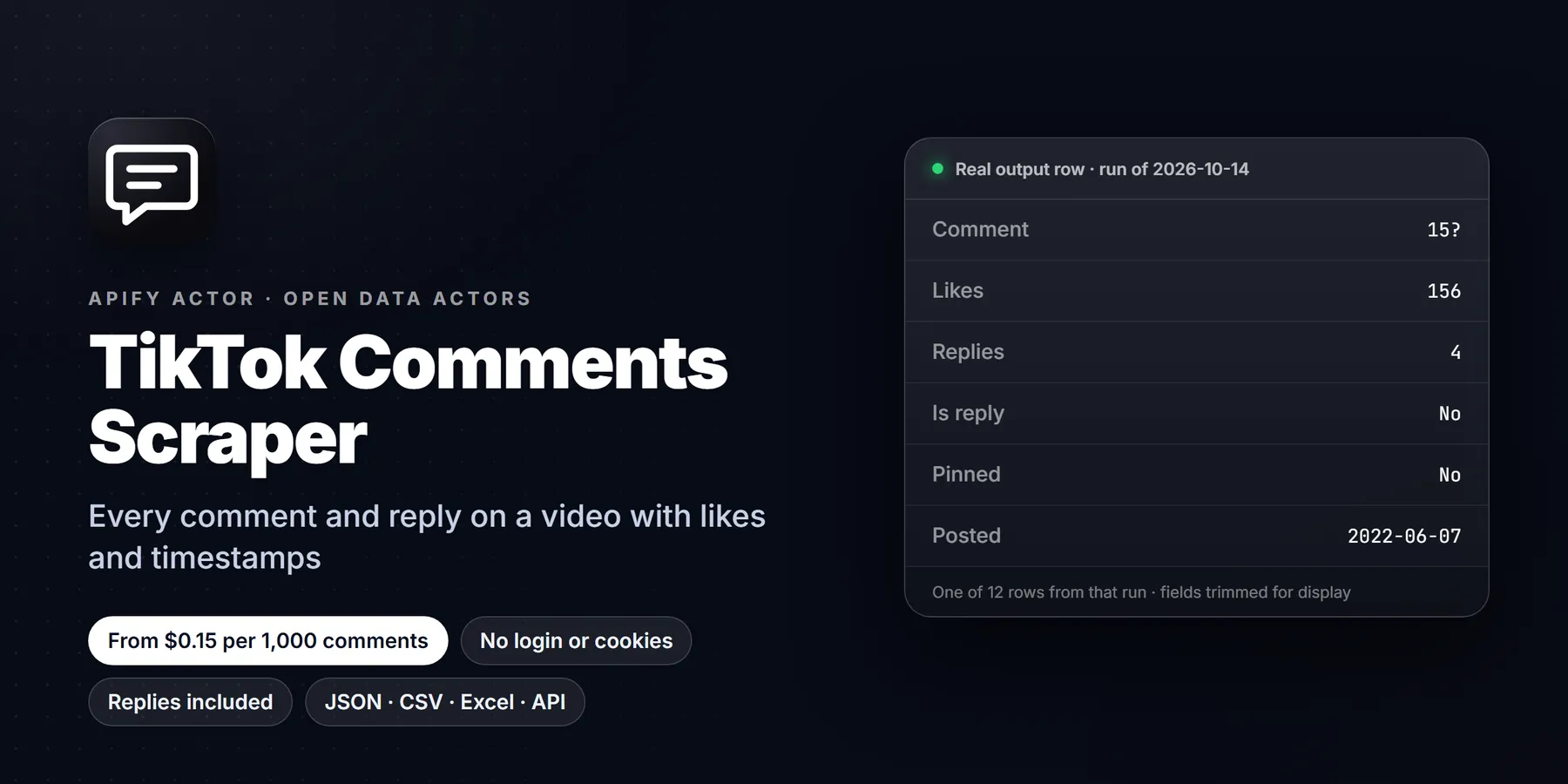
- Output: 20+ fields per comment: cid, text, diggCount, replyCommentTotal, createTimeISO, uniqueId, nickname, uid, avatarThumbnail, repliesToId, isPinned, authorLiked, videoWebUrl, commentUrl. JSON, CSV or Excel.
- Pricing: pay per event. Per comment delivered: $0.00087 free plan, $0.0007 Bronze, $0.00052 Silver, $0.00015 Gold, Platinum and Diamond.
- Limits: only what TikTok shows logged-out visitors; comments the creator hid or TikTok filtered are not returned.
Paste a video URL, press Start, get its comments as a table in about 5 seconds.
Run in 30 seconds
- Open the actor in Apify Console (a free Apify account is enough).
- Press Start with the prefilled input: 50 comments of a TikTok video, about $0.06 on the free plan.
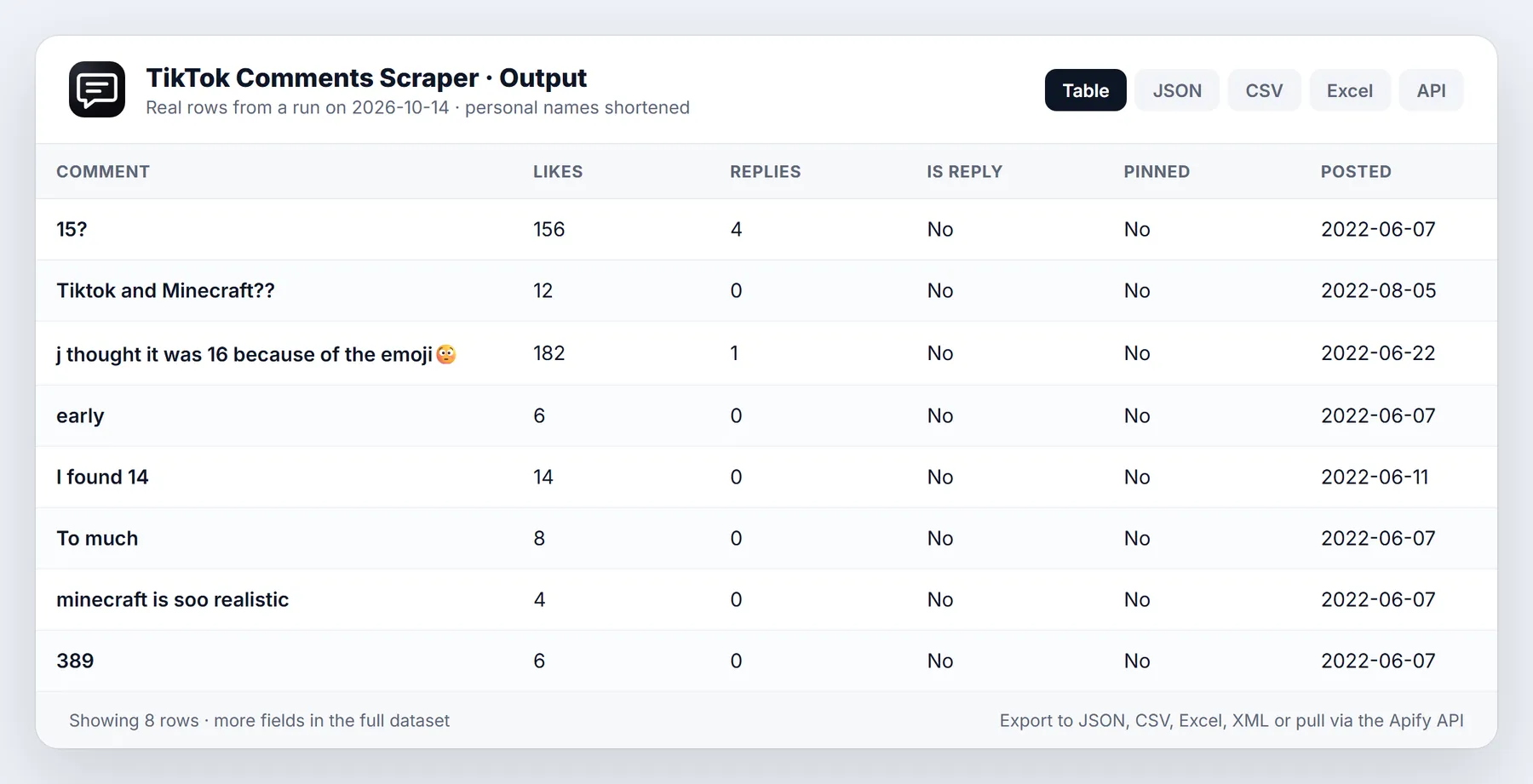
- Open the Output tab: the Comments view is a table. Download as CSV, Excel or JSON.
An empty input {} also works: it reads 100 comments of an example video.
Why choose this over alternatives
| This actor | Typical TikTok comment scrapers | |
|---|---|---|
| Price per comment (free plan) | $0.00087 | $0.00125 |
| Price per comment (Gold, Platinum, Diamond) | $0.00015 | $0.0005 / $0.0003 / $0.00015 |
| Replies, threaded by parent ID | Yes | Yes |
| Pinned and liked-by-creator flags | Yes | Partly |
| Skip pinned, date and minimum-likes filters | Yes, combined | Rarely |
| Monitor mode (only new comments) | Yes | No |
| Link straight to each comment | Yes (commentUrl) | No |
| Videos that cannot be read, filtered comments | Not charged | Varies |
| Memory | 256 MB, no browser | Often a browser |
What you get: output fields
| Field | Meaning |
|---|---|
cid | Comment ID |
text | Comment text |
diggCount | Likes on the comment |
replyCommentTotal | Number of replies (top-level comments) |
createTime, createTimeISO | When it was posted |
uniqueId, nickname, uid, secUid | Commenter username, display name and IDs |
avatarThumbnail, profileUrl | Commenter avatar and profile link |
isReply, repliesToId, replyToReplyId | Reply threading |
isPinned, authorLiked | Pinned by the creator, liked by the creator |
commentLanguage, mentions | Detected language, @mentions in the text |
awemeId, videoWebUrl, commentUrl | Video ID, video link, link that opens the video at this comment |
input, scrapedAt | The input URL, read time |
Sample row:
Input options
postURLs: video URLs, vm.tiktok.com short links or bare video IDs.commentsPerPost(default 100): top-level comments per video. Replies come on top.maxRepliesPerComment(default 0): replies to read under each comment.excludePinned,oldestCommentDate(date or "7 days"),minCommentLikes: filters; skipped comments are not charged.maxItems: hard cap on rows across all videos. A run also stops at your Max cost per run setting.monitorMode+monitorStoreName: only comments not delivered before.
Pricing
Pay per event. No subscription, no rental fee.
| Event | Free | Bronze | Silver | Gold | Platinum | Diamond |
|---|---|---|---|---|---|---|
| Comment (one comment or reply delivered) | $0.00087 | $0.0007 | $0.00052 | $0.00015 | $0.00015 | $0.00015 |
| Comments | Free | Bronze | Silver | Gold+ |
|---|---|---|---|---|
| 1,000 | $1.20 | $0.95 | $0.70 | $0.15 |
| 10,000 | $12 | $9.50 | $7 | $1.50 |
| 100,000 | $120 | $95 | $70 | $15 |
Not charged: videos that cannot be read after retries, comments removed by a filter, and comments already delivered in monitor mode.
How to run it
- Console: fill the form, press Start.
- API:
POST https://api.apify.com/v2/acts/transparent_meteorite~tiktok-comments-scraper/run-sync-get-dataset-items?token=<TOKEN>with the input JSON as the body. - Python:
ApifyClient(token).actor("transparent_meteorite/tiktok-comments-scraper").call(run_input={"postURLs": ["https://www.tiktok.com/@tiktok/video/7106594312292453675"]}) - Schedules and integrations: run hourly with monitor mode on and send new comments to Google Sheets, Slack, Make, Zapier or n8n.
Limits and honest caveats
- Comments come in TikTok's own order (relevance first), not strictly by date. Use
oldestCommentDateto cut old ones. - TikTok hides some comments from logged-out visitors (filtered or restricted). Those are not returned, so the count can be a little below the number shown in the app.
- Comments on private, deleted or age-restricted videos cannot be read; those videos are reported in the log and not charged.
Common workflows and use cases
Community management and moderation. Pull every comment under a campaign video, sort by diggCount, and answer the most-liked questions first. With excludePinned on you skip the creator's own pinned message, and with authorLiked you can see which comments the creator already acknowledged. Schedule the actor hourly with monitor mode so your team only sees comments that arrived since the last run.
Brand and sentiment research. Collect a few thousand comments under videos that mention your product or a competitor's, export to CSV and feed text into any sentiment or topic model. The commentLanguage field lets you split results by language without running a separate detector, and mentions shows which accounts people tag in the thread.
Creator vetting. Before paying an influencer, read the comments under their last ten sponsored posts. A healthy audience asks real questions, replies to each other and uses varied wording. A bought audience posts the same emoji or a single generic phrase. replyCommentTotal and the threading fields (isReply, repliesToId) make this easy to measure in a spreadsheet.
Giveaway and contest picking. Set commentsPerPost high, export unique uniqueId values and draw winners. Because every row carries commentUrl, you can prove each entry by opening the video at that exact comment.
Lead and question mining. Search your niche for videos, run this actor on the top ones and filter text for words such as "price", "where", "how much" or "link". Those commenters are people raising their hand, and profileUrl takes you to their account.
Research and archiving. createTimeISO and scrapedAt give you a clean timeline for academic or journalistic work. Use oldestCommentDate with a value like "30 days" to keep each export focused on a single window.
Tips for cleaner, cheaper runs
- Start small. A first run with
commentsPerPostat 20 shows you the exact row shape and costs a fraction of a cent, so you can wire up your pipeline before scaling to thousands. - Use
minCommentLikesto keep only comments with real engagement. Filtered comments are skipped before delivery and are never charged, so a filter lowers cost as well as noise. - Replies cost the same as comments. If you only need top-level opinions, leave
maxRepliesPerCommentat 0. If you want whole conversations, set it to 5 or 10 and rebuild the thread withrepliesToId. - Set Max cost per run in the run options. The actor stops cleanly when the cap is reached and keeps everything already delivered.
- Mix video URL formats freely. Full links,
vm.tiktok.comshort links and bare numeric video IDs can sit in the samepostURLslist. - For recurring jobs, give each task its own
monitorStoreName. Two schedules that share a store would hide each other's new comments.
Output and integrations
Results land in the default dataset and can be downloaded as JSON, CSV, Excel, XML or HTML, or streamed through the API while the run is still going. The overview table in the Output tab shows the commenter, the text, likes, reply count and the link to the comment. From there you can connect the dataset to Google Sheets, Airtable, Slack, Make, Zapier or n8n with a webhook on run success, or call the run-sync endpoint from your own code and receive rows in the HTTP response.
A typical automation: a schedule runs every hour on your ten latest videos with monitor mode on, a webhook fires when the run succeeds, and a workflow posts new comments with more than five likes into a team Slack channel along with the commentUrl. Another popular setup stores every run in a warehouse table keyed on cid, so you can track how a comment's like count grows over time.
Data quality notes
Every row is a real, publicly visible comment. Text is delivered as written, including emoji, line breaks and non-Latin scripts, encoded as UTF-8. Duplicate comments are not returned within one run. Like counts and reply counts are a snapshot at scrapedAt, so compare two runs if you need growth. Commenter display names can change at any time; uid and secUid are the stable identifiers to join on.
Who uses this actor
Social media managers use it to keep a weekly record of audience questions across every video they publish. Agencies run it for client reports, pairing comment counts and top comments with view data from a profile scraper. Researchers use it to study how conversations form and spread under viral videos, and e-commerce teams use it to find purchase-intent comments and recurring product complaints that never reach support. Because the input accepts any number of video links, one scheduled task can cover a whole content calendar, and because filtered or unreadable comments are not charged, you only ever pay for rows you actually receive.
FAQ
Do I need a TikTok account or cookies? No.
Does it get replies? Yes: set maxRepliesPerComment. Each reply is its own row with isReply: true and repliesToId pointing at the parent comment.
How fast is it? About 50 comments per request; 100 comments usually take a few seconds, and three videos are read in parallel.
Can I watch a video for new comments? Yes: turn on monitor mode and schedule the actor. Each run returns only comments it has not delivered before.
What does a failed video cost? Nothing. Only delivered comments are charged.
Use it from AI assistants (MCP)
TikTok Comments Scraper works as a tool for AI assistants through the official Apify MCP server. Add this URL to any MCP client (Claude Desktop, Claude Code, Cursor, ChatGPT connectors, VS Code):
Then ask, for example: "Get the top 200 comments of this TikTok video and summarise what people like and dislike."
Terms and responsible use
The actor reads only comments TikTok shows publicly to logged-out visitors. You are responsible for using the data lawfully (GDPR, CCPA, TikTok's terms). Do not use it for spam or harassment.
Changelog
- 0.1 (2026-10-13): first release. Comments, replies, pinned and creator-liked flags, filters, monitor mode.
Support
Found a bug or need a field? Open an issue on the Issues tab with the run URL. We reply there.
New to Apify? Create a free account and run this Actor in under a minute. Some links are affiliate links.


