

YouTube Comments Scraper: Comments and Replies Export
Pricing
from $0.17 / 1,000 comments
YouTube Comments Scraper: Comments and Replies Export
Export public YouTube comments and replies for sentiment and audience research: text, author, likes, replies, creator heart, pinned flag, date. Top or newest, keyword and date filters, monitor mode.
Pricing
from $0.17 / 1,000 comments
Rating
0.0
(0)
Developer

Detroit Web Agent - Open Data
Maintained by CommunityActor stats
0
Bookmarked
3
Total users
1
Monthly active users
4 hours ago
Last modified
Categories
Share
YouTube Comments Scraper: Comments and Replies from Videos, Shorts, Channels and Search
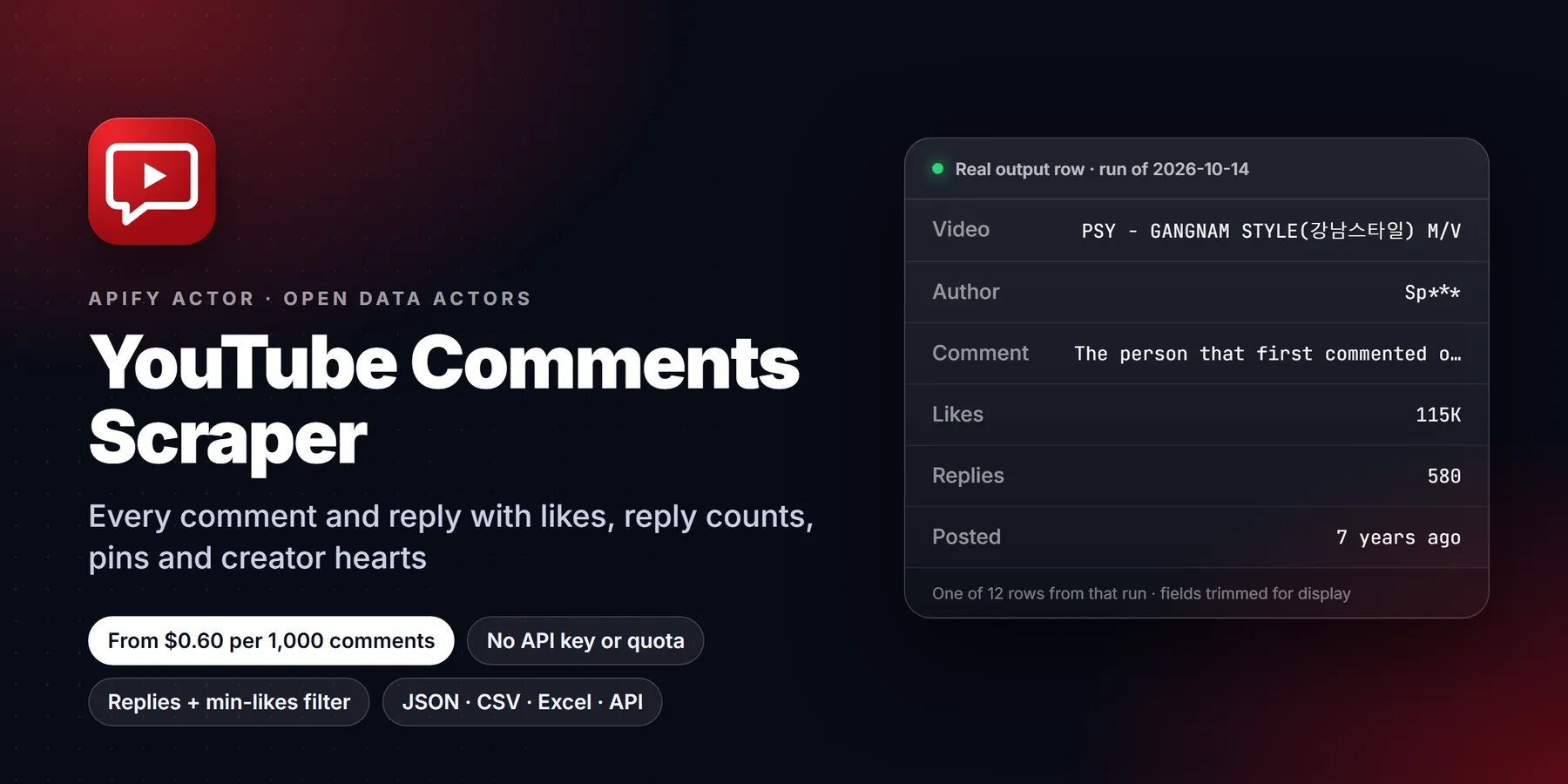
Use this to export public YouTube comments and replies from videos, Shorts, channels or searches for sentiment and audience research.

| Price per 1,000 comments | Free plan | Starter | Scale | Business |
|---|---|---|---|---|
| This Actor | $1.00 | $0.90 | $0.80 | $0.60 |
| Most-used alternative | $2.00 | $1.50 | $1.20 | $0.90 |
Scrape public YouTube comments, and the replies under them if you want them, from any video, Short, channel, playlist or search. Every row has the comment text, the author's handle and channel, the like count, the reply count, whether the creator hearted or pinned it, and when it was posted. You can sort by top or newest, filter by keyword, likes or date, and switch on monitor mode to get only new comments on a schedule. You don't need a login, a YouTube API key or a daily quota.
- In short: YouTube Comments Scraper (Apify actor
transparent_meteorite/youtube-comments-scraper) reads the public comment section that a logged-out visitor sees. It returns one flat row per comment or reply. - Who it is for:
- brand and product teams doing sentiment analysis
- creators and agencies studying their audience
- researchers building opinion datasets
- AI teams collecting training or retrieval data
- AI agents that need "what are people saying about this video" as a tool
- Input:
- URLs: video, Shorts, channel, playlist or search page
- or plain search words, or bare video IDs
- comments per video, sorted by top or newest
- replies on or off, with a cap per comment
- filters: keyword, minimum likes, "newer than" date
- monitor mode to get only new comments
- Output: 33 fields per row, including:
- commentId, text, author, authorChannelId, authorAvatar
- likeCount, replyCount, hasCreatorHeart, isPinned, isEdited
- publishedTimeText, plus an approximate ISO date
- isReply and parentCommentId
- direct comment link
- video title, channel, views and total comment count
- Pricing: pay per event, from $1.00 per 1,000 comments on the Free plan down to $0.30 per 1,000 on Diamond, plus a $0.00005 start event. Rows that your filters remove and comments already seen in monitor mode are never charged.
- Limits: public comments only. Videos with comments turned off return no rows and cost nothing. YouTube shows comment age as "3 days ago", so dates are approximate.
Key facts
- Data source: the public YouTube comment section (the same requests the YouTube web page makes)
- Output formats: JSON, CSV, Excel, XML, HTML table (Apify dataset)
- Access: Apify Console, REST API, JavaScript/Python clients, schedules, webhooks, Apify MCP server
- Login, cookies or YouTube API key needed: no
- Also known as: YouTube comment scraper, YouTube comments downloader, YouTube comment extractor, YouTube comments API alternative, YouTube comment exporter
Run in 30 seconds
- Open YouTube Comments Scraper and press Try for free.
- Keep the prefilled video, or paste any YouTube URL, then press Start. 100 comments take about 4 seconds.
- Open the Output tab. Use the table, or download the results as CSV, Excel or JSON.
What does it scrape?
| You paste | What you get |
|---|---|
Video, Shorts or live URL (watch?v=, youtu.be/, /shorts/) | The comments on that video |
Channel (@handle, /channel/UC...) | Comments on the channel's latest videos, Shorts or streams (maxVideosPerSource) |
| Playlist URL | Comments on every video in the playlist, up to your limit |
| Search URL or search words | Comments on the top videos for that search |
Bare video ID (dQw4w9WgXcQ) | Same as a video URL |
Input
| Field | Default | What it does |
|---|---|---|
startUrls | example video | Any mix of video, Shorts, channel, playlist and search URLs |
searchQueries | none | Search words. The top videos for each one are scraped |
maxVideosPerSource | 10 | Videos taken from each channel, playlist or search |
maxComments | 100 | Top-level comments per video. 0 = all. Replies are extra |
sortBy | TOP | TOP (YouTube's ranking) or NEWEST |
includeReplies / maxRepliesPerComment | off / 20 | Also scrape the replies, each as its own row |
maxItems | 0 | Hard cap on rows for the whole run, so you control the cost |
newerThan | none | 7 days, 2 months or 2026-01-31 |
keywords / minLikes | none / 0 | Keep only matching comments (the rest are free) |
monitorMode | off | Only comments not seen in earlier runs |
Output
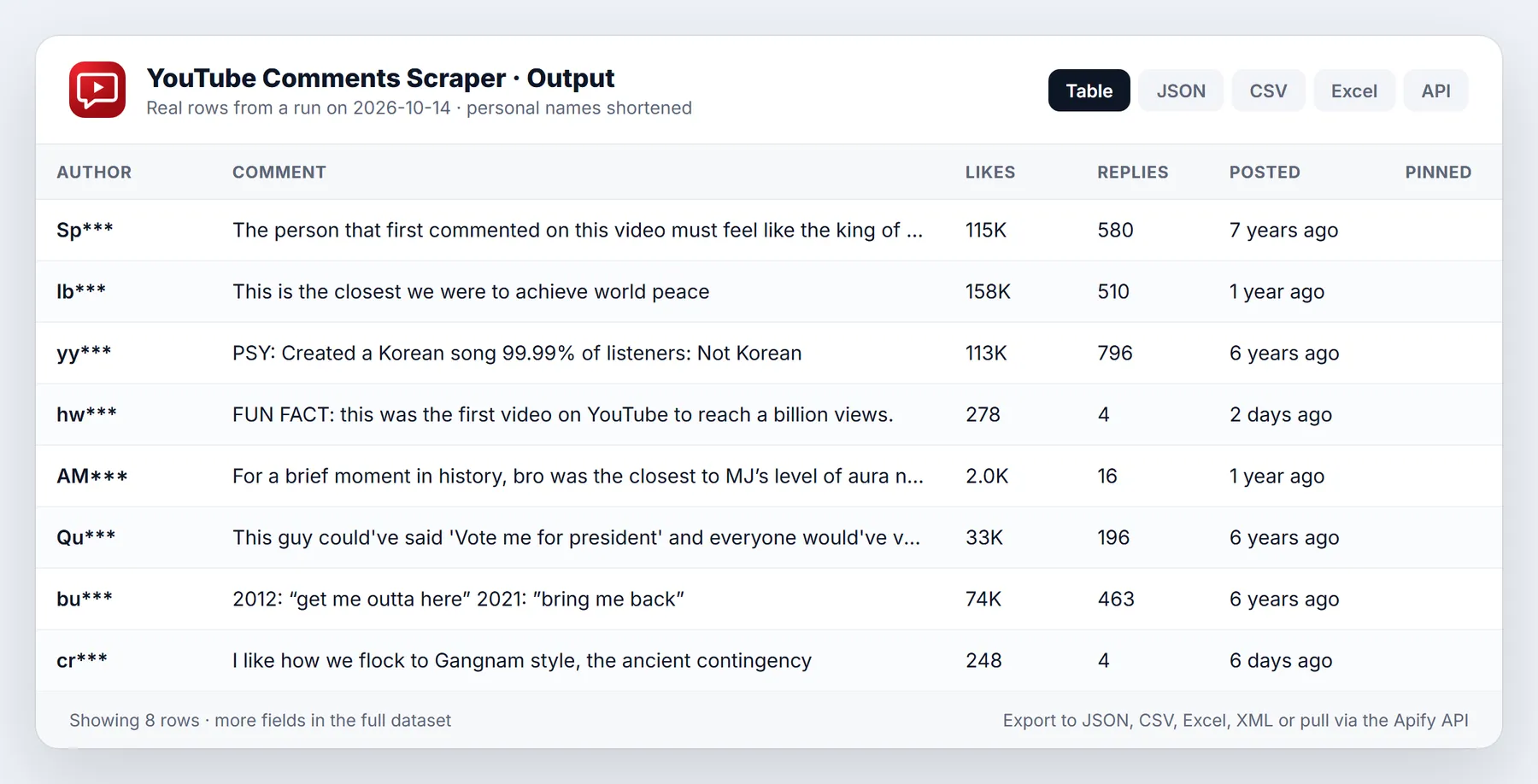
One row per comment or reply:
Comment and author values above are placeholders; the video fields are real. The run summary (videos, comments off, filtered, blocked requests) is saved as OUTPUT in the key-value store.
Field names compared with other YouTube comment scrapers
If you are switching from another actor, here is how the fields map:
| Other actors | This actor |
|---|---|
comment | text |
cid | commentId |
voteCount | likeCount |
replyToCid | parentCommentId |
title / pageUrl | videoTitle / videoUrl |
commentsCount | videoCommentsCount |
| not available | authorChannelId, authorAvatar, authorIsVerified, isPinned, isEdited, publishedAtApprox, commentUrl |
Pricing
You pay per comment row delivered, and it gets cheaper on higher Apify plans:
| Apify plan | Per comment | Per 1,000 comments |
|---|---|---|
| Free | $0.001 | $1.00 |
| Bronze | $0.0009 | $0.90 |
| Silver | $0.0008 | $0.80 |
| Gold | $0.0006 | $0.60 |
| Platinum | $0.0005 | $0.50 |
| Diamond | $0.0003 | $0.30 |
There's also a $0.00005 start event per run. Rows removed by your filters, comments already seen in monitor mode, and videos with comments turned off cost nothing. Set maxItems to put a hard cap on a run.
Use it from code, schedules or AI agents
- API:
POST https://api.apify.com/v2/acts/transparent_meteorite~youtube-comments-scraper/run-sync-get-dataset-items?token=YOUR_TOKENwith the input JSON as the body returns the rows directly. - Schedules: run it daily on a video or channel with
monitorMode: trueto receive only new comments. - MCP / AI agents: add
https://mcp.apify.com?actors=transparent_meteorite/youtube-comments-scraperto Claude, Cursor or any MCP client, then ask something like "summarize what people say in the comments of this video".
Who uses it and why
- Brands and community managers read what viewers say under their own videos and under competitors' videos, filter by keyword (for example a product name or "refund"), and route the matches to support or product teams.
- Creators export the comments of their latest uploads sorted by newest, spot recurring questions, and turn them into the next video topic.
- Market and sentiment researchers collect comments on product reviews, launches or news coverage and feed the text into their own sentiment or topic models.
- Moderation and trust teams set
minLikesandkeywordsto find high-visibility comments that mention scams, links or specific phrases. - Academics and data journalists build comment datasets around public events. The
publishedAtApproxfield gives a usable date, andcommentUrllinks every row back to the original comment. - AI agents use the actor through MCP to answer "what do viewers think of this video" with real text instead of a guess.
How the input fields work together
Pick sources with startUrls, videoIds and searchQueries. You can use all three in one run. A video, Shorts or live URL is scraped directly. A channel, playlist or search is first expanded into a list of videos, limited by maxVideosPerSource (1 to 5,000, default 10). For channel URLs, channelTab chooses the Videos, Shorts or Streams tab. Duplicate videos across sources are scraped once.
For each video, maxComments counts top-level comments only (default 100, 0 means all). Replies are extra: switch on includeReplies and set maxRepliesPerComment (default 20, 0 means all replies). Each reply is its own row with isReply set to true and parentCommentId pointing to the comment it answers. When you want a single total, use maxItems, which caps comments plus replies across the whole run.
sortBy is TOP for YouTube's own ranking or NEWEST for newest first. newerThan takes a relative period (7 days, 2 months) or a date (2026-01-31). Because YouTube only shows "3 days ago", the cut is approximate. With newest-first sorting the run stops reading as soon as it reaches older comments, which saves time. Pinned comments are never used as the stopping point.
keywords keeps comments that contain any listed word, case-insensitively. minLikes keeps comments with at least that many likes. Comments removed by these filters are not delivered and not charged. language and country set YouTube's interface language and region. Leave them at en and US if you want publishedAtApprox to be parsed.
Worked examples
Customer voice: newest comments mentioning a topic on a product review
Channel pulse: top comments on a creator's latest five videos
Daily feed: only comments you have not seen before
With monitorMode, the actor remembers comment IDs per video in the named key-value store and delivers only new ones on later runs. Use one monitorStoreName per project so separate schedules do not hide each other's comments.
Tips to keep runs fast and cheap
- Test with
maxCommentsof 20 andmaxVideosPerSourceof 2 before a large run. - Always set
maxItemsfor unattended schedules. It is a hard stop for the whole run. - Use
keywordsandminLikesto pay only for the comments you will read. - Raise
videoConcurrency(1 to 5, default 3) for many videos with few comments each. Large single videos are limited by YouTube's page size of about 20 comments, so more concurrency does not help there. - Leave replies off unless you need threads. A busy video can have many more replies than top-level comments.
Limits and honest caveats
- Only public comment sections are read. If comments are turned off, the video is private, or it only has live chat, the video is skipped with a warning and nothing is charged.
- Dates are approximate. YouTube exposes "2 years ago", not a timestamp, so
publishedAtApproxis only as precise as that text. - YouTube decides which comments are returned for
TOP, and the order can change between runs. UseNEWESTplus monitor mode for repeatable collection. - Comments hold personal data such as display names and channel links. Keep them in line with privacy law and store only what you need.
- The run summary, including counts of comments-off videos, filtered rows and blocked requests, is saved as
OUTPUTin the key-value store and warnings are printed in the log.
More questions
How do I export YouTube comments to Excel or CSV? Run the actor on the video URL, open the Output tab and use the export menu for CSV, Excel, JSON, XML or HTML.
Can I get comments from many videos at once? Yes. Paste several URLs, or give a channel, playlist or search and set maxVideosPerSource.
Can I scrape replies only? Replies are fetched under top-level comments, so turn on includeReplies. You can then filter on isReply in the dataset.
Why did a video return no rows? Check the log and the OUTPUT record. Common causes are comments turned off, a filter that matched nothing, or monitor mode finding nothing new.
Can I call it from Python?
FAQ
Do I need a YouTube API key or quota? No. The actor reads the same public comment section a logged-out browser loads, so the 10,000-unit daily API quota doesn't apply.
How many comments can I get? Set maxComments: 0 to get all of them. YouTube serves 20 per page, so very large videos take longer; a run of a few thousand comments usually finishes in about a minute.
Does maxComments include replies? No. It counts top-level comments. Replies come on top of that, limited by maxRepliesPerComment. Use maxItems if you need one total cap.
Why is a comment's text empty? Some comments contain only a sticker or an image. They are kept so that the counts match YouTube.
How exact are the dates? YouTube only shows "3 days ago" or "2 years ago". publishedAtApprox converts that to a date, so it is accurate to the unit YouTube shows.
Do I need a proxy? No, not for normal runs. If YouTube starts refusing requests, the run switches to Apify residential proxy on its own. Turn autoProxyFallback off to prevent this.
Is scraping YouTube comments legal? The actor collects public information only. You are responsible for using the data in line with YouTube's terms and privacy laws such as GDPR, especially because comments carry usernames.
Something missing or broken? Open an issue on the Issues tab with the run URL and we will reply there.
Related actors
Other public-data actors from the same publisher that pair well with this one:
- YouTube Video Scraper: Search, Channels, Playlists
- YouTube Transcript Extractor: Text, SRT, VTT
- TikTok Comments Scraper: Replies, Likes, Commenters
Example input
A small run that finishes quickly (this is also the prefilled input in the Apify Console). Values come from the input schema:
Output sample
Each result is one dataset item (JSON, CSV, Excel or via API). Shape taken from the actor's dataset schema; field names and meanings below, not live data:
| Field | Meaning |
|---|---|
text | Comment text (empty for sticker-only comments) |
author | Author handle, e.g. @name |
likeCount | Likes (YouTube rounds big numbers, e.g. 1.2K -> 1200) |
replyCount | Number of replies |
hasCreatorHeart | Hearted by the creator |
isPinned | Pinned by the creator |
isReply | True for a reply row |
publishedTimeText | Age as YouTube shows it, e.g. "3 days ago" |
videoTitle | Video title |
commentUrl | Direct link to the comment |
Alternatives to YouTube Comments Scraper
Other ways to get similar data, so you can choose what fits:
- YouTube Data API v3: official, quota limited
- yt-dlp: open-source command-line downloader
- Apify's YouTube Scraper (streamers/youtube-scraper): another Apify Store actor
This actor's edge is pay-per-result pricing, no login and ready-to-use structured output. Compare on a small test run before you commit.
Changelog
- 0.2 (2026-10-28): listing refresh (title, description, README sections, console prefills). No change to output fields.
- Earlier: initial release.


