


⚡️Rapid Linkedin Jobs Scraper
Pricing
from $0.75 / 1,000 results
⚡️Rapid Linkedin Jobs Scraper
LinkedIn job scraper tool to extract job listings, company, and complete job information instantly. Scrape LinkedIn jobs by keywords, city ,country, or company. Get structured data including titles, descriptions, salaries, requirements, and employer info. Fast, efficient job data extraction.
Pricing
from $0.75 / 1,000 results
Rating
3.5
(20)
Developer

Umesh Patidar
Maintained by CommunityActor stats
115
Bookmarked
12K
Total users
2K
Monthly active users
5.3 days
Issues response
3 days ago
Last modified
Categories
Share
🚀 Rapid LinkedIn Scraper (No Login) - Fast & Accurate Job Scraping



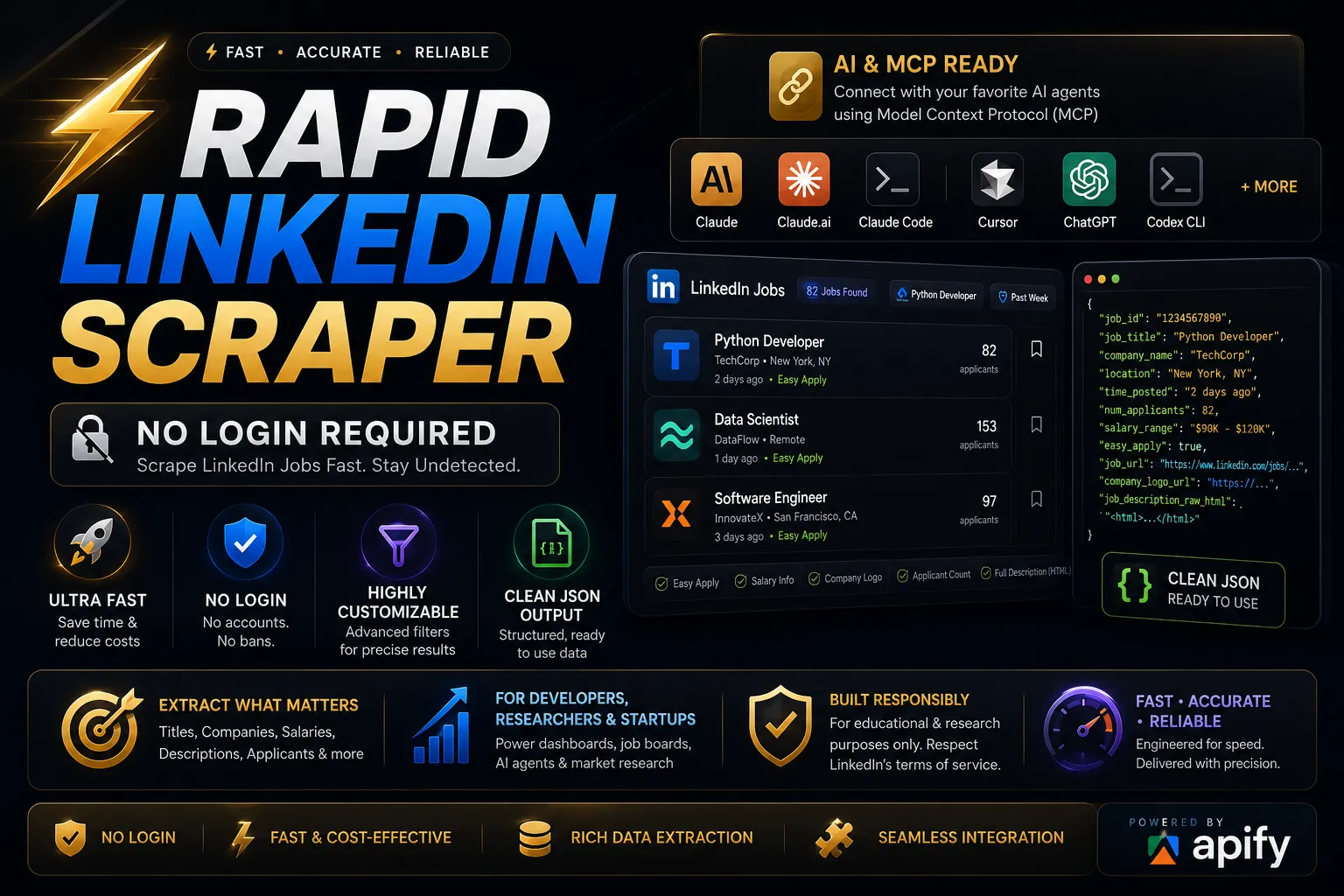
Welcome to the Rapid LinkedIn Scraper! This powerful and user-friendly web scraping tool is designed to extract LinkedIn job listings effortlessly—without requiring login credentials. Whether you are building a job board, conducting market research, or performing data analysis, this API provides highly structured, accurate, and real-time job data extraction.
📑 Table of Contents
- Why Use Rapid LinkedIn Scraper?
- Quick Start
- AI Use Cases & Agent Integrations
- Input Parameters
- Output Format
- FAQ
- Legal & Disclaimer
🌟 Why Use Rapid LinkedIn Scraper?
✅ No Login Required – Avoid the hassle of credentials, CAPTCHAs, and LinkedIn account bans. ✅ Blazing Fast & Cost-Effective – Designed for high-speed web scraping and minimal compute usage on the Apify platform. ✅ Highly Customizable Filters – Target jobs precisely by title, location, job type, experience level, and posting time. ✅ Rich Data Extraction – Get detailed payload information including salaries, company logos, full raw HTML descriptions, and applicant counts. ✅ Seamless Integration – Clean, structured output in JSON, CSV, XML, Excel, HTML Table, RSS, and JSONL formats ready for APIs, databases, or analytics dashboards.
⚡ Quick Start
Get your job data in three simple steps using the Apify platform:
- Go to the Actor page on Apify.
- Fill in the inputs (e.g., Job Title: "Software Engineer", Location: "Remote").
- Click "Start" and wait for the run to finish.
- Download the data in JSON, CSV, XML, Excel, HTML Table, RSS, or JSONL format.
💻 Programmatic Integration (API)
If you want to integrate the scraper directly into your database, app, or automation pipeline, you can use the Apify API.
Node.js Example
Python Example
🤖 AI Use Cases & Agent Integrations (Apify MCP)
Supercharge your AI agents with real-time job data! You can directly connect this scraper to your favorite AI models and environments using the Model Context Protocol (MCP). Let your AI assistants query real-world job market data dynamically.
🔗 MCP Configurator URL for Rapid LinkedIn Scraper
Connect seamlessly with these powerful AI agents:
- Claude Desktop
- Claude.ai
- Claude Code
- Antigravity
- Cursor
- ChatGPT
- Codex CLI
- VS Code
- Kiro
- Others (Any MCP-compatible client)
📥 Input Parameters
Customize your scraping tasks using these supported input fields.
| Title | ID | Description |
|---|---|---|
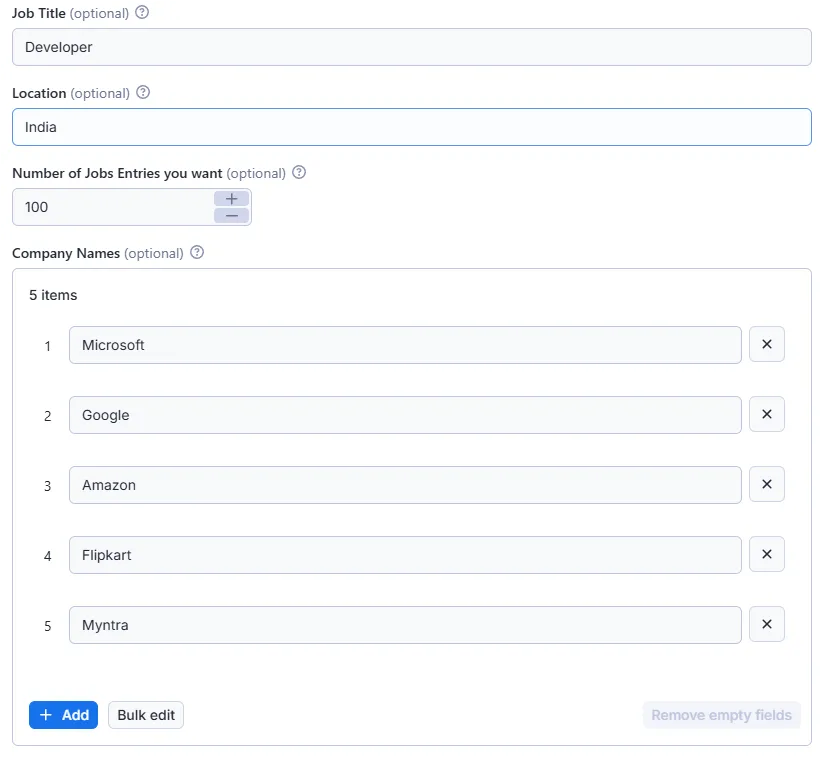
| Job Title | job_title | The job role to search for (e.g., "Python Developer", "Data Scientist"). |
| Location | location | Target region or location (e.g., "New York", "Remote"). |
| Number of Jobs Entries | jobs_entries | Maximum number of job listings to scrape per run. |
| Start Offset | start_jobs | Pagination offset (skip the first N jobs). Default is 0. |
| Company Names | company_names | List of specific companies to filter jobs by. |
| Cities | cities | List of specific cities to filter the search results. |
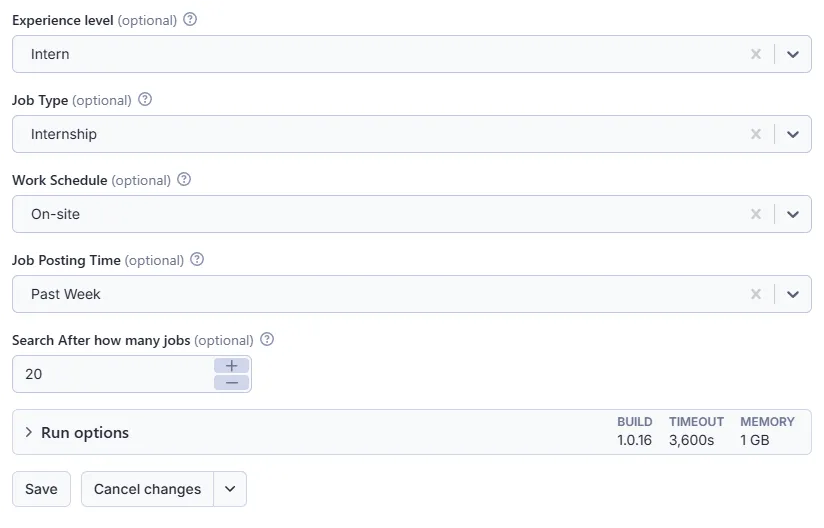
| Experience Level | experience_level | Required experience: Intern, Assistant, Junior, Mid-Senior, Director, Executive. |
| Employment Type | employment_type | Job type: Full-time, Part-time, Contract, Temporary, Volunteer, Internship, Other. |
| Work Arrangement | work_arrangement | Location type: On-site, Remote, Hybrid. |
| Job Posting Time | posted_within | Timeframe: Any Time, Past 24 hours, Past Week, Past Month. |
| Custom Job Posting Time | job_post_time | Custom time range string if predefined posted_within options aren't used. |
| Easy Apply Only | easy_apply | Set to true to scrape only jobs that have the "Easy Apply" option. |
🎯 Actor Input Example
📤 Output Format
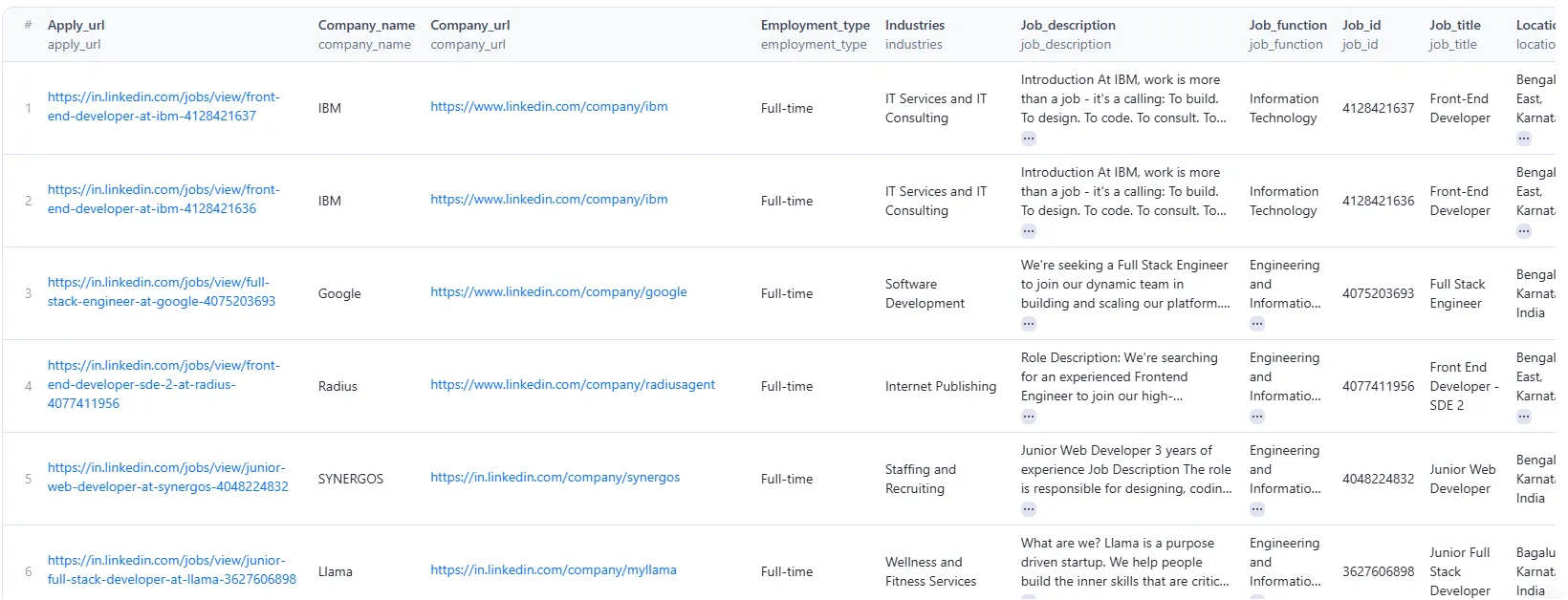
The scraper returns clean, structured data for every job listing.
| Title | ID | Description |
|---|---|---|
| Job ID | job_id | Unique LinkedIn identifier for the job post. |
| Job URL | job_url | Direct link to the LinkedIn job posting. |
| Apply URL | apply_url | External URL to apply for the job, or the LinkedIn page if Easy Apply. |
| Job Title | job_title | Title of the position. |
| Company Name | company_name | Name of the hiring company. |
| Company URL | company_url | Link to the company's LinkedIn profile. |
| Company Logo URL | company_logo_url | Direct URL to the company's logo image. |
| Location | location | Geographic location of the job. |
| Time Posted | time_posted | Relative time since the job was posted (e.g., "2 days ago"). |
| Number of Applicants | num_applicants | Current number of applicants for the position. |
| Salary Range | salary_range | Provided salary or compensation details. |
| Job Description | job_description | Plain text of the full job description. |
| Job Description HTML | job_description_raw_html | Full job description in raw HTML format. |
| Seniority Level | seniority_level | Listed seniority level required for the job. |
| Employment Type | employment_type | Employment type categorization. |
| Job Function | job_function | Core functions associated with the role. |
| Industries | industries | The business industries related to the job. |
| Easy Apply | easy_apply | Boolean flag indicating if LinkedIn Easy Apply is available. |
🎯 Job Data Output Example
❓ Frequently Asked Questions (FAQ)
Q: Do I need a LinkedIn account to use this scraper? A: No! The Rapid LinkedIn Scraper is designed to bypass the need for a login, ensuring your personal account remains safe from bans or restrictions.
Q: Is it legal to scrape LinkedIn jobs? A: Web scraping public data (like public job postings) is generally permissible for educational and research purposes. However, you should always review LinkedIn's Terms of Service and consult legal counsel regarding your specific use case.
Q: Can I integrate this with my own database or app? A: Absolutely. The output is provided in clean JSON, CSV, XML, Excel, HTML Table, RSS, and JSONL formats and can be accessed programmatically via the Apify API, making database ingestion seamless.
Q: How fast is the scraper? A: The scraper is highly optimized for speed, relying on efficient network requests rather than heavy browser automation, allowing you to extract hundreds of jobs in seconds.
Legal & Disclaimer
- This tool is intended for educational and research purposes only.
- Respect LinkedIn's terms of service while scraping data.
- The author is not responsible for misuse of this scraper.
Contact & Support
For support, feedback, or custom requests, feel free to reach out:
Feedback Form: https://forms.gle/HQyJGukRrCKmf2qF8<br>
Email: umeshpatidar.dev@gmail.com<br>
LinkedIn: Umesh Patidar


