
Google Maps Scraper ✅ $1.5/1k places
Pricing
from $1.50 / 1,000 scraped places
Google Maps Scraper ✅ $1.5/1k places
Scrape Google Maps places from $1.5/1k results. Get business names, addresses, phones, websites, ratings, reviews, images, opening hours, GPS coordinates, categories, Place IDs, and optional public website emails from keywords, URLs, Place IDs, or map areas.
Pricing
from $1.50 / 1,000 scraped places
Rating
5.0
(1)
Developer

Hundevmode Labs
Maintained by CommunityActor stats
5
Bookmarked
101
Total users
20
Monthly active users
5 days ago
Last modified
Categories
Share
Google Maps Scraper: Extract Places, Reviews, Images & Business Contacts
Use this Google Maps Scraper to collect local business data from Google Maps by search term and location, direct Google Maps URLs, Google Place IDs, or a selected map area. It can extract Google Maps places, ratings, reviews, images, websites, phone numbers, addresses, coordinates, categories, and public business contacts when they are available.
The actor is built for high-throughput Google Places scraping: base discovery is payload-first, large searches can be split automatically, and slower add-ons run after places are collected. This makes it useful for Google Maps lead generation, local SEO research, market mapping, review monitoring, and business directory datasets.
AI agent skill
Use the dedicated Google Maps Scraper Apify agent skill when you want AI agents to build correct inputs, run this actor through Apify, control spend with maxTotalChargeUsd, and return structured Google Maps place data for CRM, Sheets, n8n, BI, or enrichment workflows.
Install with skills.sh-compatible agents:
ClawHub skill slug: google-maps-scraper-apify.
At a glance
| Need | Use this actor for |
|---|---|
| Local leads | Business names, categories, websites, phones, emails, and social links |
| Google Maps reviews | Review text, ratings, counts, distribution, and review-fetch diagnostics |
| Place directories | Addresses, coordinates, Place IDs, CIDs, Google Maps URLs, and categories |
| Market research | Competitor lists by area, rating, review volume, category, and opening status |
| CRM enrichment | Direct Google Maps URLs, Place IDs, and website contact enrichment |
Quick start
- Add one or more values to
searchStringsArray, such asbike repair shop,dentist, orhotel. - Add a specific
locationQuery, for examplePortland, Oregon, USA. - Set
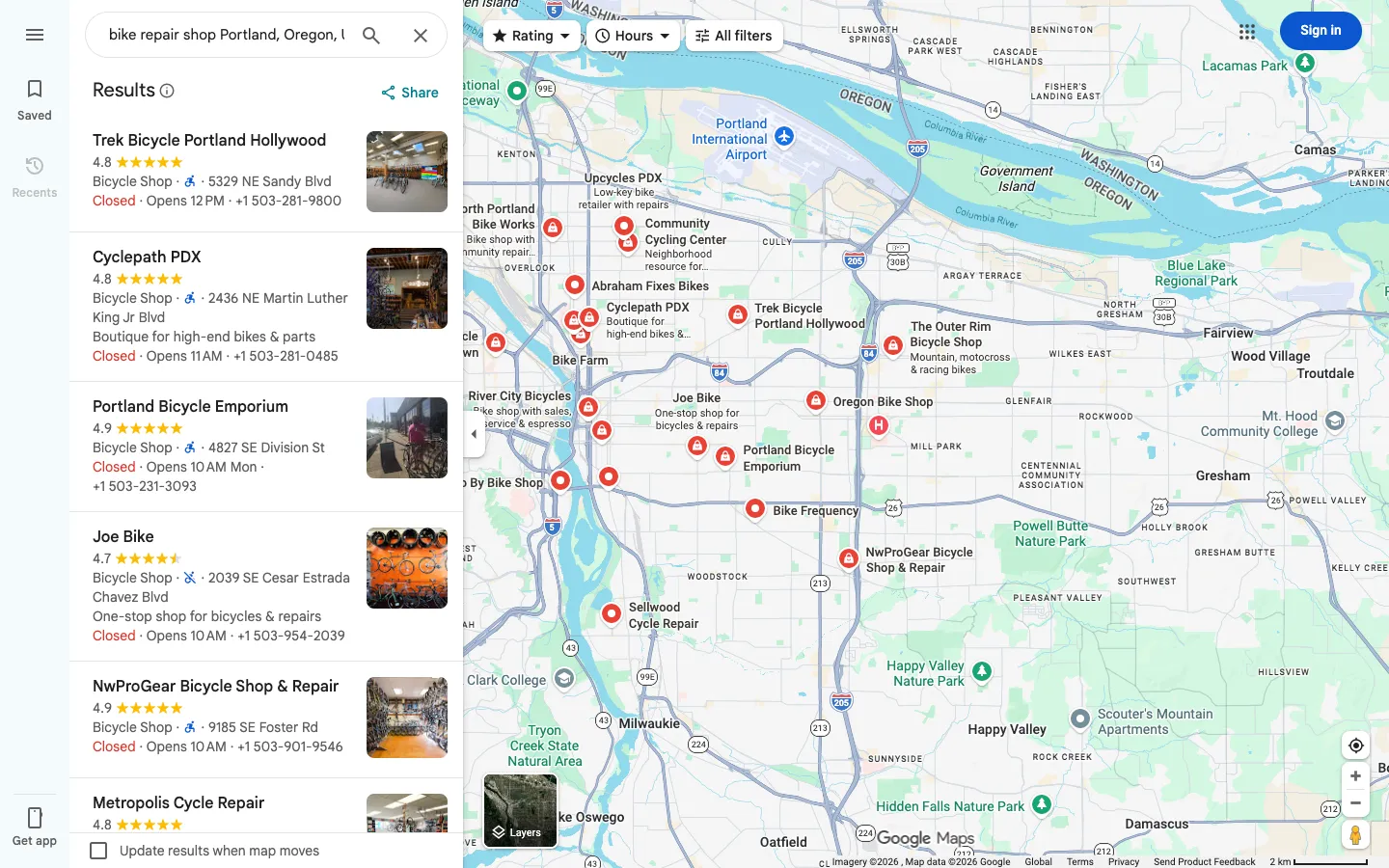
maxCrawledPlacesPerSearchto the number of places you want per search term. - Enable only the add-ons you need: place details, website contacts, reviews, or images.
- Run the actor and export the dataset as JSON, CSV, Excel, or through the Apify API.
Pricing
The actor uses Apify pay-per-event pricing. The base event is one saved Google Maps place. Optional add-ons are charged only when the corresponding work produces saved output. Apify calls paid-plan Store discounts Bronze, Silver, and Gold internally; all paid plans use the same paid rate for this actor.
| Event | Free | Paid plans |
|---|---|---|
| Scraped place | $3.00 / 1,000 saved places | $1.50 / 1,000 saved places |
| Add-on: filter applied | $0.80 / 1,000 saved places | $0.35 / 1,000 saved places |
| Add-on: additional place details scraped | $1.50 / 1,000 enriched places | $0.75 / 1,000 enriched places |
| Add-on: company contacts enrichment | $1.50 / 1,000 enriched places | $0.45 / 1,000 enriched places |
| Add-on: review scraped | $0.40 / 1,000 reviews | $0.20 / 1,000 reviews |
| Add-on: image scraped | $0.40 / 1,000 images | $0.20 / 1,000 images |
| Actor start | $0.00005 per start event | $0.00001 per start event |
Set a maximum run cost before starting a run; the actor respects the Apify spending limit and exits gracefully when no paid results can be saved.
What can this Google Maps scraper do?
- Search Google Maps by one or more search terms and a location, for example
restaurants in New Yorkorbike repair shop in Portland. - Scrape direct Google Maps search URLs, place URLs, and Google Place IDs.
- Collect all visible places from a selected area when you do not want to use a business search term.
- Filter results by Google Maps category, name matching, rating, website availability, and closed-place status.
- Extract extra place details, Google reviews, Google Maps image URLs, and public website contacts with optional add-ons.
- Keep output compatible with Apify Dataset exports such as JSON, CSV, Excel, and API access.
Data you can extract
| Data group | Example fields |
|---|---|
| Basic place data | title, subTitle, description, categoryName, categories, price, rank, isAdvertisement |
| Address and location | address, street, neighborhood, city, state, postalCode, countryCode, location, plusCode, locatedIn, floor |
| Contact data | website, phone, phoneUnformatted, emails, additionalPhones |
| Social links | facebooks, instagrams, linkedIns, twitters, youtubes, tiktoks |
| Status and ownership | permanentlyClosed, temporarilyClosed, claimThisBusiness |
| Ratings and reviews | totalScore, reviewsCount, reviewsDistribution, reviews, reviewsScraped, reviewsFetchStatus, reviewsFetchMethod, reviewsDateFilterStatus |
| Images | imageUrl, images, imagesCount, imageFetchStatus, imageFetchMethod, imageAuthorsStatus, imageCategories |
| Place details | openingHours, additionalOpeningHours, popularTimesLiveText, popularTimesLivePercent, popularTimesHistogram, menu, servicesLink, reserveTableUrl, googleFoodUrl, peopleAlsoSearch, placesTags |
| Hotels and fuel | hotelStars, hotelDescription, checkInDate, checkOutDate, hotelAds, gasPrices |
| Google identifiers | placeId, cid, fid, kgmid, url, searchPageUrl, searchPageLoadedUrl, searchString, language |
| Add-on data | additionalInfo, including nested data such as companyContacts, webResults, insidePlaces, image lists, and review metadata when enabled |
Not every Google Maps result exposes every field. Detail fields, images, review data, web results, inside places, and website contacts are best-effort and are returned when Google Maps or the business website provides enough public data.
Popular use cases
- Build local business lead lists from Google Maps with websites, phone numbers, emails, and social links.
- Find restaurants, dentists, hotels, shops, agencies, clinics, contractors, repair services, and other local businesses in a city or region.
- Monitor Google Maps reviews, ratings, categories, and business details for market research.
- Create location datasets with addresses, coordinates, Google Place IDs, CIDs, and Google Maps URLs.
- Enrich CRM records when you already have Google Maps URLs or Place IDs.
- Collect business websites before running separate email, SEO, or sales workflows.
- Compare local competitors by category, neighborhood, rating, review count, and opening status.
Input options
Search terms and location
Use searchStringsArray with locationQuery for standard Google Maps scraping. Put the business category or query in searchStringsArray, and put the place context in locationQuery.
Core input fields:
| Field | What it does |
|---|---|
searchStringsArray | One or more Google Maps search terms, such as bike repair shop, dentist, hotel, or restaurants. |
locationQuery | Free-text location for the run, such as Portland, Oregon, USA or Berlin, Germany. This has priority over structured search area fields. |
maxCrawledPlacesPerSearch | Target number of places per search term or Google Maps URL. If fewer places exist or Google returns fewer useful places, the actor returns what it can find. |
language | Google Maps language code used for localized result text when Google provides it. |
Search area
You can define a structured search area with:
countryCode: country or territory selector with 248 options.city,state,county,postalCode: optional location parts.customGeolocation: polygon or area geometry.strictLocationBounds: keeps results inside the resolved or custom search area when coordinates are available.
The free-text locationQuery has priority when it is provided. Use the structured search area fields when you need more control or when the free-text location is not specific enough.
Google Maps URLs and Place IDs
Use startUrls when you already have Google Maps URLs. Use placeIds when you have Google Place IDs.
Direct place URLs and Place IDs are useful when you need specific locations. Search URLs are useful when you want Google Maps results from a prepared query.
URL and ID behavior:
| Field | What it accepts | Notes |
|---|---|---|
startUrls | Google Maps search URLs and direct Google Maps place URLs. | URL sources run before normal search terms. Direct place URLs usually return one place; search URLs can return multiple places depending on what Google exposes for that URL. |
placeIds | Google Place IDs, values prefixed with place_id:, and Google Maps URLs containing query_place_id. | Useful for exact place enrichment or when another system already stores Google Place IDs. |
All visible places
Use allPlacesNoSearchAction only when you want all visible places in a selected area instead of a category search.
This mode needs a concrete area. Large or vague areas should be narrowed with city, postal code, custom geolocation, or a smaller locationQuery.
All visible places fields:
| Field | What it does |
|---|---|
allPlacesNoSearchAction | Enables area-based scraping without search terms, URLs, or Place IDs. |
allPlacesZoom | Optional zoom override. Leave 0 for automatic zoom. Typical useful values are 14-17; higher zoom can expose more pins but may take longer. |
Add-ons
Result filters and categories
Use filters to narrow Google Maps places after base collection:
placeCategories: select from 3,968 Google Business Profile category presets.customPlaceCategories: add free-text categories not present in the predefined list.searchMatching: keep all places, only names that include the search term, or exact name matches.minStars: require a minimum Google rating.website: keep all places, only places with a website, or only places without a website.skipClosedPlaces: remove temporarily or permanently closed places when Google exposes the status.
Category filters can improve relevance, but they can also remove valid places if a business is categorized differently on Google Maps.
Result filter fields:
| Field | Values |
|---|---|
placeCategories | Predefined Google Business Profile category presets. |
customPlaceCategories | Custom text matched against categoryName and categories. |
searchMatching | all, only_includes, only_exact. |
minStars | 0, 1, 2, 2.5, 3, 3.5, 4, 4.5, 5. |
website | allPlaces, withWebsite, withoutWebsite. |
skipClosedPlaces | true or false. |
Place details
Enable scrapePlaceDetailPage to enrich places with extra Google Maps detail fields such as opening hours, popular times, additional categories, descriptions, menus, service links, plus codes, and related place data when available.
Additional place-detail toggles include:
scrapeTableReservationProviderData: extract reservation links when Google exposes them.scrapeOrderOnlineWidgetData: extract order-online links when available.includeWebResults: include related web links when available.scrapeInsidePlaces: extract inside places for malls, venues, and similar parent places when Google exposes them.
The actor uses fast Google Maps detail payloads first and avoids opening a browser detail page unless a fallback is needed.
Place detail output can include openingHours, additionalOpeningHours, plusCode, locatedIn, floor, menu, servicesLink, reserveTableUrl, googleFoodUrl, popularTimesLiveText, popularTimesLivePercent, popularTimesHistogram, peopleAlsoSearch, placesTags, hotel fields, gas prices, and nested additionalInfo data when Google exposes them.
Website contacts
Enable scrapeCompanyContacts to crawl public business websites and extract contacts into emails, additionalPhones, social-link fields, and additionalInfo.companyContacts.
The contact crawler uses a shallow same-domain crawl. It checks the homepage and common internal pages such as contact, about, team, impressum, and footer links. For best cost and speed, combine this add-on with the website filter set to places with a website.
Website contact output can include emails, additionalPhones, facebooks, instagrams, linkedIns, twitters, youtubes, tiktoks, and raw crawl details in additionalInfo.companyContacts. The actor extracts public contact data; it does not verify emails or collect follower counts, engagement stats, or other profile analytics.
Reviews
Set maxReviews above 0 to extract Google Maps reviews.
Useful review options:
reviewsSort: newest, most relevant, highest rating, or lowest rating.reviewsStartDate: best-effort review date filter.reviewsFilterString: keep reviews matching keywords.reviewsOrigin: all reviews or Google reviews.scrapeReviewsPersonalData: include reviewer data when available.
Review extraction uses Google's current public review feed with continuation-token pagination and server-side sort order. UI fallback is optional. Exact timestamps are used when exposed; relative dates remain best-effort. Reviews are deduplicated by review ID. Failed requests are distinguished from genuine empty or filtered results. If review extraction fails for every attempted place, the run is marked FAILED and the saved place results remain available. Partial review failures are reported in RUN_SUMMARY. The rating distribution comes from the full place histogram when available, not the downloaded review sample.
Review output includes reviews, reviewsScraped, reviewsCount, reviewsDistribution, reviewsTags, reviewsFetchStatus, reviewsFetchMethod, and reviewsDateFilterStatus.
Images
The main image URL is included as imageUrl when Google Maps exposes it in the base result. Set maxImages above 0 to extract additional Google Maps image URLs into images.
Use scrapeImageAuthors if you want best-effort image author metadata. Image extraction is payload-first and returns only what Google Maps exposes for a place.
Image output includes imageUrl for the main image, plus images, imagesCount, imageFetchStatus, imageFetchMethod, imageAuthorsStatus, and imageCategories when available.
How it works
- The actor builds search sources from search terms, locations, URLs, Place IDs, or the selected area.
- Base discovery uses Google Maps payload responses instead of opening every place page.
- Large searches can be split automatically across smaller map areas and deduplicated by Google identifiers.
- Optional relevance and result filters remove unwanted places before saving.
- Detail, reviews, images, and website contacts run in a second enrichment stage so add-ons do not block base discovery.
- The actor writes places to the dataset and includes run diagnostics for troubleshooting and performance review.
Example input with add-ons
Example output
The example uses placeholder business data. Real output depends on the selected inputs, Google Maps availability, and enabled add-ons.
Export, dataset views, and API access
Results are saved to an Apify Dataset and can be exported in formats such as JSON, CSV, Excel, XML, RSS, or accessed through the Apify API.
The output schema includes focused dataset views for common workflows:
Overview: core lead export fields.Contact info: address, phone, website, and coordinates.Place details: extra Google Maps detail fields.Website contacts: public emails, phones, and social links from business websites.Social media: social profile URLs discovered from websites.Rating: ratings, review counts, and rating distribution.Reviews: extracted Google Maps reviews and review-fetch diagnostics.Images: main image, additional image URLs, and image-fetch diagnostics.Lead Enrichment: lead-style export fields grouped from the scraped place and contact data.All fields: complete place records.
Use the Apify API when you want to run the Google Maps Scraper from code, schedule repeated runs, connect results to another system, or download dataset items programmatically.
Output field reference
The dataset schema is stable for common exports. Fields may be null, empty arrays, or absent inside nested objects when Google Maps or the business website does not provide that data.
Core place fields
| Field | Meaning |
|---|---|
title | Place name. |
subTitle | Secondary title shown by Google Maps. |
description | Short place description when available. |
price | Price level or price range. |
categoryName | Primary Google Maps category. |
categories | All visible Google Maps categories. |
rank | Result rank within the search source. |
isAdvertisement | Whether Google marked the result as an ad. |
scrapedAt | ISO timestamp when the place was scraped. |
Address and geolocation fields
| Field | Meaning |
|---|---|
address | Full formatted address. |
neighborhood | Neighborhood or locality label. |
street | Street address. |
city | City. |
postalCode | Postal code. |
state | State, province, or region. |
countryCode | ISO country code. |
location | Latitude and longitude object. |
plusCode | Google Maps plus code. |
locatedIn | Parent place, mall, building, or venue. |
floor | Floor inside a venue when available. |
Contact and lead fields
| Field | Meaning |
|---|---|
website | Business website URL. |
phone | Formatted phone number. |
phoneUnformatted | Normalized phone number when available. |
emails | Public email addresses found on the business website when website contacts enrichment is enabled. |
additionalPhones | Additional phone numbers found on the business website. |
facebooks | Facebook profile or page URLs found on the business website. |
instagrams | Instagram profile URLs found on the business website. |
linkedIns | LinkedIn profile or company URLs found on the business website. |
twitters | X/Twitter profile URLs found on the business website. |
youtubes | YouTube channel or profile URLs found on the business website. |
tiktoks | TikTok profile URLs found on the business website. |
Rating, status, and review fields
| Field | Meaning |
|---|---|
totalScore | Average Google rating. |
reviewsCount | Number of Google reviews. |
reviewsDistribution | Rating distribution by star value. |
reviewsTags | Review summary tags when available. |
reviews | Extracted Google Maps reviews when the reviews add-on is enabled. |
reviewsScraped | Number of reviews extracted for this place. |
reviewsFetchStatus | Review extraction status. |
reviewsFetchMethod | Method used to fetch reviews, such as rpc, ui, or none. |
reviewsDateFilterStatus | Best-effort status for review date filtering. |
permanentlyClosed | Whether the place is permanently closed. |
temporarilyClosed | Whether the place is temporarily closed. |
claimThisBusiness | Whether Google shows the business as claimable. |
Image fields
| Field | Meaning |
|---|---|
imageUrl | Main image URL from the base Google Maps result when available. |
images | Additional Google Maps image URLs when the images add-on is enabled. |
imagesCount | Number of visible Google Maps images when available. |
imageFetchStatus | Image extraction status. |
imageFetchMethod | Method used to fetch additional images, such as payload, ui, or none. |
imageAuthorsStatus | Best-effort status for image author extraction. |
imageCategories | Image categories when available. |
Extra detail fields
| Field | Meaning |
|---|---|
openingHours | Regular opening hours. |
additionalOpeningHours | Additional opening-hour groups. |
popularTimesLiveText | Live popular-times text. |
popularTimesLivePercent | Live popular-times percentage. |
popularTimesHistogram | Popular-times histogram. |
menu | Menu URL. |
servicesLink | Services URL. |
reserveTableUrl | Reservation URL. |
googleFoodUrl | Food ordering URL. |
peopleAlsoSearch | Related places shown by Google Maps. |
placesTags | Place tags shown by Google Maps. |
gasPrices | Gas prices when available. |
hotelStars | Hotel star rating when available. |
hotelDescription | Hotel description when available. |
checkInDate | Hotel check-in date when available. |
checkOutDate | Hotel check-out date when available. |
hotelAds | Hotel ads when available. |
additionalInfo | Nested add-on data, including companyContacts, webResults, insidePlaces, review metadata, and image lists when enabled. |
Google identifier and source fields
| Field | Meaning |
|---|---|
placeId | Google Place ID. |
cid | Google Maps customer ID. |
fid | Google Maps feature ID. |
kgmid | Google Knowledge Graph ID when available. |
url | Google Maps URL for this place. |
searchPageUrl | Google Maps search URL that produced this result. |
searchPageLoadedUrl | Loaded Google Maps search URL. |
searchString | Search term or source query. |
language | Google Maps language code used for the run. |
Performance and cost tips
- Use a specific search term and location.
dentist in Berlinis usually better thanbusinesses in Germany. - Set
maxCrawledPlacesPerSearchto control the run size for each search term or URL. - Keep add-ons disabled unless you need their fields. Base Google Maps place scraping is faster than enrichment.
- Use
website: "withWebsite"before enabling website contacts to avoid crawling places without websites. - Use
strictLocationBoundswhen you need places to stay inside a custom or resolved area. - For all-visible-place scraping, choose a realistic area and zoom. Higher zoom can reveal more pins but may take longer.
Limitations
- Google Maps can return similar, sponsored, nearby, or broad-tail results. The relevance filter helps, but raw Google output may still vary by location, language, and session.
- Some Google Maps fields are missing for some places. Missing fields are returned as
null, empty arrays, or omitted nested values depending on the field. - Reviews, images, web results, inside places, popular times, reservation links, and order links are best-effort.
- Review date filtering is best-effort and may be affected by localized or relative review dates.
- Website contacts depend on each business website, public pages, crawl limits, redirects, and blocking.
- All visible places mode is intended for concrete selected areas, not whole countries or vague global searches.
- This actor scrapes public Google Maps and website data. Make sure your use case follows applicable laws, platform terms, and privacy rules.
FAQ
Can I scrape Google Maps reviews?
Yes. Set maxReviews to the number of reviews per place you want to extract. The actor returns review data in reviews, with diagnostics such as reviewsScraped, reviewsFetchStatus, reviewsFetchMethod, and reviewsDateFilterStatus.
Can I extract emails from Google Maps businesses?
Google Maps usually does not expose emails directly. Enable scrapeCompanyContacts to crawl each business website and extract public emails, extra phone numbers, and social links when they are available.
Can I scrape Google Maps by Place ID?
Yes. Add Google Place IDs to placeIds. You can also provide Google Maps URLs in startUrls.
Can I filter by category, rating, website, or closed status?
Yes. Use placeCategories, customPlaceCategories, minStars, website, and skipClosedPlaces. The actor includes 3,968 predefined category presets plus custom category matching.
Can I scrape all visible places in an area?
Yes. Use allPlacesNoSearchAction with a concrete location or custom search area. This mode is for area-based discovery when you do not want a business category search.
Is this provided by Google?
No. This is an Apify actor for scraping publicly available Google Maps data. It is not provided by Google.
How do I reduce irrelevant similar results?
Use a specific search term, add category filters when appropriate, and narrow the location. The actor also applies a relevance filter by default to reduce broad Google Maps tail results.
What should I enable for lead generation?
Start with search terms, a specific location, website: "withWebsite", and scrapeCompanyContacts. Add reviews, images, or place details only when your workflow needs those fields.
Can I use this as a Google Maps scraper API?
Yes. Run the actor through the Apify API and read results from the dataset API. This is useful for scheduled lead generation, CRM enrichment, reporting pipelines, and internal data tools.
Can I scrape multiple business categories?
Yes. Add multiple values to searchStringsArray, select multiple placeCategories, or use custom category filters. Each search term has its own target, and results are deduplicated by Google identifiers when possible.
Can I scrape business contacts and social media links?
Yes, when the business has a website and public contact pages are reachable. Enable scrapeCompanyContacts to extract public emails, additional phone numbers, and links to Facebook, Instagram, LinkedIn, X/Twitter, YouTube, and TikTok profiles.
Map areas and incomplete searches
You can supply search terms with customGeolocation without a city. Polygon coordinates use longitude, latitude order. With strictLocationBounds enabled, results must fall inside the supplied geometry, including polygon holes. The maximum result count is an upper limit, not guaranteed inventory. Google can return related categories; use the explicit name or category filters to narrow results.
RUN_SUMMARY.searchHealth, coverageComplete, warnings, and filterRejections distinguish valid empty searches, filtered records, and unavailable or partial data. An unavailable search stops after bounded attempts while other searches continue. A zero-result run fails if its search data was unavailable or partially loaded; positive partial results remain available with warnings. Sampling or resource limits do not confirm full area coverage.


