

Employer Jobs Index: Search Your Authorized Feeds
Pricing
from $2.40 / 1,000 returned jobs
Employer Jobs Index: Search Your Authorized Feeds
Build a private, searchable index from authorized job snapshots or public feed URLs. Filter jobs, compare observations and inspect incomplete feeds.

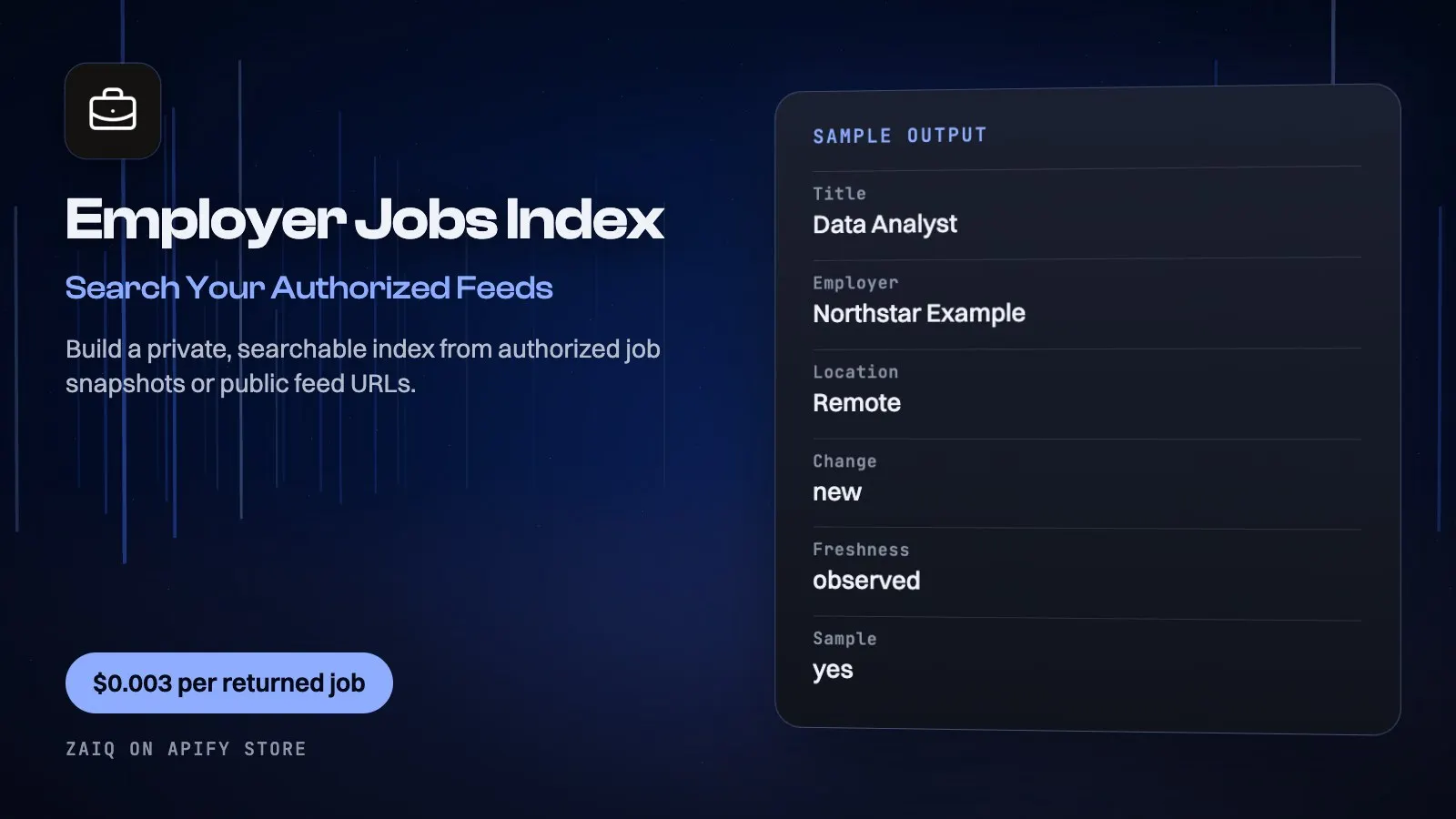
Search a private index built from job snapshots you have permission to use. Paste JSON or CSV, select authorized Apify datasets, or opt in to fetch an authorized public HTTPS JSON or CSV feed.
The first run is a free synthetic demonstration. Replace it with your own board manifest to build an index. This is not a preloaded or global jobs database.
What you get
| Field | What it holds |
|---|---|
| Job | Stable job ID, employer, role, location, public source link and last observed date |
| Change | New, changed, unchanged or not observed compared with the previous imported snapshot |
| Feed coverage | Last observation, complete or incomplete flag and indexed count in SUMMARY |
| Free notes | Invalid rows, failed feeds and spending-limit notes |
What people use it for
- Search: Filter an authorized index by role, location, employer or observed date
- Monitor: Update a named index and inspect changes to jobs you observed
How to use it
- Run the free synthetic demo to see the fields.
- Select update, name your index and provide authorized board entries with JSON jobs, CSV text or selected Apify datasets. Set an observation date and whether each snapshot is complete.
- Optionally enable direct fetching for public HTTPS feed URLs you are authorized to use. Search the same named index later; run updates sequentially.
- Fictional example: set top-level datasetIds to ["fictional-dataset-id"] and boards to [{"id":"fictional-board","employer":"Fictional Employer","authorized":true,"observedAt":"2026-10-28","complete":false,"datasetId":"fictional-dataset-id","synthetic":true}]. The ID must match the dataset selected in the picker. This is not a real dataset.
Input
| Field | Example | Notes |
|---|---|---|
| Mode | demo, update, search | Demo is synthetic and does not create an index |
| Authorized input datasets | datasetIds: selected dataset IDs | Select each dataset at top level. Bind each selected ID to exactly one board using that board’s datasetId; no duplicate, unselected or unused IDs. |
| Existing index store (optional) | indexStoreId | Select an existing buyer-owned key-value store with read/write permission and reuse it on updates and searches. This store holds one index and indexName is ignored. If omitted, indexName uses the legacy named store. |
| Board manifest | id, employer, authorized, observedAt, complete, jobs or csv or datasetId or feedUrl | One object per board; provide exactly one source. Apify dataset records use the same job fields. |
| Selective import | selectedJobIds | Optional source job IDs; a selective feed is always marked incomplete. |
| Fictional data | synthetic: true | Explicitly label fictional board data; resulting synthetic rows are free. |
| Job fields | id, title, location, sourceUrl | id, title and HTTPS sourceUrl are required; URLs must have no query string |
| Filters | role, location, employer, observedFrom, observedTo, maxAgeDays | Substring filters; date bounds are inclusive and age is measured in UTC. |
| Index name | my-jobs | Legacy named store when indexStoreId is omitted; use the same name for sequential runs. |
Output
Each result is one row in the run's dataset (download it as JSON, CSV, Excel, XML or HTML, or read it through the API). An example row (values shortened):
The example is a fictional synthetic demonstration, not a live source or buyer run. SUMMARY lists coverage, failures and the matched count. No job is marked closed when absent.
Pricing
- $0.003 per returned job from a buyer-authorized index; repeated searches return and charge jobs again.
- The synthetic demonstration, boards marked synthetic:true and notes are free. Apify platform start is $0.00005 per started GB of memory, minimum one unit.
What typical jobs cost at the list price:
| Job | Cost |
|---|---|
| Synthetic demo | $0.00005 platform start at 512 MB; demo jobs free |
| 10 returned jobs | $0.03005 at 512 MB, including start |
Set Maximum cost per run. The Actor checks for room before fetching and before paid rows; free notes remain available at the limit. If a delivery or charge cannot be reconciled after interruption, the Actor stops paid work and leaves a free review note; existing results and charges are retained.
Tips
- Keep a consistent board ID and source job ID across observations.
- Set complete to false for partial snapshots. Jobs missing from an update remain indexed as not observed; they are not marked closed.
- Reuse the index name for sequential updates and searches. Only import data you have rights to use and redistribute.
- For indexStoreId, create the store first, select the same store each time, and use a separate store for each index. indexName is ignored when a store is selected.
Use it through the API
Python
JavaScript
HTTP (one call, results back)
Integrations and schedules
- Schedules: run it every hour, day or week from the Apify Console (Schedules) and keep a history of results.
- Make, Zapier, n8n, Google Sheets, Slack, Airtable: connect it through Apify's integrations, or send each finished run to a webhook.
- Datasets: results stay in the run's dataset; export them or read them by API whenever you need them.
Use it with AI agents (MCP)
Add Apify's MCP server (https://mcp.apify.com) to Claude, ChatGPT, Cursor, VS Code or any MCP client. The agent can find this Actor and run it for you: ask it for jobs in my authorized index filtered by role and location. AI agents can also pay for runs directly through Apify's agentic payments.
Limits
- No company discovery or preloaded live feed. You provide and authorize each feed and confirm your own rights; a public endpoint alone does not grant redistribution rights.
- Generic JSON and CSV only; no pagination, login, credentials, CAPTCHA, redirects, descriptions or restricted job marketplaces. A login or verification check, HTTP 401, 403 or 429 stops the run immediately.
- URLs must be public HTTPS without query strings. Feeds are limited to 20 boards, 5,000 jobs per board and 2 MB each. Completeness is supplied by the buyer, not independently verified.
- An update replaces each observed job with the latest fields and retains missing jobs as not observed. This is not a closure or live-availability claim. Do not run the same index concurrently.
- Jobs and index contents are stored in Apify storage. An optional selected indexStoreId requests read/write access to that store; otherwise the legacy named-store path is used. Actual cloud access and isolation must be verified. Do not include sensitive personal data in job fields.
- Equal source URLs are treated as the same posting across feeds for a run; other cross-feed identities may not be detected. Source IDs are scoped to their board.
- Run updates and searches for a given index sequentially. Concurrent writes are last-writer-wins; the index is not a transactional database.
FAQ
Does it include a live jobs database?
No. The default is a synthetic sample; you supply authorized data.
Can I upload a CSV?
Paste CSV text in a board's csv field. Columns are id, title, location and sourceUrl.
Can I import an Apify dataset?
Select each authorized dataset in the top-level datasetIds picker. In the board manifest, set datasetId to the exact matching selected ID. Bind each selected dataset once to a unique board. Existing datasetId-only inputs must add datasetIds. Records use id, title, location and sourceUrl; selectedJobIds is optional.
Does it establish source rights?
No. You are responsible for authorization and redistribution rights.
Support
Questions, a site that changed, or a field you need? Open an issue on this Actor's Issues tab: we answer there, usually within a day.
Also found as: employer jobs index, job feed search, job snapshot monitoring.


