

Keyword Search Volume & Keyword Planner API: CPC, Difficulty
Pricing
from $0.80 / 1,000 keywords
Keyword Search Volume & Keyword Planner API: CPC, Difficulty
Bulk keyword search volume, Google's own figures with Bing beside them: searches, CPC, competition, bids and history in 95 countries, plus difficulty, intent, Keyword Planner ideas and every keyword a competitor's domain ranks for. No Google Ads account, no Semrush or Ahrefs subscription.

Keyword Search Volume & Keyword Planner API: Google and Bing volume, CPC, difficulty, intent, keyword ideas and competitor keywords
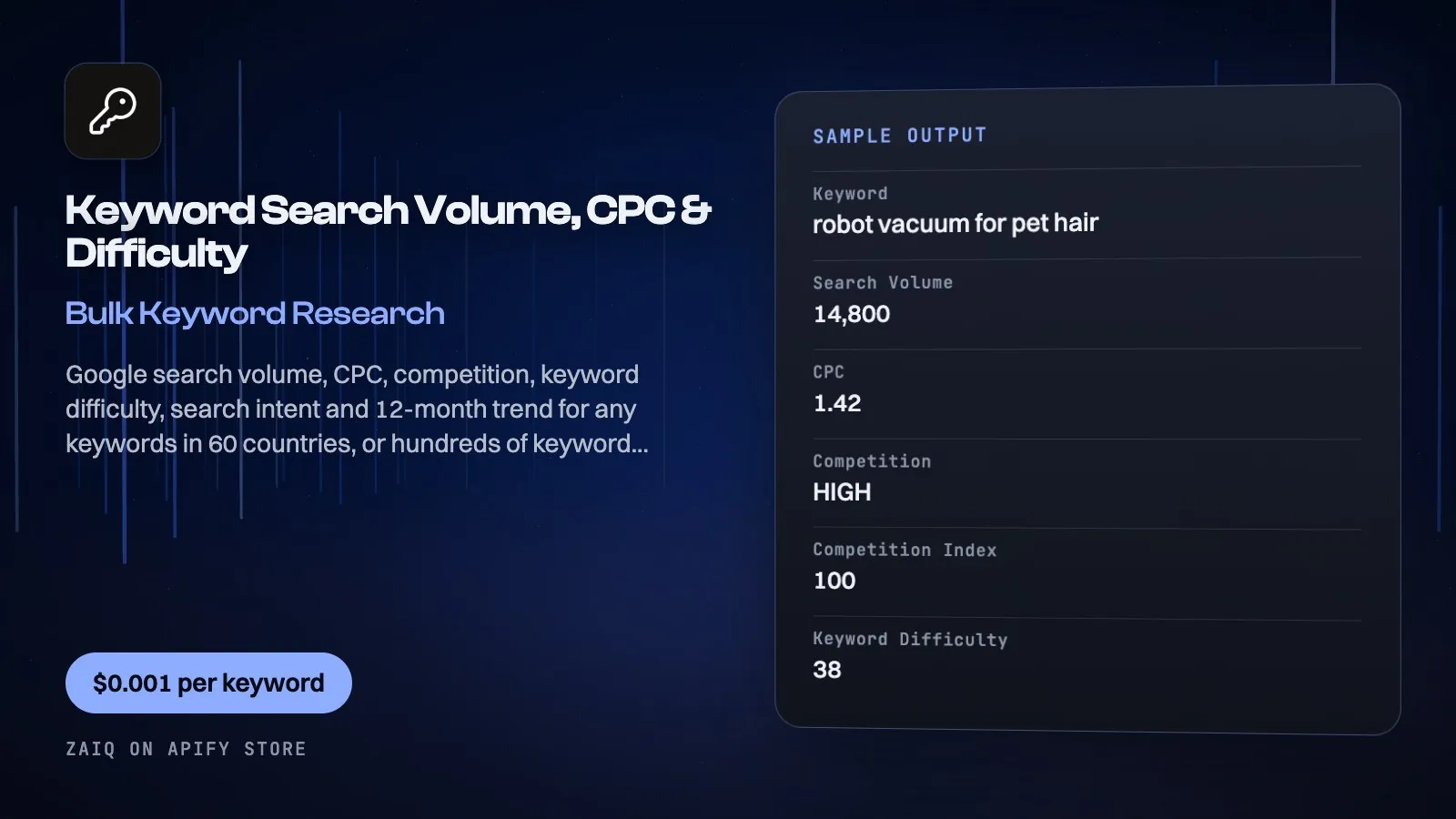
Get Google keyword data without a Semrush, Ahrefs or Google Ads account: for any keywords in 95 countries, the monthly search volume, CPC, competition and top-of-page bids, keyword difficulty (0-100), search intent, monthly history and the monthly, quarterly and yearly trend, with Bing's figures beside Google's if you want them. Give seed keywords and get keyword ideas that contain them, Google's related searches, or Google Keyword Planner's own ideas. Give a competitor's domain and get every keyword it ranks for, with its position, the page that ranks, estimated traffic and what that traffic would cost in ads.
Built for SEO teams and agencies, content marketers, PPC managers, e-commerce sellers, AI agents and automations that need keyword data on demand and pay per keyword instead of per seat.
What you get
| Field | What it holds |
|---|---|
| Keyword rows | keyword, searchVolume, cpc (USD), competition (LOW/MEDIUM/HIGH), competitionIndex (0-1), lowTopOfPageBid, highTopOfPageBid, keywordDifficulty, intent, otherIntents, trend (monthly, quarterly, yearly % change), monthlySearches, avgBacklinksOfTopPages, avgReferringDomainsOfTopPages, country, language, seed, dataSource, spelledAs, keywordAsGiven |
| Competitor keyword rows, the same plus | domain, position, previousPosition, movement (new, up, down), url, pageTitle, estimatedTraffic (monthly visits from this keyword), trafficValueUsd (what that traffic would cost in ads), serpFeatures, rankedAt |
| Bing, when you add it | bingVolume, bingCpc, bingCompetition (0.1 low, 0.5 medium, 0.9 high), bingMonthlySearches |
What people use it for
- Keyword research: find what people search for around your product, with volumes and difficulty
- Competitor research: see what a rival ranks for, which pages bring its traffic, and where it sits on the first page
- Content planning: pick topics with volume and low difficulty, by intent
- PPC budgeting: CPC and bids before you spend
- Market sizing: search demand for a category, country by country
- Seasonality: 12 months of searches per keyword to time campaigns
- AI agents: keyword data inside any workflow, per keyword
How to use it
- Enter keywords (to measure), seed keywords (to grow ideas) or domains (to see what they rank for) and pick the mode.
- Pick the country (and the language if needed).
- Click Start.
Input
| Field | Example | Notes |
|---|---|---|
| Keywords | robot vacuum | One per line; symbols such as ? , ! are removed before the lookup |
| Domains | example.com | For competitor keywords: up to 20 domains, or the full address of one page |
| What to get | Metrics for these keywords | Or keyword ideas, Google's related searches, or competitor keywords |
| Data source | Keyword database | Or Google Keyword Planner: see below |
| Add Bing beside Google | off | For metrics: US, UK, Canada, Australia, Germany and France |
| Country | US | 95 countries |
| Language | en | Optional |
| Ideas per seed | 100 | Up to 1,000, highest volume first |
| Keywords per domain | 500 | Up to 5,000, the ones bringing the most traffic first |
| Minimum monthly searches | 100 | Optional, for ideas, related and competitor keywords |
| Maximum keyword difficulty | 40 | Optional, for ideas, related and competitor keywords |
| Worst Google position | 10 | Optional, for competitor keywords |
| Months of history (Keyword Planner) | 12 | Up to 48, same price |
Output
Each result is one row in the run's dataset (download it as JSON, CSV, Excel, XML or HTML, or read it through the API). An example row (values shortened):
A record named SUMMARY in the run's key-value store says what each input returned, with any notes (for example an account that does not exist), what was charged and how much traffic the run used.
Pricing
- $0.001 per keyword with its metrics ($1 per 1,000 keywords)
- Keyword database: $0.04 per lookup (one lookup covers up to 700 keywords, one seed in the ideas mode, or up to 1,000 keywords a domain ranks for)
- Google Keyword Planner: $0.24 per request (charged as 6 lookups; one request covers up to 1,000 keywords or 20 seeds)
- Bing, when you add it: $0.12 per request (charged as 3 lookups; one request covers up to 1,000 keywords, and it is not charged where Bing returns nothing)
- Keywords too rare to measure are free, and so are failed requests and domains with no rankings
- Apify's $0.00005 start charge counts towards your Maximum cost per run.
What typical jobs cost at the list price:
| Job | Cost |
|---|---|
| 10 keywords measured (database) | $0.05 |
| 100 keywords measured (database) | $0.14 |
| 1,000 keywords measured (database) | $1.08 |
| 1,000 keywords measured (Keyword Planner) | $1.24 |
| 200 ideas from one seed (database) | $0.24 |
| 200 Keyword Planner ideas from one seed | $0.44 |
| 100 keywords measured, with Bing | $0.26 |
| 1,000 keywords measured, with Bing | $1.32 |
| 500 keywords a competitor ranks for | $0.54 |
| 5,000 keywords a competitor ranks for | $5.20 |
On Apify's Scale and Business plans the per-event prices are lower (Store discounts). Set Maximum cost per run and the Actor stops cleanly when it is reached: you never pay more than that.
Tips
- Measure in batches: one lookup covers up to 700 keywords.
- Ideas mode returns the highest-volume ideas first; raise Ideas per seed for the long tail.
- Use the country where your customers search: volumes differ a lot by country.
- Competitor keywords come back with the ones bringing the most traffic first, so a small limit still shows what matters most. Add a worst position of 10 to see only the first page.
Use it through the API
Python
JavaScript
HTTP (one call, results back)
Integrations and schedules
- Schedules: run it every hour, day or week from the Apify Console (Schedules) and keep a history of results.
- Make, Zapier, n8n, Google Sheets, Slack, Airtable: connect it through Apify's integrations, or send each finished run to a webhook.
- Datasets: results stay in the run's dataset; export them or read them by API whenever you need them.
Use it with AI agents (MCP)
Add Apify's MCP server with this Actor already pinned (https://mcp.apify.com?tools=zaiq/keyword-research) to Claude, ChatGPT, Cursor, VS Code or any MCP client. The agent can find this Actor and run it for you: ask it for "monthly search volume, CPC and difficulty for these 50 keywords in the UK" or "what keywords does this competitor rank for on the first page". AI agents can also pay for runs directly through Apify's agentic payments.
Limits
- Volumes are Google's (from Google Ads data), rounded the way Google rounds them; very rare keywords show no data.
- Google gives close variants one combined figure, so "robot vacuum" and "robot vacuum cleaner" can show the same volume.
- Keyword Planner returns no difficulty or intent, and takes up to 80 characters and 10 words a keyword; longer keywords are listed free with a note.
- Keyword Planner needs a paid Apify plan. On Apify's free plan a run uses the database, up to 10 keywords.
- Bing covers the US, UK, Canada, Australia, Germany and France, in English, French and German: that is Microsoft's limit. Elsewhere rows carry Google's figures and Bing is not charged.
- Hong Kong, Luxembourg and Taiwan answer through Keyword Planner only.
- Competitor keywords come from a database, not a live check:
rankedAtsays when each keyword was last checked, which can be weeks or months ago. Estimated traffic is for Google search only and can run high on very broad words, because Google gives close variants one combined volume. Apify's free plan: one domain and 10 rows.
FAQ
Do I need a Google Ads, Semrush or Ahrefs account?
No.
Where does the data come from?
Google Ads keyword data, with keyword difficulty and intent from a search-data provider, refreshed monthly.
Can I see what a competitor ranks for?
Yes. Pick competitor keywords and give the domain: you get each keyword it ranks for in that country, with position, page, estimated traffic and movement since the last data update, plus volume, CPC and difficulty. Each row's rankedAt says when that keyword was last checked.
Does it include Bing?
Yes, on request, on the same row as Google: Bing's own volume, CPC, competition and history, for the US, UK, Canada, Australia, Germany and France.
Database or Google Keyword Planner?
Use the database for metrics: both return Google's volume, CPC, competition and bids, the figures matched in our checks, and the database is cheaper and adds difficulty, intent and up to 8 years of history. Use Keyword Planner for ideas: Google's suggestions go beyond your seed's own words, where the database's ideas contain the seed. In a check of 20 rare keywords, Keyword Planner had one that the database lacked.
How is keyword difficulty scored?
0-100, from the strength of the pages that rank for the keyword.
Which countries?
95, including the US, UK, Canada, Australia, South Africa, India, Germany, France, Spain, Brazil and Japan.
Related Actors from Zaiq
- google-trends-scraper: how interest in the keywords moves over time
- google-ai-mode-tracker: Google AI Mode answers for the same keywords
Support
Questions, a site that changed, or a field you need? Open an issue on this Actor's Issues tab: we answer there, usually within a day.
Also found as: keyword search volume, keyword planner api, bulk keyword search volume, keyword research, search volume api, keyword difficulty, cpc data, keyword ideas, semrush alternative, ahrefs alternative, google keyword planner api, competitor keywords, ranked keywords, organic keywords, bing keyword volume, domain keywords.


