
SBA Small Business Search Scraper
Pricing
from $1.40 / 1,000 results
SBA Small Business Search Scraper
[💰$2 / 1K] ⚡ Fast SBA Small Business Search (DSBS) scraper. No login, no API key. Find US federal contractors by keyword or profile URL, filter by state, NAICS and 8(a), HUBZone, WOSB or VOSB status. Get contacts, email, phone, capabilities, NAICS codes and past performance.
Pricing
from $1.40 / 1,000 results
Rating
0.0
(0)
Developer

Aboo Script
Maintained by CommunityActor stats
0
Bookmarked
2
Total users
1
Monthly active users
21 hours ago
Last modified
Categories
Security
Limited permissionsShare
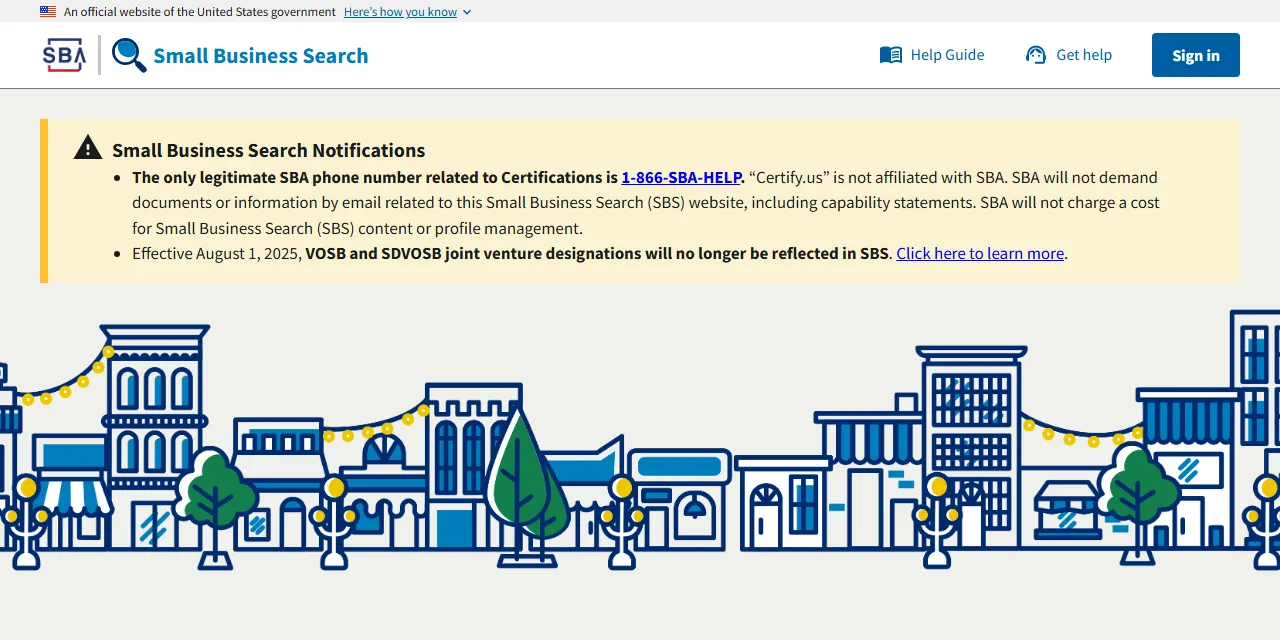
SBA Small Business Search Scraper extracts US small business profiles from the SBA Small Business Search (formerly DSBS, the Dynamic Small Business Search) into clean, structured data you can download as JSON, CSV, Excel, or HTML. Type a few keywords or paste profile URLs, and get the business name, contact person, email, phone, address, capabilities, NAICS codes, SBA certifications, and past performance for every result. No account or login required.
Introduction
The SBA Small Business Search is the official U.S. Small Business Administration directory that federal contracting officers, prime contractors, and agencies use to find small businesses for government contracts. Each profile shows who the business is, what it does, which NAICS codes it is small for, and which SBA certifications it holds, such as 8(a), HUBZone, WOSB, EDWOSB, VOSB, and SDVOSB.
This actor collects the same public information you see in your browser and turns it into a ready-to-use dataset. You can run it once, schedule it to run daily, or connect it to your own tools.
What data can you extract from the SBA Small Business Search?
- 🏢 Business name, DBA name, UEI and CAGE code
- 👤 Contact person and current principals
- 📧 Email, phone, fax, website, and capability statement link
- 📍 Address, city, state, ZIP code, county, and congressional district
- 📝 Capabilities narrative, special equipment, and profile keywords
- 🏷️ Primary NAICS code and all NAICS codes with descriptions, small business and exception flags
- 🎖️ SBA certifications (8(a), HUBZone, WOSB, EDWOSB, VOSB, SDVOSB) with status, entrance and exit dates
- ✅ Self-certifications and ownership (veteran-owned, woman-owned, minority-owned, tribally owned, and more)
- 🏗️ Bonding levels, quality assurance standards, and non-federal certifications
- 🌎 Export activities, export markets, and export objective
- 📄 Past performance references, active SAM.gov status, size protest details, and last update date
- 🔗 Direct URL to each business profile
Use Cases
- 🤝 Teaming and subcontracting: find certified small businesses to partner with on federal bids and subcontracting plans.
- 📈 Market research: see how many small businesses offer a service in a state, a NAICS code, or a certification program.
- 🕵️ Competitor monitoring: follow which firms compete in your NAICS codes and what certifications they hold.
- 📬 Lead generation: build contact lists of government contractors with email, phone, and contact person.
- 🗂️ Database building: create your own searchable catalog of federal small business suppliers.
- 🤖 AI and automation: feed clean, structured data into spreadsheets, dashboards, or AI workflows.
How to scrape the SBA Small Business Search step by step
- Type business names, services, or keywords into Search queries, or paste business profile links into Profile URLs.
- Optionally narrow the search with filters such as States and territories, NAICS codes, or SBA certifications.
- Set Maximum number of results to how many businesses you want per search query.
- Click Start and wait for the run to finish.
- Download your data in JSON, CSV, Excel, or HTML from the Output tab.
Input
- Search queries: business names, capabilities, or keywords to search for, one per line, just like the search box on the website. Each query is scraped separately. Use
*to get every business that matches your filters (at least one filter is needed). - Profile URLs: business profile links from search.certifications.sba.gov, for example
https://search.certifications.sba.gov/profile/MED7NQ5ZKLL7/5KN15. Old dsbs.sba.gov profile links with a SAM_UEI are supported too. - Maximum number of results: how many businesses to collect for each search query. Use 0 for unlimited.
- Sort by: most relevant, alphabetical by business name, or recently updated.
- States and territories: only businesses located in the selected states or territories.
- ZIP codes: only businesses with these 5-digit ZIP codes.
- NAICS codes: only businesses that are small for at least one of these NAICS codes.
- Primary NAICS code only: match the NAICS codes against the primary NAICS code only.
- SBA certifications: only businesses with any of the selected active certifications: 8(a), HUBZone, WOSB, EDWOSB, VOSB, or SDVOSB.
- Self-certifications and ownership: only businesses with any of the selected self-certifications, such as veteran-owned, woman-owned, or Native American owned.
- Profile keywords: only businesses whose profile keywords contain these exact keywords.
- Match all profile keywords: require every profile keyword instead of any of them.
- Last updated: only profiles updated in the past 3 months, 6 months, or year.
- Active SAM.gov registration only: only businesses with an active SAM.gov registration.
Sorting and filters apply to search queries. You can use search queries, profile URLs, or both in the same run.
Input Examples
Search by keyword:
Scrape a business profile:
Get 8(a) certified businesses in Texas, most recently updated first:
Output
Each business is saved as one item in the dataset. Here is an example of a single item:
You can download the dataset in JSON, CSV, Excel, XML, or HTML, or access it through the Apify API.
Notes
- Profile URLs must be business profile pages; other links are skipped.
- Businesses can hide their email, phone, fax, or address on their profile. Hidden details are returned as
null. - A search query of
*needs at least one filter; without filters the run stops with a message. - Broad searches can match tens of thousands of businesses, so the first results can take a little longer to appear.
- Most relevant sorting uses the search query. With
*there is no query to rank by, so results keep the website order. performanceHistoryis only filled when the business has added past performance references to its profile.- The same business found by two search queries is saved only once.
Why use the SBA Small Business Search Scraper?
- ✅ No login needed: works with public data only, so there is no account to manage.
- 🎯 Same filters as the website: state, ZIP code, NAICS code, SBA certification, self-certification, keywords, last updated, and active SAM.gov registration.
- 📇 Full profiles: contact details, capabilities, NAICS descriptions, certification dates, and past performance in one item.
- 🧹 Clean data: numbers are real numbers, dates use one standard format, and website links are complete URLs.
- 💸 Pay for what you need: set a result limit per query and keep every run small and cheap.
- 🔄 Ready for automation: schedule runs, export to Google Sheets, or connect to Make, Zapier, and n8n.
FAQ
How many results can I scrape?
You can set any number in Maximum number of results, or 0 for every match. The actor keeps going until it reaches your limit or runs out of matching businesses.
Do I need an SBA or SAM.gov account?
No. The actor only collects publicly available data. You do not need to log in or provide any account details.
Can I get every business with a certain certification?
Yes. Use * as the search query and pick the certification in SBA certifications. Add a state or NAICS code to narrow it down.
Can I scrape data on a schedule?
Yes. Use Apify Schedules to run the actor every hour, day, or week, and get fresh data automatically. Sort by Recently updated to see newly updated profiles first.
Why are some fields empty?
Some businesses do not fill in every part of their profile. When a value is not available, it is returned as null or an empty list.
Can I request a new feature or filter?
Yes. Right now the actor supports search queries, profile URLs, and the filters listed above. If you need other filters, such as county, congressional district, or bonding level, get in touch and they can be added.
Can I get a custom or private version?
Yes. The actor can be customized for your workflow, delivered as a private version, or a new scraper can be built for a different website. Use the contact details below.
Need to scrape other company directories?
- 50/50 Women on Boards Scraper - US Public Companies: board gender diversity data of US public companies.
- amfori Members Scraper: amfori member companies with country and website.
- 1pacteclimat.fr Scraper - Signatory Companies: companies that signed the French business climate pledge.
- ASC Certified Farms Scraper: ASC certified aquaculture farms with species and certificate details.
Need help or want a custom solution?
- 📧 Email: aboo.script@gmail.com
- 🧩 More scrapers: Apify profile
Image Credit
Image credit: SBA Small Business Search


