

Morningstar Sustainability Scraper
Pricing
from $2.10 / 1,000 results
Morningstar Sustainability Scraper
⚡ Fast Morningstar ESG scraper. No login, no API key. Get Sustainalytics ESG Risk Ratings for stocks on 30 exchanges by URL, company name or ticker: risk score and category, exposure, management score, controversy level, material ESG issues and peer comparison.
Pricing
from $2.10 / 1,000 results
Rating
0.0
(0)
Developer

Aboo Script
Maintained by CommunityActor stats
0
Bookmarked
1
Total users
1
Monthly active users
9 days ago
Last modified
Categories
Features
Share
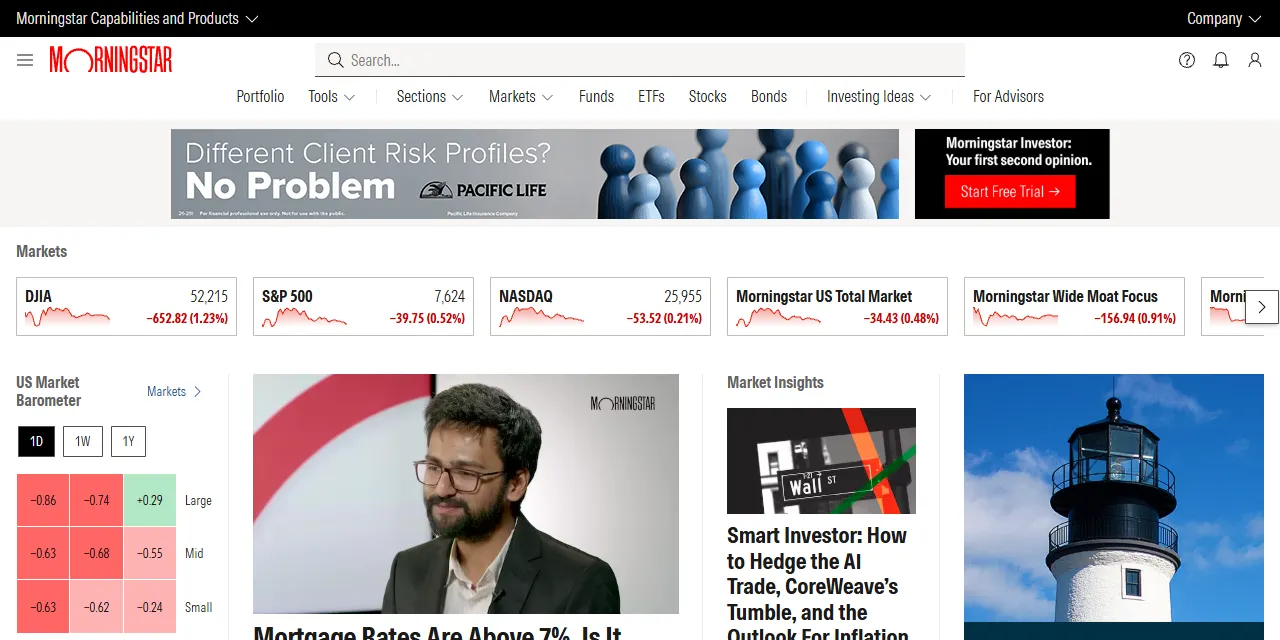
Morningstar Sustainability Scraper extracts Sustainalytics ESG Risk Ratings from Morningstar stock pages into clean, structured data you can download as JSON, CSV, Excel, or HTML. Paste Morningstar stock URLs or type company names and tickers, and get the ESG risk score, risk category, exposure and management breakdown, controversy level, material ESG issues, and peer comparison for every stock. No account or login required.
Introduction
Morningstar is one of the best-known investment research platforms. Its stock pages include a Sustainability tab with the Sustainalytics ESG Risk Rating, which measures how much unmanaged environmental, social, and governance risk a company carries. These ratings are widely used by investors, analysts, and ESG teams.
This actor collects the same public ESG information you see on the Sustainability tab and turns it into a ready-to-use dataset. You can run it once, schedule it to run daily, or connect it to your own tools.
What data can you extract from Morningstar?
- 🏷️ Company name, ticker, exchange, ISIN, and Morningstar ID
- 🏭 Sector, industry, sub-industry, and market cap (USD)
- 🌱 ESG Risk Rating score, risk category (Negligible, Low, Medium, High, Severe), and rating date
- 📊 Risk breakdown: company and sub-industry exposure, manageable risk, managed risk, management gap, unmanageable risk
- 🛠️ Management score and category
- ⚠️ Highest controversy level, controversy description, controversy topics, and date
- 📌 Top material ESG issues
- 👥 Peer comparison with the same rating details for similar companies
- 🔗 Direct URL to the stock's Sustainability page
Use Cases
- 📈 ESG investing: screen stocks by ESG risk score and category before adding them to a portfolio.
- 🕵️ Portfolio monitoring: track rating changes and new controversies for the companies you hold.
- 🏢 Peer benchmarking: compare a company's ESG risk, exposure, and management with its closest peers.
- 🗂️ Research databases: build your own ESG dataset across sectors, industries, and exchanges.
- 🤖 AI and automation: feed clean, structured data into spreadsheets, dashboards, or AI workflows.
How to scrape Morningstar ESG ratings step by step
- Paste one or more Morningstar stock URLs into Start URLs, or type company names or tickers into Search queries.
- Optionally pick the Exchanges to search in.
- Set Maximum number of results to how many stocks you want per search query.
- Click Start and wait for the run to finish.
- Download your data in JSON, CSV, Excel, or HTML from the Output tab.
Input
- Start URLs: Morningstar URLs to scrape. Supported pages: stock pages on any tab (for example
https://www.morningstar.com/stocks/xnas/msft/sustainabilityor.../quote), and Morningstar search pages (https://www.morningstar.com/search/stocks?query=bank). A stock URL returns that stock; a search URL returns up to the maximum number of results. - Search queries: company names or tickers, one per line (for example
bank,oil, orMSFT). Each query is scraped separately, largest companies first. - Exchanges: stock exchanges to search in, for example Nasdaq, NYSE, London, Tokyo, or Frankfurt Xetra. Applies to search queries only. Leave empty to search the US exchanges (Nasdaq, NYSE, NYSE American).
- Maximum number of results: how many stocks to collect for each search query or search URL.
- Proxy configuration: optional. The actor works without a proxy; turn on Apify Proxy (residential) only if your runs get blocked.
You can use start URLs, search queries, or both in the same run.
Input Examples
Scrape the ESG ratings of specific stocks:
Search by company name or ticker:
Search on other exchanges:
Output
Each stock is saved as one item in the dataset. Here is an example of a single item (the peer list is shortened):
You can download the dataset in JSON, CSV, Excel, XML, or HTML, or access it through the Apify API.
Notes
- Only stocks are supported. Fund and ETF URLs are skipped.
- Search queries skip stocks that have no published ESG Risk Rating. A stock URL always returns one item; if that stock has no rating, the rating fields are
null. - The same company can be listed on several exchanges (for example ordinary shares and ADRs). Each listing is returned as its own item; use Exchanges to limit the search.
- Broad search terms on many exchanges return a limited number of matches. Use more specific names or tickers to find a particular company.
- Stock URLs on any tab (Quote, Chart, Sustainability, and so on) are returned with the Sustainability page URL.
Why use the Morningstar Sustainability Scraper?
- ✅ No login needed: works with public data only, so there is no account to manage.
- 🌱 Full ESG picture: score, category, risk breakdown, controversies, material issues, and peers in one row.
- 🌍 Global coverage: search on 30 stock exchanges in the Americas, Europe, Asia, and Africa.
- 🧹 Clean data: numbers are real numbers, dates use one standard format, and text is free of HTML.
- 🔄 Ready for automation: schedule runs, export to Google Sheets, or connect to Make, Zapier, and n8n.
FAQ
How many results can I scrape?
Each stock URL returns one result. For search queries, set any number in Maximum number of results; the actor keeps going until it reaches your limit or runs out of matching stocks.
Do I need a Morningstar account?
No. The actor only collects publicly available data. You do not need to log in or provide any account details.
Can I scrape data on a schedule?
Yes. Use Apify Schedules to run the actor every day, week, or month and keep your ESG data up to date.
Why are some fields empty?
Not every company is covered by Sustainalytics, and some ratings do not include every detail. When a value is not available on Morningstar, it is returned as null.
Can I request a new feature or filter?
Yes. Right now the actor supports stock URLs, search queries, and an exchange filter. If you need other inputs, such as sector filters or fund ESG data, get in touch and they can be added.
Can I get a custom or private version?
Yes. The actor can be customized for your workflow, delivered as a private version, or a new scraper can be built for a different website. Use the contact details below.
Need to scrape other ESG and company data platforms?
- 50/50 Women on Boards Scraper - US Public Companies: board gender diversity data for US public companies.
- 1pacteclimat.fr Scraper - Signatory Companies: companies that signed the French business climate pledge.
- amfori Members Scraper: member companies of the amfori sustainable trade network.
- ASC Certified Farms Scraper: responsibly farmed seafood sites with certification details.
Need help or want a custom solution?
- 📧 Email: aboo.script@gmail.com
- 🧩 More scrapers: Apify profile
Image Credit
Image credit: Morningstar


