
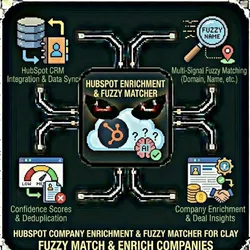
HubSpot Company Enrichment & Fuzzy Matcher for Clay
Pricing
from $10.00 / 1,000 company matcheds
HubSpot Company Enrichment & Fuzzy Matcher for Clay
Fuzzy match and enrich companies against your HubSpot CRM using multi-signal matching (domain, company name, phone, location). Returns HubSpot ID, lifecycle stage, deal status & confidence scores. Perfect for Clay workflows, lead deduplication, and outbound enrichment.
Pricing
from $10.00 / 1,000 company matcheds
Rating
0.0
(0)
Developer

The Howlers
Maintained by CommunityActor stats
0
Bookmarked
3
Total users
1
Monthly active users
2 months ago
Last modified
Categories
Share
HubSpot CRM Company Enrichment & Fuzzy Matcher for Clay
Fuzzy match and enrich companies against your HubSpot CRM using multi-signal matching (domain, company name, phone, location). Returns HubSpot ID, lifecycle stage, deal status & confidence scores. Perfect for Clay workflows, lead deduplication, and outbound enrichment.
Clay Compatible: This actor works seamlessly with Clay's Apify integration. See Clay Integration below for setup instructions.
Features
- Multi-Signal Matching: Uses domain (40%), company name (35%), phone (15%), and location (10%) for accurate matching
- Fuzzy Matching: Levenshtein distance algorithm for catching typos and variations
- Intelligent Indexing: Pre-indexes HubSpot companies for fast lookups
- Confidence Scores: Returns 0-100 confidence score with match type details
- CRM Enrichment: Returns HubSpot ID, lifecycle stage, and deal stage for matched companies
Quick Start
Input Schema
| Parameter | Type | Required | Default | Description |
|---|---|---|---|---|
hubspotApiKey | string | Yes | - | Your HubSpot private app API key with CRM access |
companies | array | Yes | - | Array of companies to match against HubSpot |
matchThreshold | integer | No | 70 | Minimum confidence score (0-100) to consider a match |
includeDeals | boolean | No | true | Include deal stage info for matched companies |
maxHubspotCompanies | integer | No | 10000 | Max companies to load from HubSpot |
Company Object Fields
Each company in the companies array can include:
| Field | Type | Description |
|---|---|---|
name | string | Company name (e.g., "Acme Corp") |
domain | string | Website domain (e.g., "acme.com") |
phone | string | Phone number (any format) |
email | string | Email address (domain will be extracted) |
city | string | City name |
state | string | State/province |
address | string | Street address |
Output Schema
Each result in the dataset contains:
Match Algorithm
The matching algorithm uses weighted signals:
| Signal | Weight | Description |
|---|---|---|
| Domain | 40% | Exact or similar domain match |
| Name | 35% | Fuzzy company name matching |
| Phone | 15% | Phone number match (normalized) |
| Location | 10% | City + State match |
Match Types
- exact_domain: Exact domain match (highest confidence)
- similar_domain: Domain similarity >= 80%
- name_match: Company name similarity >= 85%
- phone_match: Phone number match
- no_match: No match above threshold
Pricing (Pay-Per-Event)
This actor uses Apify's pay-per-event pricing:
| Event | Price | Description |
|---|---|---|
company_matched | $0.01 | Per successful company match |
hubspot_loaded | $0.02 | Per 1,000 HubSpot companies loaded |
Example Cost
- Matching 100 companies against 5,000 HubSpot companies
- 5,000 companies = 5 load charges = $0.10
- 70 matches found = $0.70
- Total: $0.80
Clay Integration
This actor integrates seamlessly with Clay through their native Apify integration.
Setup in Clay
-
Connect Apify to Clay:
- Go to Settings > Connections in Clay
- Add Connection > Select "Apify"
- Enter your Apify API token (found at Apify Settings > Integrations)
-
Use the Actor in a Clay Table:
- Add a new enrichment column
- Select "Apify" as the data source
- Search for "HubSpot CRM Company Enrichment" or use the actor ID
- Configure the input JSON mapping your Clay columns:
- Map Output Columns:
hubspotId→ HubSpot Company IDconfidenceScore→ Match ConfidencematchType→ How matched (exact_domain, name_match, etc.)lifecycleStage→ Customer lifecycle stagedealStage→ Current deal statusisMatch→ Boolean for filtering
Clay Use Cases
Lead Deduplication: Before outreach, check if leads already exist in your CRM Lead Scoring: Use lifecycle stage and deal status to prioritize leads Data Enrichment: Add HubSpot IDs to sync data between Clay and HubSpot Customer Filtering: Filter out existing customers from prospecting lists
Note: This actor works with Clay's native Apify integration, NOT with OpenMart. OpenMart (acquired by Clay in 2024) is a separate Clay integration focused on SMB/local business intelligence data (restaurants, salons, retailers, etc.). If you're looking to enrich local business leads, check out OpenMart. For matching companies against your own HubSpot CRM, use this actor via the Apify integration.
Use Cases
Outbound Lead Qualification
Before reaching out to leads:
- Batch match your lead list against HubSpot
- Filter out existing customers (lifecycle = customer)
- Prioritize leads already in pipeline (has deal stage)
- Skip companies with no match (new prospects)
Data Deduplication
Identify potential duplicates in your CRM:
- Export HubSpot companies
- Match against themselves with lower threshold (50%)
- Review similar_domain and name_match results
- Merge or clean duplicate records
HubSpot API Setup
- Go to HubSpot Settings > Integrations > Private Apps
- Create a new private app
- Grant these scopes:
crm.objects.companies.readcrm.objects.deals.read(if using includeDeals)
- Copy the access token
Performance Tips
- Set
maxHubspotCompaniesbased on your CRM size - Use higher
matchThreshold(80+) for strict matching - Use lower
matchThreshold(50-60) for deduplication - Provide domain whenever possible (most reliable signal)
Example Output
Support
For issues or feature requests, please open a GitHub issue or contact support.
Common Problems & Solutions
"Invalid API key" error
Cause: Your API key is wrong, expired, or doesn't have the right permissions. Fix: Double-check your API key. Make sure you copied it exactly without extra spaces.
"Rate limit exceeded" error
Cause: You've hit the API's rate limits. Fix: Wait a few minutes, then try again. Consider reducing the number of concurrent requests.
Empty or incomplete results
Cause: The target may have anti-scraping protection or the data doesn't exist. Fix:
- Check if the URL/search query is correct
- Try with different parameters
- Some sites may block automated access
Troubleshooting
"API key is required"
"API error 403" or "Unauthorized"
Your API key is invalid or expired. Double-check the key and ensure your account has access to this API.
"API error 429" or "Rate limit"
Too many requests. Wait a minute and try again with fewer items per run.
No results / empty dataset
Check the run log for error messages. Common causes: invalid input format, API key without proper permissions, or the target data does not exist.
How do I test without an API key?
Built by John Rippy | Actor Arsenal


![✨Leads Finder - $1.5/1k leads with Emails [Apollo Alternative] avatar](https://images.apifyusercontent.com/hQh95d2BMIK4aiNBVTAopmRKraOLFaDFmflsEsCTEKM/rs:fill:76:76/cb:1/aHR0cHM6Ly9hcGlmeS1pbWFnZS11cGxvYWRzLXByb2QuczMudXMtZWFzdC0xLmFtYXpvbmF3cy5jb20vaUpPU0hXZDl4ZmFoRzBTWm0tYWN0b3ItSW9TSHF3VFI5WUdoemNjZXotYmdMcjdPbmo0Qy1jb21wYW55X3NjcmFwZXIucG5n.webp)


