
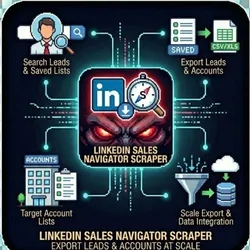
LinkedIn Sales Navigator Scraper Export Leads & Accounts
Pricing
from $0.01 / 1,000 results
LinkedIn Sales Navigator Scraper Export Leads & Accounts
Export leads from LinkedIn Sales Navigator searches, saved lists, and account lists at scale.
Pricing
from $0.01 / 1,000 results
Rating
2.0
(1)
Developer

The Howlers
Maintained by CommunityActor stats
0
Bookmarked
98
Total users
2
Monthly active users
14 days ago
Last modified
Categories
Share
LinkedIn Sales Navigator Scraper - Export Leads & Accounts
Export leads from LinkedIn Sales Navigator searches, saved lists, and account lists. Extract contact details, company info, and engagement signals at scale.
BYOK (Bring Your Own Key) -- you provide your own API credentials.
Before You Start
This actor requires your own API credentials to fetch real data.
Where to get your key: JSON array of cookies exported from your browser while logged into Sales Navigator. Use the Cookie-Editor or EditThisCookie browser extension. Not needed if using Cookie Manager.
Quick Start
Run with real data
Running without credentials
If you run the actor without session cookies (or with demoMode: true), it returns labeled sample data so you can preview the output format. Sample items carry demo: true and a _notice field, and no task events are charged. Supply your own cookies for live data.
Input Parameters
| Parameter | Type | Default | Required | Description |
|---|---|---|---|---|
scrapeType | string | "search" | No | What to scrape from Sales Navigator |
searchUrl | string | - | No | Full Sales Navigator search URL. Go to Sales Navigator > Search > People, set your filters, then copy the URL from your browser. |
savedListUrl | string | - | No | URL of your saved lead list in Sales Navigator. Go to Lists > Lead Lists > click on your list, then copy the URL. |
accountListUrl | string | - | No | URL of your account list in Sales Navigator. Go to Lists > Account Lists > click on your list, then copy the URL. |
cookies | string | - | Yes* | JSON array of cookies exported from your browser while logged into Sales Navigator. Use the Cookie-Editor or EditThisCookie browser extension. Not needed if using Cookie Manager. |
cookieStorageKey | string | - | No | Key to load cookies from Cookie Manager's named KV store. Use this instead of pasting cookies manually. Run Cookie Manager actor first to capture and store your LinkedIn session. |
cookieKvStoreName | string | "cookie-sessions" | No | Name of the Apify Key-Value Store where Cookie Manager saved the session. Default: 'cookie-sessions'. |
maxResults | integer | 100 | No | Maximum number of leads/accounts to export |
includeCompanyDetails | boolean | false | No | Extract detailed company information for each lead (industry, size, headquarters). Slightly slower. |
includeEngagementSignals | boolean | false | No | Detect engagement signals like recent activity, job changes, and company growth indicators. |
proxy | object | - | No | Proxy settings (recommended: RESIDENTIAL for Sales Navigator) |
webhookUrl | string | - | No | URL to POST results when scraping completes (Zapier, Make, n8n, or custom endpoint) |
webhookPlatform | string | "custom" | No | Platform type for proper payload formatting |
webhookHeaders | object | - | No | Additional HTTP headers to send with webhook (e.g., Authorization) |
Pricing
This actor uses pay-per-event billing:
| Event | Description | Price |
|---|---|---|
| Lead Scraped | Each lead exported from Sales Navigator | $0.05 |
| Account Scraped | Each account/company exported from Sales Navigator | $0.03 |
Troubleshooting
"API key is required"
- Add your API key in the input
"API error 403" or "Unauthorized"
Your API key is invalid, expired, or doesn't have access to this specific API endpoint. Double-check your key and account permissions.
"API error 429" or "Rate limit"
Too many requests. Wait a minute and try again, or reduce the number of items per run.
No results or empty dataset
Check the run log for error messages. Common causes:
- Invalid input format (check the examples above)
- API key without proper permissions
- The target data doesn't exist or is too small to track
How do I test without an API key?
Just run the actor without cookies, or set demoMode: true. You get labeled sample data and no task events are charged.
Built by John Rippy | Actor Arsenal


