
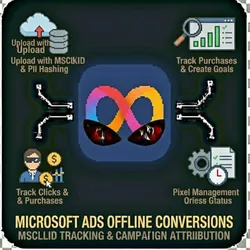
Microsoft Ads Offline Conversions - Bing MSCLKID Tracking
Pricing
from $0.01 / 1,000 results
Microsoft Ads Offline Conversions - Bing MSCLKID Tracking
Upload offline conversions to Microsoft Advertising (Bing Ads) using MSCLKID click tracking and enhanced conversions for campaign attribution. Upload conversions with MSCLKID Upload with hashed PII Conversion Goals List all conversion goals Get goal details Create new goal Check upload status
Pricing
from $0.01 / 1,000 results
Rating
0.0
(0)
Developer

The Howlers
Maintained by CommunityActor stats
0
Bookmarked
2
Total users
1
Monthly active users
2 months ago
Last modified
Categories
Share
Upload offline conversions to Microsoft Advertising (Bing Ads) using MSCLKID click tracking and enhanced conversions for campaign attribution.
BYOK (Bring Your Own Key): you provide your own API credentials.
Before You Start
This actor requires your own API credentials to fetch real data.
Where to get your key: Microsoft Advertising API developer token
Quick Start
Run with real data
Input Parameters
| Parameter | Type | Default | Required | Description |
|---|---|---|---|---|
task | string | "upload_conversions" | Yes* | The operation to perform |
developerToken | string | - | Yes* | Microsoft Advertising API developer token |
clientId | string | - | Yes* | Azure AD OAuth 2.0 client ID |
clientSecret | string | - | Yes* | Azure AD OAuth 2.0 client secret |
refreshToken | string | - | Yes* | OAuth 2.0 refresh token |
customerId | string | - | No | Microsoft Advertising customer ID |
accountId | string | - | No | Microsoft Advertising account ID |
conversionGoalId | string | - | No | ID of the conversion goal |
conversionGoalName | string | - | No | Name for new conversion goal |
conversions | string | - | No | JSON array of conversion objects |
msclkid | string | - | No | Microsoft click ID from URL parameter |
conversionTime | string | - | No | When the conversion occurred (ISO 8601 format) |
conversionValue | number | - | No | Monetary value of the conversion |
currencyCode | string | "USD" | No | ISO 4217 currency code |
email | string | - | No | Customer email for enhanced conversions (will be hashed) |
phone | string | - | No | Customer phone for enhanced conversions (will be hashed) |
firstName | string | - | No | Customer first name |
lastName | string | - | No | Customer last name |
isAlreadyHashed | boolean | false | No | Set to true if PII data is already SHA256 hashed |
webhookUrl | string | - | No | URL to receive results via webhook |
Pricing
This actor uses pay-per-event billing:
| Event | Description | Price |
|---|---|---|
| Conversion Uploaded | Each offline conversion uploaded to Microsoft Ads | $0.01 |
Troubleshooting
"API key is required"
- Add your API key in the input
"API error 403" or "Unauthorized"
Your API key is invalid, expired, or doesn't have access to this specific API endpoint. Double-check your key and account permissions.
"API error 429" or "Rate limit"
Too many requests. Wait a minute and try again, or reduce the number of items per run.
No results or empty dataset
Check the run log for error messages. Common causes:
- Invalid input format (check the examples above)
- API key without proper permissions
- The target data doesn't exist or is too small to track
How do I test without an API key?
Just run the actor with no credentials. It switches to demo mode automatically and returns labeled sample data so you can inspect the exact output format. Each sample item includes demo: true and a _notice field marking it as sample output. Demo runs send nothing to any ad platform and charge zero task events. Add your own API credentials in the input to send live data.
Built by John Rippy | Actor Arsenal


