
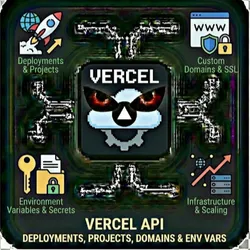
Vercel API Deployments, Projects, Domains & Env Vars
Pricing
from $0.01 / 1,000 results
Vercel API Deployments, Projects, Domains & Env Vars
Manage your Vercel infrastructure programmatically. Deploy applications, manage projects, configure custom domains, and handle environment variables - all through a single API interface.
Pricing
from $0.01 / 1,000 results
Rating
0.0
(0)
Developer

The Howlers
Maintained by CommunityActor stats
0
Bookmarked
2
Total users
1
Monthly active users
2 months ago
Last modified
Categories
Share
Vercel API - Deployments, Projects, Domains & Env Vars
Manage Vercel programmatically. List and create deployments, manage projects, configure domains, set environment variables, and monitor deployment logs. Perfect for CI/CD automation, multi-tenant platforms, and DevOps workflows.
BYOK (Bring Your Own Key) -- you provide your own API credentials.
Before You Start
This actor requires your own API credentials to fetch real data.
Where to get your key: Environment variable value
Quick Start
Run with real data
Input Parameters
| Parameter | Type | Default | Required | Description |
|---|---|---|---|---|
task | string | "list_projects" | Yes* | The operation to perform on Vercel |
projectId | string | - | No | Vercel project ID or name |
projectName | string | - | No | Name for new project (create_project task) |
framework | string | - | No | Framework preset for new project |
gitRepository | string | - | No | GitHub/GitLab repository URL for project (e.g., 'owner/repo') |
deploymentId | string | - | No | Deployment ID for get_deployment, cancel_deployment, or get_deployment_logs |
deploymentUrl | string | - | No | URL to deploy from (for create_deployment with external source) |
gitRef | string | "main" | No | Git branch, tag, or commit SHA to deploy |
domain | string | - | No | Domain name for add_domain, remove_domain, or verify_domain |
envKey | string | - | No | Environment variable name |
envValue | string | - | Yes* | Environment variable value |
envTarget | string | "production,preview,development" | No | Environment(s) for the variable |
teamId | string | - | No | Vercel Team ID (for team resources). Leave empty for personal account. |
limit | integer | 20 | No | Maximum number of results to return |
accessToken | string | - | Yes* | Your Vercel API access token (from vercel.com/account/tokens) |
webhookUrl | string | - | No | URL to receive results via webhook for automation platforms |
Pricing
This actor uses pay-per-event billing:
| Event | Description | Price |
|---|---|---|
| API Request | Each Vercel API request completed | $0.01 |
Troubleshooting
"API key is required"
- Add your API key in the input
"API error 403" or "Unauthorized"
Your API key is invalid, expired, or doesn't have access to this specific API endpoint. Double-check your key and account permissions.
"API error 429" or "Rate limit"
Too many requests. Wait a minute and try again, or reduce the number of items per run.
No results or empty dataset
Check the run log for error messages. Common causes:
- Invalid input format (check the examples above)
- API key without proper permissions
- The target data doesn't exist or is too small to track
How do I test without an API key?
Run the actor without credentials, or set demoMode to true. The run returns a labeled sample shaped like real output: every item includes demo: true and a _notice field explaining that it is sample data. Sample runs charge no task events. Provide your own API credentials in the input to receive live data.
Built by John Rippy | Actor Arsenal


