

Shopify Product Scraper & Price Monitor: Stock, New Products
Pricing
from $0.60 / 1,000 product checkeds
Shopify Product Scraper & Price Monitor: Stock, New Products
Shopify product scraper and price monitor: export a public store's full catalog (prices, stock, variants) on every run, or track it for new products, removals, price drops, sales and sold-out changes. Failed stores incur no event charge.
Pricing
from $0.60 / 1,000 product checkeds
Rating
0.0
(0)
Developer

Altronite
Maintained by CommunityActor stats
0
Bookmarked
2
Total users
1
Monthly active users
2 hours ago
Last modified
Categories
Share
A Shopify product scraper and competitor price monitor for public stores. Turn on Output every product to get the full catalog (prices, stock, variants) on every run, or leave it off to get only what changed. It tracks each store's product catalog across runs: the first run saves a baseline, and later runs emit only the products with new arrivals, removals, price drops or rises, sales started or ended, and sold-out or back-in-stock changes. Failed stores never charge an event.
Who it's for
- Competitor tracking: follow new products, price drops, discounts and availability on rival Shopify stores.
- Dropshippers and resellers: watch supplier stores for price changes, sold-out products and restocks.
- Catalog research: keep a saved snapshot and inspect changes between runs.
- AI agents and pipelines: consume structured product events with a clear status.
What you get
One row per baseline product or changed product. A product with several changes is emitted and charged once. Each store also gets one summary row (productsSeen, baseline, changed, unchanged, removed, capped, productsCharged, and a note when capped), so a run with no changes still shows what was checked.
| Field | What it holds |
|---|---|
changeType | baseline, change, optionally unchanged, or summary |
changeTypes | new, removed, price_down, price_up, sale_started, sale_ended, sold_out, back_in_stock |
| Product fields | productId, handle, title, vendor, productType, url, imageUrl, publishedAt |
| Prices and stock | priceMin, priceMax, compareAtMax, discountPct, available, and variants keyed by variant ID |
variantChanges | Price changes for variant IDs present in both snapshots: variantId, previousPrice, price |
previous | Previous priceMin, priceMax, compareAtMax, available; null for baseline or new products |
| Also | status, store, currency, scrapedAt; errors include error and input |
Example change row with fake data:
Use it from code or an AI agent
Run this actor with the Apify API, the Apify Python or JavaScript (JS) clients, or as a tool through the Apify MCP server. Pass the same input JSON through any of these interfaces.
Every output row has a status field; inspect it before processing the row. For ok rows, inspect changeType and changeTypes; error rows explain failed stores. Reuse the same monitorName for later comparisons.
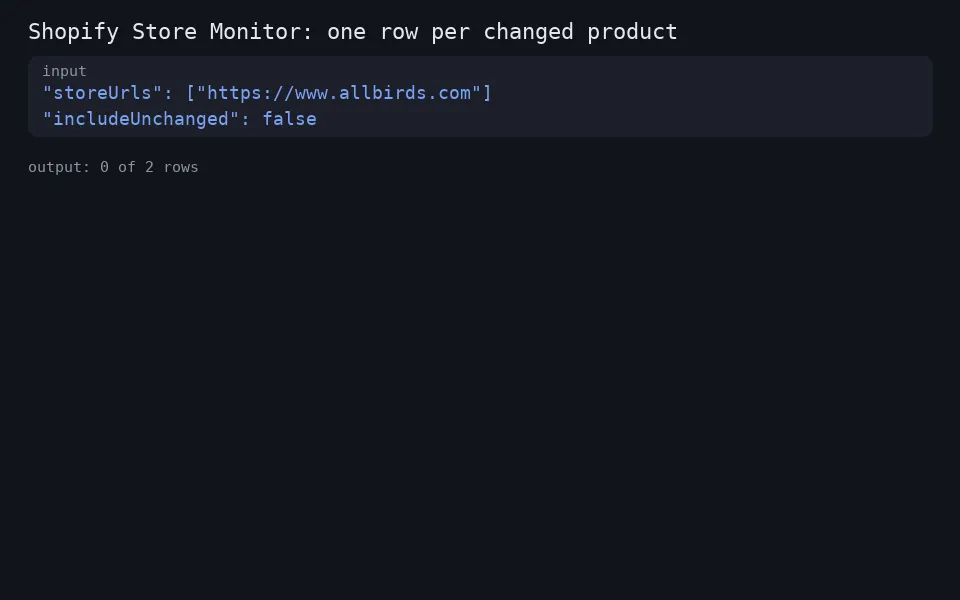
Minimal input:
How to monitor a Shopify store
- Store URLs: one home URL per line. Missing schemes become HTTPS; paths are removed, hosts lowercased and duplicates merged. At least one valid HTTP(S) store URL is required.
- Monitor name: choose 1-40 lowercase letters, digits or hyphens. The default is
default. Each name uses its ownshopify-monitor-<monitorName>key-value store. - Maximum products per store: 1-5,000, default 1,000.
- Output every product (full catalog) (
includeUnchanged): emit every product on every run, so each run is also a full product export; unchanged rows carry no change charge. Off by default. - Reset baseline: ignore the saved snapshot and charge baseline events again; off by default.
- Proxy: enabled by default. If setup is unavailable, the actor continues directly.
Input examples
Full product export (Shopify product scraper)
Every run returns one row per product (title, vendor, type, URL, image, min and max price, compare-at price, discount, stock, variants), plus the change fields once a baseline exists.
One store, checked daily
Five competitor stores
Supplier stock and price watch, twice a day
Schedule this input twice daily and filter the change rows for sold_out, back_in_stock and price_down in changeTypes.
Reset the baseline once
Run this input once to replace the saved baseline for daily. Set resetBaseline to false or omit it on subsequent runs.
Schedule it
In Apify Schedules, create a schedule for the actor or its saved task and set it to run daily. Use the same monitorName on each run to keep state and compare against the previous snapshot. Avoid overlapping runs that share a monitor name and store.
Pricing
This actor uses pay-per-event pricing; event rates are shown on the actor's Pricing tab.
- Each run: a small start fee (
apify-actor-start). - Each store checked:
product-checked, once per product checked (first run or later), the same work a catalogue scraper charges for, at a lower rate. - Each changed product on later runs:
change, once per product even when several change types apply. - Free: unchanged product rows (only emitted when requested), the per-store summary row itself, and failed stores (error rows).
- Reset baseline: re-records the store; products are charged as checked, as on any run.
Reliability
Runs through Apify Proxy by default, because Shopify rate-limits datacenter IPs; turn it off in Proxy configuration if you run your own.
- Respects wildcard-user-agent robots.txt rules for
/products.json, including Allow/Disallow wildcards and longest-match rules. Missing or unreachable robots.txt is treated as allowed. - HTTP 429, 5xx, timeouts and network failures on product requests retry up to four attempts, with jittered exponential backoff starting at 3 seconds and capped at 60 seconds.
- Stores run sequentially. Requests within each store have a random 1.0-1.5 second pause between them, including retries.
- A failed store produces an uncharged error row and leaves its saved state intact. Other stores continue.
- Invalid input fails the run with a message saying what to fix. Invalid URLs alongside valid URLs produce free error rows.
- State is written after the catalog fetch and output delivery complete. Capped fetches retain unseen saved products and suppress removals.
Use cases
-
E-commerce manager tracking rivals: A category manager at a mid-sized apparel brand enters the home URLs of five competing Shopify stores and schedules daily runs. They review the dataset for new arrivals, price drops and sale starts, and forward the rows to the merchandising team for weekly pricing and assortment decisions.
-
Dropshipper watching stock and prices: An individual dropshipper plugs in a short list of Shopify suppliers they resell from and runs the actor twice a day. They use the
sold_out,back_in_stockandvariantChangesfields to update their own listings so prices and availability stay in sync with each supplier's catalog. -
Market researcher building a snapshot archive: A research analyst runs the actor once with
resetBaselineset, saves the dataset as a baseline, then schedules weekly runs under the same monitor name. Each week they export the change rows to a spreadsheet to track how product counts, average prices and discount percentages shift over time. -
AI agent feeding a product pipeline: A developer wires the actor into a scheduled run that pushes new dataset rows into a downstream queue. The agent reads
changeTypesto decide what to do next, e.g. postingnewproducts to a Slack channel, recordingprice_downrows in a deals database, or flaggingremoveditems for cleanup. -
Affiliate site curator: A deal-site editor monitors a list of Shopify merchants and filters the dataset for rows where
sale_startedis present ordiscountPctcrosses a threshold. Those rows feed an editorial workflow that drafts posts with the product title, URL and image pulled directly from the actor's output. -
Sustainability and supply-chain analyst: A consultant runs the actor across a portfolio of brand stores to compare
priceMin,priceMax, vendor and product type over time. The per-store summary row (productsSeen,baseline,changed,removed,capped) gives them a quick health check of each catalog, and the change rows provide evidence for client reports on assortment and pricing strategy.
FAQ
Is this a Shopify scraper?
It is a change monitor built on a catalog scrape. The first run records every product it can read from the store's public /products.json as baseline rows. After that, each run emits only what changed. It does not scrape reviews, emails or store owner details.
How do I track Shopify price drops and sold-out products?
Add the store home URL, run once for the baseline, then schedule runs with the same monitorName. Rows with price_down, sale_started, sold_out or back_in_stock in changeTypes are the changes you want. Use an Apify webhook or integration to forward rows to Slack, email or a sheet.
Does it work on every Shopify store?
Only on stores that publish /products.json publicly. Stores that disable it, require a login or block requests return an error row, which is free.
How does pricing work? It's pay-per-event: a small start fee per run, a per-product-checked fee for each product checked, and a per-change fee for each changed product on later runs. Unchanged product rows (only when requested), the per-store summary row, and failed stores are free. Exact event rates are shown on the actor's Pricing tab.
What happens if a store fails? The failed store produces an error row and is never charged an event. Its saved state stays intact, and the remaining stores continue normally.
What data does it collect?
Public product data from /products.json only, with currency from /meta.json. No login or customer data is used, and product body_html is never copied into snapshots or output.
What counts as a change? New arrivals, removals, minimum-price and shared-variant price changes, sale transitions, and overall stock transitions. Title, image, vendor and other descriptive edits alone do not create events.
What are the limits?
At most 5,000 products per store (maxProductsPerStore, default 1,000). Fetches use pages of 250 products and stop at a short page, the product cap, or 40 pages; products past the cap aren't monitored, and removals are suppressed.
What currency are prices in?
The store's own currency from /meta.json; no conversion is performed. Currency is null if that endpoint can't provide a string.
What does the first run do? It saves a baseline of the store's products. Later runs compare against that snapshot and emit only products with changes, plus one summary row per store even when nothing changed.
How do I monitor a store over time? Run again with the same monitor name to compare against its saved state, and schedule runs at your chosen interval. Avoid overlapping runs that share a monitor name and store.
Limits
- Stores that disable
/products.json, require authentication or block requests produce an error row. - At most 5,000 products per store (
maxProductsPerStore, default 1,000). Products past the cap aren't monitored, and the summary row says so. - Fetches use pages of 250 products, stopping at a short page, the product cap or 40 pages. Reaching the cap conservatively suppresses removals even if it happens to equal the catalog size.
- A partial catalog cannot establish that an unseen product was removed.
- Changes are observed between runs; intermediate changes between snapshots may not be captured.
- Saved state and dataset delivery are separate operations. A storage or delivery failure can cause events to appear again on the next run.
- Stores run one after another; large catalogs and retries take longer.
Related tools
- Google Sheets Export & Import: send any run's results to a Google Sheet.
- Website Screenshot API: capture pages as PNG, JPEG or PDF.
Support
Store not working? Open an issue on the Issues tab with your input. Published by Altronite.


