

AI Image Upscaler — $10/1K · 2x/4x Photo Upscaling
Pricing
from $10.00 / 1,000 image-upscaleds
AI Image Upscaler — $10/1K · 2x/4x Photo Upscaling
Upscale uploaded photos or image URLs by 2x or 4x; download processed images and result links. Bulk result-link export: JSON, CSV, Excel and API. PPE: $10/1K upscaled images; start fee extra.
Pricing
from $10.00 / 1,000 image-upscaleds
Rating
2.8
(2)
Developer

Apivault Labs
Maintained by CommunityActor stats
1
Bookmarked
73
Total users
5
Monthly active users
3 days ago
Last modified
Categories
Share
AI Image Upscaler & Photo Enhancer — 2x/4x Batch API
Increase image resolution and enlarge low-resolution photos 2× or 4×. This AI image upscaler accepts uploaded JPG, PNG and WebP files or public image URLs, processes up to 100 unique images in a batch, and returns downloadable photos with verified dimensions. Use it for product photos, thumbnails, illustrations and AI-generated artwork — without a separate image-service account or API key.
- Batch photo enhancement: combine uploads and image URLs in one run.
- Predictable scale: double or quadruple width and height; the aspect ratio stays the same.
- Pay per delivered image: $0.01 per successful result at either scale; failed inputs produce no paid image result.
- Automate image enlargement: use Apify API, n8n, Make, Zapier or an MCP-compatible AI agent.
Start with one photo and review the output before processing a catalog. Image quality depends on the source, compression and subject; enlargement cannot guarantee recovery of missing detail.
Real 4× result
This example was produced by the live Actor on October 4, 2026, from a 320×240 photo to a downloaded 1280×960 JPEG. The measured processing time for this one image was 19.9 seconds; other images and batches may take longer.
| Original: 320×240 | Actor output: 1280×960 |
|---|---|
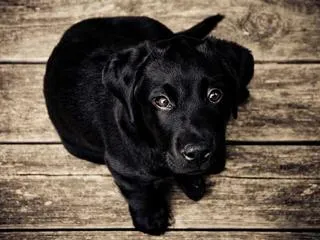 | 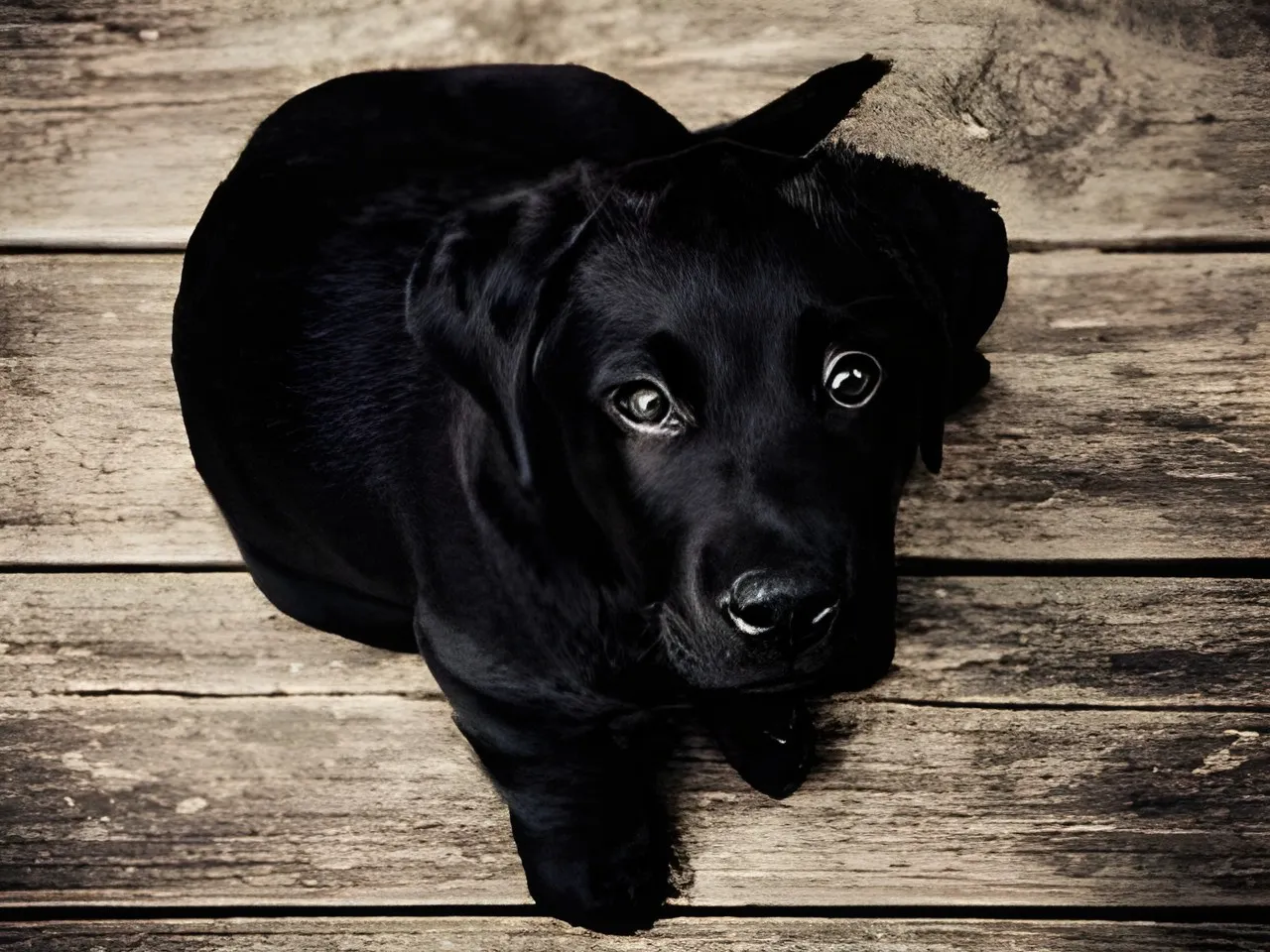 |
Open the original · Download the actual 4× result
The table fits both files to the page; it is not a pixel-for-pixel sharpness comparison. Open the files to inspect the original pixels. This is one verified example, not a guarantee for every photo.
Built for batches: upload multiple files or combine uploads with URLs in one run, choose 2× or 4×, and receive one result row per delivered image. The price is the same for both scales.
What you get
- 2× or 4× image dimensions.
- JPG, PNG, and WEBP input support.
- Direct file upload and public URL input.
- Batch processing for up to 100 unique images.
- Parallel processing with configurable concurrency.
- Downloadable result URL for every successful image.
- Before/after width, height, byte size, and format in each Dataset record.
- Processing duration, completion time, and demo indicator.
- Failed inputs separated into
FAILED_IMAGESand not billed as image results.
Quick start
Upload images
- Open Upload images in the Actor input form.
- Select one or more JPG, PNG, or WEBP files.
- Choose
2×or4×. - Start the Actor and open
result_urlfrom the Dataset.
Use public image URLs
Use a direct image address that opens without login. A webpage, social-media post, private cloud preview, local-network address, or password-protected URL is not a valid image input.
Exact duplicate URLs are processed once, including duplicates shared between uploaded files and imageUrls.
Inputs
| Field | Description |
|---|---|
imageFiles | JPG, PNG, or WEBP files selected through the Apify upload control |
imageUrls | Direct public HTTP(S) image URLs |
scale | 2 or 4; default is 2 |
maxWait | Processing deadline per image, from 60 to 300 seconds |
maxConcurrency | Number of images processed in parallel, from 1 to 10 |
useDemoOnEmpty | If enabled, an empty run processes one demo image |
Uploaded files and URL inputs share a combined maximum of 100 unique images per run.
Demo behavior and billing
useDemoOnEmpty is enabled by default. Starting the Actor without an uploaded file or image URL processes one demo image; if successful, it creates and bills one Dataset result. Disable this option to finish an empty run without a Dataset item.
Unlike the previous form, the demo URL is not prefilled into imageUrls, so adding your own upload cannot accidentally process the demo as an extra image.
Output
The example values are illustrative. Width and height in real records are read from the actual input and generated output files.
Output locations
- Successful images: default Dataset.
- Run counts and selected scale:
RUN_SUMMARYin the key-value store. - Failed images and readable error messages:
FAILED_IMAGESin the key-value store.
Result files are stored in the run's key-value store and follow its retention settings. Download or persist important outputs before the store expires.
Pricing
The image event price is $0.01 per successful result — $10 per 1,000 images, for both 2× and 4×. Failed images do not create paid Dataset items. The Actor start fee is $0.00005 per GB of allocated memory, with a minimum of one event per run. At the default 512 MB, a run with one delivered image costs $0.01005 in events.
As checked on October 11, 2026, platform usage is included. A previously scheduled change takes effect on October 18, 2026 at 19:30 UTC: platform usage will be charged separately while image and start event prices stay the same. Check the Pricing tab for the tariff applying to your run.
2× or 4×?
| Mode | Best for | Example dimensions |
|---|---|---|
| 2× | Faster enlargement, web images, thumbnails, product catalogs | 800×600 → 1600×1200 |
| 4× | Larger exports, print preparation, artwork, presentation assets | 800×600 → 3200×2400 |
Processing time varies. Large images, 4× mode, network speed, and temporary processing load can increase runtime; maxWait controls the deadline for each image.
Use cases: product photos, thumbnails and AI-generated images
- Enlarge product photos for Shopify, Amazon, catalogs, and marketplaces.
- Prepare low-resolution assets for presentations, posters, and marketing materials.
- Upscale real-estate and interior photography.
- Enlarge illustrations, game assets, AI-generated art, and design previews.
- Standardize image resolution inside automated content pipelines.
- Process uploaded files through Apify API, n8n, Make, Zapier, or webhooks.
E-commerce product photo upscaler
Upload a batch of product photos or supply their public URLs, choose 2× or 4×, then save the delivered images for your Shopify store, Amazon listings or product catalog. Review fine details, labels and textures before publishing: larger dimensions do not guarantee faithful reconstruction.
AI-generated image upscaler
Enlarge existing AI-generated artwork, illustrations and design previews for presentations or larger exports. This Actor takes an existing image as input; use your image generator first, then pass its accessible image URL into the upscaling workflow.
Important limitations
- Upscaling increases resolution and may improve perceived detail, but it cannot recover guaranteed ground-truth information that is absent from the source.
- Results can contain smoothing, invented texture, sharpening halos, or other artifacts.
- Very blurry, heavily compressed, tiny, text-heavy, or already over-sharpened images may improve less.
- Do not treat enhanced imagery as forensic, medical, legal, identity, or authenticity evidence.
- Animated files are not supported; WEBP input may be returned as PNG after processing.
- The maximum downloaded input size is 25 MB. The maximum generated file accepted by the Actor is 100 MB.
- Source URLs must resolve to public internet addresses; private, loopback, local, and link-local destinations are rejected.
Image enlargement API: n8n, Make and Zapier
Use the same JSON from the URL quick start with the Actor API. In n8n, choose Apify → Run Actor, select apivault_labs/ai-photo-upscaler, and map your image URL list into imageUrls. Wait for the run to finish, then get its Dataset items and map result_url into your next download or storage step. Make and Zapier use the same sequence: start the Actor, wait for completion, read the Dataset, then download each image.
Use imageFiles for Console uploads. A local file path is not accessible to a cloud run. For unattended batches, use directly accessible URLs and save outputs to your own storage before retention expires. Apify authentication is required for runs; no separate image-service API key is needed.
Call the image upscaler API
Start an asynchronous run with your Apify token:
Keep the returned run ID, wait until the run finishes, then read its default Dataset. Each successful row has result_url; download that file to your storage. Check RUN_SUMMARY.succeeded as well as run status, because a finished run can contain failed images.
AI agents and MCP: upscale images from a prompt
Connect your MCP-compatible client to Apify's hosted MCP server with this Actor selected:
Authenticate with your Apify account using OAuth, or configure your client with an Authorization: Bearer YOUR_APIFY_TOKEN header. Keep tokens in private client settings.
Example agent instruction:
Upscale these product image URLs 4x using apivault_labs/ai-photo-upscaler. Set useDemoOnEmpty to false, wait for completion, check RUN_SUMMARY, and return every result_url together with its original and final dimensions. Report any failed inputs separately.
For an image attached to a chat, first make it available as a file URL accessible to the Actor. A local attachment path is not a cloud image URL. The Actor supports imageUrls, imageFiles and scale; do not use another upscaler's imageUrl or megapixel-target inputs.
Photo enhancement FAQ
How do I increase image resolution without changing the aspect ratio?
Choose scale: 2 or scale: 4. An 800×600 image becomes 1600×1200 or 3200×2400. This changes both dimensions by the same factor. There is no arbitrary width, height or megapixel target.
Can I use it as a blurry photo enhancer or photo restoration tool?
It can enlarge a low-resolution photo and may improve perceived detail. It is not a dedicated face restoration, scratch removal or guaranteed motion-deblur tool. Test one image first; strongly blurred faces, damaged photos and compressed text may remain inaccurate.
Is this a Topaz Gigapixel or Let's Enhance alternative?
For an automated 2×/4× image enlargement workflow, this Actor offers uploads, URL batches and API access without a separate image-service account. It is an independent service; there is no claim that its model, restoration features or output quality match Topaz Gigapixel, Let's Enhance, Magnific or PiSA-SR. Compare your own sample before switching tools.
Can I upscale AI-generated images and product photos in bulk?
Yes. Supply up to 100 unique JPG, PNG or WebP images as files, URLs or a mixture. A single scale applies to the whole batch. Results retain input order among successful images; failed inputs are listed separately.
Do I need a GPU or a separate image-service API key?
You do not need to install a model or provide your own GPU. Runs use your Apify account; no separate image-service key is required.
Is 4× enlargement more expensive than 2×?
The image event is $0.01 at either scale. Larger outputs can take longer and, when platform usage is billed separately, generate different resource costs. Start and platform charges are explained above.
Troubleshooting and support
- The run finished but has no images: check
RUN_SUMMARY.succeededandFAILED_IMAGES. ASUCCEEDEDrun can contain zero delivered images after processing errors; check the result count in automated workflows. - A link does not work: use a direct JPG, PNG or WEBP URL rather than a preview page. Keep private source and result access links out of public issue reports.
- Some images failed: retry only those in
FAILED_IMAGES; completed results are already available in the Dataset. - A large batch runs out of time: use smaller batches, allow a longer Actor run timeout, and increase concurrency gradually. The 100-input and 10-worker limits are supported settings, not a guarantee of sustained throughput.
- Need help: open the Actor's Issues tab with the run ID, scale and a non-sensitive example. Review enhanced results before publishing them.
Updates
2026-10-11: clearer image upscaler and photo enhancer descriptions, a direct API example, MCP agent instructions, and FAQs covering image resolution, bulk processing and restoration limits. The input form labels the supported 2× and 4× scales explicitly.
2026-10-04: image price reduced from $15 to $10 per 1,000 successful results. Added an actual downloadable 4× example, automation instructions and clearer failure guidance. Image processing is unchanged.
Walkthrough
Watch the 30-second AI Photo Upscaler guide.
Responsible use
Process only images you have the right to use. Respect copyright, privacy, consent, and platform rules. Do not use enhancement to misrepresent evidence, impersonate people, or create deceptive claims about what an original image contained.
n8n and developer integrations
Use this Actor in your automation or application with the existing community integrations below. An Apify account and API token are required; Actor and platform charges follow the current pricing.
- n8n community node: n8n-nodes-apivault-image-upscaler. Install package name
n8n-nodes-apivault-image-upscalerin a self-hosted n8n instance that permits community packages. - Python client and examples: GitHub.
- n8n source and usage: GitHub.
These are community packages. Publication on npm does not establish n8n verification or availability in n8n Cloud. Review the linked package README for supported inputs and setup.


