

GitHub Profile Scraper — Public Emails & Developer Leads
Pricing
from $1.90 / 1,000 results
GitHub Profile Scraper — Public Emails & Developer Leads
Collect public GitHub profiles and repository audiences with published contacts and source-qualified leads. Bulk export: JSON, CSV, Excel and API. PPE: $1.9/1K profile results; start fee, usage extra.
Pricing
from $1.90 / 1,000 results
Rating
0.0
(0)
Developer

Apivault Labs
Maintained by CommunityActor stats
0
Bookmarked
92
Total users
18
Monthly active users
13 hours ago
Last modified
Share
GitHub Profile Scraper & Lead Finder
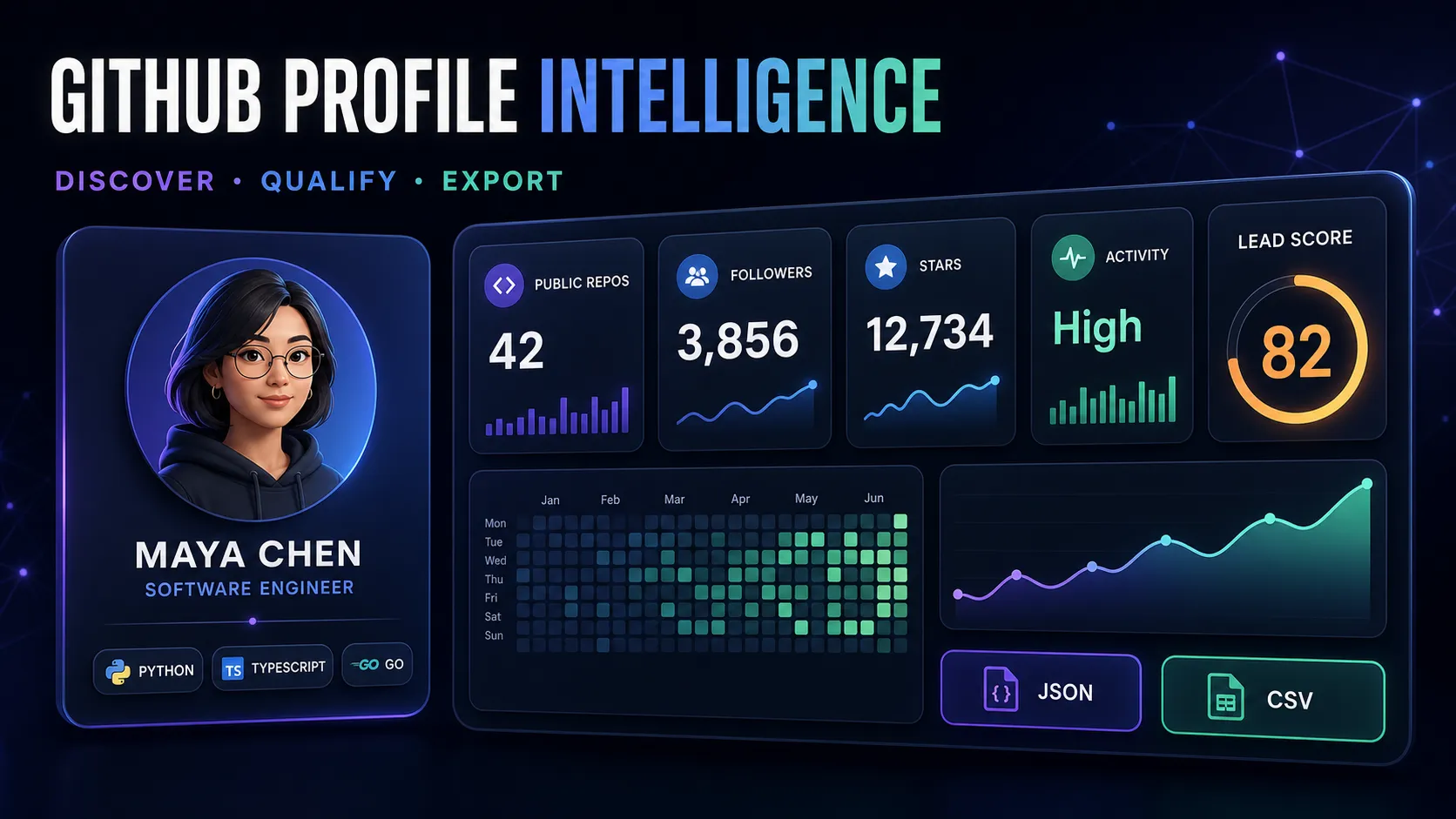



Turn public GitHub profiles, repository audiences, and organization members into structured developer research records.
Collect identity and activity signals, compare public repositories and languages, qualify profiles with optional research scores, and export the results for recruiting, community analysis, or responsible B2B research.
MCP and AI agents
Use this Actor for public GitHub profile research and available repository or organization audiences. Start with one explicitly selected username.
Select apivault_labs/github-profile-scraper in the Actor's API → MCP tab, or connect an authenticated
MCP client to:
The direct tool is apivault_labs--github-profile-scraper. Keep the Apify token in the client's secure
authentication configuration. Public source data does not remove the requirement
for Apify authentication and applicable run charges. Read tools/list before
calling: wrapper fields can differ from the Actor input schema.
Small Actor input:
Send this object as the direct tool's arguments. Its current wrapper also accepts
waitSecs: 45. waitSecs controls how long the tool waits; it is not the Actor
run timeout. If the run is still active, poll its returned run ID with
get-actor-run; do not start a duplicate. Once terminal, use
get-dataset-items with the returned dataset ID and a small limit/field selection,
then get-key-value-store-record with the returned store ID and required record
key. Missing IDs/records must be reported, not replaced with another run's storage.
Read profile rows, SUMMARY and ERRORS. PARTIAL, sourceErrors, enrichmentWarnings, deferred and deferredSources mean some research remains incomplete. EMPTY can follow filters; missing public contacts are not verified absence of contacts. Repository aggregates describe a configured sample, not all-time contribution totals. Stargazer access requires repository permissions; do not promise arbitrary competitor audiences. If present, RETRY_INPUT contains deferred work; inspect it and rerun only when needed, supplying authorized secrets from your configuration rather than public output.
Agent request: “Research the public octocat profile with optional enrichment disabled. Return its profile URL and available fields, then check SUMMARY and ERRORS.”
Keep the first run small. Increase limits only for the requested scope, check current Pricing and cap runtime/spend using controls actually supported by your run client. Distinguish source errors, filtered emptiness and partial delivery; a completed tool call alone does not establish successful data collection.
Choose your workflow
Profile research
Provide GitHub usernames or profile URLs to collect structured public profile data.
Repository audience research
Provide repository URLs to discover available contributors (default) or forkers and enrich each username into a profile record. Stargazer listings require an authorized token and repository access. Results depend on your limit and source availability.
Organization research
Provide organization names or URLs to collect publicly listed members and compare their profile signals.
You can combine all three workflows in one run. Duplicate usernames are merged automatically.
Data you can collect
| Category | Example fields |
|---|---|
| Identity | username, fullName, bio, company, location, profileUrl |
| Public contact | email, website, twitterUsername, linkedin, socialAccounts |
| Profile metrics | followers, following, publicRepos, accountAgeYears |
| Repository signals | totalStars, totalForks, topLanguages, mostStarredRepo |
| Optional sections | repositories, organizations, starred projects, profile README, pinned repositories, achievements, contributions |
| Research fields | developerTier, activityStatus, leadScore, leadTier, leadReasons |
| Audience source | repository, organization, and source type when using discovery modes |
Only data available for the selected public profile and enabled options is returned. Missing contact or activity fields are not fabricated.
Reliability and incomplete results
Each profile and each repository/organization discovery source has a profileTimeout budget (90 seconds by default). If optional enrichment fails or reaches that budget after the identity was collected, the Actor returns the valid core profile with enrichmentWarnings. Missing repository metrics are unavailable, not invented zeros; restrictive filters can exclude such profiles.
SUMMARY in the run's key-value store distinguishes SUCCEEDED, PARTIAL, EMPTY, and FAILED, with failed profiles, audience source errors and profilesWithEnrichmentWarnings. Successful platform status can therefore include a PARTIAL summary. Failed profiles are listed in ERRORS and are not exported or charged as result rows.
Before the platform time limit, the Actor stops starting new work and saves unstarted profiles and discovery sources as RETRY_INPUT. Start a new run with that input to continue; add your token, cookies or custom proxy settings again if needed, since credentials are excluded. This continuation is manual and does not automatically launch or charge another run. Use a run timeout of at least 120 seconds for useful collection; very short runs can return only continuation input. A discovery deadline retains completed pages but does not automatically resume the remaining pages of that source. Increase profileTimeout and run timeout if you need a larger audience.
A nonexistent/suspended profile, invalid token, GitHub access restriction or rate limit can still prevent collection. An authorized token is required for restricted stargazer discovery; proxy changes do not grant repository permissions.
Quick start
Collect specific profiles
Research a repository audience
Research public organization members
Example output
This example is fictional and illustrates the typical structure. Actual fields vary by profile and selected options.
Optional profile depth
Keep runs lightweight or enable only the sections you need:
- Repository aggregates and an optional full repository list.
- Language distribution across sampled public repositories.
- Public social accounts and organizations.
- A sample of starred repositories.
- Profile README and pinned repositories.
- Public achievements and recent contribution signals.
- Optional public contact discovery and basic email-domain checks.
Deeper options can require more requests and may reduce throughput. Start with the default profile fields, then enable additional sections for shortlisted profiles.
Understanding the research score
leadScore is an optional 0–100 prioritization aid based on available public profile and repository signals. leadReasons explains the high-level factors present in a result.
The score is not a measure of personal worth, job performance, identity, financial capacity, or legal eligibility. Do not use it as the sole basis for employment, credit, housing, insurance, education, or other high-impact decisions. Review relevant profiles manually and apply your own documented criteria.
Collection limits and diagnostics
This Actor requires authorized repository access for its restricted stargazer workflow. Select contributors/forkers for supported public audience research, or supply a token with the required repository access for stargazers. Do not assume that anonymous access or proxy changes grant those permissions. See GitHub access restrictions.
Profiles and repositories are validated as GitHub identifiers/URLs and deduplicated without case sensitivity. Whitespace, commas and semicolons can separate multiple values. No GitHub token is required; public rate limits still apply. An optional token can improve capacity. Proxy rotation does not guarantee unlimited throughput.
Repository metrics use one page of up to maxRepos public repositories (maximum 100), sorted by most recently updated. totalStars, totalForks, mostStarredRepo, language and activity signals refer to that sample. Inspect reposSampled, repositorySampleLimit, repositorySampleComplete and repositoryMetricsScope. The legacy firstCommitYear field estimates the earliest sampled repository/account creation year, not a verified first commit.
SUMMARY is written even when output is empty: delivered/failed/filtered counts, discovery errors and SUCCEEDED, PARTIAL, EMPTY or FAILED. ERRORS records profile failures without paid error rows. A run fails if all attempted profiles fail. Filtered empty results succeed. Successful rows in mixed runs are retained and billed once. Source errors after an audience page are reported rather than treated as complete coverage.
Billing: $0.0019 per successfully exported profile plus the $0.00005 start event and platform/proxy usage. Failed profiles and filtered results do not incur result events. Contact fields depend on source availability. enrichmentWarnings identifies unavailable repository aggregation; other optional sections may be missing or empty when not exposed by the source.
Filters
Filter before saving results with:
minLeadScoreminFollowersminReposminStarshireableOnlywithEmailOnly
Filters depend on the corresponding field being available. For example, a stars filter requires repository aggregation.
Exports and automation
Results are saved to the run's Apify Dataset and can be downloaded as JSON, CSV, Excel, XML, or RSS. Use exportFormat: "csv" for a flatter row designed for spreadsheet and CRM workflows.
For n8n, use the community package n8n-nodes-apivault-github to start the Actor and pass dataset results to the next workflow step.
Pricing
The active result price is $0.0019 per successfully collected profile:
| Successful profiles | Result charge |
|---|---|
| 1 | $0.0019 |
| 100 | $0.19 |
| 1,000 | $1.90 |
| 10,000 | $19.00 |
Apify platform usage and a small Actor Start charge may apply according to the pricing shown before each run. Profiles excluded by filters or unsuccessful lookups are not billed as successful result events.
FAQ
Are email and LinkedIn guaranteed?
No. Contact fields are returned only when a public source exposes them. Many developers intentionally keep these fields private.
Can I collect every stargazer, forker, contributor, or organization member?
The Actor collects the available audience up to your configured limit. Results can vary because profiles may be private, removed, duplicated, unavailable, or excluded by filters.
Do I need a GitHub token?
Not for small public-profile runs. An optional read-only token can provide higher authorized request limits for larger workloads. Use the minimum permissions required and never paste credentials into logs or support messages.
What does totalStars mean?
It is aggregated across the public repositories included in the configured sample, not necessarily every repository ever associated with the account.
Can I use the results for outreach?
Use public contact information responsibly. Respect consent, opt-outs, applicable privacy and anti-spam laws, platform terms, and reasonable contact frequency. Avoid bulk unsolicited messaging.
Responsible use
- Collect only the fields needed for a legitimate purpose.
- Do not attempt to identify private individuals or infer sensitive traits.
- Do not use the output for harassment, surveillance, credential attacks, or automated spam.
- Secure exported contact data and delete it when no longer needed.
- Follow GitHub's terms and applicable privacy laws, including GDPR and CCPA where relevant.
Support
Open an issue on the Actor page with a sample input and run ID. Remove API tokens, cookies, private contact lists, and other secrets before sharing diagnostics.
GitHub is a trademark of GitHub, Inc. This Actor is an independent tool and is not affiliated with or endorsed by GitHub.
Developer and community research with an explicit scope
Choose the public professional question you intend to investigate: inspect a known account, review a small repository audience, or compare available public project signals. Collect only the fields needed for that question. A public developer profile is not a verified personal identity, complete CV or measure of job performance.
| Research task | First configuration | Preserve with the result |
|---|---|---|
| Inspect one known account | Core profile, optional depth off | Username, profile URL and source status |
| Review recent public projects | Explicit small maxRepos | Sample size and repositoryMetricsScope |
| Study a repository community | Authorized supported audience and a small limit | Audience source and incomplete-source diagnostics |
| Prepare a spreadsheet review | CSV export with unnecessary sections off | Profile identity and evidence scope |
| Investigate available contact routes | Only published evidence needed for the task | Missing fields and source warnings |
Start with one core public profile
The official example account keeps the first request easy to inspect. Optional repository aggregation and research scoring are disabled. A public result does not imply that every contact or social field is available for other accounts.
Inspect a small recent-repository sample
The configured sample can differ from the profile's publicRepos count. Stars, forks and languages derived from these repositories describe that sample rather than every contribution associated with the person.
Export a compact spreadsheet record
CSV flattens supported fields for review. Disabling commit-email discovery avoids that optional research path. Do not treat a missing email field as evidence that the account has no contact channel.
Research a small supported repository audience
Contributors are the explicit audience here. Source permissions and availability still apply. A maximum of three is a limit, not a promise of three qualifying profiles or complete repository community coverage.
Keep repository and contact observations in context
Profile counts, sampled repository aggregates and recent contribution signals answer different questions. An unavailable enrichment section must not become a fabricated zero or a statement about someone's ability, motivation or employment status. Manual professional review remains necessary for decisions involving people.
Public contact fields can be intentionally sparse. A profile link, social account or source-published email is a route to review, not permission to contact the person or a guaranteed working inbox. DNS checks do not establish email deliverability. Keep only the information needed for your legitimate research workflow.
Source access and secrets in automated research
Small public-profile requests do not require you to provide a GitHub token. Some audience operations require authorized repository access, and source rate limits can still affect collection. A proxy change does not grant permissions. Keep optional tokens and cookies in private configuration, not shared README examples or support output.
RETRY_INPUT deliberately excludes supplied credentials. If the continued job requires authorized access, supply the necessary secret again through your own configuration. Do not publish a filled retry payload or infer that a redacted continuation contains everything needed to access a restricted audience.
Budget and recovery for a profile research file
Active rates checked on 20 October 2026 are $0.0019 per successfully delivered profile, $0.00005 per start memory unit with a minimum of one, and user-paid platform/proxy usage. Five profiles with one start unit have $0.00955 in event fees. This is an event calculation, not a measured total-run quote or a promise of five matched accounts.
Deeper repository and contact options can use more requests and time. Failed or filtered profiles have no successful-profile result event; their processing can still consume resources. Set a bounded audience, an appropriate run timeout and a platform spending cap before scaling.
Save completed run and dataset IDs. A download failure should first be recovered by reading that existing dataset. Repeating collection is a new run and can bill the same profile again. Manual continuation collects the deferred scope; it is not a cross-run monitoring database.
More questions about GitHub profile research
Is leadScore an objective measure of developer quality?
No. It is a prioritization heuristic using available signals, not an assessment of personal worth, job performance or hiring suitability. Keep the score reasons and apply independent, appropriate review.
Can I use the result as a complete contribution history?
No. Enabled sections and available source windows bound the collected evidence. Repository aggregates refer to the configured sample.
Does a successful run mean every optional section succeeded?
No. Check SUMMARY, enrichmentWarnings, sourceErrors and deferred work. A useful core profile can survive an incomplete optional check.
Does this automatically send outreach or notifications?
No. The Actor returns data and optional research fields. Any external message or notification is a separate action in your own workflow.
n8n and developer integrations
Use this Actor in your automation or application with the existing community integrations below. An Apify account and API token are required; Actor and platform charges follow the current pricing.
- n8n community node: n8n-nodes-apivault-github. Install package name
n8n-nodes-apivault-githubin a self-hosted n8n instance that permits community packages. - Python client and examples: GitHub.
- n8n source and usage: GitHub.
These are community packages. Publication on npm does not establish n8n verification or availability in n8n Cloud. Review the linked package README for supported inputs and setup.


