

Temu Product Scraper — Prices, Ratings & Sales
Pricing
from $3.00 / 1,000 product scrapeds
Temu Product Scraper — Prices, Ratings & Sales
Collect supported Temu product and search results with returned prices and sales signals; coverage varies. Bulk export: JSON, CSV, Excel and API. PPE: $3/1K products; start fee, usage extra.
Pricing
from $3.00 / 1,000 product scrapeds
Rating
5.0
(1)
Developer

Apivault Labs
Maintained by CommunityActor stats
1
Bookmarked
459
Total users
65
Monthly active users
4 days ago
Last modified
Categories
Share
Temu Product Scraper — Search, Compare & Export
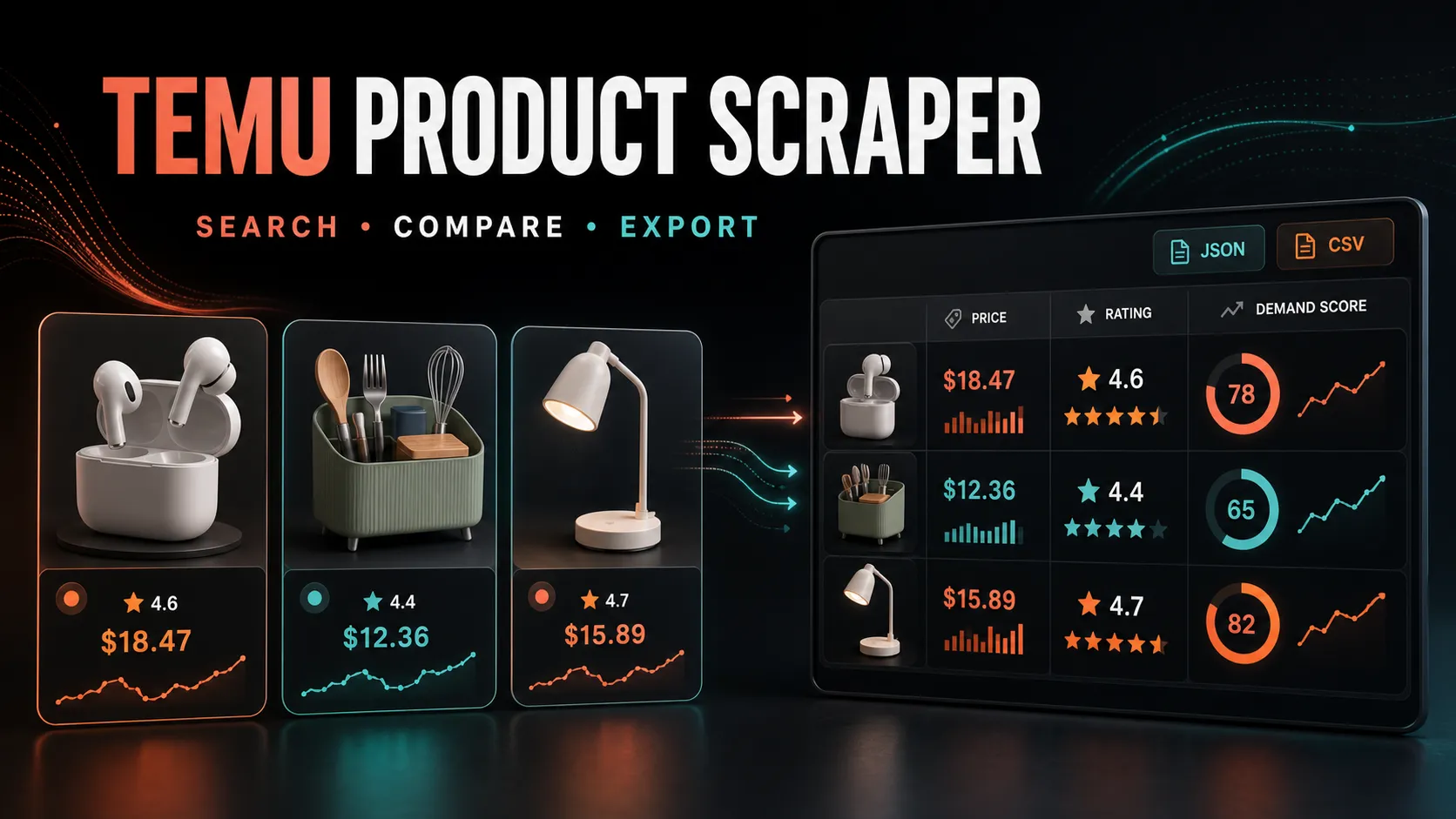



Search Temu by keyword or collect data from specific product URLs. Compare prices, ratings, reviews, availability, seller information, media, and market signals in one structured dataset.
Built for product research, catalog discovery, competitive analysis, and marketplace monitoring — without manually opening hundreds of listings.
Marketplace observations for a product-research worksheet
Use Temu Product Scraper to organize available listing observations before manual product research. Search, exact product inputs and the bounded featured feed have different coverage. A discovered snippet or feed card can lack region-specific price, stock or seller details; missing commerce fields must remain unknown.
| Research route | Useful input | Coverage boundary |
|---|---|---|
| Keyword sample | searchKeywords and a small maxProductsPerKeyword | Bounded discovery, not the entire catalog |
| Known listing | productUrls with a real ID/URL | Exact identity required; inaccessible pages can produce no result |
| Featured sample | trendingNow and maxTrendingProducts | Source-selected feed, not official keyword ranking |
| Spreadsheet research | Default export and actual source/currency fields | Scores and USD conversion remain estimates |
Start with a few rows, leave paid experimental sources off and read RUN_SUMMARY/ERRORS. A successful process without delivered products is not a successful product collection.
Quick start in Apify Console
- In What to collect, enter one keyword or product URL/ID per line. Alternatively, leave both lists empty and enable Also collect featured products.
- Choose a country and a small product limit. Leave optional filters and advanced settings at their defaults for the first run.
- Click Start. Open the Dataset for products and Run summary for delivered rows, source failures and limits. Temu may return no products; an empty run can still incur platform usage costs.
- For export, select a row layout in Results and export before running, then download the Dataset in the appropriate format. Review Shopify/Merchant rows before importing or submitting them.
The remaining sections let you choose product fields, research estimates, and advanced runtime settings. Paid experimental sources are disabled by default; enabling them does not guarantee results.
What you can do
- Target keyword requests to one of 20 selectable regions; discovered snippets may not carry region-specific prices or stock information.
- Collect specific listings from Temu product URLs or product IDs.
- Collect featured products with
trendingNow: true. This is a separate feed, not a substitute for keyword search; the source chooses items and currency. - Sort search results by relevance, top sales, newest, or price.
- When a discovery source does not expose a publication date, the
newestoption preserves that source's order instead of inventing recency. - Filter by price, demand score, hot-product score, shipping, or trend status.
- Compare normalized product data across one dataset.
- Export results through Apify as JSON, CSV, Excel, XML, or RSS.
- Produce Shopify-oriented and Google Merchant-oriented output shapes.
Data you can collect
| Category | Example fields |
|---|---|
| Product | title, productId, productUrl, category, description |
| Pricing | priceUsd, priceLocal, currency, originalPriceUsd, discountPct |
| Social proof | rating, reviewsCountInt, soldCountText, soldCountInt |
| Seller | shopName, shopUrl, mallId |
| Delivery | shippingText, freeShipping, shippingDaysMin, shippingDaysMax |
| Media | imageUrl, images, videoUrl, variants |
| Research signals | demandScore, hotProductScore, isTrending, riskCount |
| Retail estimates | estimatedRetailUsd, estimatedGrossProfitUsd, estimatedProfitMarginPct |
Fields depend on what is publicly available for each listing and region. Missing source data is not fabricated.
Keyword runs use a bounded source waterfall. Metered search discovery is off by
default and can be enabled with usePaidSearchDiscovery: true; it does not
guarantee verified commerce data. Duplicate products
across keywords are delivered once. The free RUN_SUMMARY record reports
delivered, filtered, failed, and duplicate counts plus whether the runtime budget
was reached or paid discovery was enabled.
Quick start
When ordinary discovery is incomplete, matching featured-feed products may be
returned with source: temu_feed_keyword_match. All query words must match the
product title. This covers only the small featured subset, not the full catalog;
many keywords can still return no results. Product URL fallback likewise requires
an exact product ID in that feed.
An empty or unavailable feed is not a successful product collection. Check
RUN_SUMMARY.sourceIssues, delivered and featuredFeedRequests; process status
SUCCEEDED alone does not mean products were returned. A source returning only
a trust module is stopped for that run rather than repeatedly fetched.
useResidentialFeedFallback is an experimental, metered option and is off by
default. Cloud testing did not establish that it restores an unavailable feed;
enabling it can increase costs without returning products.
Search by keyword:
Or collect specific products:
You can combine keyword search and product URLs in the same run.
For a low-cost featured-products run:
The feed reports its actual currency. USD estimates are produced only for supported currencies and use approximate conversion rates; unsupported currencies retain local prices without inventing a USD value. Shopify and Google Merchant-oriented rows require a USD estimate, so sold-only records without one are excluded from those exports.
Example output
The example below is fictional and shows the typical structure. Returned fields vary by listing.
Understanding sold count
Sold count is returned only when the listing or search result exposes that signal.
- A label such as
10K+ soldbecomessoldCountInt: 10000. - That number is the displayed lower bound, not an exact lifetime-sales total.
soldCountIsBucket: trueidentifies bucketed values.- Some products may not include sold count at all.
Use sold count as a comparison signal together with rating, reviews, price, and listing quality — not as audited sales data.
Product research scores
Optional enrichment turns available listing signals into sortable research fields:
demandScoreanddemandTiersummarize visible demand indicators.hotProductScorecombines demand, margin, shipping, media, and risk signals.isTrendingflags products that meet the Actor's current trend criteria.riskCounthighlights conditions such as limited reviews or a weak rating.- Retail and profit fields apply your chosen markup to the collected product price.
These are research heuristics, not guarantees of demand, profitability, resale eligibility, or future performance. Profit estimates do not automatically include advertising, marketplace fees, taxes, returns, duties, or fulfillment costs.
Useful presets
Find stronger candidates
Prepare Shopify-oriented rows
Prepare Google Merchant-oriented rows
Always review generated catalog fields, images, pricing, availability, and policy compliance before importing or publishing products.
Shopify-oriented rows are imported as drafts with zero assumed inventory. A product should be published and stock quantities set only after you verify supplier availability and fulfillment rights. Merchant-oriented rows treat unknown availability as out of stock rather than guessing.
Regions
Supported region presets include the United States, United Kingdom, Germany, France, Spain, Italy, Netherlands, Australia, Canada, Brazil, Mexico, Japan, South Korea, Poland, Sweden, Austria, Belgium, Portugal, Czech Republic, and Ireland.
Prices, availability, rankings, and visible listing fields can differ by region and over time.
Pricing
The active price is $0.003 per successful dataset item:
| Results | Usage charge |
|---|---|
| 1 | $0.003 |
| 100 | $0.30 |
| 1,000 | $3.00 |
| 10,000 | $30.00 |
The Actor Start event is $0.00005 per GB of allocated memory, minimum one event. Platform usage is paid separately by the user. Failed or filtered-out records are not charged as successful dataset items.
For economical keyword monitoring, keep maxFallbackDetails at its default of
1 or set it to 0. maxRunTimeSeconds preserves already collected results and
prevents a long fallback tail from consuming an unbounded run.
n8n automation
Use the community package n8n-nodes-apivault-temu to add this Actor to an n8n workflow. It can send an input, start a run, and pass the resulting dataset to the next workflow step.
FAQ
Do I need a Temu account?
No. The Actor collects data available from public product listings.
Can every field be guaranteed?
No. Marketplace pages vary by product, region, session, and time. The Actor returns the fields available for a given result and does not invent missing values.
Are normalized prices and profit estimates exact?
They are research aids. Currency conversion and retail estimates should be independently verified before commercial use.
Can I use the output for a store catalog?
The Actor can prepare Shopify-oriented or Google Merchant-oriented rows, but you remain responsible for product rights, marketplace policies, listing accuracy, fulfillment, and legal compliance.
Where are the results stored?
Results are saved to the run's Apify Dataset. Aggregate summaries and top-product records can also be written to the run's Key-Value Store.
Related Actors
Support
Open an issue on the Actor page with a sample input and run ID. Do not include passwords, API tokens, or private customer data.
Temu is a trademark of its respective owner. This Actor is an independent data tool and is not endorsed by or affiliated with Temu.
Small Temu inputs with explicit cost controls
For a featured sample, request two items and leave both metered fallbacks disabled. Source availability can still reduce delivery; this route is not a substitute for an arbitrary keyword search.
For a keyword worksheet, cap the result count and detail tail. The source can return a partial card, and strict filters can remove all candidates without proving that no such products exist.
For a default export suited to inspection, preserve price/currency and optional research fields instead of immediately preparing a commerce import.
Interpret sales and profit signals conservatively
An observed 10K+ sold label becomes a bucket lower bound, not exactly 10,000 sales. Missing sold count does not mean zero demand. demandScore, hotProductScore and isTrending apply heuristics to the observed fields; they do not measure conversion, future demand or verified marketplace ranking. A source without dates cannot support a newest-first claim.
Keep local price/currency with any USD estimate. Approximate conversion and retailMarkup do not include all sourcing, platform, shipping, tax, advertising or returns expenses. A currency conversion is not a current FX quote. Compare similar packs and listing contexts before treating price differences as margins.
Review catalog rows before importing
Shopify-oriented and Merchant-oriented output shapes are formatting aids. The output does not establish inventory, resale authorization, fulfillment rights or destination approval. Unknown availability stays conservative and incompatible/missing USD values can exclude an export row. Inspect the default product record and source evidence before importing a draft.
Temu collection questions
What does a three-product run cost? Three delivered rows cost $0.009 in result events plus the memory-weighted Actor Start event ($0.00005 per GB, minimum one), plus platform usage. At 256 MB that is $0.00905 in events. Optional paid discovery/proxy work can add expense.
Can a source failure produce no charged products? Yes. No successful Dataset row means no result event, but startup/resources can still apply. Check source issues and the delivered count rather than relying on the process status.
Do region presets guarantee local stock? No. They request context; discovered snippets or feed cards can lack region-specific price/availability. Preserve the actual returned currency and coverage notes.
Can I schedule recurring observations? Use your own Apify schedule and retain dated outputs downstream. A scheduled repeat is another observation; it does not automatically establish complete historic coverage or unchanged listing identity.
n8n and developer integrations
Use this Actor in your automation or application with the existing community integrations below. An Apify account and API token are required; Actor and platform charges follow the current pricing.
- n8n community node: n8n-nodes-apivault-temu. Install package name
n8n-nodes-apivault-temuin a self-hosted n8n instance that permits community packages. - Python client and examples: GitHub.
- n8n source and usage: GitHub.
- n8n source and usage: GitHub.
These are community packages. Publication on npm does not establish n8n verification or availability in n8n Cloud. Review the linked package README for supported inputs and setup.


