
Docker Hub Scraper: Images, Tags & Architectures
Pricing
from $0.37 / 1,000 tag scrapeds
Docker Hub Scraper: Images, Tags & Architectures
Scrape Docker Hub repositories for tags, image sizes, digests, supported architectures, OS and last-pushed dates. Track base-image freshness and platform support.
Pricing
from $0.37 / 1,000 tag scrapeds
Rating
0.0
(0)
Developer

Arman Hossain
Maintained by CommunityActor stats
0
Bookmarked
1
Total users
0
Monthly active users
21 days ago
Last modified
Categories
Share
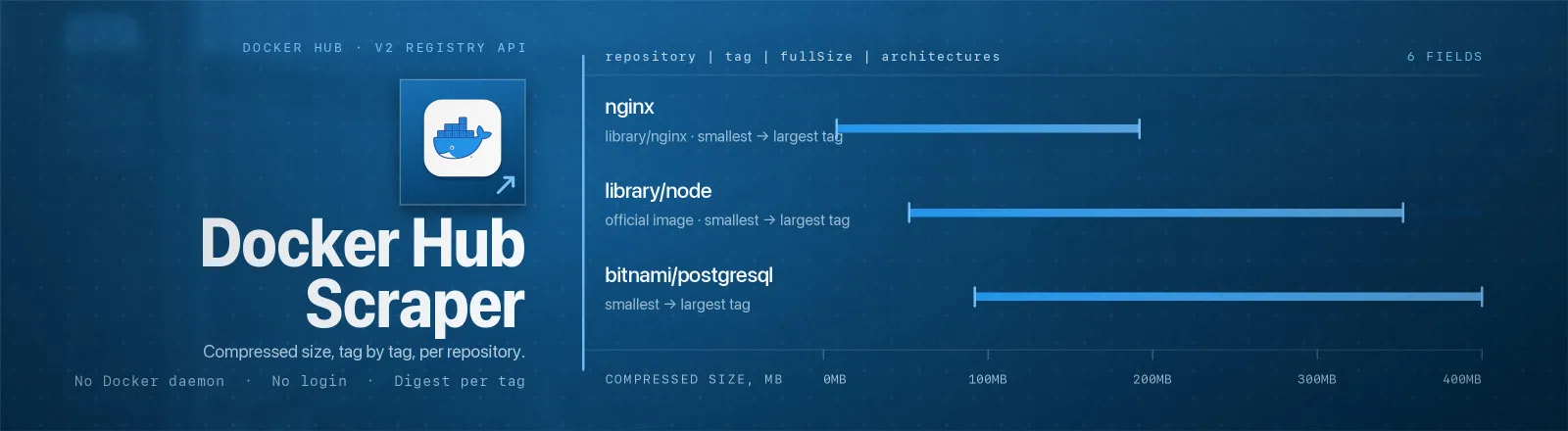
Docker Hub Scraper lists every tag of any public Docker Hub repository with its compressed size, manifest digest, supported architectures, operating systems and last-pushed date. Point it at nginx and you get 1,283 tags; point it at your own namespace and you get an inventory of what you ship.
It reads Docker Hub's own registry data, the canonical source, the same metadata docker pull resolves. No browser, no proxy, no login, no Docker daemon.
Agent skill: SKILL.md
What you get
| Output field | Meaning |
|---|---|
repository, namespace, name | Normalised namespace/repo, split out for grouping |
tag | Tag name, e.g. 1.30.4-trixie |
image | The pull reference you'd type, nginx:stable or bitnami/postgresql:16 |
fullSize | Compressed size in bytes of the tag's primary image |
digest | The tag's manifest (or manifest-list) digest, the immutable identity |
architectures | Runnable architectures, e.g. ["amd64","arm","arm64","386","ppc64le","riscv64","s390x"] |
osList | Operating systems, e.g. ["linux"] |
variants | ARM variants present, e.g. ["v5","v7","v8"] |
platforms | Per-platform detail: os, architecture, variant, size, status, lastPushed, and digest when includeDigests is on |
mediaType, contentType | e.g. application/vnd.oci.image.index.v1+json, image |
tagStatus | active or inactive |
lastUpdated, tagLastPushed, tagLastPulled | Freshness signals, tagLastPushed is the one you want for staleness checks |
lastPusher | Docker Hub username that last pushed the tag |
url | Deep link to the tag on Docker Hub |
scrapedAt | Run timestamp |
A RUN_SUMMARY record in the key-value store holds per-run counts, the filters used, any repository that failed, and the rate-limit budget observed on the last request.
Common use cases
1. Audit base-image freshness across your services. Pull the tags you actually depend on and check tagLastPushed against your build date.
2. Verify arm64 support before migrating. Anything that survives the filter has a real linux/arm64 image published.
3. Track upstream release cadence. Snapshot on a schedule and diff on digest, a changed digest for an unchanged tag means the upstream image was rebuilt under you.
Quick start
Simplest possible run:
Several images, arm64 only, small dataset:
Input
| Field | Type | Default | Notes |
|---|---|---|---|
repositories | array | - | Required. namespace/repo, a bare official name, a Docker Hub URL, or a repo:tag pull reference. All normalise to namespace/repo. |
maxTagsPerRepo | integer | 100 | Cap per repository, applied after architectureFilter. 0 = no limit. |
architectureFilter | array | [] | Keep only tags publishing one of these architectures. Accepts arm64 or arm/v7. Empty = all. |
includeDigests | boolean | true | Include the sha256 digest of each per-platform image. The tag's own digest is always present. |
Which combinations make sense. architectureFilter runs before the cap, so architectureFilter: ["riscv64"] with maxTagsPerRepo: 20 gives you 20 riscv64-capable tags rather than "whichever of the first 20 tags happened to be riscv64". That does mean a narrow filter on a large repository walks more pages, the Actor stops after 100 pages (10,000 tags) per repository and logs a warning if it gets there. Turn includeDigests off when you are only tracking sizes and platforms; it typically halves the dataset size on multi-arch images.
Finding the right repository name
| What you see | What to pass |
|---|---|
docker pull nginx | nginx → resolves to library/nginx |
docker pull bitnami/postgresql:16 | bitnami/postgresql (the :16 is stripped for you) |
https://hub.docker.com/_/redis | redis |
https://hub.docker.com/r/grafana/grafana | grafana/grafana |
The library namespace is the catch. Docker's own official images have no namespace in everyday use, but the API insists on one: the public API returns HTTP 404, while ./library/nginx/tags returns 200. This Actor adds library/ for you whenever you pass a single-segment name, so you never have to think about it.
Output example
RUN_SUMMARY:
Limits and behaviour
- Anonymous requests share a per-IP budget. Docker Hub advertises it as rate-limit headers
with a rolling reset; the Actor reads those headers on every response and puts the last observed values inRUN_SUMMARY.rateLimit`. One page carries 100 tags, so a 10-repository sweep at the default cap costs about 10 requests, comfortably inside the budget. If you do get a 429. It is retried with a longer backoff than other errors (5s, then 10s) rather than hammering. - Attestation manifests are excluded from the platform summary. Docker Hub lists SBOM and provenance manifests in the same
images[]array withosandarchitectureboth set to"unknown". They are not runnable platforms, soarchitectures,osList,variantsandplatformscover real images only. This is why a nine-entryimages[]array can yield five architectures. fullSizeis compressed, not on-disk. It is the size of the layer blobs as stored in the registry. The unpacked image on a running host is larger, usually 2-3×.- A missing repository doesn't kill the run. Unknown or private repositories return 404/401, are recorded in
RUN_SUMMARY.failures, and the run continues. The Actor only errors out if every repository fails. - Partial results are kept. If page 7 of a repository fails, the 600 tags already saved stay in the dataset and the failure is still reported.
- Private repositories are not supported. This Actor sends no credentials by design. Private repos are reported as failures, not silently skipped.
- Public data only. No authentication, no personal data, no access-control bypass.
API example
JavaScript example
FAQ
Do I need a proxy? No. Proxy configuration is not required to run this Actor.
Do I need a Docker Hub account? No. You supply no credentials.
Why did nginx work but mycompany/private-app fail? Private repositories need authentication, which this Actor deliberately does not do. It reports them in RUN_SUMMARY.failures and carries on.
What happens if Docker Hub is unavailable? 429s and 5xx errors are retried with backoff. If a repository still fails. It is recorded in RUN_SUMMARY.failures and the run continues with the rest.
Can I schedule it? Yes. Diffing digest per repository+tag across scheduled runs is the cleanest way to detect an upstream rebuild.
Why do the architectures not match what docker manifest inspect shows? They should, with one difference: this Actor omits the unknown/unknown attestation entries that docker manifest inspect also lists. Compare against the entries with a real platform.
Does it include pull counts or stars? No. Those live on the repository object, not the tags endpoint, and this Actor emits one row per tag.
Can I integrate it with something else? Yes, Apify API, client libraries, webhooks, scheduled runs, dataset exports (JSON/CSV/Excel) or MCP. Output is structured JSON.


