

npm Package Scraper: Metadata, Versions & Dependencies
Pricing
from $0.56 / 1,000 package scrapeds
npm Package Scraper: Metadata, Versions & Dependencies
Fetch complete npm registry metadata for any package: versions, dependencies, maintainers, licences, repository, dist-tags and deprecation flags. No key, no proxy.
Pricing
from $0.56 / 1,000 package scrapeds
Rating
0.0
(0)
Developer

Arman Hossain
Maintained by CommunityActor stats
0
Bookmarked
1
Total users
0
Monthly active users
2 months ago
Last modified
Categories
Share
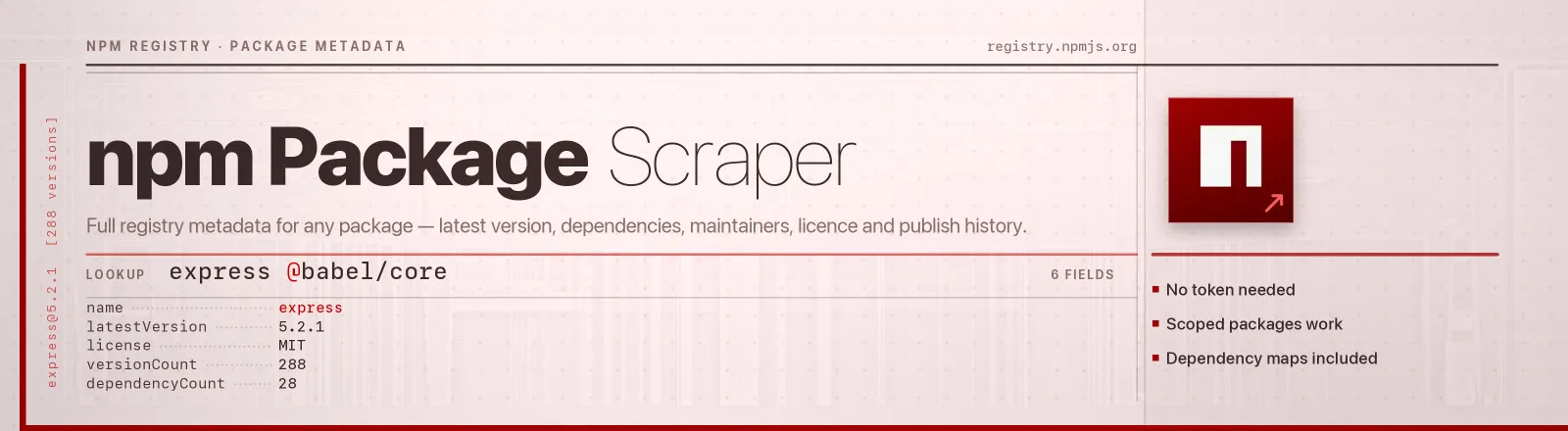
Reads the full registry document for any npm package and flattens it into one clean record: latest version, dist-tags, dependency maps, maintainers, licence, repository, publish timeline, unpacked size and deprecation state.
This is the registry data npm install itself resolves against. There's no token, no login, no proxy and no browser. Scoped packages work exactly like plain ones.
Agent skill: SKILL.md
What you get
| Field | What it holds |
|---|---|
name, latestVersion, url | Package name, the latest dist-tag, and the npmjs.com page |
description, keywords | Registry description and keyword list |
license, homepage, repository, bugs, funding | Licence identifier and the cleaned-up project links |
author, maintainers | Original author and every current maintainer name |
distTags | Full dist-tag map: latest, next, latest-4, whatever the project publishes |
dependencies, devDependencies, peerDependencies, optionalDependencies | Name-to-range maps for the latest version |
dependencyCount | Runtime dependency count for the latest version |
engines, unpackedSizeBytes, tarball | Node/npm requirements, install size and the tarball URL |
versionCount, deprecatedVersionCount | Every version ever published, and how many are deprecated |
versions | Per-version array with version, publish date, licence, dependency count and deprecation note |
firstPublished, lastPublished, latestPublished | Package creation, most recent registry change, and when the latest version shipped |
isDeprecated, deprecationMessage | Whether the latest version is deprecated, and what the maintainer said |
scrapedAt | Run timestamp |
RUN_SUMMARY in the key-value store holds per-run counts, the flags you used, any package that failed, any package left unfetched by the cap (packagesSkippedByCap) and any input entry that was not a package name (inputsRejected).
Use cases
- SBOM and licence compliance. Resolve every dependency's licence and repository in one run.
- Dependency drift. Compare the versions you pin against what the registry ships today.
- Release cadence.
versionsplus publish dates gives you a full release timeline for any project. - Upgrade risk.
isDeprecated,deprecatedVersionCountandenginesland in one place. - Internal package catalogues. Maintainers, keywords and descriptions for a searchable index.
Quick start
Two packages, latest version only:
Full history for a release-cadence analysis:
A compact catalogue sweep with no dependency maps and no history:
Input
| Field | Type | Default | Notes |
|---|---|---|---|
packages | array | required | Names or npmjs.com URLs, scoped or plain. Duplicates are removed before any request. |
maxPackages | integer | 100 | Ceiling on records for the whole run. One package is one record, so this is the most the run can cost. 0 means no limit. |
includeAllVersions | boolean | false | Adds the versions array. Off by default, because express alone has 288 versions. |
includeDependencies | boolean | true | Include the four dependency maps for the latest version. Turn it off and they come back null. |
includeDeprecated | boolean | false | Keep deprecated releases inside versions. No effect unless includeAllVersions is on. |
versionCount and deprecatedVersionCount are always the true totals regardless of the flags, so you can size a package without downloading its history.
The cap
maxPackages is a total for the run, not an allowance per package, and it is checked against what has already been delivered before each package is fetched. Ask for 3 across a list of 8 and you get 3 records and 3 charges; the other five are never requested and come back by name in RUN_SUMMARY.packagesSkippedByCap. A package that 404s does not use up a slot, because nothing was delivered for it.
The default is 100. Pass a larger number for a bigger catalogue, or 0 to lift the ceiling entirely and fetch every name you listed. A maxPackages that cannot be read as a whole number of 0 or more — -5, 1.5, "lots" — ends the run immediately with an error, before any row is pushed, rather than being rounded into "no limit".
Output example
A real record for express, with dependency and version lists truncated for readability:
Note the difference between lastPublished and latestPublished: the first is the registry's time.modified, which also moves when a maintainer deprecates or untags something; the second is when the current latest version was actually published. Use latestPublished for release-cadence work.
Naming a package
| What you have | What to pass |
|---|---|
express | express |
@babel/core | @babel/core |
https://www.npmjs.com/package/react | either the URL or react |
https://www.npmjs.com/package/@angular/core | either the URL or @angular/core |
URLs are normalised to package names before anything is fetched, so you can paste straight from a browser tab.
API example
JavaScript example
Limits and behaviour
- Registry documents are big.
expressis 805 KB because the full document carries every version and the README. The Actor fetches it once and emits a compact record, andincludeAllVersionsis off by default so a 50-package catalogue stays small. - The run has a ceiling.
maxPackagescaps the records the run delivers, so a long or machine-generated list cannot quietly turn into a large bill. It defaults to100, counts the whole run rather than each package, and names everything it skipped. - A missing package won't kill the run. An unpublished or misspelled name returns 404, lands in
RUN_SUMMARY.failures, and the run continues. The Actor errors out only if every package failed. - Transient errors get retried. 429s and 5xx responses get three attempts with linear backoff. A 404 is fatal for that package, because it will never become a 200.
- Repository URLs are normalised.
git+https://github.com/expressjs/express.gitbecomeshttps://github.com/expressjs/express, so the field is directly linkable and joins against GitHub data. - Deprecation is read from the latest version. A package like
requestreportsisDeprecated: truewith the maintainer's message verbatim, and withincludeDeprecated: falseitsversionsarray comes back empty because all 126 releases are deprecated. - Public data only. No authentication, no personal data beyond the maintainer handles npm itself publishes.
FAQ
Do I need a proxy? No. Proxy configuration is not required to run this Actor.
Do I need an npm token? No. Tokens are only needed for private packages, which this Actor does not fetch.
Does it work with scoped packages? Yes. @scope/name is encoded correctly for the registry, and npmjs.com URLs for scoped packages are parsed too.
Does it give me download counts? No. Those live on a different npm API, covered by npm Download Stats Scraper.
Can it resolve a whole dependency tree? Not recursively in one run. Take dependencies from the first run, feed the keys back in as packages, and repeat. Two runs cover almost every real tree.
Why is versions empty when the package clearly has releases? Either includeAllVersions is off, or every version is deprecated and includeDeprecated is off. versionCount always shows the true total.
Can I plug it into something else? Yes. Apify API, the client libraries, webhooks, scheduled runs, dataset exports to JSON, CSV or Excel, or MCP. The output is structured JSON.


